Table of Contents
- What the research says about learning with AI
- A 12-week plan for learning programming with AI
- A daily routine (45 minutes)
- Prompts that teach vs prompts that copy
- A real example: learning by writing and tracing
- How to use AI to learn coding faster
- Signs you are copying, not learning
- Learning to code with AI, by age
- How we teach it
- Frequently asked questions
To learn programming in the age of AI, split the work in two: AI explains, quizzes and reviews; you write, trace and test. Try every problem yourself first, ask AI questions about concepts and error messages rather than for finished code, and trace your program by hand until you can predict its output. Used this way AI makes you faster at understanding. Used to write the code for you, it makes you faster at finishing and slower at learning, and there is now a controlled study that measured the difference.
Below is a week-by-week plan, a daily routine, the exact prompts that teach and the ones that only copy, and a real worked example with code we ran. It is written for teenagers and adults learning to code; if you are a parent of a younger child, the age rules section matters most.
What the research says about learning with AI
In a randomised trial published by Anthropic in January 2026, 52 mostly junior developers learned a new Python library, half with an AI assistant and half without, then took a quiz. The AI group "scored 17% lower than those who coded by hand", and the AI group was not reliably quicker either: the gain "didn't reach the threshold of statistical significance".
The useful part is who did well with AI. The researchers grouped people by how they used it. The low scorers handed over the work: their "average quiz scores in this group were less than 40%". The high scorers "used AI both for code generation and conceptual queries", and one high-scoring group "only asked conceptual questions and relied on their improved understanding to complete the task". That group hit errors and fixed them on their own, and it was, in the study's words, "the fastest among high-scoring patterns".
The one-line rule
Ask AI questions that make you understand. Do not ask it for the thing you are supposed to be learning to make.
One study of 52 people is not the last word, and the task was short. But it matches what developers say: in the Stack Overflow Developer Survey 2026, "Losing skills to AI" was the most common single reason (17%) people gave for avoiding AI at work or school.
A 12-week plan for learning programming with AI
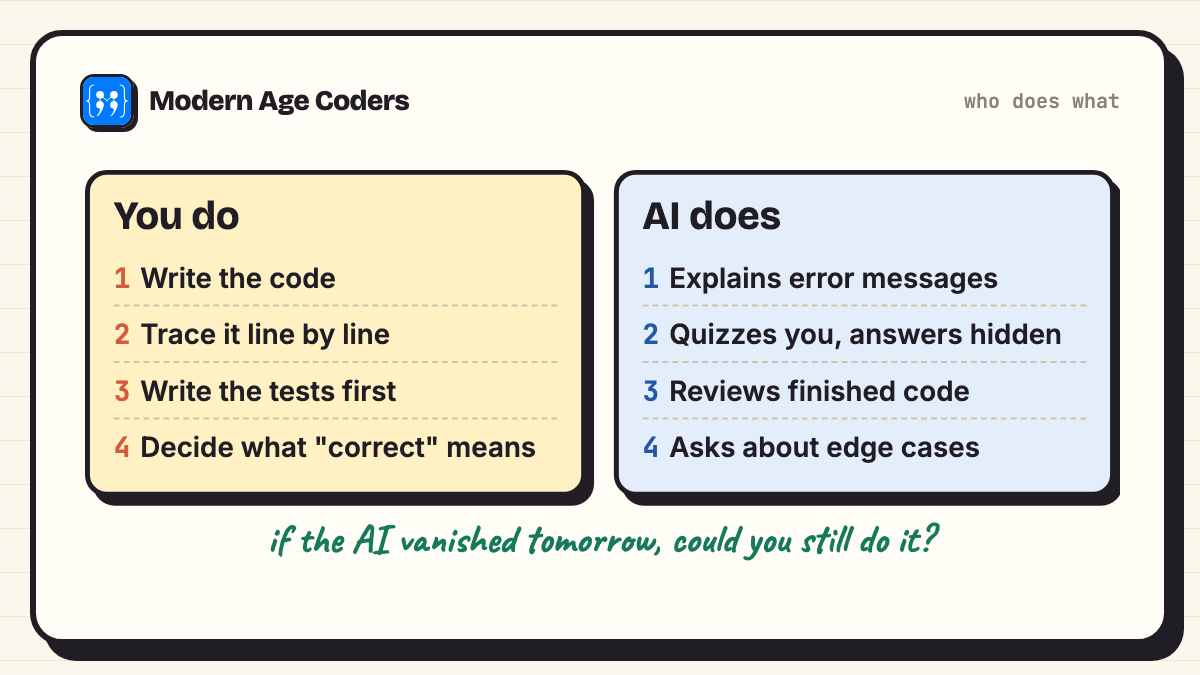
This plan assumes Python and about five hours a week. The AI column grows week by week; the "you" column never shrinks.
| Weeks | You do (no AI) | AI does |
|---|---|---|
| 1 to 2 | Variables, input, if/else. Type every example yourself and change one thing to see what breaks. | Explains error messages in plain words. Nothing else. |
| 3 to 4 | Loops. Trace every loop on paper: a table of variable values after each line. | Gives you 5 "predict the output" questions a day on loops, answers hidden. |
| 5 to 6 | Functions and lists. Write tests (expected answers) before each function. | Reviews your finished function and asks you questions about edge cases, without rewriting it. |
| 7 to 8 | Dictionaries, files, a small project of your own (a quiz, a budget tracker). | Explains one concept you are stuck on in two different ways; quizzes you after. |
| 9 to 10 | Debug without help for 20 minutes before you ask. Keep a bug diary. | Gives hints in steps: first a question, then a hint, only then an explanation. |
| 11 to 12 | Read code you did not write and explain it line by line. Then let AI draft a feature and you review it. | Drafts code for you to check, test and correct. This is the real job now. |
By week 12 you are using AI the way working developers do: as a fast first draft that you are able to judge. You earned that by doing weeks 1 to 10 yourself.
A daily routine (45 minutes)
- 10 minutes: trace. Take yesterday's code, cover the output, and write what each line does and what it prints. Then run it and compare.
- 20 minutes: write. One new problem, by hand, tests first. No AI open.
- 10 minutes: ask. Now open AI. Ask it to quiz you on what you just wrote, or to explain the one error you could not fix.
- 5 minutes: note. Write one sentence: what went wrong and what you will check next time.
Prompts that teach vs prompts that copy
The same tool can make you a stronger programmer or a weaker one, depending on the sentence you type. These are prompts we use with students, side by side:
| Copies (avoid while learning) | Teaches (use these) |
|---|---|
| Write a Python program to find the second largest number. | I wrote this function to find the second largest number. Do not fix it. Ask me one question that would help me find the bug myself. |
| Fix this error. | Explain what this error message means in plain English, and tell me which line to look at. Do not give me the corrected code. |
| Explain loops. | Give me three short loops and ask me to predict the output of each. Show the answers only after I reply. |
| Make my code better. | Review my code. List up to three problems, most important first, and explain why each one matters. Let me rewrite it. |
| Do my homework question 4. | Here is my attempt at question 4 and my reasoning. Where is my reasoning wrong? |
| What is recursion? | Explain recursion using something from everyday life, then give me a tiny recursive function and ask me to trace it for n = 3. |
| Write tests for my function. | What inputs should I test this function with? Give me the categories (empty, one item, duplicates, very large) and let me choose the values. |
| Convert this to Java. | I am learning Java after Python. Show me one Java line next to the Python line it replaces, and explain the difference. |
The pattern is easy to remember: a teaching prompt names what you already did, tells the AI what not to give you, and asks for a question, a hint or an explanation.
A real example: learning by writing and tracing
Here is a beginner problem from week 5: find the second largest mark in a class. A learner writes this by hand and tries three lists:
# Learner's first attempt, written by hand: the second largest mark in a class.
def second_largest(marks):
    largest = marks[0]
    second = marks[0]
    for m in marks:
        if m > largest:
            second = largest
            largest = m
        elif m > second:
            second = m
    return second

print(second_largest([12, 45, 33, 40]))
print(second_largest([50, 20, 30]))
print(second_largest([9, 9, 4]))40
50
9The second answer is wrong: the second largest of 50, 20 and 30 is 30, not 50. Before asking anyone, trace it. Write the variables after each step:
| Step | m | largest | second | What happened |
|---|---|---|---|---|
| start | 50 | 50 | both set to marks[0] | |
| 1 | 50 | 50 | 50 | 50 > 50 is false, 50 > 50 is false |
| 2 | 20 | 50 | 50 | 20 is not bigger than either |
| 3 | 30 | 50 | 50 | 30 > 50 is false, so second never changes |
The trace shows the bug without any AI at all: when the biggest number comes first, second starts at the biggest number and nothing can ever beat it. That one table teaches more than a corrected program would, because the learner now knows why.
The third line raises a different question: is the second largest of 9, 9 and 4 equal to 9 or to 4? That is not a coding question, it is a decision about what the program should mean. AI cannot decide it for you, because it does not know what your teacher or your user wants. Our learner decides "second largest different mark", so 4, and writes the tests first:
# Second attempt, after tracing [50, 20, 30] by hand and finding the bug.
def second_largest(marks):
    largest = None
    second = None
    for m in marks:
        if largest is None or m > largest:
            second = largest
            largest = m
        elif m != largest and (second is None or m > second):
            second = m
    return second

tests = [([12, 45, 33, 40], 40), ([50, 20, 30], 30), ([9, 9, 4], 4), ([7, 7], None)]
for marks, expected in tests:
    got = second_largest(marks)
print(marks, "->", got, "ok" if got == expected else "WRONG")[12, 45, 33, 40] -> 40 ok
[50, 20, 30] -> 30 ok
[9, 9, 4] -> 4 ok
[7, 7] -> None ok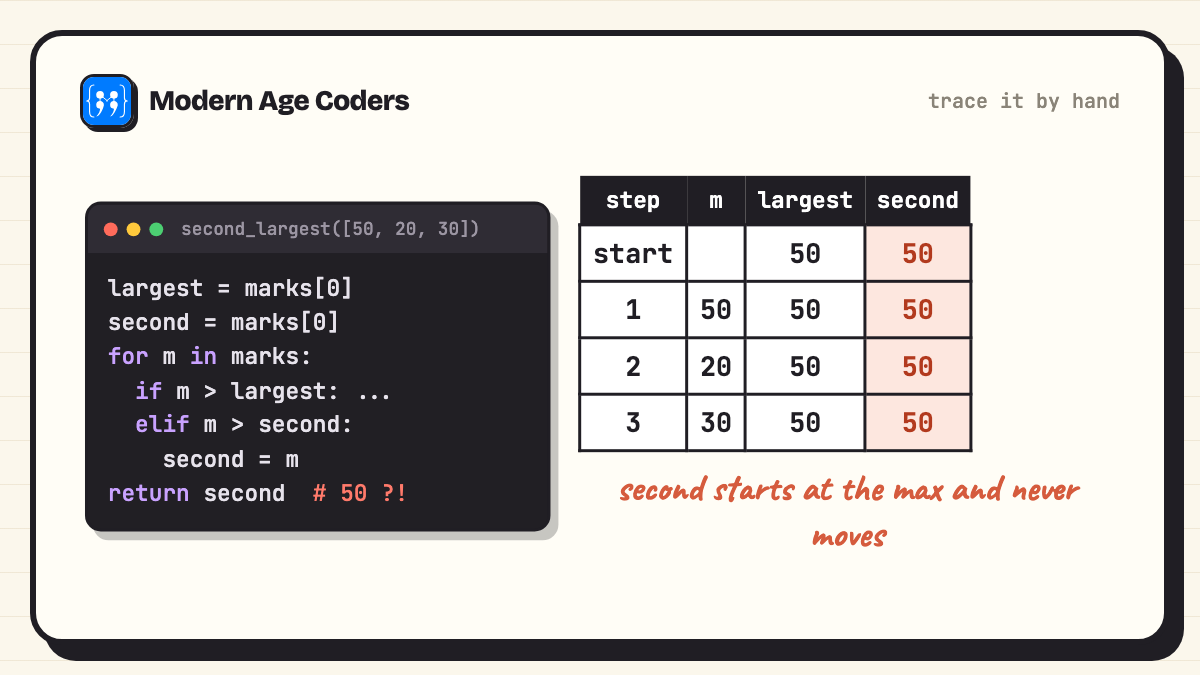
Where AI fits in this example. After the learner has traced the bug, a useful prompt is: "Here is my fixed function and my four tests. Which kinds of input have I not tested?" A good tutor-style answer points to cases such as an empty list or a list with one mark, and leaves the learner to write those tests. That is AI as a reviewer, after the thinking is done.
How to use AI to learn coding faster
AI genuinely speeds up some parts of learning, and only pretends to speed up others.
| Real speed-up | Fake speed-up |
|---|---|
| Turning a confusing error message into plain English | Pasting the error and accepting the fix without reading it |
| Generating unlimited practice questions at your level | Generating the answers to your practice questions |
| Explaining one idea three different ways until one clicks | Skipping the idea because the code works |
| Reviewing code you finished and asking you about edge cases | Writing the code so there is nothing to review |
| Translating between a language you know and one you are learning | Never learning the new language because AI translates everything |
The left column saves you time you would otherwise spend stuck. The right column saves you time you were supposed to spend learning. A good test: if the AI vanished tomorrow, could you do what you just did?
Signs you are copying, not learning
- You cannot explain a line of your own project when someone points at it.
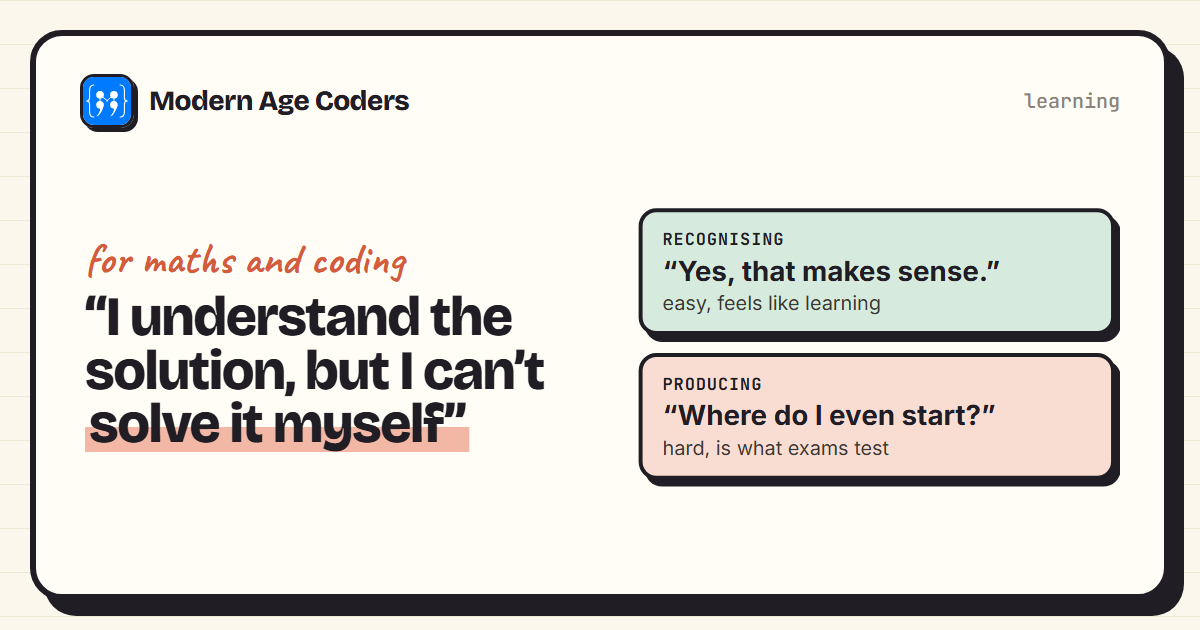
- You recognise the solution when you see it but cannot start a similar problem from a blank page. (We wrote about this exact feeling in why can I understand solutions but not solve problems.)
- Your first move on every bug is to paste it into a chatbot.
- You never write tests, because the AI's code "looked right".
- You finish projects quickly and forget them a week later.
If three or more are true, go back one stage in the plan and switch AI to quiz mode for two weeks.
Learning to code with AI, by age
AI tools set their own minimum ages in their terms, and they differ. We keep an audit of the vendor terms; the short version for learners:
| Age | How AI fits | Tool rules to know |
|---|---|---|
| 6 to 12 | The child writes and traces; a parent or teacher may use AI to make practice questions and the child checks them. | Most general chatbots set a minimum age of 13 in their terms, so children should not hold their own account. |
| 13 to 17 | AI as tutor and quiz master, using the prompts above. Code is written by the learner. | ChatGPT: "If you are under 18 you must have your parent or legal guardian's permission to use the Services". GitHub Copilot and Khan Academy's Khanmigo allow 13 and over, with consent. Claude and Replit's AI are for adults only. |
| 18 and over | The full 12-week plan, then AI as a drafting tool you review. | Any tool, but the same rule: write and trace first. |
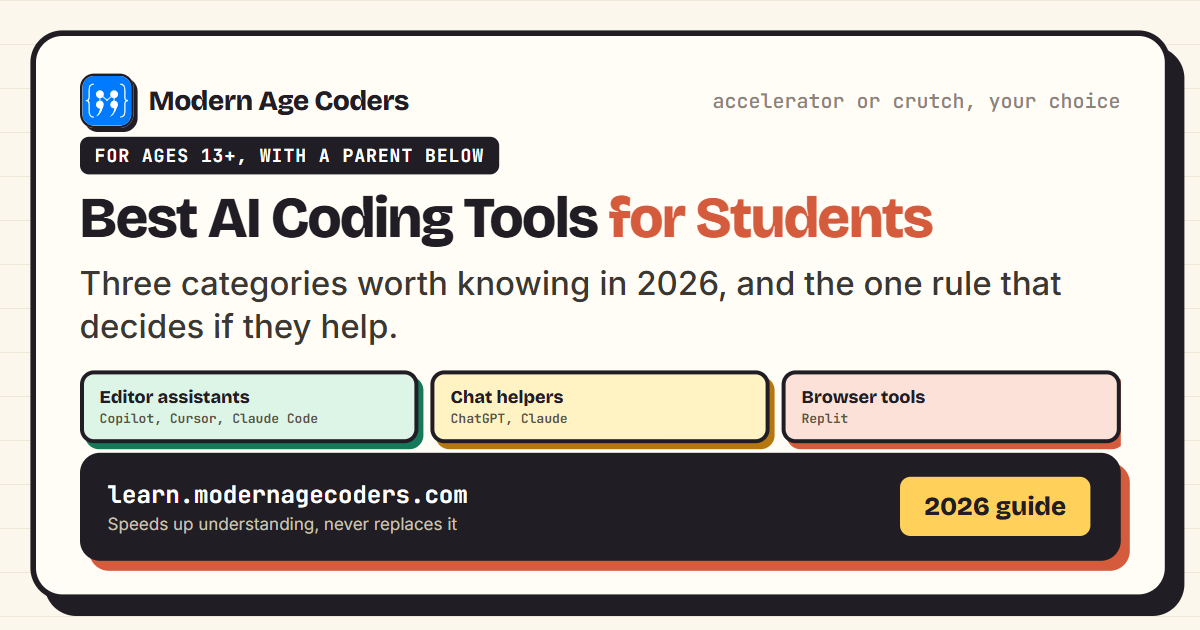
For a tool-by-tool list, see best AI coding tools for students and safe AI tools for homework. If you are still deciding whether to learn at all, start with is coding still worth learning with AI.
How we teach it
Our how we teach page sets out the habits this plan is built on: students explain their thinking in every lesson, we trace a loop line by line until the student can predict every step, learners derive a rule themselves before they see it written down, we show the same problem three ways, and mistakes are treated as data, not failures. You will find them in the Python course for teens, the problem solving and algorithms course for teens and the Python masterclass for college students and adults. The first class is free.
Frequently asked questions
Write, trace and test your own code, and use AI only to explain, quiz and review. Attempt each problem before asking, ask for questions or hints rather than finished code, and trace programs by hand until you can predict their output.
Use it to explain error messages, generate practice questions at your level, explain one idea in several ways, and review code you have already finished. Avoid asking it to write the code you are trying to learn to write.
Let it remove the time you spend stuck, not the time you spend thinking. Plain-English error explanations and unlimited practice questions are real speed-ups; copying finished code only looks like one. In an Anthropic study, learners who handed the work to AI scored below 40% on a follow-up quiz.
No, if you use it as a tutor. Ask it to quiz you and explain concepts, not to write your solutions. If you are under 18, ChatGPT's terms require a parent's or guardian's permission.
The best one is the one you use in quiz and explain mode. For under-18s, choose a tool whose terms allow your age: ChatGPT with a parent's permission, GitHub Copilot or Khanmigo from 13 with consent. Claude is for adults only.
Some people can, with discipline. The risk is that AI makes it easy to skip the hard parts without noticing. A teacher, a study group or a fixed plan like the one above keeps you writing and tracing.
Not in the first weeks. Autocomplete writes the line before you have thought about it. Turn it on once you can trace loops and write functions with tests on your own.
AI does not shorten the time it takes to understand. Expect a few months of regular practice to be comfortable with Python basics; our post on how long it takes to learn Python goes into detail.
Less than before. You need to read syntax fluently and know what is possible, but looking up an exact function name is fine. Understanding how a loop changes its variables is the part you cannot look up.