Complete App Development Masterclass
The whole app landscape in one honest arc: Flutter as your production stack, real backends, then working literacy in native iOS and Android.
Syllabus updated August 2026
Recordings are free with a Google sign-in. These recordings show how we teach, not the exact syllabus of this course.
How long this course takes
This course runs 10-12 months (44-52 weeks) at 2 live classes/week + 4-6 hours practice. The range allows for background and pace: a complete beginner uses the full span, and a student with prior knowledge finishes sooner. The syllabus below is planned to the shorter end, with margin kept for revision.
For personalised duration planning, call +91 91233 66161 and we'll map a schedule to your goals.
At a glance
- Who it is for
- Complete beginner (18+); college students, graduates and working professionals. Age: 18+; college students, graduates and working professionals.
- Prerequisites
- None. Everything is taught from the first line
- Format
- Live, interactive classes with a real instructor, never pre-recorded videos. Live classes run about one hour.
- Language
- English or Hindi, depending on the batch.
- Duration
- 10-12 months (44-52 weeks)
- Weekly commitment
- 2 live classes/week + 4-6 hours practice
- Class size
- Group batches of 5 to 10 students, mini batches of 3 to 4, or 1-on-1.
- Certificate
- Certificate from Modern Age Coders, awarded on passing the final exam
- Watch first
- Free recordings of real classes for ages 13 and up, free with a Google sign-in. These recordings show how we teach, not the exact syllabus of this course.
- Live demo
- Optional. Enroll directly on this page, or book a free live demo if you would like to meet a mentor first.
How we teach
Deep understanding. Real projects. Expert guidance.
Learn coding, AI and maths through careful explanations, practical demonstrations, and hands-on problem-solving. Our instructors guide you from the foundations to advanced ideas, helping you understand what happens, why it happens, and how to build it yourself.
You will explore concepts step by step, write and improve code, investigate mistakes, ask questions, and apply your knowledge to meaningful projects. Lessons are designed around active participation, thoughtful feedback, and growing independence.
Expert-led live teaching, with practical participation built into every lesson.
- Students explain their thinking.
- Instructors demonstrate, then guide practice.
- Learners code, solve, or build during lessons.
- Questions and misconceptions get attention.
- Assignments receive useful feedback.
- Progress is checked before advancing.
Ready to Master App Development Course: Flutter, iOS & Android?
Choose your plan and start your journey into the future of technology today.
Rated 4.9 across 547 Google reviews. Enroll directly, or see a class first. The free demo is a waiting list and needs no card. Monthly billing, cancel anytime.
Try this course in a full live class, today or tomorrow.The Priority Live Demo is a real class of about 45 to 60 minutes with a mentor reserved for you. You get a written skill report afterwards, and the fee is adjusted against your first month if you enrol.
Book priority demo · ₹499International Students (Outside India)
Billed monthly in US dollars, the same price in every country. Contact us with any questions.
Program Overview
App development hiring wants a specific shape of developer: deep in one cross-platform stack that ships products fast, and literate enough in native iOS and Android to go deeper when a product demands it. This live online masterclass builds exactly that shape: Flutter and Dart as the production road, UI, state management, navigation done properly, then the product layer, storage, REST APIs, Firebase, app backends with Node, testing, plus honest survey weeks of React Native and PWAs so the alternatives are understood rather than feared. Then the native literacy phase: a real month in Swift with SwiftUI, a real month in Kotlin with Jetpack Compose. A finale month ships a capstone app and sits the final exam.
The pace is honest: ten teaching months at two live classes a week plus four to six hours of practice, with two more in hand. Problem sets, monthly mixed reviews, phase exams, and a final exam that decides the certificate with a free retest.
What Makes This Program Different
- One production stack, not a four-framework blur: Flutter carries the building; native months add literacy
- The product layer included: storage, APIs, Firebase and app backends, where real apps live
- Native literacy on both platforms: Swift with SwiftUI, Kotlin with Compose, taught for judgment
- Alternatives surveyed honestly: React Native and PWAs explained, so stack choices are informed
- An honest 10-month arc with 2 months in hand
- Real assessment: weekly problem sets, monthly mixed reviews, phase exams and a final exam with a free retest
Your Learning Journey
Career Progression
Detailed Course Curriculum
Explore the complete week-by-week breakdown of what you'll learn in this comprehensive program.
Topics Covered
- Mobile app ecosystem overview
- iOS vs Android vs Cross-platform
- Types of apps: native, hybrid, web apps
- App development career paths
- Development environment setup
- Installing necessary tools and IDEs
- Understanding app architecture
- Mobile operating systems basics
- App lifecycle and states
- Screen sizes and resolutions
Projects You Build
- Environment setup checklist
- Simple 'Hello World' app
- App idea documentation
- Wireframe sketches (paper)
- Git repository creation
Practice & Assignments
Research 20 successful apps, analyze their features
Topics Covered
- Why Dart and JavaScript for apps?
- Variables and data types
- Operators: arithmetic, comparison, logical
- Strings and string manipulation
- Numbers and math operations
- Booleans and conditions
- If-else statements
- Switch statements
- Loops: for, while, do-while
- Lists/Arrays basics
Projects You Build
- Calculator logic
- Temperature converter
- Todo list logic (console)
- Quiz game logic
- BMI calculator logic
- Simple games (number guessing)
Practice & Assignments
Solve 100 basic programming problems
Topics Covered
- UI vs UX: understanding the difference
- Mobile UI design principles
- Material Design (Android) guidelines
- Human Interface Guidelines (iOS)
- Color theory for apps
- Typography in mobile apps
- Icons and iconography
- Spacing and layout grids
- Visual hierarchy
- Navigation patterns: tabs, drawers, bottom navigation
Projects You Build
- Design system in Figma
- App UI mockups (5 different apps)
- Icon set creation
- User flow diagrams
- Interactive prototype
- Style guide document
Practice & Assignments
Design UI for 10 different app types
Topics Covered
- What is Flutter? Why Flutter?
- Flutter installation and setup
- Dart language review for Flutter
- Flutter architecture and widgets
- Stateless vs Stateful widgets
- Widget tree concept
- Common widgets: Text, Container, Row, Column
- Scaffold and AppBar
- Buttons: ElevatedButton, TextButton, IconButton
- Images and assets
Projects You Build
- Hello Flutter app
- Personal card app
- BMI calculator app (UI + logic)
- Dice rolling app
- Quote of the day app
- Simple calculator app
Practice & Assignments
Build 10 simple Flutter apps
Topics Covered
- Custom widgets creation
- Widget composition
- Form widgets: TextField, Form, TextFormField
- Input validation
- DropdownButton and menus
- Date and time pickers
- Sliders and switches
- Checkbox and radio buttons
- Dialogs and bottom sheets
- SnackBar and notifications
Projects You Build
- Todo app with add/delete
- Expense tracker app
- Form-based registration app
- Settings page with preferences
- Multi-page app with tabs
- Dark mode enabled app
Practice & Assignments
Create 15 different UI screens
Topics Covered
- Understanding state in Flutter
- setState and local state
- InheritedWidget basics
- Provider package introduction
- ChangeNotifier and ChangeNotifierProvider
- Consumer and Selector widgets
- Multiple providers
- Riverpod introduction (modern alternative)
- BLoC pattern basics
- GetX state management
Projects You Build
- Counter app with Provider
- Shopping cart with state management
- Todo app with Provider
- Theme switcher with Provider
- Multi-screen state sharing
- Complete app with Riverpod
Practice & Assignments
Refactor 10 apps with proper state management
Topics Covered
- Navigation basics in Flutter
- Navigator.push and pop
- Named routes
- Passing data between screens
- Returning data from screens
- Navigation with arguments
- Bottom navigation bar implementation
- Drawer navigation
- Tab navigation
- Deep linking basics
Projects You Build
- Multi-screen app with navigation
- Bottom nav app (3+ screens)
- Drawer menu app
- Login flow with navigation
- PHASE 1 MINI CAPSTONE: Complete Multi-screen App
- E.g., Recipe app, News app, or Portfolio app
Assessment
Phase 1 exam: a practical build defended live, plus a written paper mixing this phase with everything before it
Topics Covered
- Data persistence importance
- SharedPreferences for simple data
- Key-value storage patterns
- SQLite database basics
- sqflite package in Flutter
- CRUD operations with SQLite
- Database schema design
- Migrations and versioning
- Hive (NoSQL) database
- Sembast for Flutter
Projects You Build
- Notes app with SQLite
- Todo app with local database
- Expense tracker with Hive
- User preferences with SharedPreferences
- Offline-first app
- Encrypted data storage app
Practice & Assignments
Build 10 apps with different storage methods
Topics Covered
- Understanding REST APIs
- HTTP methods: GET, POST, PUT, DELETE
- API endpoints and routes
- HTTP package in Flutter
- Dio package for advanced networking
- Making GET requests
- Making POST requests with body
- Headers and authentication tokens
- Query parameters
- JSON parsing in Dart
Projects You Build
- Weather app with API
- News app (NewsAPI integration)
- Movie database app (TMDB API)
- Currency converter with live rates
- Quote app with API
- GitHub profile viewer
- Restaurant finder (Google Places API)
Practice & Assignments
Integrate 15 different public APIs
Topics Covered
- Firebase introduction and setup
- Firebase project creation
- Firebase Authentication: email/password
- Google Sign-In integration
- Phone authentication
- Social logins: Facebook, Apple
- Firestore database (NoSQL)
- Firestore CRUD operations
- Real-time listeners
- Firestore queries and filtering
Projects You Build
- User authentication app
- Chat application with Firestore
- Social media app (basic)
- File sharing app
- Real-time todo app
- Push notification app
- Complete Firebase-backed app
Practice & Assignments
Build 10 Firebase-integrated apps
Topics Covered
- Camera and photo library access
- image_picker package
- Taking photos and videos
- Location services and GPS
- Google Maps integration
- Displaying maps and markers
- Geolocation and tracking
- QR code scanning and generation
- Biometric authentication (fingerprint, face)
- In-app browser (WebView)
Projects You Build
- Instagram-like photo app
- Location tracking app
- Maps-based app (find nearby)
- QR code scanner app
- Music player app
- Fitness tracker (basic)
- AR basics with camera
Practice & Assignments
Implement 15 advanced features across apps
Topics Covered
- Implicit animations in Flutter
- AnimatedContainer, AnimatedOpacity
- TweenAnimationBuilder
- Explicit animations with AnimationController
- Animation curves
- Hero animations
- Page transitions
- Custom animations
- Lottie animations integration
- Rive animations (interactive)
Projects You Build
- Onboarding screens with animations
- Animated app intro
- Loading animations collection
- Interactive animation app
- Animated charts and graphs
- Game with animations (simple)
- Beautiful UI app with micro-interactions
Practice & Assignments
Add animations to 10 previous apps
Topics Covered
- What is React Native?
- React Native vs Flutter comparison
- React Native setup and CLI
- JSX syntax
- Components in React Native
- Functional vs Class components
- React Hooks: useState, useEffect
- Props and state
- Styling in React Native
- Flexbox layouts
Projects You Build
- Hello React Native app
- Todo app in React Native
- Weather app with API
- Navigation app (multi-screen)
- Form handling app
- List-based app (contacts, recipes)
Practice & Assignments
Build 10 React Native apps
Topics Covered
- What are Progressive Web Apps?
- PWA vs native apps
- Service workers
- Offline functionality
- App manifest
- Add to home screen
- Push notifications in PWA
- Responsive design for PWA
- PWA frameworks: React, Vue, Angular
- Flutter for web (PWA)
Projects You Build
- Simple PWA with offline support
- Todo PWA
- News PWA with caching
- Flutter web app as PWA
- E-commerce PWA (basic)
- Social media PWA
Practice & Assignments
Convert 5 apps to PWAs
Topics Covered
- Why build your own backend?
- Node.js and Express basics
- RESTful API design for mobile
- Database integration: MongoDB/PostgreSQL
- User authentication (JWT)
- CRUD API endpoints
- File upload handling
- Input validation and sanitization
- Error handling in APIs
- API security best practices
Projects You Build
- Simple REST API for todo app
- User authentication API
- Blog API with CRUD
- Image upload API
- Social media backend (basic)
- E-commerce backend API
- Complete backend for Flutter app
Practice & Assignments
Build backends for 8 different apps
Topics Covered
- Importance of testing in apps
- Unit testing in Flutter
- Widget testing
- Integration testing
- Test-driven development (TDD) basics
- Mocking and stubbing
- Testing API calls
- Testing state management
- UI testing with Flutter
- Automated testing
Projects You Build
- Test suite for calculator app
- Widget tests for UI components
- Integration tests for complete app
- TDD for new feature
- Automated testing pipeline
- Bug tracking and fixing
Practice & Assignments
Write tests for all major apps
Topics Covered
- Full-stack app development
- Custom backend API
- Advanced features integration
- State management
- Testing coverage
- Performance optimization
Projects You Build
- PHASE 2 CAPSTONE: Complete Social Media App
- Features: Auth, posts, comments, likes, user profiles, image upload, real-time updates, push notifications
- Alternative: E-commerce app with cart, checkout, orders
- Alternative: Fitness/Health tracking app with charts
- Alternative: Chat application with Firebase
- Requirements: Backend integration, 10+ screens, polished UI, tested
Assessment
Phase 2 exam: a practical build defended live, plus a written paper mixing this phase with everything before it
Topics Covered
- Introduction to iOS development
- Xcode installation and setup
- Swift programming language basics
- Variables, constants, and types
- Optionals and optional binding
- Collections: Arrays, Dictionaries, Sets
- Control flow in Swift
- Functions and closures
- Object-oriented programming in Swift
- Classes and structures
Projects You Build
- Swift programming exercises
- Hello iOS app
- Calculator app in Swift
- Simple UI app with storyboards
- Multi-screen app with segues
Practice & Assignments
Solve 50 Swift programming problems
Topics Covered
- UIKit framework overview
- UIViewController and view lifecycle
- UIView and subviews
- Auto Layout and constraints
- Stack views for layouts
- UITableView and UITableViewCell
- UICollectionView
- Navigation Controller
- Tab Bar Controller
- UIAlertController and dialogs
Projects You Build
- Todo app with UITableView
- Photo gallery with UICollectionView
- Multi-screen app with navigation
- Tab-based app
- Form-based app with validation
- Custom table view cells
Practice & Assignments
Build 12 UIKit apps
Topics Covered
- SwiftUI introduction
- Declarative UI paradigm
- Views and modifiers
- State and @State property wrapper
- @Binding for two-way binding
- @ObservedObject and @StateObject
- @EnvironmentObject for global state
- Lists and ForEach
- Navigation in SwiftUI
- NavigationView and NavigationLink
Projects You Build
- SwiftUI todo app
- Weather app with SwiftUI
- MVVM architecture app
- List-detail navigation app
- Form app with SwiftUI
- Animated UI app
- Complete SwiftUI application
Practice & Assignments
Build 15 SwiftUI apps
Topics Covered
- UserDefaults for simple storage
- Core Data for local database
- Core Data entities and relationships
- Fetch requests and predicates
- URLSession for networking
- Codable protocol for JSON
- REST API integration in iOS
- Async/await in Swift
- Combine for reactive programming
- Error handling in networking
Projects You Build
- Notes app with Core Data
- API-based news app
- Weather app with networking
- Image downloading and caching
- Secure password manager
- Cloud-synced todo app
- Complete data-driven app
Practice & Assignments
Build 10 data-intensive iOS apps
Topics Covered
- Camera and photo library
- Core Location and MapKit
- Push notifications (local and remote)
- Background tasks
- App extensions (Today, Share, Keyboard)
- SiriKit integration
- HealthKit basics
- ARKit for augmented reality
- Core ML for machine learning
- App clips
Projects You Build
- Camera app with filters
- Location-based app with maps
- Push notification app
- Widget for iOS 14+
- AR experience app (basic)
- Health tracking app
- App with in-app purchases
Practice & Assignments
Implement 10 advanced iOS features
Topics Covered
- Introduction to Android development
- Android Studio setup
- Kotlin programming basics
- Variables: val vs var
- Data types and type inference
- Null safety in Kotlin
- Collections in Kotlin
- Control flow: if, when, loops
- Functions and lambdas
- Object-oriented Kotlin
Projects You Build
- Kotlin programming exercises
- Hello Android app
- Simple calculator app
- Activity lifecycle app
- Multi-activity app with intents
Practice & Assignments
Solve 50 Kotlin programming problems
Topics Covered
- XML layouts in Android
- LinearLayout, RelativeLayout, ConstraintLayout
- RecyclerView and adapters
- ViewHolder pattern
- ListView (legacy)
- Material Design components
- CardView and material cards
- Bottom navigation
- Navigation drawer
- Floating action button
Projects You Build
- RecyclerView list app
- Material Design app
- Bottom navigation app
- Drawer navigation app
- Custom adapter app
- Theming and styling app
Practice & Assignments
Build 12 Android UI apps
Topics Covered
- Jetpack Compose introduction
- Composable functions
- State management in Compose
- remember and mutableStateOf
- Layouts: Column, Row, Box
- LazyColumn and LazyRow
- Modifiers in Compose
- Material Design 3 in Compose
- Navigation in Compose
- ViewModel with Compose
Projects You Build
- Compose todo app
- MVVM app with Compose
- Navigation app in Compose
- Animated Compose app
- Material 3 design app
- Complete Compose application
Practice & Assignments
Build 15 Jetpack Compose apps
Topics Covered
- SharedPreferences in Android
- Room database (SQLite ORM)
- Room entities, DAOs, and database
- LiveData for observable data
- ViewModel for UI state
- Repository pattern
- MVVM architecture
- Retrofit for networking
- Gson/Moshi for JSON parsing
- Coroutines for async operations
Projects You Build
- Notes app with Room
- MVVM todo app
- API-based app with Retrofit
- Repository pattern implementation
- Coroutines and Flow app
- Dependency injection app
- Background task app
Practice & Assignments
Build 10 architecture-compliant apps
Topics Covered
- Camera and photos in Android
- Location services and Google Maps
- Firebase Cloud Messaging
- Push notifications in Android
- Services: foreground, background
- Broadcast receivers
- Content providers
- Permissions in Android
- Biometric authentication
- In-app billing
- Android Jetpack libraries
- Accessibility in Android
- App widgets
- Deep linking
Projects You Build
- PHASE 3 CAPSTONE: Native iOS + Android App
- Build same app for both iOS (Swift/SwiftUI) and Android (Kotlin/Compose)
- Option 1: Fitness tracking app
- Option 2: E-commerce app
- Option 3: Social media app
- Requirements: Native code, platform-specific features, polished UI, backend integrated
Assessment
Phase 3 exam: a practical build defended live, plus a written paper mixing this phase with everything before it
Topics Covered
- Choosing the capstone: a complete Flutter app with Firebase and a real backend, or a cross-platform product with one native companion feature
- A one-page spec: scope, milestones, stack
- Repository and skeleton ready on day one
- Instructor sign-off before the build begins
Projects You Build
- Approved capstone spec plus the running skeleton
Practice & Assignments
Pitch the spec to the batch and absorb one hard question
Topics Covered
- Two focused weeks in vertical slices
- Instructor checkpoints and honest scope cuts
- Using the whole course: Flutter depth, the product layer, and the platform judgment from the native months
- Daily commits and an always-working build
Projects You Build
- The capstone, feature-complete with version control
Practice & Assignments
A working build at the end of every session
Topics Covered
- The finishing pass: edge cases, errors, documentation
- Store-discipline pass: release builds, signing and checklists understood on both platforms
- A README worth reading and a demo worth watching
- A full-course spiral review before the exam
Projects You Build
- The capstone shipped, documented and rehearsed
Practice & Assignments
Two mock demos, each tighter than the last
Topics Covered
- Presenting the capstone: live demo plus the hardest bug story
- The honest map of next roads: mobile development roles, or single-stack depth in Flutter, Swift or Kotlin
- Where our other courses continue the journey
Projects You Build
- Demo day presentation delivered to the batch
Assessment
FINAL EXAM: a practical build plus a written paper with questions mixed from every phase. Passing earns the certificate; falling short earns a focused revision plan and a free retest
Projects You'll Build
Build a professional portfolio with 20+ real builds across Flutter and both native platforms, crowned by a shipped capstone real-world projects.
Weekly Learning Structure
Certification & Recognition
Technologies & Skills You'll Master
Comprehensive coverage of the entire modern web development stack.
Support & Resources
Career Outcomes & Opportunities
Transform your career with industry-ready skills and job placement support.
Prerequisites
Who Is This Course For?
Career Paths After Completion
Course Guarantees
Real students. Real moments. Real joy.
These are our actual student meetups. No stock photos, no filters. Swipe through and meet the community you'll be joining.







































What families say
Straight from the parents and students who learn with us. Rated 4.9 across 547 Google reviews.
“Mivaan enjoys the class. He understands the concepts and completes his tasks with excitement. He started taking interest in coding… truly amazing class.”
“I absolutely love it here! I made new friends and learned important valuable coding skills while having the fun of my life. It's not just coding here, it's outings, bonding and most importantly preparing you for your future. Definitely five stars.”
“What stands out most is how excited my son is before every class. He looks forward to learning, problem-solving, and sharing what he's built. I've noticed a big boost in his confidence!”
“Modern Age Coders has been a game-changer for me! I struggled to grasp IT concepts and coding before joining, but their classes transformed everything. I'm now the topper in my class and can confidently write complex programs with ease.”
“Modern Age Coder have wonderful teachers who teach in a clear, easy and practical way. The teacher boosts students' confidence, keeps them updated with technology, and inspires them to learn without hesitation.”
“The one step solution for my son. Modern Age Coders make learning coding so simple that kids love it.”
“Coding classes here make learning very interesting and conceptual. The teachers teach us in a very easy-to-understand and efficient manner.”
“One of the most wonderful education centres out there. Education is not limited to school syllabus but focuses on skill development. Learning here has been a wonderful journey and still continuing.”
“I highly recommend this computer coding class! The teachers are incredibly knowledgeable and passionate about coding. They make every session engaging and insightful.”
“My child Dhairya is really enjoying the Modern Age Coder IT classes. This is his first online class, and he eagerly looks forward to it.”
“Very good classes. Don't worry about coding. They teach the best, especially Shivam sir.”
“Very good classes. Makes learning very easy and interactive.”
Hear it from our students
Real parents and students in their own words, on our public YouTube channel.
Straight answers about App Development Course: Flutter, iOS & Android
- Who should take this course?
- Complete beginner (18+); college students, graduates and working professionals. Age: 18+; college students, graduates and working professionals. It suits students who want the complete app-developer profile, not one framework; professionals entering mobile with the market-shaped skill set; founders and makers who need apps shipped and stacks chosen wisely.
- What will they learn and build?
- App development hiring wants a specific shape of developer: deep in one cross-platform stack that ships products fast, and literate enough in native iOS and Android to go deeper when a product demands it.
- How deeply are topics covered?
- The course runs 10-12 months (44-52 weeks) at 2 live classes/week + 4-6 hours practice, across 4 phases listed week by week in the syllabus below. A structured, well-paced curriculum taught step by step, with classwork in every session and problem sets after every class.
- Who teaches it?
- Modern Age Coders mentors, who teach the live classes themselves. You can watch them at work in the free class recordings before you decide.
- How do practice, feedback and assessment work?
- Monthly mixed reviews, cumulative phase exams, and a final exam that decides the certificate: real knowledge, real work. Doubt support between classes over WhatsApp, so you are never left stuck. A certificate you earn by passing the final exam, with a free retest after revision if needed.
- What does it cost?
- Three monthly plans: a group batch, a mini batch and 1-on-1. Prices are shown in your currency in the plans section. Monthly billing, cancel any time.
- When can classes take place?
- Live classes are scheduled around your week. Group batches meet at a fixed weekly slot; 1-on-1 students choose their own. International students are scheduled in their own timezone. Ask on WhatsApp for the current slots.
- Can I watch the teaching before deciding?
- Yes. Full recordings of real 13 and up classes are free to watch, free with a Google sign-in. These recordings show how we teach, not the exact syllabus of this course. Some classes are in English and some in Hindi; everyone follows at their own pace. Watch a class end to end, like you are in it. Sessions are interactive and each moment builds on the last.
- Can I enroll without a live demo?
- Yes. Choose a plan on this page and enroll directly; a booking or a demo is not required. A free live demo is optional, for anyone who wants to meet a mentor first. Outside India, our team confirms the plan and completes payment with you over WhatsApp, so allow a little time for that step.
Common Questions About App Development Course: Flutter, iOS & Android
Get answers to the most common questions about this comprehensive program
Still have questions? We're here to help!
Contact UsRelated Courses You May Like
Continue your learning journey with these recommended programs
 App Development
Flutter Course: Dart to Real Cross-Platform Apps
Flutter course for college students and professionals: Dart, Flutter UI, state management, Firebase ...
Explore Course App Development
App Development for Teens: Build Real Apps with React Native
App development course for teens aged 13-18: JavaScript, React and React Native with Expo, Firebase,...
Explore CourseRelated Articles & Guides
Deepen your knowledge with these hand-picked articles
 Career
18 min read
Career
18 min read
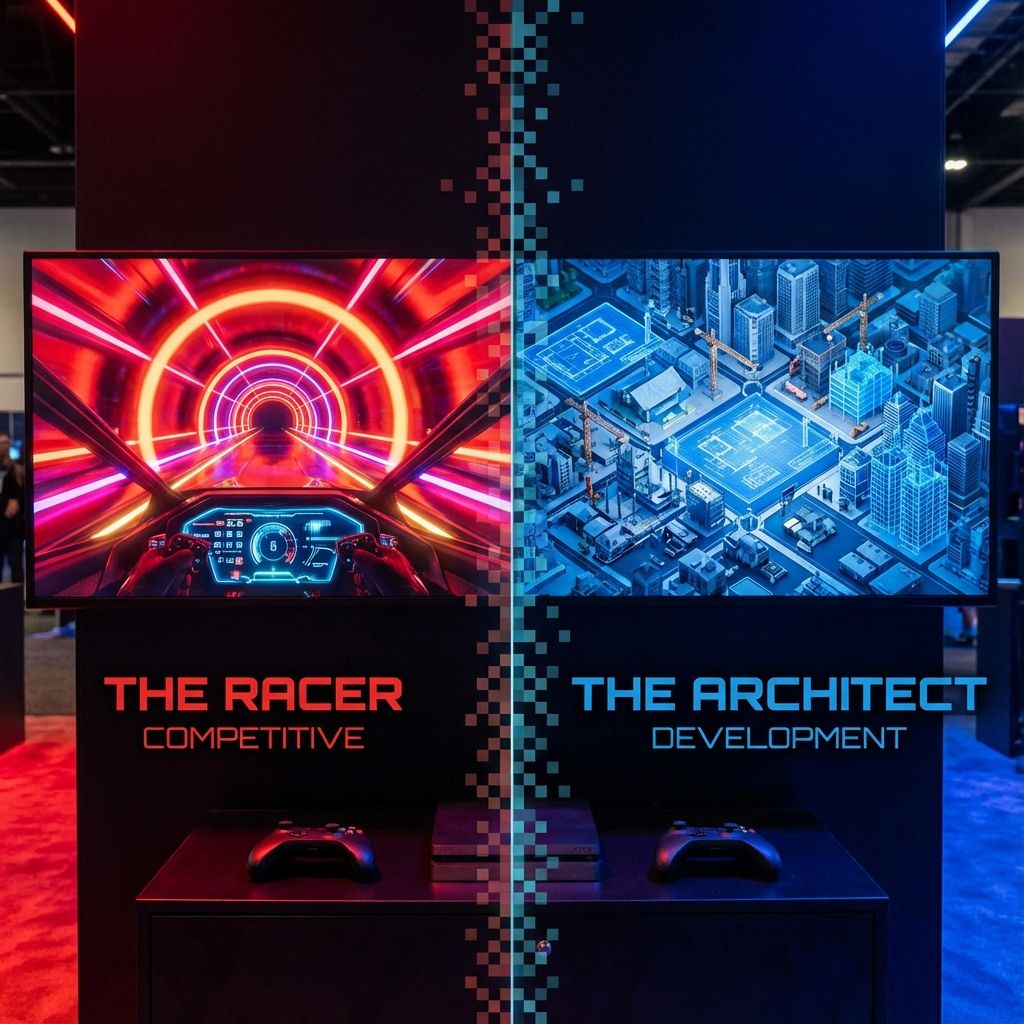
Competitive Coding vs Development Skills: What Should Students Focus On?
The great debate: should students focus on competitive programming or practical development skills? ...
Read Article Career
18 min read
Career
18 min read
How College Students Can Build Real-World Projects While Studying
Practical guide for college students to build portfolio projects. 50+ project ideas, GitHub tips, an...
Read ArticleReady to start App Development Course: Flutter, iOS & Android?
Book a free demo class to meet your mentor and see how we teach, with no commitment. Or enrol now and start this week.