TC / LANG / 01
Java for teens
From first class to data structures in Java.
Open the syllabusCanada · Coding for teenagers · Ages 13 to 18
A Canadian teenager's first serious programming usually happens in a high school computer course, and every province names and builds those courses differently. This page lays the courses out side by side from the provincial documents, sorts teenagers into four common situations, gives one real project on the City of Calgary's public art data, and lists the contests and programmes worth knowing for 2026 to 2027. Our classes sit alongside the school course: we teach the skills, and we do not grant Ontario credits or any other province's.
Teaching live online since 2020 · 10,000+ students · teens write, test and defend their own code
In short
Coding classes for teens in Canada take students aged 13 to 18 from first programs to Grade 12 computer science, contests such as the CCC, and real projects, alongside school courses like ICS3U, with no credits granted. Modern Age Coders teaches them live online, in a batch or one to one, starting with its Python for Teens course.
Three starting points
One for a teen starting from nothing, one built around Ontario's Grade 11 and 12 computer science, and one for the Canadian Computing Competition.

TC / 01
Ages 13 to 18, absolute beginners welcome. Ten to twelve months from first lines to object-oriented code, web projects and AI, two live classes a week.
Open the syllabus →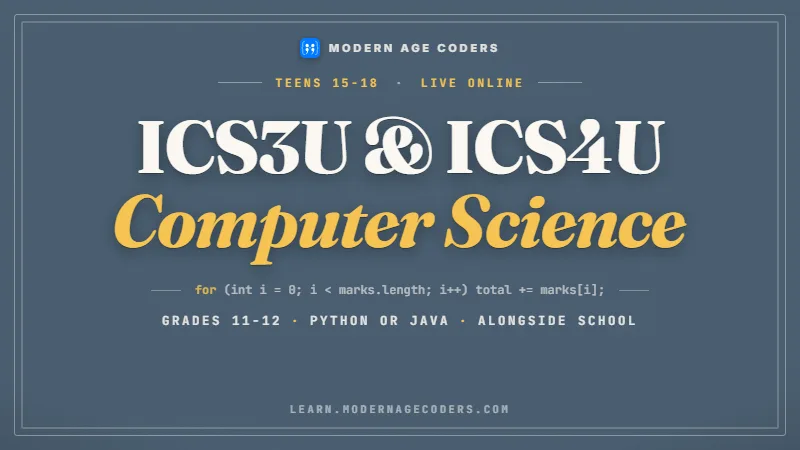
TC / 02
Grades 11 and 12. Paced to the student's own ICS3U or ICS4U course, in Python or Java, joinable any month. Grants no credit.
Open the syllabus →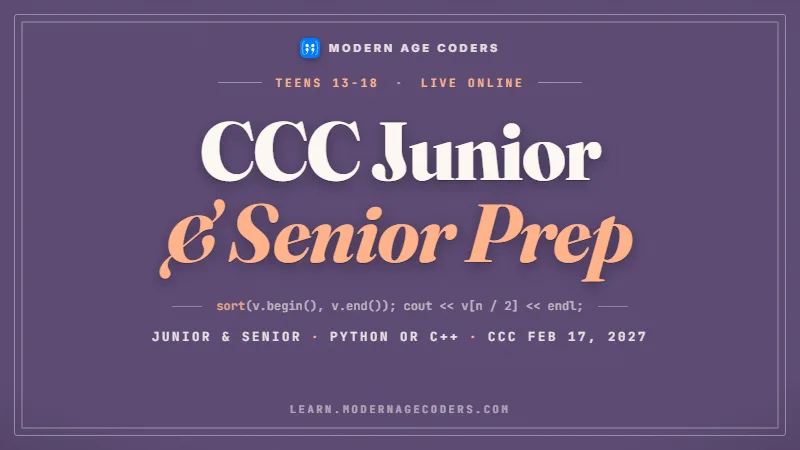
TC / 03
Roughly ages 13 to 18. Junior and Senior tracks with timed practice contests, up to the CCC on 17 February 2027.
Open the syllabus →What high school offers
There is no national course. Each province decides what its computer courses are called, when they start and what they ask. The rows below come from the curriculum pages we could read on 22 October 2026, quoted where the wording matters.
| Province | Courses named | What the document says |
|---|---|---|
| Ontario | ICD2O (Grade 10, 2023, Open); ICS3U and ICS3C (Grade 11); ICS4U and ICS4C (Grade 12), all 2008 | ICD2O has students "build hands-on projects and investigate artificial intelligence, cybersecurity, and other emerging digital technologies"; ICS3U students "design software independently and as part of a team". |
| Ontario, prerequisites | ICS4U needs ICS3U | ICS4U lists "Introduction to Computer Science, Grade 11, University Preparation"; ICS3U and ICS3C list none. |
| British Columbia | Computer Programming 11 and 12 (ADST); Computer Science 11 and 12 (Mathematics) | Programming 11 covers "input/output, logic, decision structure, and loops"; Programming 12 adds "functions, methods, or classes". |
| Saskatchewan | Computer Science 20 and 30 | Provincial curricula, filed with the sciences ("Computer Science 20 and other science curricula"). |
| Manitoba | Computer Science 20S, 30S and 40S | A framework of outcomes for "Senior 2 (20S), Senior 3 (30S), and Senior 4 (40S) Computer Science". |
| New Brunswick | Computer Science 110 and 120, among others | In 110, "Learners will gain a strong foundation in coding", including with "AI-assisted debugging tools". |
| Nova Scotia | Computer Programming 12, through the Nova Scotia Virtual School | Its course page lists "CodeHS: NSVS Computer Programming 12 (Java)." |
| Quebec, Alberta, Newfoundland and Labrador, PEI, the territories | Not verified | We could not read a primary page for these courses that day, so we list none. |
First, the language is rarely fixed by the province. Ontario's ICS3U describes skills, not a language, so one school teaches it in Python and another in Java. Nova Scotia's virtual Programming 12 is an exception that names Java outright.
Second, the courses come late. In the documents above, a dedicated programming course first appears in Grade 10 or 11, so a curious Grade 8 or 9 student has no programming course of their own to take yet. Third, the Ontario chain is strict: a student who skips ICS3U cannot take ICS4U, the university preparation course.
In Ontario, the 2008 computer studies document says "Each of the courses listed above is worth one credit", and computer studies sits in the group of subjects a student can use for one of the compulsory diploma credits. Credits come only from a school.
We teach alongside those courses. A teen in our classes gets the programming practice, explanation and project feedback the school timetable rarely has room for, and earns the credit at school as usual. We do not grant Ontario credits, and no province's credit comes from us.
Sources: Ontario curriculum course data and the 2008 computer studies document; BC Computer Programming 11; Saskatchewan Computer Science 20; Manitoba Computer Science; New Brunswick Computer Science 110; Nova Scotia Virtual School, Computer Programming 12. All read 22 October 2026. Modern Age Coders is not connected with any ministry or school board.
Four kinds of teenager
Teenagers arrive with very different starting points, and the right first course depends far more on that than on age. These four situations cover most of the teens we meet. The matching is our advice.
| The teen | What they usually need | Where we start |
|---|---|---|
| Grade 8 or 9, curious, never coded | A real language from the first week, with projects worth finishing | Python for Teens, from the beginning |
| In ICS3U or ICS4U now, finding it fast | Practice beyond the school assignments, and someone to explain the hard week again | The Ontario Computer Science Companion, paced to the school course |
| Solves puzzles for fun, likes deadlines | Contest technique and timed papers | CCC Junior and Senior Preparation, aiming at 17 February 2027 |
| Wants to build an app, a site or an AI project | A route from code to a finished, public thing | Python first, then web, app or AI courses for teens |
Some Grade 9 students have already taught themselves loops from videos, and find the first school course slow. The risk for them is not boredom but gaps: they can make things work without being able to say why. We test that early with a short program they have to explain line by line.
If the explanation holds, they move quickly to object-oriented code, data structures and contests. If it does not, a few weeks of honest fundamentals save months later.
Others reach the middle of ICS3U and realise the first unit never landed. The fix is rarely a new topic; it is going back to variables, conditions and loops with harder problems, until reading a program is as natural as reading a paragraph.
We ask such students to bring their actual school assignment, read it together, and plan the solution in plain words before any code. We never write the assignment for them; the school's marks have to reflect the student's own work.
A real data project
The City of Calgary publishes descriptions of its public artworks under a licence that allows commercial reuse. A teen asked to find the artworks that use light will usually write one line, check the count, and move on. The count is wrong. This project, ours from start to finish, is about why.
The task: list the Calgary artworks whose descriptions mention light, lights, lighting, lit or illuminated. The file has 140 rows with columns including ART_ID, TAB_NAME (the city quadrant or Downtown), TITLE, SHORT_DESC and five long description columns, DESC1 to DESC5.
# Our search for Calgary public art that uses light (Modern Age Coders, written for this page)
import csv
import re

TEXT_COLUMNS = ["TITLE", "SHORT_DESC", "DESC1", "DESC2", "DESC3", "DESC4", "DESC5"]
WORD = re.compile(r"\b(light|lights|lighting|lit|illuminated)\b", re.IGNORECASE)

naive = folded = rows_found = 0
artworks = {}                      # ART_ID -> title, so one artwork counts once

with open("calgary-public-art.csv", encoding="utf-8-sig") as f:
    for row in csv.DictReader(f):
        text = " ".join(row[c] for c in TEXT_COLUMNS)
        if "light" in text:
            naive += 1
        if "light" in text.lower():
            folded += 1
        if WORD.search(text):
            rows_found += 1
            artworks[row["ART_ID"]] = row["TITLE"]

print("substring, case-sensitive:", naive)
print("substring, lower-cased:   ", folded)
print("whole words, rows:        ", rows_found)
print("whole words, artworks:    ", len(artworks))
print(sorted(artworks.values())[:4])substring, case-sensitive: 30 substring, lower-cased: 31 whole words, rows: 16 whole words, artworks: 13 ['Below/Before/Between', 'Chinook Arc', 'Confluence', 'Flock']
Four ways of counting the same thing give 30, 31, 16 and 13. Only the last is the number of artworks.
| Method | Count | What it gets wrong or right |
|---|---|---|
| "light" in the text | 30 rows | Misses one row where the only match is a capital "Light" |
| "light" in text.lower() | 31 rows | Catches capitals, but 18 of these rows match only through other words: highlight 7 times, lighthearted 4, highlighting 3, and flight, sunlight, enlighten, highlighted and slight once each |
| Whole words with \b, five word forms | 16 rows | Drops the false matches and adds 3 rows that say only lit or illuminated |
| The same, keyed by ART_ID | 13 artworks | Luminous Crossings alone is 4 rows sharing one ART_ID, P2013.002.001, because it is listed at more than one LRT station |
Case. Text typed by people mixes capitals; compare lower-cased text, or tell the search to ignore case. Words, not letters. A substring search finds the letters l-i-g-h-t inside highlight and flight. A word boundary, written \b in a regular expression, stops that.
Rows are not things. A spreadsheet row is a record, and one artwork can have several records. Counting distinct keys, here ART_ID, is the difference between 16 and 13. The file has 140 rows but 134 distinct ART_ID values.
Is sunlight about light? Our list of five word forms leaves it out, so one artwork described with sunlight is not counted. A different reader could include it. We ask students to write their rule down in a sentence before they search, and to report the count with the rule beside it.
That habit, stating the rule before the result, is what makes a number trustworthy, in a school assignment, a contest or a job.
Data: City of Calgary Open Data, Public Art. Contains information licensed under the Open Government Licence, City of Calgary. The licence permits use "including for commercial purposes". Code, counts and analysis are ours; the City of Calgary does not endorse this page.
Practice set
Our own short exercises, in the same family as the Calgary project. Write each one in Python, then check it against the answer. None needs a file; make your own small lists.
Exercise 5 has no single right answer, and that is deliberate. In class, two students' rules are compared on the same sentence, and each has to defend what theirs includes and leaves out.
Beyond the classroom
Outside school, a teenager can test their code against a deadline, a judge or a team. These are the options whose details we could read on the organisers' own pages.
| What | Organiser | What the organiser says |
|---|---|---|
| Canadian Computing Competition | CEMC, University of Waterloo | "North and South America: Wednesday, February 17, 2027"; each writer picks Junior or Senior "regardless of their grade"; "CCC participants may use C, C++, Python 2, Python 3, or Java." |
| Skills Ontario Competition, Coding | Skills Ontario | "2027 Skills Ontario Competition: May 3rd and 4th at the Toronto Congress Centre"; the list includes "Coding (S/PS)"; entry must be "through your institution's contact person" |
| FIRST Tech Challenge | FIRST Robotics Canada | "Teams design, build, and program robots to compete in an alliance format against other teams"; robots "can be coded using a variety of levels of Java-based programming" |
| Shad | Shad Canada | A pre-university STEAM and entrepreneurship programme "Delivered in partnership with 28 post-secondary campuses across Canada" |
The CCC and Skills Ontario both run through schools: CEMC says students must take part through their school, and Skills Ontario says a student cannot register directly. A teen who wants either should ask a computer science or technology teacher in September or October, not in February.
FIRST teams are usually based at a school or a community group, so the practical question is whether one exists nearby.
A teen who enjoys working alone against a clock suits the CCC. One who likes building with a team suits FIRST. Skills Ontario rewards a strong, reliable performance on the day. None of them needs to be chosen this year, and none is required for university.
Waterloo, for example, names Grade 11 U Introduction to Computer Science as a recommended course for its computer science programme; it does not require a contest for admission.
Sources: CEMC, CCC; Skills Ontario Competition; FIRST Robotics Canada; Shad Canada; University of Waterloo, Computer Science. All read 22 October 2026. We are not connected with any of these organisations.
AI tools and teenagers
Teenagers will meet AI coding assistants whether or not a class mentions them. The age rules are set by each company, and they differ. We teach teens to use the tools their age allows to explain and check code, never to hand in code they cannot explain.
| Tool | What the terms say | What it means for a Canadian teen |
|---|---|---|
| ChatGPT (OpenAI) | "If you are under 18 you must have your parent or legal guardian's permission to use the Services." | Allowed from 13, with a parent's permission until 18 |
| Claude (Anthropic) | "You must be at least 18 years old" | Not for teenagers; we never recommend it to anyone under 18 |
| GitHub Copilot | GitHub Copilot Student is "Available for free to verified students, teachers, and open-source maintainers"; GitHub says "A User must be at least 13 years of age." | Free for a verified student aged 13 or over |
| In the CCC | The CCC rules forbid generative AI during the contest | Practise without an assistant before February 2027 |
A teen may ask an allowed assistant to explain an error message or suggest a test case. They may not paste in code they cannot explain. Every program a student submits to us, they walk through aloud, and a line they cannot explain is rewritten by them.
New Brunswick's Computer Science 110 already mentions "AI-assisted debugging tools", so this is not a fringe question. The skill being tested in school, in contests and in interviews is still the student's own reasoning.
Grade 11 and 12 are when a student builds the habits they will take to university. A student who learns to reach for an assistant before thinking ends up unable to start a problem alone, which is exactly what a contest, an exam or a technical interview asks.
Our promise is the same in every country we teach: students learn how to think through a problem and solve it, not how to copy an answer or an AI's output.
Sources: OpenAI Terms of Use (effective January 1, 2026); Anthropic Consumer Terms (effective Oct 8, 2025); GitHub Education for students; GitHub Terms of Service; CCC rules. All read 22 October 2026.
Coast to coast
Teenagers carry homework, sport and part-time jobs, so we book each class in the family's own zone and keep a slot steady through the year. Canada's clocks changed in several provinces in 2026, so the offsets below are this year's.
| Zone | Winter, from 1 November 2026 | Summer, from 14 March 2027 |
|---|---|---|
| Pacific: British Columbia (most) and Yukon | UTC-7 | UTC-7, unchanged |
| Alberta and Saskatchewan | UTC-6 | UTC-6, unchanged |
| Manitoba | UTC-5 | UTC-5, unchanged |
| Eastern: Ontario and Quebec | UTC-5 | UTC-4 |
| Atlantic: NS, NB, PEI | UTC-4 | UTC-3 |
| Newfoundland | UTC-3:30 | UTC-2:30 |
Teens in Vancouver and Calgary sit one hour apart all year, since both provinces now keep one clock. Teens in Toronto and Winnipeg share a clock all winter and split by an hour once Eastern clocks go forward on 14 March 2027. Exam weeks move around, so a teen can shift a class with a message, and a one-to-one student can change times as the school calendar changes.
Four levels
Our levels for placing a teenager honestly in the first class.
| Level | What the teen can do |
|---|---|
| 1. Reads code | Follows a short program and predicts what it prints |
| 2. Writes code | Builds programs with loops, lists and functions from a blank file |
| 3. Designs code | Splits a larger problem into functions or classes and tests each part |
| 4. Judges code | Compares two working solutions and explains which is better and why |
Most teens who are new to coding reach level 2 within a few months. Level 3 is roughly where ICS4U sits, and level 4 is where contest and university work begins.
A teen who can produce working code but not explain it is at level 1, whatever the program does.
Write your plan in comments before the code. If you cannot write the plan, you are not ready to write the program.
When a test fails, change one thing at a time. Two changes at once teach you nothing.
Further courses
All live, all with one regular teacher, in a batch or one to one, from any province or territory.
TC / LANG / 01
From first class to data structures in Java.
Open the syllabusTC / LANG / 02
The language contest coders move to.
Open the syllabusTC / LANG / 03
Logic, data structures and algorithms.
Open the syllabusTC / BUILD / 01
React and Node.js, front to back.
Open the syllabusTC / BUILD / 02
Real apps with React Native.
Open the syllabusTC / BUILD / 03
Unity and C#, to a shipped game.
Open the syllabusTC / AI / 01
Python to trained models.
Open the syllabusTC / AI / 02
Real data and first models, ages 14 to 18.
Open the syllabusTC / AI / 03
Contest-level problem solving.
Open the syllabusHow classes run
Weekdays or weekends, flexible: choose your batch, or for a very personalised plan choose 1-on-1 at your convenience, weekend mornings or weekdays.
Weekdays
Evening batches booked in your province's time.
Weekends
Morning or afternoon, clear of the school day.
1-on-1
Times that bend around exams and tournaments.
Python from week one; Java and C++ when needed.
We know ICS3U and ICS4U and teach alongside them.
Every submitted program is walked through by its author.
Canadian open data, under licences that allow it.
CCC practice on original problems and CEMC's archive.
Fifteen to twenty teens, or a teacher of your own.
Student work
Teenagers in our classes publish their work. A few projects are below; the student labs hold many more.

AI and ML
An AI nutrition coach that reads what you eat and works you toward a target.

AI and ML
A chatbot that answers mathematics and programming questions, built and deployed by a student.

AI and ML
An assistant that helps a young person recognise unsafe situations online.

Web app
A weather forecasting site with live conditions for any location.
Fees
A single monthly fee pays for eight live classes. There is no contract for the year, so a teen can pause in exam season or over the summer and restart later.
Free first class
Free
no card required
Group batch
$140 CAD
a month, eight live classes
One to one
$210 CAD
a month, eight live classes
What families say
Reviews from parents and students on Google, reproduced word for word.
★★★★★
"The one step solution for my son. Modern Age Coders make learning coding so simple that kids love it. The teachers explain complex concepts clearly with practical exercises and interactive content."
Ria Mukherjee
Parent
★★★★★
"Modern Age Coders has been a game-changer for me. I struggled to grasp IT concepts and coding before joining, but their classes transformed everything. I can now confidently write complex programs with ease."
Samriddha Mondal
Student
★★★★★
"One of the most wonderful education centres out there. Education is not limited to school syllabus but focuses on skill development."
Vansh Agarwal
Student
★★★★★
"My child Dhairya is really enjoying the Modern Age Coders classes. This is his first online class and he eagerly looks forward to it. I can already see his improvement, and the teachers are very cooperative."
Sonam Oswal
Parent of Dhairya
★★★★★
"Modern Age Coders have wonderful teachers who teach in a clear, easy and practical way. The teacher boosts students' confidence and inspires them to learn without hesitation."
Sonu Goyal
Parent
★★★★★
"I highly recommend this computer coding class! The teachers are incredibly knowledgeable and passionate about coding."
Ritu Kedia
Parent
Teens and parents ask
It depends on the province. Ontario lists ICD2O in Grade 10 and ICS3U, ICS3C, ICS4U and ICS4C in Grades 11 and 12. British Columbia has Computer Programming 11 and 12 and Computer Science 11 and 12. Saskatchewan has Computer Science 20 and 30, and Manitoba 20S to 40S.
No. We teach alongside school courses such as ICS3U and ICS4U, and we do not grant Ontario credits or credits from any other province. Credits come only from the student's school.
We start most teens in Python, because the code reads clearly and the same skills carry into Java or C++ later. A teen whose school course uses Java can learn Java with us from the start.
Yes. Our Ontario Computer Science Companion is paced to the student's own ICS3U or ICS4U course, in Python or Java. We explain and practise; we never write the school assignment for the student.
CEMC lists the 2027 CCC for Wednesday, February 17, 2027 in North and South America. Students choose Junior or Senior regardless of grade and enter through their school.
OpenAI's terms allow users from 13, with a parent's or guardian's permission under 18. Anthropic's terms require Claude users to be at least 18, so we never recommend Claude to teens. GitHub Copilot is free for verified students aged 13 or over.
Waterloo names Grade 11 U Introduction to Computer Science as a recommended course for its computer science programme. We make no admission promises; what coding gives a teen is the problem solving behind any strong application.
Weekdays or weekends, flexible: choose your batch, or for a very personalised plan choose 1-on-1 at your convenience, weekend mornings or weekdays. Every class is booked in your own province's time.
Fifteen to twenty teenagers with one regular teacher. One-to-one classes suit a teen who wants a pace of their own or help with a specific school course.
Programs that answer real questions, such as our Calgary public art search, which shows why four ways of counting the same thing give 30, 31, 16 and 13. Later, web apps, games or AI projects, depending on the course.
Elsewhere on this site
More for Canadian teenagers who want to go further with code.
Our pages for every province.
Ontario's Grade 11 course, explained.
The 2027 Junior paper and how to prepare.
Our main page on the CCC.
Where coding sits in each province.
Our teen courses at a glance.
Building with AI help, honestly.
The skill under every other skill.
Finding the bug a test has exposed.
Start here
The first class opens with a short program for the teen to read and explain, then a small problem to solve together. From that, the teacher can say which level the teen is at and whether Python, a school-course companion or contest work comes first.
Prefer to read first? How we teach describes a class from start to finish, and each course page has its complete syllabus.
WhatsApp us · +91 91233 66161 · connect@modernagecoders.com
Our teachers are based in India and every lesson is live video, so students join from any province without travel. WhatsApp is the quickest way to ask a question.
A priority demo is a full class of about 45 to 60 minutes. After the class the mentor sends a written skill report and a personal learning roadmap on WhatsApp. If you enrol, the demo fee is adjusted against your first month's fee. Share your demo Order ID with us on WhatsApp and we take it off.
Book a priority demo