BER / THINK / 01
Problem solving for kids
Puzzles and step-by-step thinking, 7 to 12, good before the Biber.
Open the syllabusBerlin · Coding for children · Ages 6 to 12
A Berlin child can go from first grade to the end of Grundschule in grade 6 without one fixed computing lesson, because Berlin is one of six Länder where Informatik is not compulsory for every pupil. This page explains what Berlin schools do teach and when, how our live classes in English work for a child of 6 to 12, a free national contest your child can enter this month, and a project on a real Berlin bike counter where the most interesting answer turns out to be a broken sensor.
Teaching live online since 2020 · 10,000+ students · one mentor who knows your child, in English
In short
Coding classes for kids in Berlin at Modern Age Coders are live online lessons in English for children aged 6 to 12: Scratch games first, then typed Python and small AI projects, with one regular mentor who matches your child's pace and speaks clearly for a child still learning English. Classes run in Berlin afternoons and weekend mornings, in a group of fifteen to twenty or one to one. They fill a real gap: Berlin has no Informatik lesson that every pupil must take.
Where Berlin children start
One long course that takes a six year old from blocks to apps, one short Scratch course for a quick first win, and one that moves a nine year old straight to typed Python.
BER / 01
Ages 6 to 12, batches grouped by age, 10 to 12 months. Scratch games first, then apps and a first look at AI, at a speed the mentor sets for the group.
Open the syllabus →
BER / 02
Ages 6 to 12, 3 to 4 months. A complete beginner finishes with real games of their own, a good test of whether coding suits your child.
Open the syllabus →
BER / 03
Ages 9 to 12, 8 to 10 months. Typed Python from the first lesson, turtle drawings and games, then small AI projects, like the bike counter below.
Open the syllabus →Berlin schools
Less than many parents expect, and later. The facts below come from the Kultusministerkonferenz, the Gesellschaft für Informatik and the Berlin Senate.
In most of Germany, Grundschule ends after grade 4. Berlin and Brandenburg are the exception: the KMK describes a primary stage that runs from the first to the fourth grade, "in Berlin und Brandenburg bis zur sechsten Jahrgangsstufe", up to grade 6. A Berlin child is therefore in Grundschule from about 6 to about 12, the whole age range this page is about.
That long primary stage is a strength for reading and maths, but it is also six years in which no Berlin rule requires a single computing lesson.
The Gesellschaft für Informatik counts the Länder where every pupil must take Informatik. In its 2026/27 Informatik-Monitor, Berlin is named first among six Länder "ohne einen für alle verbindlichen Informatikunterricht", without Informatik that is compulsory for all, and it adds that no binding plans to introduce the subject are known in Berlin.
What Berlin does have is the Informationstechnischer Grundkurs, ITG, taught for one lesson a week in grade 7 or 8. After that, Informatik is a Wahlpflicht subject, an elective, usually in grades 9 and 10.
| Grades | Stage | Computing on the timetable |
|---|---|---|
| 1 to 6 | Grundschule | No compulsory computing lesson |
| 7 or 8 | Secondary school | ITG, one lesson a week, for all pupils |
| 9 and 10 | Secondary school | Informatik as an elective (Wahlpflicht), if chosen |
| 10 | End of Sekundarstufe I | Mittlerer Schulabschluss (MSA) |
| 10 to 12 | Gymnasium Oberstufe | Informatik as an Abitur course, if offered and chosen |
Sources: KMK, Primarbereich; Gesellschaft für Informatik, Informatik-Monitor 2026/27, Länder comparison and Berlin page; Senatsverwaltung für Bildung, Prüfungen und Abschlüsse (berlin.de). All read on 2 November 2026. At a Berlin Gymnasium, the Oberstufe runs from grade 10 (Einführungsphase) to grade 12; Integrierte Sekundarschulen and Gemeinschaftsschulen reach the Abitur after grade 13.
So the honest picture for a Berlin parent is this: if your child is curious about how games and apps are made, the school timetable will not answer that question until grade 7 at the earliest, and then for one lesson a week. Children who start at 7 or 8 at home arrive at the ITG course already able to break a problem into steps, which is exactly the skill that course is meant to begin.
Taught in English
Every class is live, every class is in English, and the mentor adapts to the child, not the other way round.
Our mentors teach in English. We do not offer German-language lessons, and we would rather tell you now than after a trial. For a child at a bilingual or international school in Berlin this is simply the language of the classroom; for a child at a German school it is a second subject practised for free.
Mentors speak slowly and clearly, repeat instructions in simpler words, and get used to how each child speaks. A seven year old who answers in short English sentences, or switches to a German word in the middle, is understood and gently given the English one.
Scratch blocks and Python keywords do not change with the language of the lesson. A loop is a loop. Most of what a child learns is shown on the screen, built together and tried, so the English needed is smaller than parents expect.
The mentors are based in India and teach live over video, which is why the times further down suit Berlin afternoons. Your child sees the same mentor every week, so after a few classes that person knows whether your child likes to be challenged, needs a moment before answering, or learns most easily by changing someone else's program first.
A real Berlin project
Berlin counts its bicycles. The Senate department for mobility publishes every hourly count from its permanent counters, free to reuse. Our older children use one bridge to learn the most useful habit in programming: check what is missing before you believe a record.
The workbook is called Radzähldaten in Berlin and holds one sheet per year from 2012 to 2025. For 2025 it has 8,760 rows, one for every hour, and a column for each counter. We use the two counters on the Oberbaumbrücke between Friedrichshain and Kreuzberg: east-bound and west-bound, counting since 1 June 2015.
Its legend says something every child should read first: a 0 can mean no data or implausible data, and an empty cell means no data at all. In other words, the data warns you about itself.
Which day of 2025 had the fewest bikes crossing the bridge? A ten year old guesses Christmas, or a day of snow. The program gives a different answer, and finding out why is the real lesson.
We give the child a small file, oberbaum_2025.csv, with three columns: the hour, the east count and the west count. The first program adds up each day and skips any hour where a count is missing, keeping a note of those hours.
import csv

totals = {}
gaps = {}
with open("oberbaum_2025.csv", encoding="utf-8") as f:
    for row in csv.DictReader(f):
        day = row["zeit"][:10]
        if row["ost"] == "" or row["west"] == "":
            gaps[day] = gaps.get(day, 0) + 1
            continue
        totals[day] = totals.get(day, 0) + int(row["ost"]) + int(row["west"])

quietest = min(totals, key=totals.get)
busiest = max(totals, key=totals.get)
print("Quietest day:", quietest, totals[quietest])
print("Busiest day:", busiest, totals[busiest])
print("Hours missing:", gaps)
It prints: Quietest day: 2025-11-06 267, Busiest day: 2025-06-19 18377 and Hours missing: {'2025-03-30': 1, '2025-11-06': 19, '2025-11-07': 5}.
Thursday 6 November 2025 with 267 bikes looks like the quietest day of the year. But the program also says that 19 hours of that day are missing. Looking at the file shows what happened: the east-bound counter recorded nothing from 05:00 on 6 November to 04:00 the next morning, 24 hours in a row, while the west-bound counter kept counting normally. The 267 bikes are only the five night hours before the gap. Nobody stayed home; a sensor stopped.
The third missing hour is stranger, and children love it. On 30 March 2025, at 02:00, both counters are empty. That was the night summer time began: German clocks jumped from 02:00 straight to 03:00, so that hour never existed. A missing value is not always a fault. Sometimes it is the truth.
CLOCK_CHANGE = "2025-03-30"   # the clocks jumped from 2 to 3: that hour never happened
fair = {}
for day in totals:
    if day not in gaps or day == CLOCK_CHANGE:
        fair[day] = totals[day]

quietest = min(fair, key=fair.get)
print("Days we can trust:", len(fair))
print("Quietest real day:", quietest, fair[quietest])
It prints: Days we can trust: 363 and Quietest real day: 2025-12-25 1377. Christmas Day after all, with 1,377 crossings.
| Hour | Monday to Friday | Saturday | Sunday |
|---|---|---|---|
| 03:00 | 24 | 81 | 93 |
| 08:00 | 801 | 143 | 107 |
| 13:00 | 627 | 657 | 625 |
| 18:00 | 1,127 | 742 | 660 |
Data: Senatsverwaltung für Mobilität, Verkehr, Klimaschutz und Umwelt, Radzähldaten in Berlin, sheet Jahresdatei 2025, counters 05-FK-OBB-O and 05-FK-OBB-W, licence Datenlizenz Deutschland Zero 2.0. Averages and totals are our own, from the 8,735 hours where both directions have a count; across them the two counters recorded 4,032,736 crossings. The busiest month was June, the quietest February.
A free first contest
Yes, through the school, and this year it is only days away. The Informatik-Biber is a short online puzzle contest that needs no coding at all.
The organisers, Bundesweite Informatikwettbewerbe, call the Biber Germany's largest school informatics competition: a free online quiz of logic puzzles for grades 3 to 13, with no prior knowledge needed. More than 580,000 pupils took part in 2025, and 2026 is its 20th year.
It is short: primary pupils solve nine tasks in 30 minutes, grades 5 and 6 get twelve tasks in 35 minutes, and from grade 7 it is fifteen tasks in 40 minutes. Children can take part alone or in pairs.
The Biberwochen 2026 run from 9 to 20 November 2026. Schools register their pupils and run it in a lesson, so ask your child's teacher whether the school takes part. A practice version, the Schnupper-Biber, has been open since 14 September 2026.
Results are published in December 2026, and certificates and prizes are sent in January 2027.
The Biber puzzles are about ordering, hidden rules, shortest paths and codes, the same thinking a coding class builds. We do not use or copy the real tasks; in class we write our own puzzles in the same spirit, and children who enjoy them usually enjoy the Biber. If a Berlin school does not take part, the practice puzzles are still a good free afternoon.
Class times
Weekdays or weekends, flexible: choose your batch, or for a very personalised plan choose 1-on-1 at a time that suits your family, weekend mornings or weekday afternoons.
| Berlin time | India time, winter (until 28 March 2027) | India time, summer (from 28 March 2027) |
|---|---|---|
| 15:00 | 19:30 | 18:30 |
| 16:00 | 20:30 | 19:30 |
| 17:00 | 21:30 | 20:30 |
| Saturday 10:00 | 14:30 | 13:30 |
German legal time is Central European Time, UTC+1, and Central European Summer Time, UTC+2, under the Einheitenzeitgesetz; summer time ended on 25 October 2026 and begins again on 28 March 2027. India keeps UTC+5:30 all year, so India is 4 hours 30 minutes ahead of Berlin in winter and 3 hours 30 minutes ahead in summer.
When you book, you choose a time in your own clock and see it in Berlin time; the mentor sees it in theirs. School holidays in Berlin do not stop classes, though many families pause for a summer trip and pick up again in September.
Milestones
Our own milestones, used to place a child in the right group and to report progress to parents.
| Stage | Typical age | The child can |
|---|---|---|
| 1. Sequences | 6 to 7 | Put steps in order and make a sprite move and speak |
| 2. Loops and events | 7 to 9 | Repeat actions and react to a key or a click in Scratch |
| 3. Variables and lists | 8 to 10 | Keep score, store a list and find its largest value |
| 4. Typed code | 9 to 11 | Write short Python programs with loops and conditions |
| 5. Real data | 10 to 12 | Read a file, check it for gaps and explain a result |
Stage 5 is the one the bike counter project teaches. A child who learns to ask "is anything missing?" will ask it about every chart in the news.
Progress is reported in what your child can build and explain, never in hours spent on a screen.
When a program gives you a surprising answer, do not celebrate yet. Look for the reason first.
An empty box in a table is not the same as a zero. Always find out which one you have.
More for children
All live, in English, with one regular mentor, in a group or one to one.
BER / THINK / 01
Puzzles and step-by-step thinking, 7 to 12, good before the Biber.
Open the syllabusBER / THINK / 02
How machines learn, without adult chatbot accounts, 8 to 14.
Open the syllabusBER / THINK / 03
School maths explored in Python, 10 to 15.
Open the syllabusBER / PLAY / 01
From blocks to real code in a world they know, 7 to 12.
Open the syllabusBER / PLAY / 02
Real games scripted in Luau, 8 to 14.
Open the syllabusBER / PLAY / 03
Scratch, Roblox and Minecraft in one long course, 8 to 12.
Open the syllabusBER / MAKE / 01
Working phone apps with blocks, 8 to 12.
Open the syllabusBER / MAKE / 02
A first website of their own, 9 to 12.
Open the syllabusBER / MAKE / 03
Puzzles and games in C++, 9 to 12.
Open the syllabusHow classes run
Two live classes a week, an hour each, with the same mentor. Nothing is pre-recorded and nothing is left for the child to work out alone.
After school
Berlin afternoons, from about 15:00.
Weekends
Saturday and Sunday mornings, a calm time for younger children.
1-on-1
Any agreed time, for a child who wants their own pace.
One person who learns how your child thinks.
Slow, simple, repeated when needed.
The child drives the code from the first class.
Six year olds are never in a class of twelve year olds.
What was built, what was hard, what comes next.
Fifteen to twenty children, or your child alone.
Student work
Children who start young go on to build real things. A few projects by our older students are below; the student labs page has more.
AI and ML
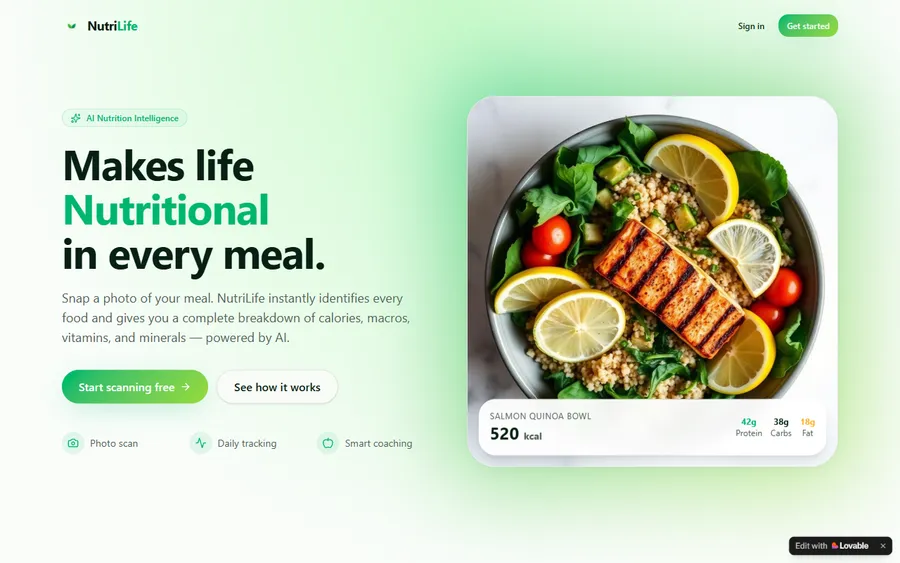
An AI nutrition coach that reads what you eat and works you toward a target.
AI and ML
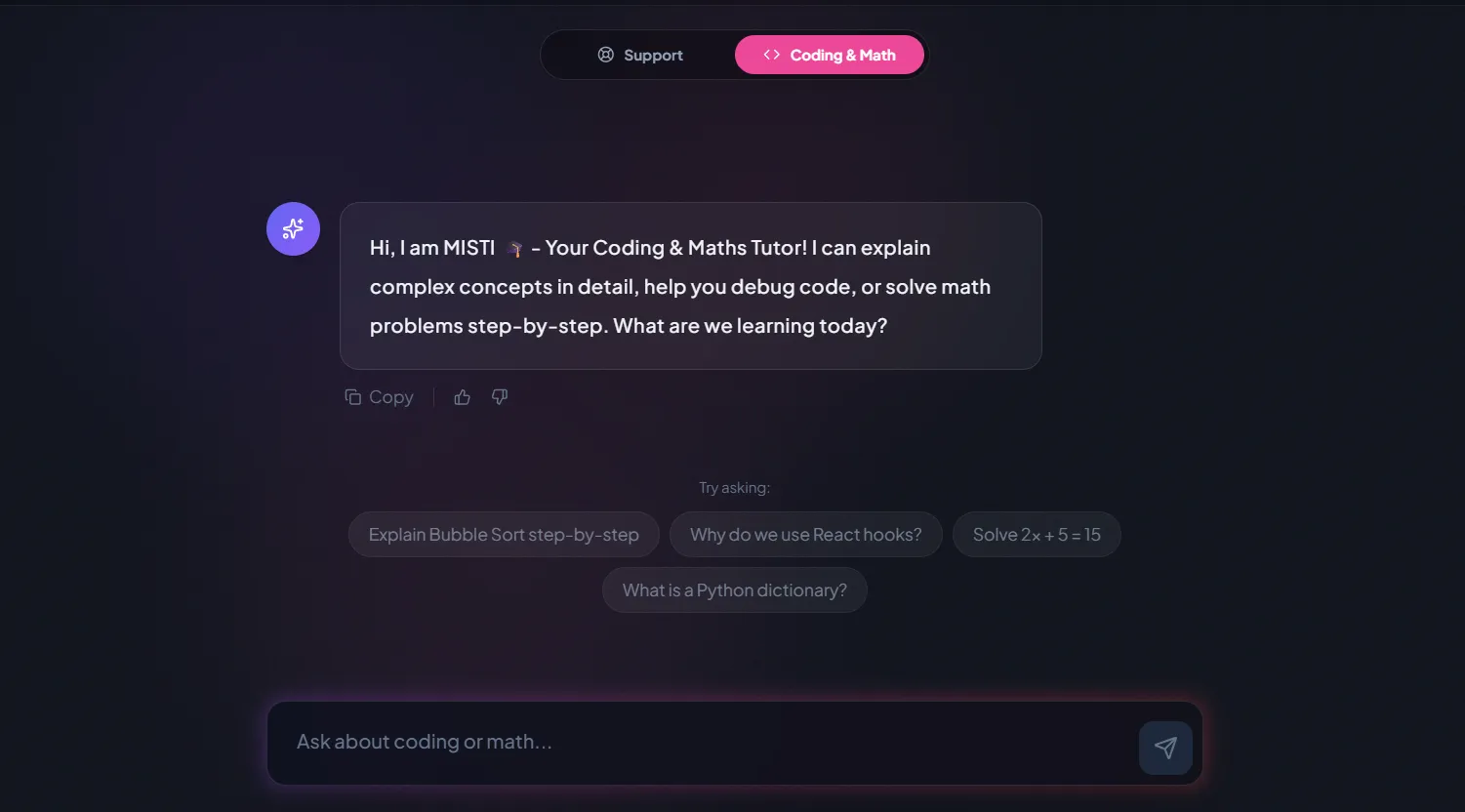
A chatbot that answers mathematics and programming questions, built and deployed by a student.
AI and ML
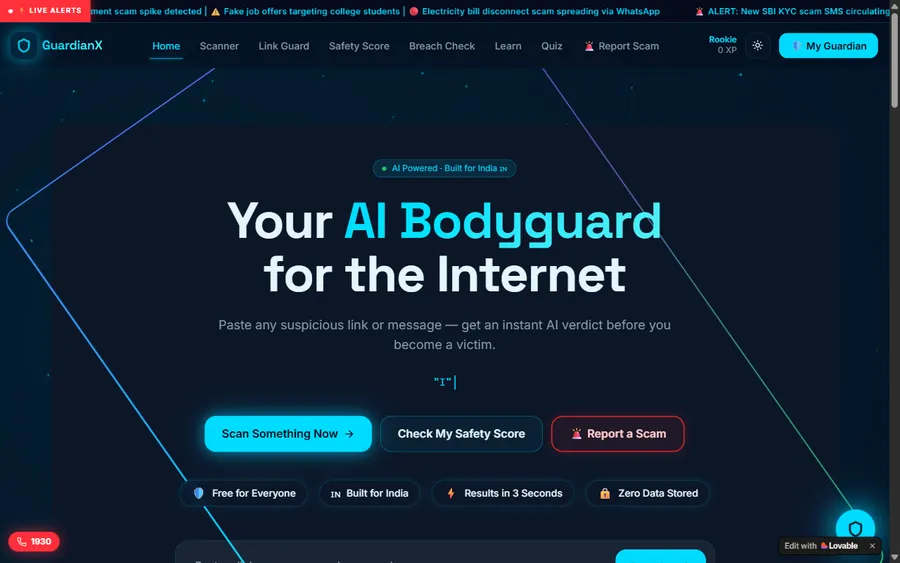
An assistant that helps a young person recognise unsafe situations online.
Web app
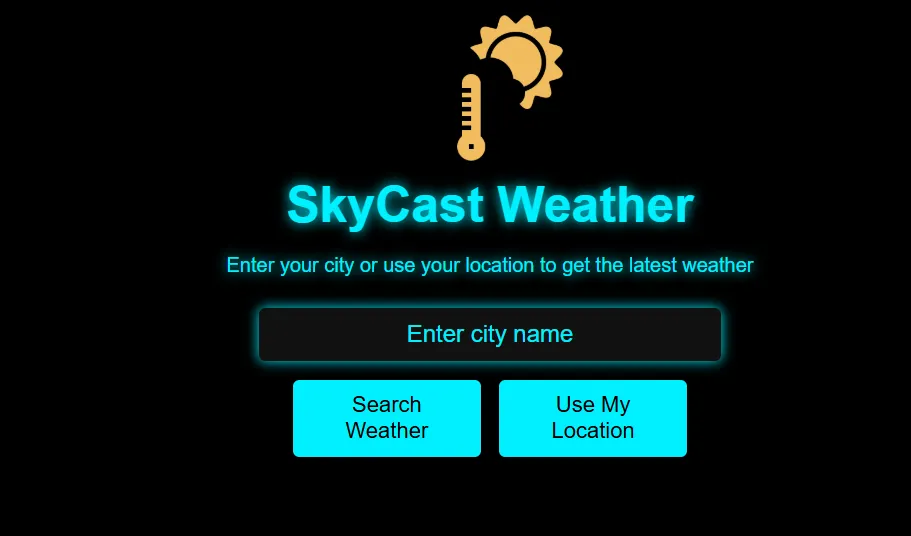
A weather forecasting site with live conditions for any location.
Fees
The fee is monthly and covers eight live classes. Fees are shown in euro at the European Central Bank reference rate; the payment itself is taken in US dollars, so your bank converts it and the amount on your statement can differ slightly.
Free first class
Free
no card required
Group batch
€90
a month, eight live classes, charged in US dollars
One to one
€134
a month, eight live classes, charged in US dollars
What families say
Parents' and students' Google reviews, exactly as they wrote them.
★★★★★
"The one step solution for my son. Modern Age Coders make learning coding so simple that kids love it. The teachers explain complex concepts clearly with practical exercises and interactive content."
Ria Mukherjee
Parent
★★★★★
"Modern Age Coders has been a game-changer for me. I struggled to grasp IT concepts and coding before joining, but their classes transformed everything. I can now confidently write complex programs with ease."
Samriddha Mondal
Student
★★★★★
"One of the most wonderful education centres out there. Education is not limited to school syllabus but focuses on skill development."
Vansh Agarwal
Student
★★★★★
"My child Dhairya is really enjoying the Modern Age Coders classes. This is his first online class and he eagerly looks forward to it. I can already see his improvement, and the teachers are very cooperative."
Sonam Oswal
Parent of Dhairya
★★★★★
"Modern Age Coders have wonderful teachers who teach in a clear, easy and practical way. The teacher boosts students' confidence and inspires them to learn without hesitation."
Sonu Goyal
Parent
★★★★★
"I highly recommend this computer coding class! The teachers are incredibly knowledgeable and passionate about coding."
Ritu Kedia
Parent
Berlin parents ask
No. Every class is live and taught in English only. Mentors speak slowly and clearly and adapt to your child's pace and accent, so children who are still learning English can follow. Scratch and Python look the same in any language.
From 6. Our Coding for Kids course takes children from 6 to 12 in groups by age and starts with Scratch blocks, so no typing or reading of long texts is needed at first. From about 9, children can move to typed Python.
Not as a compulsory subject in Grundschule. The Gesellschaft für Informatik names Berlin among six Länder without Informatik that is compulsory for all pupils. Berlin pupils take a one-hour ITG course in grade 7 or 8, and Informatik is an elective, usually in grades 9 and 10.
Usually not. Six and seven year olds start with stories and simple games in Scratch, where blocks snap together and nothing has to be typed. The mentor keeps lessons short and playful, and you will see after the free first class whether your child is ready.
Weekdays or weekends, flexible: choose your batch, or for a very personalised plan choose 1-on-1 at your convenience, weekend mornings or weekdays. Most Berlin children take classes between about 15:00 and 18:00, or on weekend mornings.
A free online puzzle contest for grades 3 to 13 that needs no prior knowledge. In 2026 it runs from 9 to 20 November and schools register their pupils, so ask your child's teacher. A practice version, the Schnupper-Biber, has been open since 14 September 2026.
No. Our mentors are based in India and teach live online. That is why classes fit Berlin afternoons: 16:00 in Berlin is 20:30 in India in winter. Your child sees the same mentor every week.
Group batches have fifteen to twenty children of a similar age. If you would like your child to have a mentor to themselves, the one-to-one plan gives two private classes a week at times you choose.
Fees are monthly and shown on this page in euro at the European Central Bank reference rate. The payment is taken in US dollars and converted by your bank, so the amount on your statement can differ slightly. The first class is free and needs no card.
Younger children build games and animated stories in Scratch. Children from about 9 write Python programs, draw with code and, around 10 to 12, work with real data such as the Oberbaumbrücke bike counter on this page.
Elsewhere on this site
More for Berlin families thinking about coding.
All our pages for families in Germany.
Where most young children begin.
What typed code looks like at ten.
Which AI tools allow which ages.
More project ideas by age.
Our live classes in detail.
Part of the guide: Coding and maths in Berlin
More guides: Coding classes in North Rhine-Westphalia · Coding classes in Lower Saxony · Coding classes in Land Bremen · Coding classes in Hesse · Coding classes in Bavaria · Coding classes in Saxony-Anhalt · Coding classes in Schleswig-Holstein · Coding classes in Baden-Württemberg · Coding classes in Saarland · Coding classes in Rhineland-Palatinate · Coding and maths in Hamburg · Coding classes in Saxony · Coding classes in Thuringia · Coding classes in Brandenburg · Coding classes in Mecklenburg-Vorpommern
Start here
The first class is a short puzzle and a first Scratch program. The mentor sees how your child thinks and how comfortable they are in English, and suggests the course and group that fit.
Before you book, how we teach explains our live classes, and all courses lists every syllabus.
WhatsApp us · +91 91233 66161 · connect@modernagecoders.com
Classes are live online with mentors in India, taught in English only. WhatsApp is the fastest way to ask us anything, in English.
A priority demo is a full class of about 45 to 60 minutes. After the class the mentor sends a written skill report and a personal learning roadmap on WhatsApp. If you enrol, the demo fee is adjusted against your first month's fee. Share your demo Order ID with us on WhatsApp and we take it off.
Book a priority demo