CKB / THINK / 01
Reasoning for young thinkers
Patterns and logic for ages 6 to 9, before reading gets in the way.
Open the syllabusBremen · Coding for children · Ages 6 to 12
A child in Bremen can go through Grundschule and all of grades 5 to 10 without a single curricular Informatik lesson: the Land is one of six without a computing subject for everyone, and its compulsory subject only begins with the school year 2027/28. If your child is between 6 and 12, there is nothing at school to wait for. Below you will find the Bremen rules in detail, what a live lesson in English is like for a young child, the free puzzle contest happening this month, and a project on Bremen's own library opening hours.
Teaching live online since 2020 · 10,000+ students around the world · lessons in English for Bremen families
In a few lines
Coding classes for kids in Bremen, run by Modern Age Coders, are taught live over video in English to children between 6 and 12: Scratch and logic puzzles first, then Python typed by the child and small AI projects. A mentor who adapts to each child's pace and accent teaches either a group of fifteen to twenty children or one child by themselves, after school or at weekends. Bremen schools teach no Informatik in grades 5 to 10 before 2027/28, so this fills a real gap.
Starting points
One broad course for a first year of coding, one that moves into real Python, and one built around the national informatics contests, which Bremen pupils can enter even without Informatik at school.
CKB / 01
A long first course in age-grouped batches: Scratch stories and games, then apps, then a gentle look at how AI works.
Open the syllabus →
CKB / 02
Children type their own Python, draw with code and build games, then work on small data and AI projects like the library list below.
Open the syllabus →
CKB / 03
From Klasse 3. Puzzle thinking in the style of the Informatik-Biber, using problems we write ourselves, then on towards the Jugendwettbewerb.
Open the syllabus →Informatik in the Land Bremen
Not yet as a subject. The Gesellschaft für Informatik, which compares every Land each year, finds no curricular Informatik in Bremen's lower secondary schools in 2026/27. A compulsory subject is on its way.
Bremen children go to Grundschule for grades 1 to 4 and then to an Oberschule or a Gymnasium for grades 5 to 10. For those secondary years the GI Informatik-Monitor 2026/27 is blunt: "Es finden weder an der Oberschule noch am Gymnasium curricular hinterlegte Angebote mit Informatikbezug statt." Neither school type has any curricular offer connected to Informatik.
In grades 5 and 6, the subject Wirtschaft, Arbeit, Technik (WAT) includes digital content, but the monitor notes that it aims at media skills, not at programming.
The same report says Bremen will introduce Informatik as a compulsory subject at all schools from the school year 2027/28, with two to four weekly hours in total. Until then the Land stays on the list of six Länder that have no Informatik lesson for every pupil.
Later on, in the Oberstufe, Informatik can be chosen as a course, but the GI finds that in Bremen only about one pupil in twelve at that stage takes it.
| Grades | School | Informatik on the timetable |
|---|---|---|
| 1 to 4 | Grundschule | None as a subject |
| 5 and 6 | Oberschule or Gymnasium | None; WAT covers media skills |
| 7 to 10 | Oberschule or Gymnasium | No curricular offer in 2026/27 |
| From 2027/28 | All schools | Compulsory Informatik, two to four weekly hours in total |
| 10 to 12 | Gymnasium Oberstufe (G8) | Informatik as an elective course, where offered |
Source: GI Informatik-Monitor 2026/27, national comparison and Bremen page, read 2 November 2026. Bremen Gymnasien follow the eight-year route, so their Oberstufe spans grades 10 to 12, with grade 10 as the Einführungsphase. The Land Bremen has 704,881 inhabitants, 586,271 of them in the city of Bremen and 118,610 in Bremerhaven (Destatis, 31 December 2024).
For a parent this is unusually clear. A Bremen child who wonders how a game decides who has won will not meet that question in a school lesson before the new subject arrives, and a child who is ten today will already be in grade 7 or 8 when it does. Starting at home or online is not getting ahead of school here; it is simply the only way to start.
Taught in English
Almost always, yes. The classes are live and in English only, and the mentor's job is to make that work for your child.
We teach in English and only in English. That is said here and again before any trial, so no family is surprised. Bremen also has international schools, such as the International School of Bremen, which lists the IB and IGCSE in the AGIS directory; families whose children attend German schools tend to see the English as a bonus.
Mentors adjust their speed, choose simple words and repeat a step in a different way when a face looks puzzled. Half-sentence answers are fine, and if a German word slips in, the mentor simply says the English word back and carries on.
Most of a lesson happens on the shared screen. The mentor shows a block or a line, the child copies it and changes it, and the result appears at once. The words follow the picture, which keeps the English load small.
Mentors teach from India over live video; a Bremen afternoon is an Indian evening, which is why the class times below work. A group keeps its mentor from month to month, and the mentor keeps short notes on each child: who rushes, who hesitates, who learns by breaking things first.
A real Bremen project
Bremen publishes a list of its libraries, with opening hours for every weekday, as open data. Asking the computer a simple question about it teaches one of the commonest mistakes in programming: comparing words when you meant to compare numbers.
The file "Bibliotheken in Bremen" comes from the Transparenzportal of the Freie Hansestadt Bremen and is published under a CC BY licence, so it may be reused with credit. It lists 30 libraries in Bremen and Bremerhaven: the Stadtbibliothek and its branches, the Staats- und Universitätsbibliothek, museum and research libraries.
Each weekday has two columns, "von" (from) and "bis" (until), filled with text such as "9.00 Uhr". The portal's own description even says that this static list cannot answer a question like which library is open on Saturday. A short program can.
On a Thursday morning, which library opens first? A child scanning the list by eye finds it quickly. The program should too, and the first version uses Python's min() to pick the smallest opening time.
Before running it, we ask the child to predict the answer. Then we look at what the computer says, and whether it agrees.
import csv

thursday = {}
listing = open("Bibliotheken.csv", encoding="latin-1", newline="")
for library in csv.DictReader(listing, delimiter=";"):
    if library["Name"] and library["Do von"].strip():
        thursday[library["Name"].strip()] = library["Do von"].strip()

first = min(thursday, key=thursday.get)
print("Open on Thursday:", len(thursday))
print("Opens first, comparing text:", first, thursday[first])
Our program. It prints Open on Thursday: 26 and Opens first, comparing text: Stadtbibliothek Bremen - Zweigstelle Vegesack 09.00 Uhr.
The answer looks sensible until someone notices that the Staats- und Universitätsbibliothek opens at 8.00, an hour earlier. Why did the computer miss it? Because it was comparing text, letter by letter, like words in a dictionary. "09.00" begins with 0, so it comes first; "8.00" begins with 8, which comes after 1, so it lands behind "10.00" and "11.00". Text that looks like a time is still only text.
def minutes(clock):
    clock = clock.replace("Uhr", "").strip()    # "9.00 Uhr" becomes "9.00"
    if "." in clock:
        hours, mins = clock.split(".")
    else:
        hours, mins = clock, "0"                 # a bare "10" means 10.00
    return int(hours) * 60 + int(mins)

first = min(thursday, key=lambda name: minutes(thursday[name]))
print("Opens first, comparing minutes:", first, thursday[first])
print("Is the text 9.00 bigger than 10.00?", "9.00" > "10.00")
Our program, run after Version 1. It adds Opens first, comparing minutes: Staats- und UniversitÕ_tsbibliothek (SuUB) Bremen 8.00 Uhr and Is the text 9.00 bigger than 10.00? True.
Now the library opening at 8.00 wins. Two more surprises sit in that output, and children enjoy both. First, Python really does say that the text "9.00" is bigger than "10.00". Second, the name shows "UniversitÕ_tsbibliothek" instead of "Universitätsbibliothek": the umlauts were damaged inside the file itself, long before we opened it. Real data carries the marks of how it was made, and part of the job is spotting them.
| Library | Hours a week in the file |
|---|---|
| Stadtbibliothek Bremen, Zentralbibliothek | 50 |
| Stadtbibliothek Bremerhaven | 36 |
| Zweigstelle Vegesack | 34 |
| Zweigstelle Huchting | 33 |
| Zweigstelle Vahr | 33 |
| Zweigstelle West | 31 |
| Zweigstelle Lesum | 24 |
| Zweigstelle Osterholz | 22 |
Data: Freie Hansestadt Bremen, Bibliotheken in Bremen, Transparenzportal Bremen via GovData, licence CC BY, downloaded 2 November 2026. The hours are as the file lists them, adding Monday to Saturday and both time slots per day; our sums. The catalogue record shows the file was last changed on 4 January 2017, so check a library's own website before you visit. In the file, 10 of the 30 libraries list Saturday hours.
A free first contest
A free online contest of logic puzzles, open to every school year from grade 3 to grade 13, with no coding knowledge required. The 2026 contest weeks are 9 to 20 November. It suits Bremen children well, because it asks for exactly the thinking their timetable does not yet teach.
The Informatik-Biber is run by Bundesweite Informatikwettbewerbe (BWINF), which calls it Germany's largest school informatics competition. In 2025 the organisers counted over 580,000 participants.
The tasks are puzzles about order, rules, codes and routes, and the length grows with age: 30 minutes for nine tasks at primary level, 35 minutes for twelve in grades 5 and 6, and 40 minutes for fifteen from grade 7 upwards.
Entry goes through the school, and the contest fits into a single lesson, so the first step is a quick question to the class teacher about 9 to 20 November 2026. For practice at home, BWINF opened its Schnupper-Biber on 14 September 2026.
BWINF publishes results in December 2026 and posts certificates and prizes in January 2027.
We have no connection with BWINF and do not reuse its tasks. In class we write puzzles of our own in the same spirit; the library question above is one of them, since putting times in order is a Biber kind of problem. If your child's school is not taking part this year, the practice round is a pleasant free afternoon all the same.
Class times
Mostly after school and on weekend mornings. Slots are shown in Bremen time when you book, and converted for the mentor automatically.
| Bremen | India before 28 March 2027 | India from 28 March 2027 |
|---|---|---|
| 15:15 | 19:45 | 18:45 |
| 17:05 | 21:35 | 20:35 |
| Sunday 10:15 | 14:45 | 13:45 |
Bremen is on MEZ (UTC+1) this winter and moves to MESZ (UTC+2) when the clocks go forward on 28 March 2027, as set by the Einheitenzeitgesetz; the last change, back to winter time, was on 25 October 2026. India keeps UTC+5:30 the whole year, which puts it four and a half hours ahead of Bremen in winter and three and a half in summer. The rows are examples, not fixed batches.
The KMK holiday table for Bremen in 2026 to 2027 lists Christmas from 23 December 2026 to 9 January 2027, two winter days on 1 and 2 February, Easter from 22 March to 3 April and summer from 8 July to 18 August 2027. Lessons carry on through holidays; families who go away just let the mentor know.
Milestones
We wrote these steps ourselves; mentors use them to choose a group for each child and to explain progress at home.
| Step | Rough age | What the child can do |
|---|---|---|
| 1. Steps | 6 to 7 | Give a sprite a list of moves and predict where it ends |
| 2. Loops | 7 to 9 | Repeat a pattern instead of repeating blocks |
| 3. Choices | 8 to 10 | Use if and else, and test both paths |
| 4. Text and numbers | 9 to 11 | Tell a number from text that looks like a number |
| 5. Real files | 10 to 12 | Read a published file, convert what it holds and check the answer by hand |
Stage 4 is the library lesson: once a child has seen "9.00" beat "10.00", they look twice at every sorted list.
Reports talk about what your child built and could explain, never about screen time.
If the computer's answer surprises you, check it by hand on two or three rows.
A clock time is a number of minutes. Turn it into one before you compare.
More courses
Live lessons in English for every course, with a choice between a group and private classes.
CKB / THINK / 01
Patterns and logic for ages 6 to 9, before reading gets in the way.
Open the syllabusCKB / THINK / 02
Splitting problems into steps, a good partner for the Biber.
Open the syllabusCKB / THINK / 03
What AI is and is not, for 8 to 14, without adult chatbot accounts.
Open the syllabusCKB / GAME / 01
From an empty stage to finished games.
Open the syllabusCKB / GAME / 02
Scratch, Roblox and Minecraft in one course, 8 to 12.
Open the syllabusCKB / GAME / 03
Blocks first, then real code, inside Minecraft, 7 to 12.
Open the syllabusCKB / MAKE / 01
Pages of their own on the web, 9 to 12.
Open the syllabusCKB / MAKE / 02
Apps that run on a real phone, 8 to 12.
Open the syllabusCKB / MAKE / 03
School maths explored with code, 10 to 15.
Open the syllabusRunning the classes
Weekdays or weekends, flexible: choose your batch, or for a very personalised plan choose 1-on-1 at your convenience, weekend mornings or weekdays.
School days
Late afternoon in Bremen, after lunch and homework.
Weekends
Saturday or Sunday mornings, calm for younger children.
1-on-1
A time you choose, changed when the school term does.
Two classes of about an hour each week.
The same person teaches the group each week.
Children build from the first minute.
Groups are formed by age, never mixed widely.
A short update on what was made.
Join fifteen to twenty others, or learn alone.
Student work
Some of our students started at primary age and kept going; these are a few things they built later, and the student labs page has many more.
AI and ML
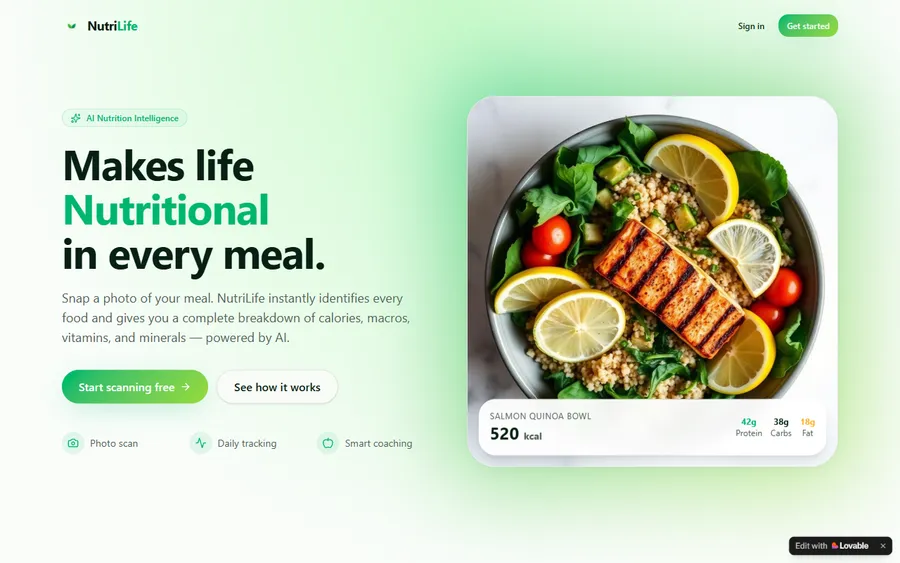
An AI nutrition coach that reads what you eat and works you toward a target.
AI and ML
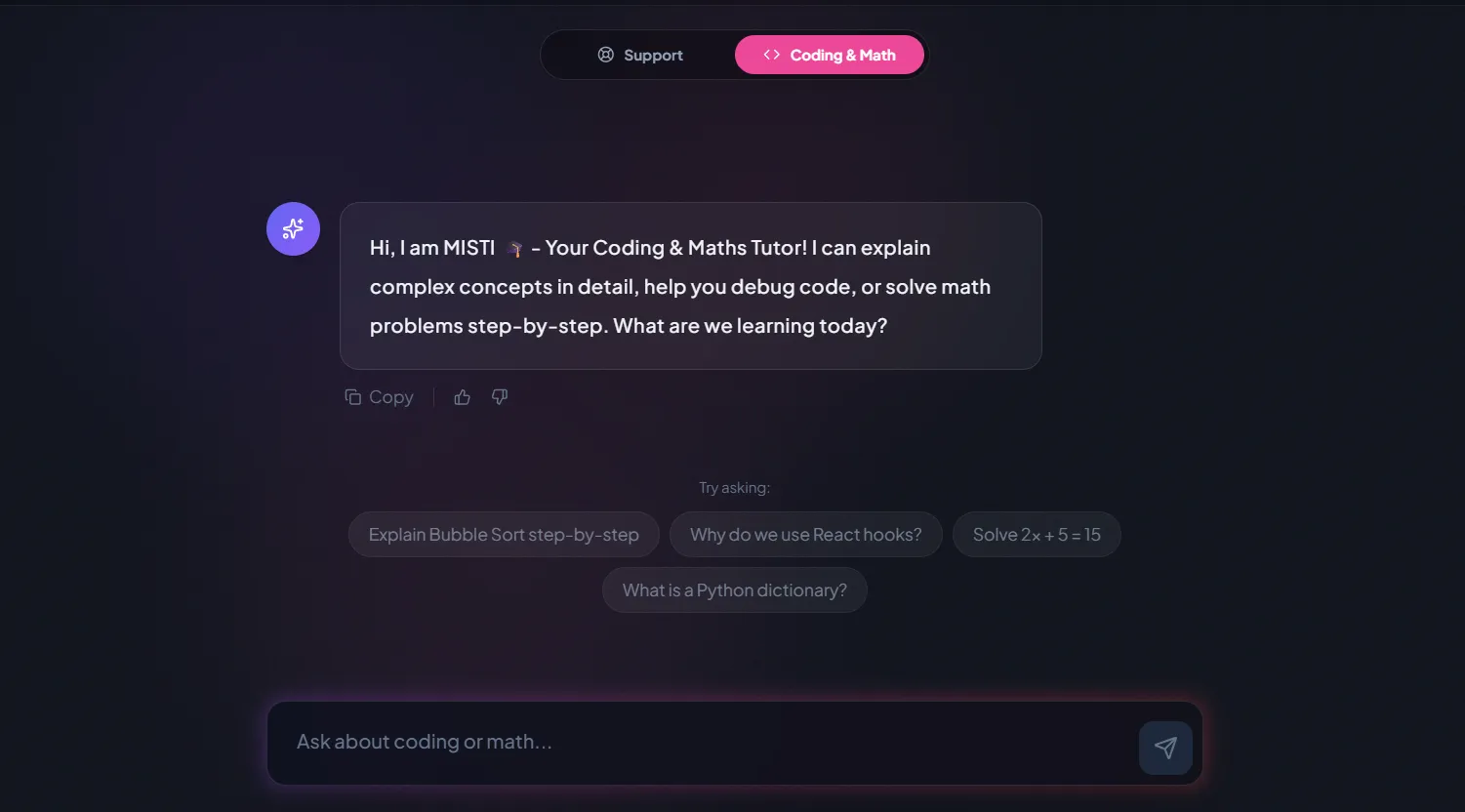
A chatbot that answers mathematics and programming questions, built and deployed by a student.
AI and ML
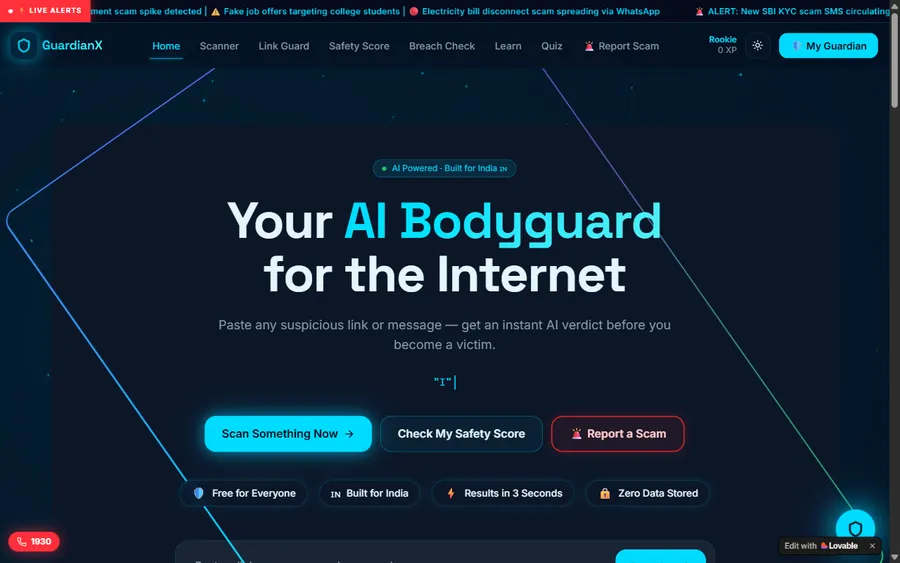
An assistant that helps a young person recognise unsafe situations online.
Web app
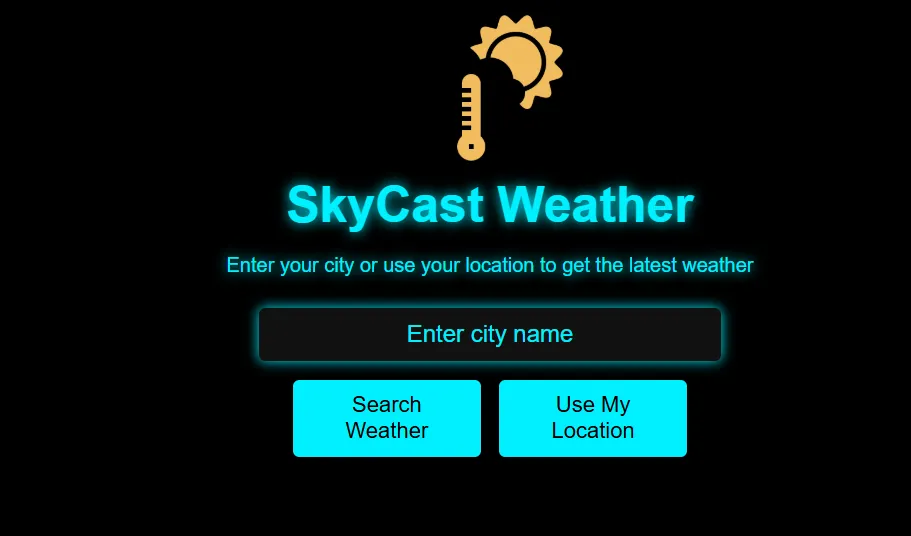
A weather forecasting site with live conditions for any location.
Fees
You pay monthly for eight live classes. The euro figure on this page is calculated from the ECB reference rate; the actual charge is made in US dollars, and your bank turns it into euro, so the amount on your statement can be a little different.
Free first class
Free
no card required
Group batch
€90
a month, eight live classes, charged in US dollars
One to one
€134
a month, eight live classes, charged in US dollars
What families say
What parents and students wrote in their Google reviews, unedited.
★★★★★
"The one step solution for my son. Modern Age Coders make learning coding so simple that kids love it. The teachers explain complex concepts clearly with practical exercises and interactive content."
Ria Mukherjee
Parent
★★★★★
"Modern Age Coders has been a game-changer for me. I struggled to grasp IT concepts and coding before joining, but their classes transformed everything. I can now confidently write complex programs with ease."
Samriddha Mondal
Student
★★★★★
"One of the most wonderful education centres out there. Education is not limited to school syllabus but focuses on skill development."
Vansh Agarwal
Student
★★★★★
"My child Dhairya is really enjoying the Modern Age Coders classes. This is his first online class and he eagerly looks forward to it. I can already see his improvement, and the teachers are very cooperative."
Sonam Oswal
Parent of Dhairya
★★★★★
"Modern Age Coders have wonderful teachers who teach in a clear, easy and practical way. The teacher boosts students' confidence and inspires them to learn without hesitation."
Sonu Goyal
Parent
★★★★★
"I highly recommend this computer coding class! The teachers are incredibly knowledgeable and passionate about coding."
Ritu Kedia
Parent
Questions from Bremen parents
No, they are not. We teach only in English, always live. Your child's mentor slows down, uses simple words and gets used to how your child speaks, which is why children with limited English manage well. The code on screen is identical whatever language the lesson is in.
Not as a curricular subject in grades 5 to 10 in 2026/27. The GI Informatik-Monitor finds no curricular Informatik offer at Bremen Oberschulen or Gymnasien. Bremen plans compulsory Informatik at all schools from 2027/28, with two to four weekly hours in total.
Six is a good age to begin. The youngest work with Scratch blocks and spoken puzzles, which needs neither typing nor much reading. Around nine most children are ready to type Python.
Weekdays or weekends, flexible: choose your batch, or for a very personalised plan choose 1-on-1 at your convenience, weekend mornings or weekdays. In Bremen the late afternoon is the usual choice.
From India, live over video. A class at 15:15 in Bremen is at 19:45 in India this winter and at 18:45 after the clocks change on 28 March 2027.
Yes, through the school. The contest costs nothing, takes pupils from grade 3 upwards and asks for no coding. This year's contest weeks are 9 to 20 November 2026, so speak to the class teacher soon. We have no link with the organisers.
An original Python project on Bremen's open data list of libraries. Children ask which library opens first on a Thursday, see the computer get it wrong by comparing text, and fix it by turning each time into minutes.
Yes. Classes are online, so any child in the Land Bremen, or anywhere in Germany, can join the same groups at the same times.
A group has fifteen to twenty children close in age. Private one-to-one lessons are the other option, scheduled around your family.
This page displays the monthly fee in euro, converted with the reference rate of the European Central Bank. We charge in US dollars, so your bank handles the conversion. The trial class is free and asks for no card details.
Read next
Where Bremen parents usually go next.
Every page we have for families in Germany.
How the Biber works and how to practise.
Bremen beside the other fifteen Länder.
Where most young children begin.
Bremen and Bremerhaven, the whole Land.
Our classes in detail.
Part of the guide: Coding classes in Land Bremen
More guides: Coding classes in North Rhine-Westphalia · Coding classes in Lower Saxony · Coding classes in Hesse · Coding classes in Bavaria · Coding classes in Saxony-Anhalt · Coding classes in Schleswig-Holstein · Coding classes in Baden-Württemberg · Coding classes in Saarland · Coding classes in Rhineland-Palatinate · Coding and maths in Berlin · Coding and maths in Hamburg · Coding classes in Saxony · Coding classes in Thuringia · Coding classes in Brandenburg · Coding classes in Mecklenburg-Vorpommern
Start here
During the trial your child works through one puzzle and builds a very small Scratch project with a mentor. You see how your child copes with the ideas and with English, and the mentor suggests a course and an age group.
Before booking you may like to read how we teach, or browse all courses and their syllabuses.
WhatsApp us · +91 91233 66161 · connect@modernagecoders.com
All lessons happen live online, in English only, with mentors based in India. For a quick question, WhatsApp works best for most parents.
A priority demo is a full class of about 45 to 60 minutes. After the class the mentor sends a written skill report and a personal learning roadmap on WhatsApp. If you enrol, the demo fee is adjusted against your first month's fee. Share your demo Order ID with us on WhatsApp and we take it off.
Book a priority demo