Table of Contents
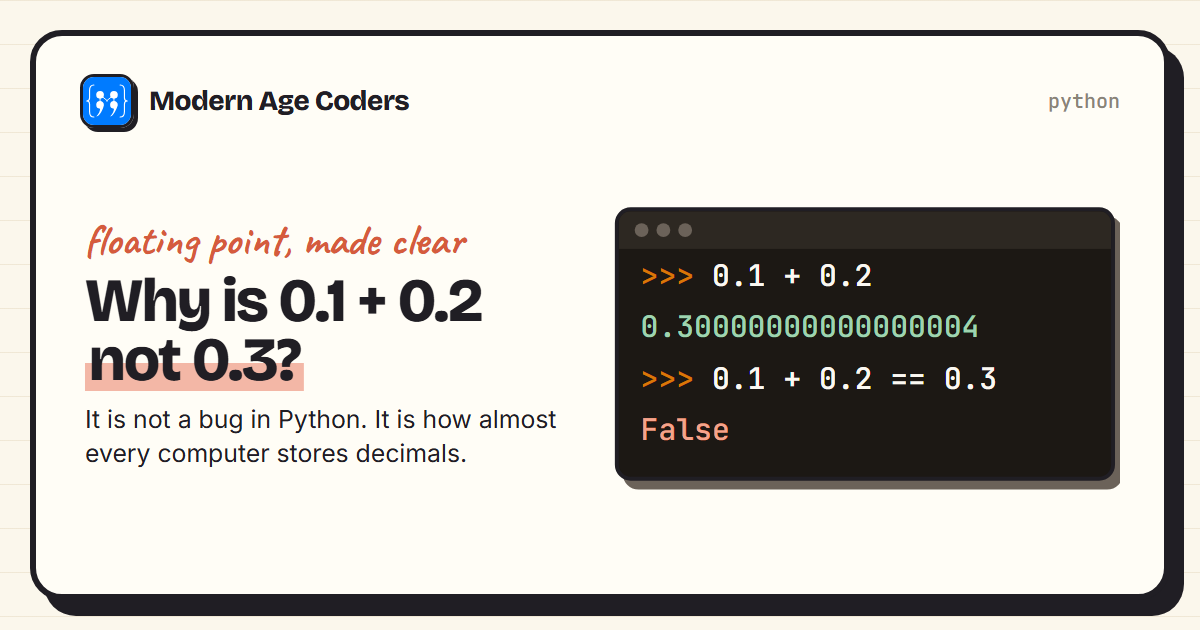
Type 0.1 + 0.2 into Python and you get 0.30000000000000004. Ask whether it equals 0.3 and Python says False. Almost every programmer meets this sooner or later, and the first reaction is usually that something is broken. It is not. It is a direct consequence of how computers store decimal numbers, and once you understand it you will know exactly when it matters and what to do about it.
This guide shows what Python actually stores for 0.1, explains why in terms of a simple analogy with 1/3, shows how small errors grow, and gives the five practical fixes. Every output below is real, including the same test in JavaScript.
The surprise
print(0.1 + 0.2)
print(0.1 + 0.2 == 0.3)
print(f"{0.1:.20f}")
print(f"{0.3:.20f}")
print(f"{0.1 + 0.2:.20f}")0.30000000000000004
False
0.10000000000000000555
0.29999999999999998890
0.30000000000000004441Printing more digits shows what is going on. 0.1 is really stored as 0.10000000000000000555..., slightly more than 0.1. 0.3 is stored as 0.29999999999999998890..., slightly less. Their errors point in opposite directions, so 0.1 + 0.2 lands just above 0.3 while the stored 0.3 sits just below it.
This is not a Python quirk. JavaScript gives exactly the same answer:
console.log(0.1 + 0.2);
console.log(0.1 + 0.2 === 0.3);0.30000000000000004
falseJava, C, C++ and most other languages do too, because they all follow the same international standard for these numbers, IEEE 754, which is built into the processor itself.
Why it happens: some fractions never end
Try writing 1/3 as a decimal. You get 0.3333..., and the 3s never stop. However many digits you write, you are always a little short. That is not a failing of arithmetic; it is because 3 does not divide evenly into any power of 10.
Computers store numbers in binary, base 2, and in binary the same thing happens to 1/10. Because 10 contains a factor of 5, which does not divide any power of 2, one tenth becomes a repeating pattern that never ends. Here it is, worked out digit by digit:
from fractions import Fraction

def binary_digits(x, n):
    """First n binary digits after the point, by repeated doubling."""
    digits = ""
    for _ in range(n):
        x *= 2
        digits += "1" if x >= 1 else "0"
        if x >= 1:
            x -= 1
    return digits

print("1/10 in binary: 0." + binary_digits(Fraction(1, 10), 32) + "...")
print("1/4  in binary: 0." + binary_digits(Fraction(1, 4), 8))
print("1/3 in decimal: 0." + "3" * 20 + "...")1/10 in binary: 0.00011001100110011001100110011001...
1/4 in binary: 0.01000000
1/3 in decimal: 0.33333333333333333333...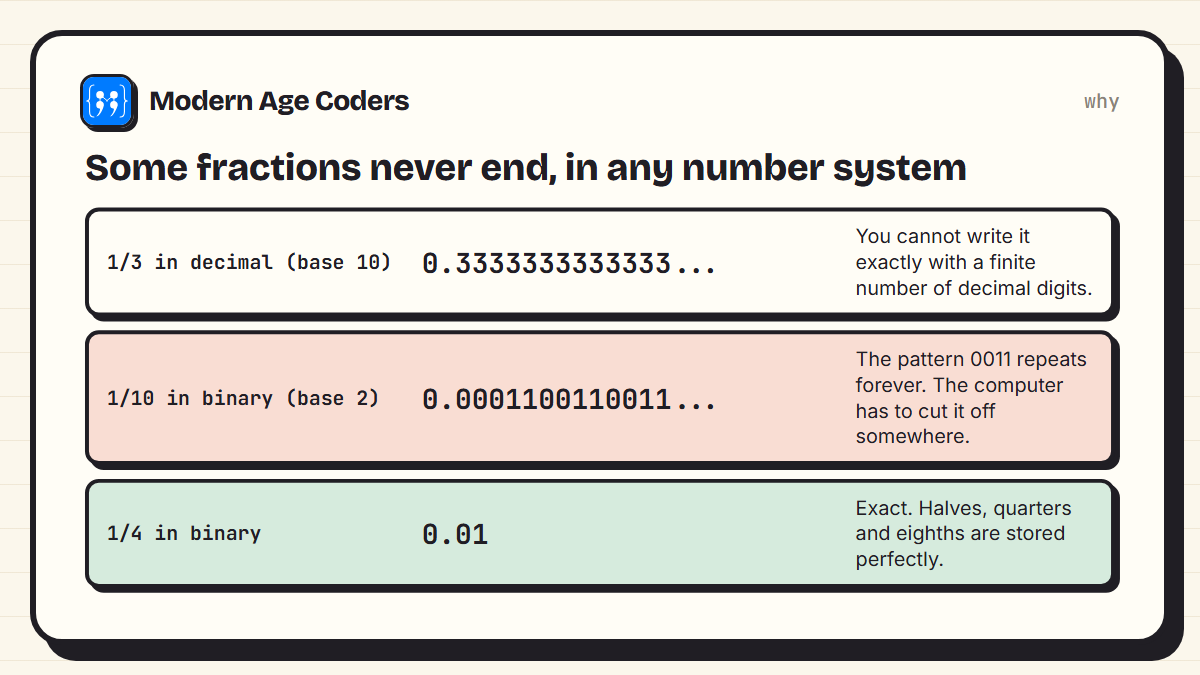
A standard Python float has room for 53 significant binary digits. It keeps the first 53 and rounds, so what gets stored is the closest value it can hold, not 0.1 itself. Numbers built from halves, quarters and eighths, such as 0.5, 0.25 and 0.375, are stored exactly; most other decimals are not.
What Python actually stores
You can ask Python for the exact value hiding behind 0.1:
from decimal import Decimal

print(Decimal(0.1))                 # the exact value Python stores for 0.1
print((0.1).as_integer_ratio())     # the same value as a fraction
print(2 ** 55)0.1000000000000000055511151231257827021181583404541015625
(3602879701896397, 36028797018963968)
36028797018963968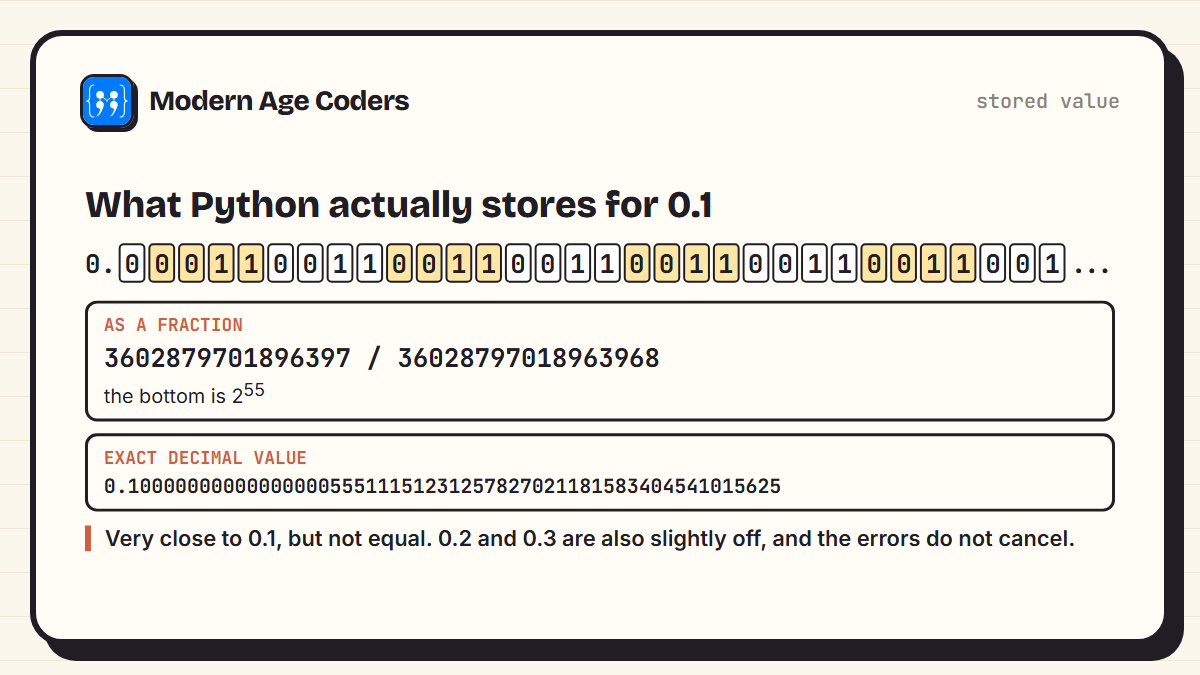
The stored value is the fraction 3602879701896397 / 36028797018963968, and that bottom number is 255. Written out as a decimal it is 0.1000000000000000055511151231257827021181583404541015625. That is accurate to about 17 significant digits, which is more than enough for almost everything. It just is not exactly 0.1, and the == operator checks for exact equality.
Small errors can grow
One tiny error rarely matters. Many of them, added together, can:
import math

total = 0.0
for i in range(1, 1_000_001):
    total += 0.1
    if i in (10, 1_000, 1_000_000):
        print(f"adding 0.1 {i:>9,} times gives {total!r}")

print("math.fsum of ten 0.1s:", math.fsum([0.1] * 10))adding 0.1 10 times gives 0.9999999999999999
adding 0.1 1,000 times gives 99.9999999999986
adding 0.1 1,000,000 times gives 100000.00000133288
math.fsum of ten 0.1s: 1.0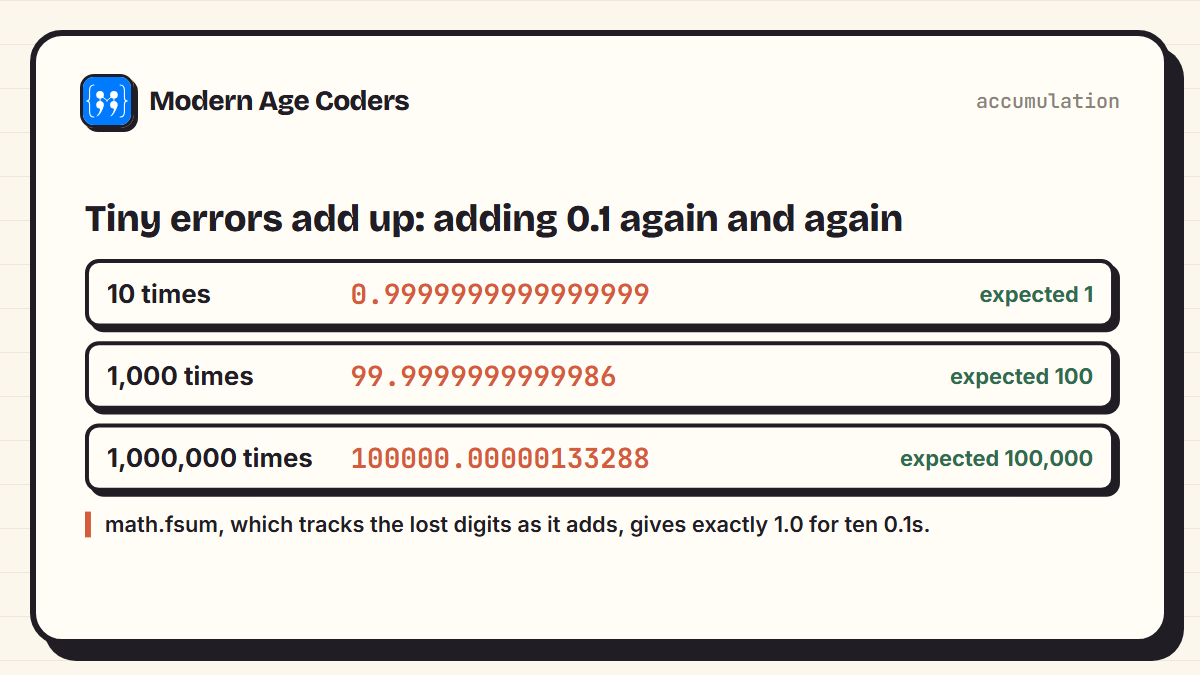
Ten additions already give 0.9999999999999999, and a million give 100000.00000133288 instead of 100,000. For a game character's position or a physics simulation that runs for hours, this kind of drift is a real problem. Python's math.fsum keeps track of the digits that ordinary addition loses, and returns exactly 1.0 for ten 0.1s.
Five ways to handle it
import math
from decimal import Decimal
from fractions import Fraction

a = 0.1 + 0.2
print("isclose:  ", math.isclose(a, 0.3))
print("round:    ", round(a, 2) == 0.3)
print("Decimal:  ", Decimal("0.1") + Decimal("0.2") == Decimal("0.3"))
print("Decimal from floats:", Decimal(0.1) + Decimal(0.2) == Decimal("0.3"))
print("Fraction: ", Fraction(1, 10) + Fraction(2, 10) == Fraction(3, 10))
print("integers: ", 10 + 20 == 30, "(work in tenths, or the smallest unit)")isclose: True
round: True
Decimal: True
Decimal from floats: False
Fraction: True
integers: True (work in tenths, or the smallest unit)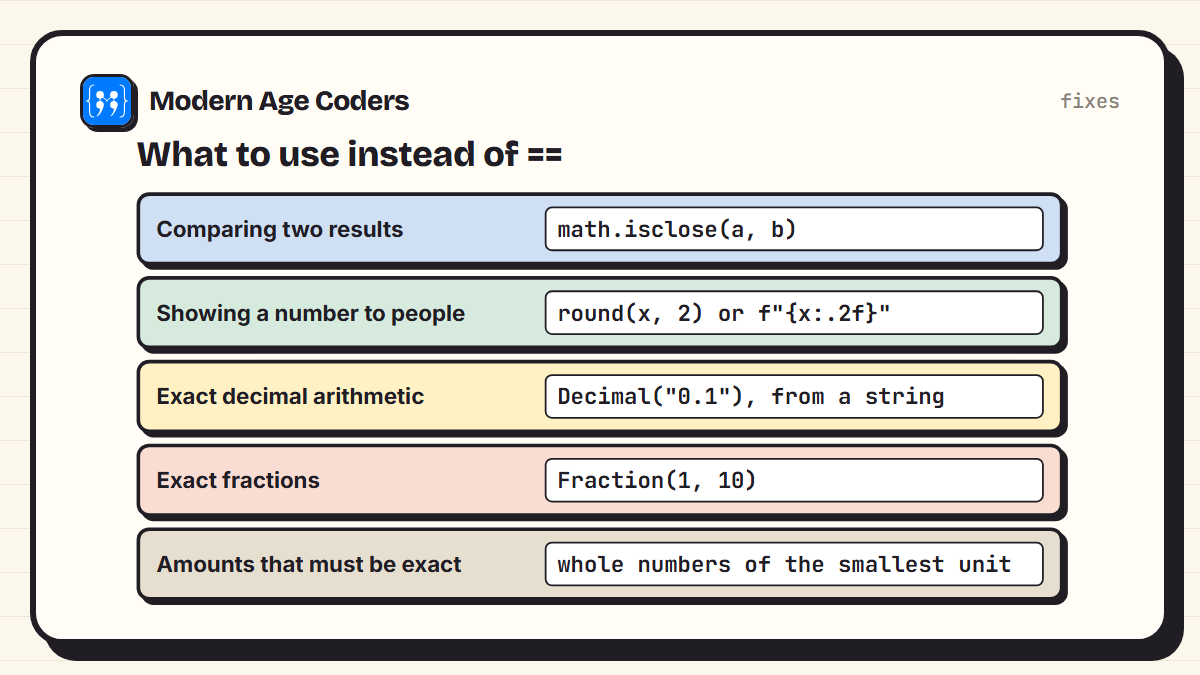
- Comparing: never use == on floats that came from calculations. Use
math.isclose(a, b), which allows a tiny tolerance. - Displaying: round when you show a number, not while you calculate.
f"{x:.2f}"prints two decimal places. - Exact decimals: the
decimalmodule does arithmetic in base 10. Build values from strings:Decimal("0.1"). As the output shows,Decimal(0.1)copies the float's error, and the comparison fails. - Exact fractions:
fractions.Fractionstores numerator and denominator as whole numbers, so 1/10 + 2/10 is exactly 3/10. - Amounts that must add up exactly: store them as whole numbers of the smallest unit, and only convert for display. Whole numbers are always exact in Python.
Where this causes real bugs
Loops that step by 0.1 and test for an exact end value can run one time too many or never stop. Totals of many small amounts can be off by a fraction. Tests that compare floats with == fail on one machine and pass on another. In each case, the fix is one of the five above.
Is this a problem for beginners?
Mostly no. For everyday calculations, printing a float shows a sensibly rounded value, and 17 significant digits is far more precision than any real measurement. It matters in three situations: comparing results with ==, adding up many small values, and anything that must be exact to the last digit. Knowing why it happens turns a baffling bug into a two-minute fix, and it is a great example of why understanding how computers store numbers is worth the effort.
Floats are not broken. They are extremely good approximations, and == asks for perfection.
How we teach it
Floating point is a good example of a principle on our how we teach page: mistakes are data, not failures. An unexpected output like 0.30000000000000004 is the start of an investigation, not a reason to give up. Tracing code line by line until every step can be predicted, including what the computer really stores, is how that investigation ends. Our Python course for teens runs one to one or in small groups of 5 to 10.
Frequently asked questions
Because 0.1, 0.2 and 0.3 cannot be stored exactly in binary, just as 1/3 cannot be written exactly in decimal. Each is stored as the nearest possible value, and the tiny errors make 0.1 + 0.2 come out as 0.30000000000000004, which is not equal to the stored 0.3.
No. It comes from the IEEE 754 standard for floating-point numbers, which is built into computer processors. JavaScript, Java, C and most other languages give exactly the same result.
Use math.isclose(a, b) instead of ==. It checks whether the numbers are equal within a small tolerance, which is the right question for values produced by calculations.
Use the decimal module and create values from strings, such as Decimal('0.1'). Creating them from floats, as in Decimal(0.1), copies the float's small error.
Those that can be written as a whole number divided by a power of 2, such as 0.5, 0.25, 0.75 and 0.375. Most other decimals, including 0.1, 0.2 and 0.3, are stored as close approximations.
Rounding is right for displaying results, for example with round(x, 2) or an f-string. It is not a good way to make calculations exact; for that, use Decimal, Fraction or whole numbers.
A standard Python float stores 53 significant binary digits, about 15 to 17 significant decimal digits. That is far more precise than almost any real-world measurement.