Table of Contents
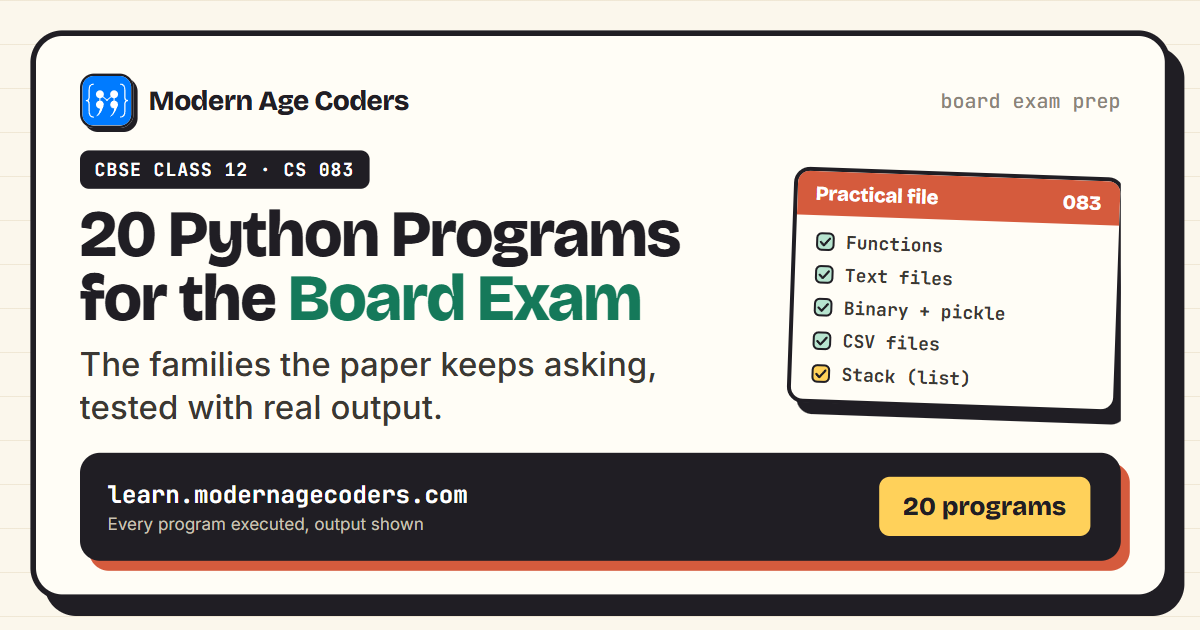
If you are sitting the CBSE Class 12 Computer Science exam, code 083, the mathematics is simple: the programming unit is the biggest block of theory marks, and the practical adds 30 more on top. Most of those marks come from a small, predictable set of program types: functions, text files, binary files, CSV, and a stack.
This page collects 20 Python programs for CBSE Class 12 that cover exactly that ground. Each comes with the exam-style question and a working program, and every single one was executed before being pasted here, including the file-handling programs, which really created, read, and updated their files.
Type them, run them, then rewrite them from memory. The practical examiner is watching for fluency, not recital.
Where These Programs Earn Their Marks
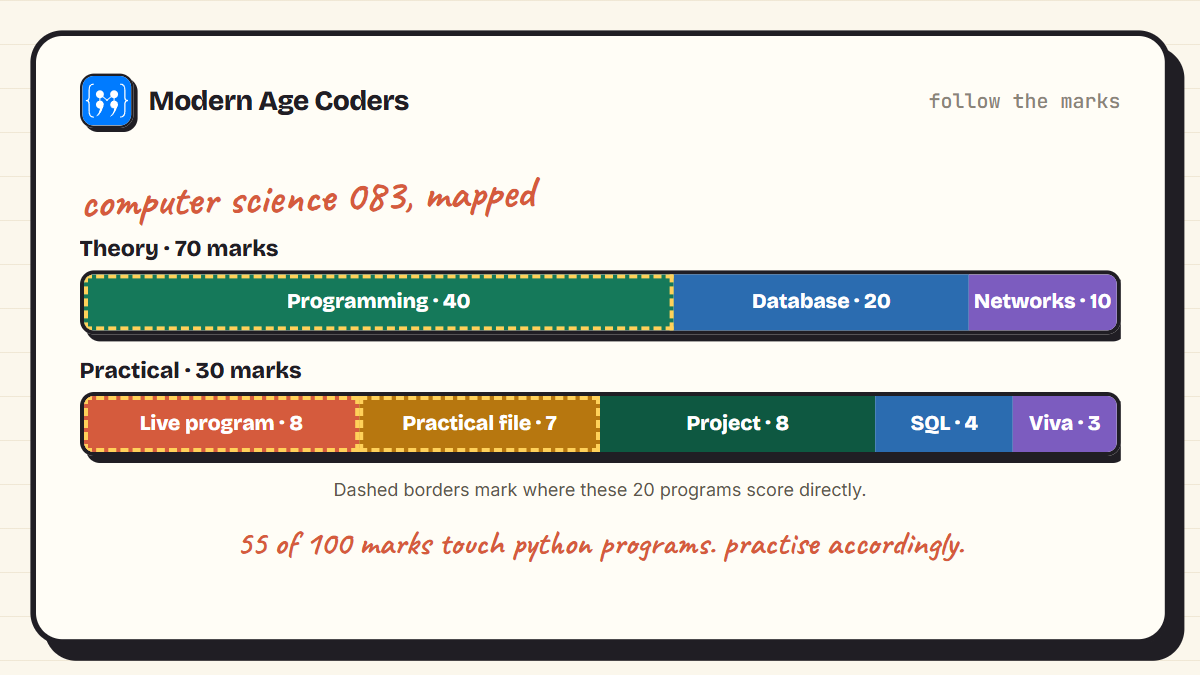
Computer Science (083) is split 70 and 30: a 70-mark theory paper, where Computational Thinking and Programming is the largest unit at 40 marks, and a 30-mark practical. Inside the practical, you write a Python program live for 8 marks, and your practical file, at least 15 Python programs plus SQL work, carries 7 more. In other words, the 20 programs below are aimed at the most concentrated marks in the whole subject.
Build your practical file from this page
The board asks for a minimum of 15 Python programs in your practical file. The 20 here are organised to cover every required area, so working through them leaves your file effectively complete.
The Files You Must Know Apart
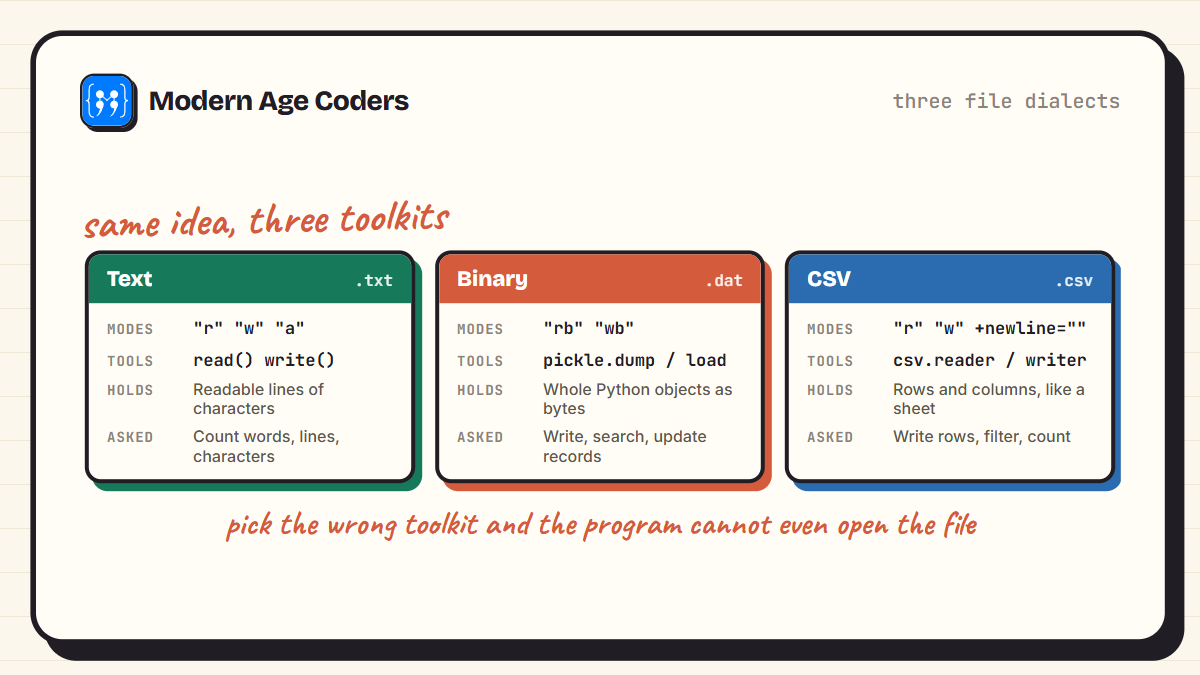
Half the syllabus anxiety is really one confusion: which file type wants which tools. Text files use plain read and write. Binary files need the pickle module and rb or wb modes. CSV files use the csv module with reader and writer objects. Same idea, three dialects.
Functions
Functions open the programming unit and the examiners love them because one question tests parameters, return values, and defaults all at once.
1. Palindrome check with a function
Question: Write a function is_palindrome(text) that returns True if the given string reads the same in both directions, ignoring case.
def is_palindrome(text):
    text = text.lower()
    return text == text[::-1]

print(is_palindrome("Madam"))
print(is_palindrome("Python"))
True
False2. Count vowels with a function
Question: Write a function count_vowels(text) that returns the number of vowels in the given string.
def count_vowels(text):
    count = 0
    for ch in text.lower():
        if ch in "aeiou":
            count = count + 1
    return count

print(count_vowels("Computer Science"))63. Simple interest with a default argument
Question: Write a function interest(principal, rate, time) where rate has a default value of 8, and show both ways of calling it.
def interest(principal, time, rate=8):
    return principal * rate * time / 100

print(interest(5000, 2))        # uses the default rate
print(interest(5000, 2, 10))    # overrides it
800.0
1000.04. Return several values at once
Question: Write a function that receives a list of marks and returns the highest, the lowest, and the average together.
def summary(marks):
    return max(marks), min(marks), sum(marks) / len(marks)

high, low, avg = summary([78, 92, 65, 88, 71])
print("Highest:", high)
print("Lowest :", low)
print("Average:", avg)
Highest: 92
Lowest : 65
Average: 78.8Text Files
Text file questions are near-guaranteed. Every one of them follows the same rhythm: open with the with clause, walk the content, count or copy something.
5. Create and write a text file
Question: Write a program to create a text file story.txt and write three lines into it using the with clause.
with open("story.txt", "w") as f:
    f.write("Python is easy to learn.\n")
    f.write("The board exam tests files.\n")
    f.write("Practice makes it simple.\n")

print("story.txt created")
story.txt created6. Count words in a file
Question: Write a program to read story.txt and count the total number of words in it.
with open("story.txt", "r") as f:
    text = f.read()

words = text.split()
print("Total words:", len(words))
Total words: 147. Count lines starting with a vowel
Question: Write a program to count how many lines of story.txt begin with a vowel.
count = 0
with open("story.txt", "r") as f:
    for line in f:
        if line and line[0].lower() in "aeiou":
            count = count + 1

print("Lines starting with a vowel:", count)
Lines starting with a vowel: 08. Count character types in a file
Question: Write a program to count the uppercase letters, lowercase letters, and digits present in story.txt.
upper = lower = digits = 0
with open("story.txt", "r") as f:
    for ch in f.read():
        if ch.isupper():
            upper = upper + 1
        elif ch.islower():
            lower = lower + 1
        elif ch.isdigit():
            digits = digits + 1

print("Uppercase:", upper)
print("Lowercase:", lower)
print("Digits   :", digits)
Uppercase: 3
Lowercase: 59
Digits : 09. Copy matching lines to another file
Question: Write a program to copy every line of story.txt that contains the word "exam" into a new file selected.txt.
with open("story.txt", "r") as src, open("selected.txt", "w") as dest:
    for line in src:
        if "exam" in line.lower():
            dest.write(line)

with open("selected.txt", "r") as f:
    print(f.read().rstrip())
The board exam tests files.Binary Files with pickle
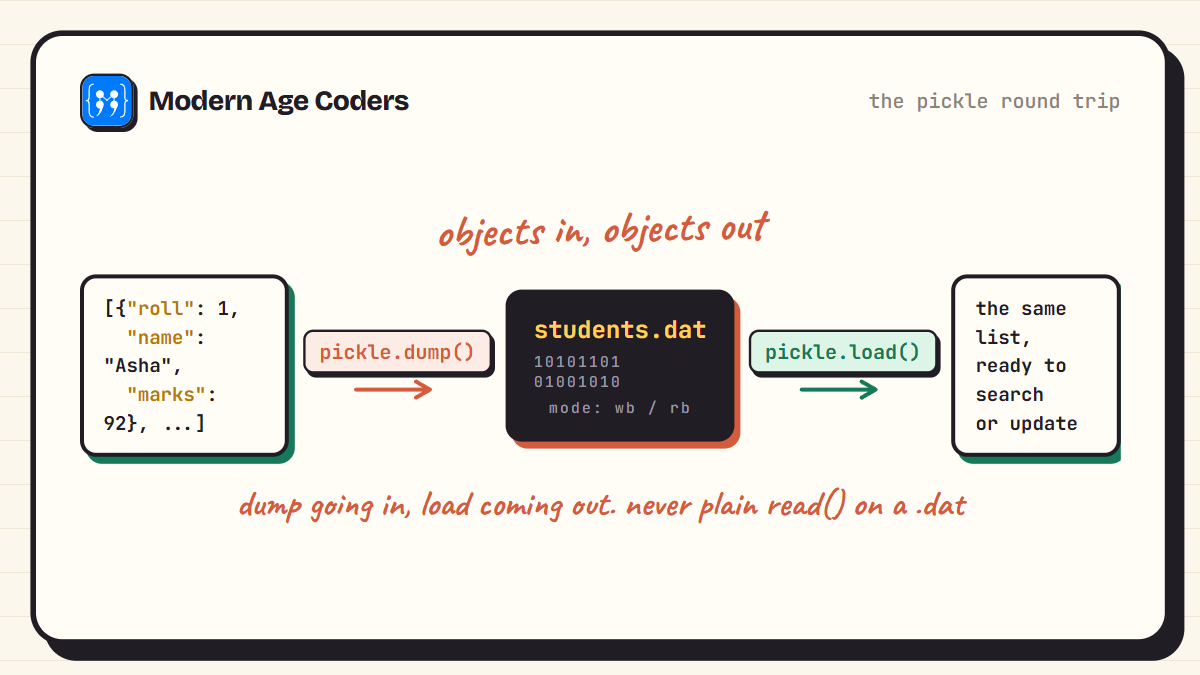
Binary file questions carry the most steps: dump, load, search, update. Master this quartet and the scariest part of the practical becomes routine. These four programs run in sequence, exactly like a practical record.
10. Write records to a binary file
Question: Write a program using pickle to store a list of student records, each with roll, name, and marks, in a binary file students.dat.
import pickle

students = [
    {"roll": 1, "name": "Asha", "marks": 92},
    {"roll": 2, "name": "Rohan", "marks": 85},
    {"roll": 3, "name": "Meera", "marks": 78}
]

with open("students.dat", "wb") as f:
    pickle.dump(students, f)

print("Records written:", len(students))
Records written: 311. Read every record back
Question: Write a program to open students.dat and display every stored record.
import pickle

with open("students.dat", "rb") as f:
    students = pickle.load(f)

for s in students:
    print(s["roll"], s["name"], s["marks"])
1 Asha 92
2 Rohan 85
3 Meera 7812. Search a binary file by roll number
Question: Write a program to search students.dat for the record with roll number 2 and display it, or report that it is missing.
import pickle

with open("students.dat", "rb") as f:
    students = pickle.load(f)

found = False
for s in students:
    if s["roll"] == 2:
        print("Found:", s["name"], "with", s["marks"], "marks")
        found = True

if not found:
    print("No record with that roll number")
Found: Rohan with 85 marks13. Update a record and save it back
Question: Write a program to increase Rohan's marks by 5 in students.dat and rewrite the file.
import pickle

with open("students.dat", "rb") as f:
    students = pickle.load(f)

for s in students:
    if s["name"] == "Rohan":
        s["marks"] = s["marks"] + 5

with open("students.dat", "wb") as f:
    pickle.dump(students, f)

with open("students.dat", "rb") as f:
    print(pickle.load(f)[1])
{'roll': 2, 'name': 'Rohan', 'marks': 90}CSV Files
CSV connects Python to spreadsheets, and the csv module does the heavy lifting. Remember newline="" when writing, and next(reader) to skip a header.
14. Write rows to a CSV file
Question: Write a program using the csv module to create results.csv with a header row and three student rows.
import csv

rows = [
    ["Roll", "Name", "Marks"],
    [1, "Asha", 92],
    [2, "Rohan", 85],
    [3, "Meera", 78]
]

with open("results.csv", "w", newline="") as f:
    writer = csv.writer(f)
    writer.writerows(rows)

print("results.csv written")
results.csv written15. Read a CSV file row by row
Question: Write a program to read results.csv and display each row.
import csv

with open("results.csv", "r") as f:
    reader = csv.reader(f)
    for row in reader:
        print(row)
['Roll', 'Name', 'Marks']
['1', 'Asha', '92']
['2', 'Rohan', '85']
['3', 'Meera', '78']16. Filter and total a CSV file
Question: Write a program to count how many students in results.csv scored more than 80, skipping the header row.
import csv

count = 0
with open("results.csv", "r") as f:
    reader = csv.reader(f)
    next(reader)                 # skip the header
    for row in reader:
        if int(row[2]) > 80:
            count = count + 1

print("Students above 80:", count)
Students above 80: 2The Stack
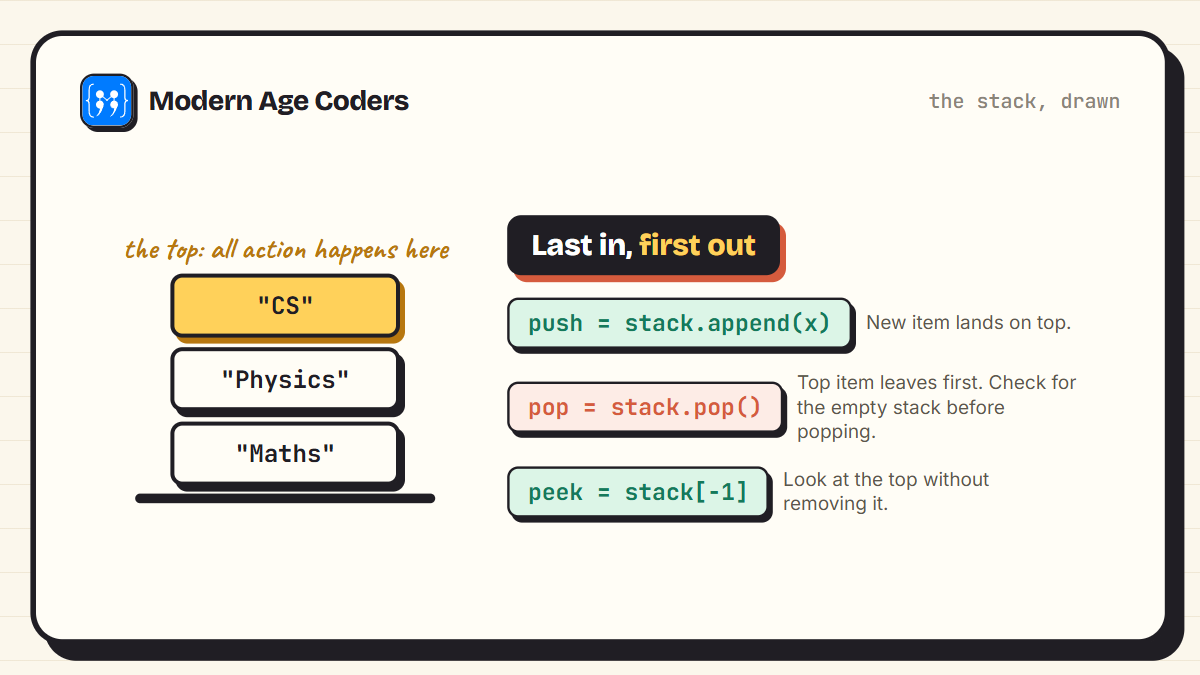
The syllabus names one data structure: a stack implemented with a list. Push with append, pop with pop, and respect the underflow case.
17. Implement a stack using a list
Question: Write a program to implement push, pop, and peek operations for a stack of book titles using a list.
stack = []

def push(item):
    stack.append(item)

def pop():
    if not stack:
        return "Underflow"
    return stack.pop()

def peek():
    if not stack:
        return "Empty"
    return stack[-1]

push("Maths")
push("Physics")
push("CS")

print("Top of stack:", peek())
print("Popped:", pop())
print("Popped:", pop())
print("Remaining:", stack)
Top of stack: CS
Popped: CS
Popped: Physics
Remaining: ['Maths']18. Reverse a string using a stack
Question: Write a program that pushes every character of a word onto a stack, then pops them all to build the reversed word.
word = "BOARDS"
stack = []

for ch in word:
    stack.append(ch)

reversed_word = ""
while stack:
    reversed_word = reversed_word + stack.pop()

print(reversed_word)SDRAOBRandom Numbers and Dictionaries
Two final favourites: the random module, which powers dice and OTP style questions, and the dictionary counting pattern that turns up in output-prediction questions too.
19. Dice roller with random
Question: Write a program using the random module to simulate rolling a die five times. The output changes every run, which is the point.
import random

for i in range(5):
    print("Roll", i + 1, ":", random.randint(1, 6))
Roll 1 : 6
Roll 2 : 6
Roll 3 : 6
Roll 4 : 3
Roll 5 : 420. Word frequency with a dictionary
Question: Write a program to count how many times each word appears in a sentence, using a dictionary.
sentence = "the exam tests the file the stack and the loop"

counts = {}
for word in sentence.split():
    counts[word] = counts.get(word, 0) + 1

for word, n in counts.items():
    print(word, "->", n)
the -> 4
exam -> 1
tests -> 1
file -> 1
stack -> 1
and -> 1
loop -> 1The Marks You Lose Without Noticing
- Wrong mode for binary files: opening students.dat with "r" instead of "rb" crashes pickle. Binary files always take the b.
- Forgetting newline="" when writing CSV: without it, Windows inserts a blank line after every row, and your output looks wrong in the viva.
- Popping an empty stack: always check the underflow case. Examiners deliberately test it.
- Reading a file after writing without reopening: finish the with block, then open again to read. The with clause closes the file for you.
- Hard-coding what should be a parameter: if the question says any file or any number, your function must accept it as an argument.
A four-week plan that works
Week one, functions and text files. Week two, binary and CSV. Week three, the stack plus your project polishing. Week four, rewrite one program from each family from memory every day. Steady beats heroic, especially in board season.
Frequently Asked Questions
Text file programs (counting words, lines, or characters), binary file programs with pickle (write, read, search, update), CSV reading and writing, a stack implemented with a list, and function-based questions. The 20 programs on this page cover all of these families.
The practical carries 30 marks alongside the 70-mark theory paper. Within it, the live Python program is worth 8 marks and the practical file, with a minimum of 15 Python programs plus SQL work, carries 7, with the project and viva making up the rest.
A text file stores readable characters and is handled with plain read and write in "r" or "w" modes. A binary file stores Python objects in encoded form, needs "rb" or "wb" modes, and uses the pickle module's dump and load to convert objects to bytes and back.
pickle converts whole Python objects, like a list of student dictionaries, into bytes that can be saved in a binary file, and converts them back on reading. That lets record-style programs store structured data without inventing a text format.
It stops Python from adding an extra blank line after every row on Windows. The csv module manages its own line endings, so you hand it a file opened with newline="" and let it take charge.
With a plain list, using append() to push and pop() to remove, both at the same end. The syllabus expects push, pop, and usually peek or display, plus handling of the underflow case when the stack is empty.
It is considered one of the more scoring subjects precisely because the program types repeat. If you can write the file-handling and stack programs fluently and manage your SQL, the paper holds few surprises. Consistent practice matters more than brilliance.
Walk Into the Practical Calm
Twenty programs, six families, and between them the whole programming side of the 083 paper. The pattern you should notice: none of these programs is long. Board programs reward clarity and correct tool choice, not cleverness. If a program here felt shaky, that family is your next practice session. For the underlying concepts, our file handling guide and exception handling guide go deeper.
And if you want a teacher who has walked students through this exact paper, our Python classes for Class 12 CBSE run live and hands-on, with courses for learners aged 6 to 67.
)