Table of Contents
- Why Strings Have No .reverse() Method
- Method 1: Slicing, the One-Line Answer
- Method 2: reversed() and join()
- Method 3: A For Loop, Built by Hand
- Method 4: A While Loop, From the Last Index
- Method 5: Recursion, for the Curious
- Which Method Should You Use?
- Put It to Work: Palindromes and Reversed Sentences
- Common Mistakes to Avoid
- Frequently Asked Questions
- Keep Going, One Small Program at a Time
Reversing a string sounds like the smallest job in programming. Take "hello", get back "olleh". Done. Yet it is one of the most searched Python questions there is, it turns up in school exams, and interviewers still use it to see how well you actually know the language.
The reason is a small surprise: Python strings do not have a built-in reverse method. Lists do. Strings do not. So everyone hits the same wall, types the same search, and lands on a page like this one.
In this guide you will learn five ways to reverse a string in Python: the famous one-line slice, the reversed() function, a for loop, a while loop, and recursion. Every snippet here was run and checked before it was pasted in, so what you copy is what works. If you are brand new to the language, our Python for beginners guide is a good warm-up first.
Why Strings Have No .reverse() Method
If you have used lists, you might try the obvious thing first. It does not go well.
text = "hello"
text.reverse()
# AttributeError: 'str' object has no attribute 'reverse'
Python strings are immutable, which means once a string is created, its characters cannot be changed in place. A list can shuffle its own items around, so it gets a .reverse() method. A string cannot, so it does not. Instead, every technique below does the same thing under the hood: it builds a brand new string with the characters in the opposite order.
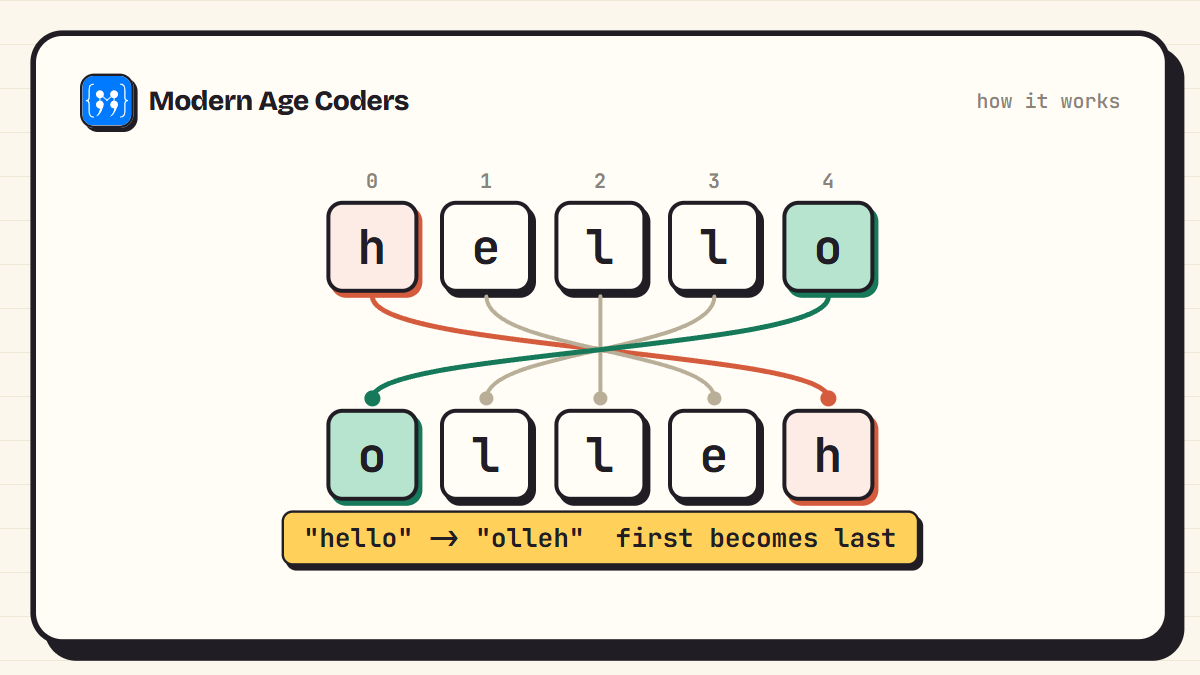
Here is what that reordering actually looks like. The first character moves to the last position, the last moves to the first, and everyone else swaps accordingly.
Method 1: Slicing, the One-Line Answer
This is the way most Python programmers reverse a string, and it fits in one line.
text = "hello"
reversed_text = text[::-1]
print(reversed_text)   # olleh
The magic is in the square brackets. A Python slice takes up to three values, [start:stop:step]. When you leave start and stop empty, the slice covers the whole string. Setting step to -1 tells Python to walk through it backwards, one character at a time. The result is a new string, read from the end to the beginning.
![Anatomy of the Python slice text[::-1] with the start, stop, and step parts labelled and step -1 meaning walk backwards](/images/blog/how-to-reverse-a-string-in-python/02-slicing-anatomy.png)
Slicing is also the fastest of the five methods, because the reversal happens inside Python's C engine rather than in a Python-level loop. For everyday code, this is the one to reach for.
Method 2: reversed() and join()
Python has a built-in function called reversed() that works on any sequence, strings included. There is just one catch: it does not return a string.
text = "python"

print(reversed(text))
# <reversed object at 0x000002...>  (not what we wanted)

reversed_text = "".join(reversed(text))
print(reversed_text)   # nohtyp
reversed() hands back an iterator, a kind of lazy stream of characters in reverse order. To turn that stream back into a string, you pass it to "".join(), which glues the characters together with nothing in between. Two functions, one clean result. Many people find this version easier to read aloud than the slice: "join the reversed text" says exactly what it does.
Method 3: A For Loop, Built by Hand
The loop methods are slower, but they teach you the most, which is why exams and interviews love them. The for loop trick is to add each new character to the front of the result instead of the back.
def reverse_with_for(text):
    result = ""
    for ch in text:
        result = ch + result   # new character goes in front
    return result

print(reverse_with_for("coding"))   # gnidoc
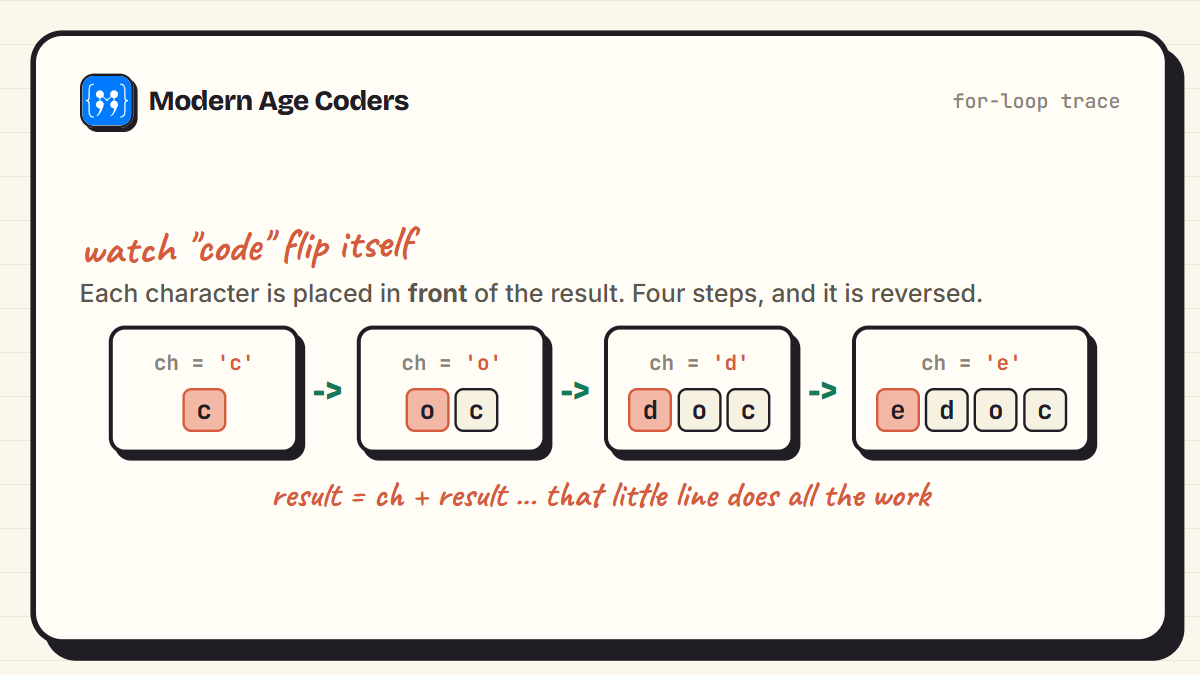
Watch what happens to result as the loop walks through the word "code". Each character lands in front of everything collected so far, so the string quietly assembles itself backwards.
Method 4: A While Loop, From the Last Index
The while loop takes the opposite route. Instead of reading forwards and inserting at the front, it starts at the last character and reads backwards, appending as it goes.
def reverse_with_while(text):
    result = ""
    i = len(text) - 1        # index of the last character
    while i >= 0:
        result = result + text[i]
        i = i - 1             # step backwards
    return result

print(reverse_with_while("school"))   # loohcs
This version makes the index arithmetic visible, which is useful practice. The last character of a string sits at position len(text) - 1, not len(text), and forgetting that is one of the most common beginner errors in any language.
Method 5: Recursion, for the Curious
Recursion means a function that calls itself. To reverse a string recursively, you reverse everything after the first character, then stick the first character on the end.
def reverse_with_recursion(text):
    if len(text) <= 1:        # base case: nothing left to flip
        return text
    return reverse_with_recursion(text[1:]) + text[0]

print(reverse_with_recursion("planet"))   # tenalp
Honest note: you would not use this in real code. Every call creates a new slice, and Python limits how deep recursive calls can go, so a very long string would crash it. But as a thinking exercise it is gold, and this style of breaking a problem into a smaller copy of itself is the foundation of the algorithms you meet later in a data structures and algorithms course.
To see why Python limits recursion depth, and what the call stack looks like while a recursive function runs, read recursion explained for beginners. It shows a real RecursionError and how to avoid one.
Which Method Should You Use?
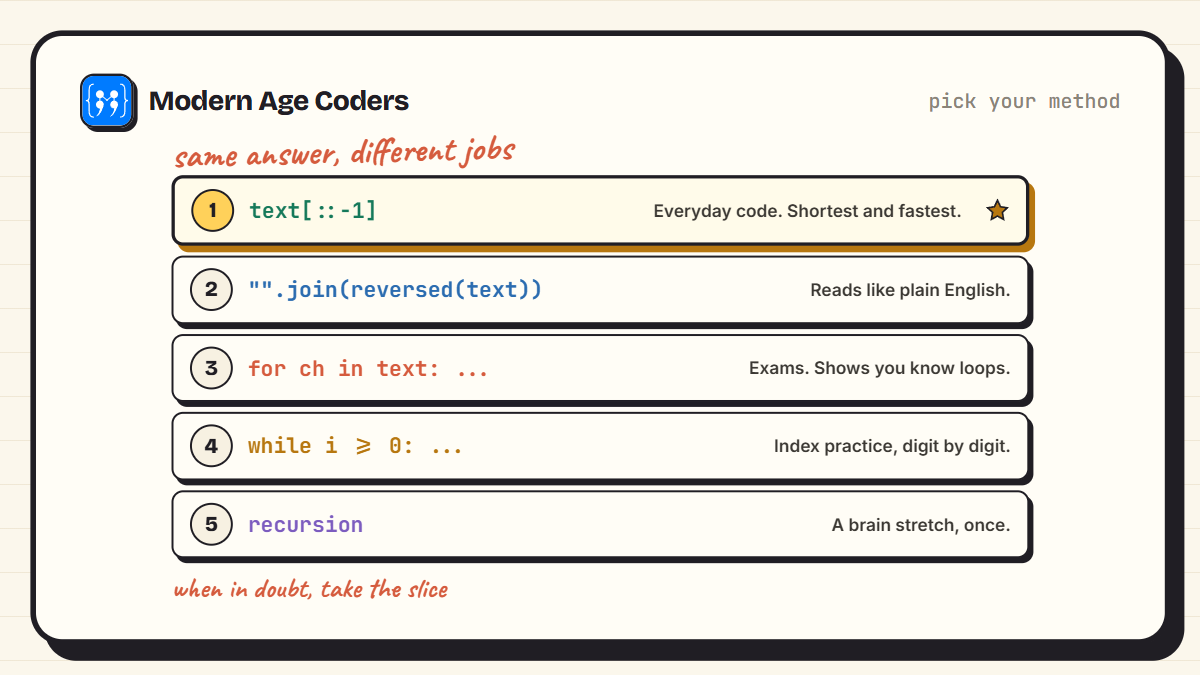
- Everyday code: use the slice, text[::-1]. Shortest and fastest.
- Code others will read: "".join(reversed(text)) says what it does in plain words.
- Exams and interviews: write the for or while loop. It proves you understand indexes and loops, which is usually the real question.
- Stretching your brain: try the recursive version once, then appreciate the slice even more.
Good to know
The [::-1] slice is not just for strings. It reverses lists and tuples too, and the same start, stop, step idea powers every slice you will ever write in Python. Learn it once, use it everywhere.
Put It to Work: Palindromes and Reversed Sentences
String reversal is not just an exercise. The most famous use is checking for a palindrome, a word that reads the same in both directions, like level or madam. With the slice, the check is one comparison.
word = "level"
if word == word[::-1]:
    print(word, "is a palindrome")
else:
    print(word, "is not a palindrome")

# Handle capital letters by lowering the word first
word = "Madam"
clean = word.lower()
print(clean == clean[::-1])   # True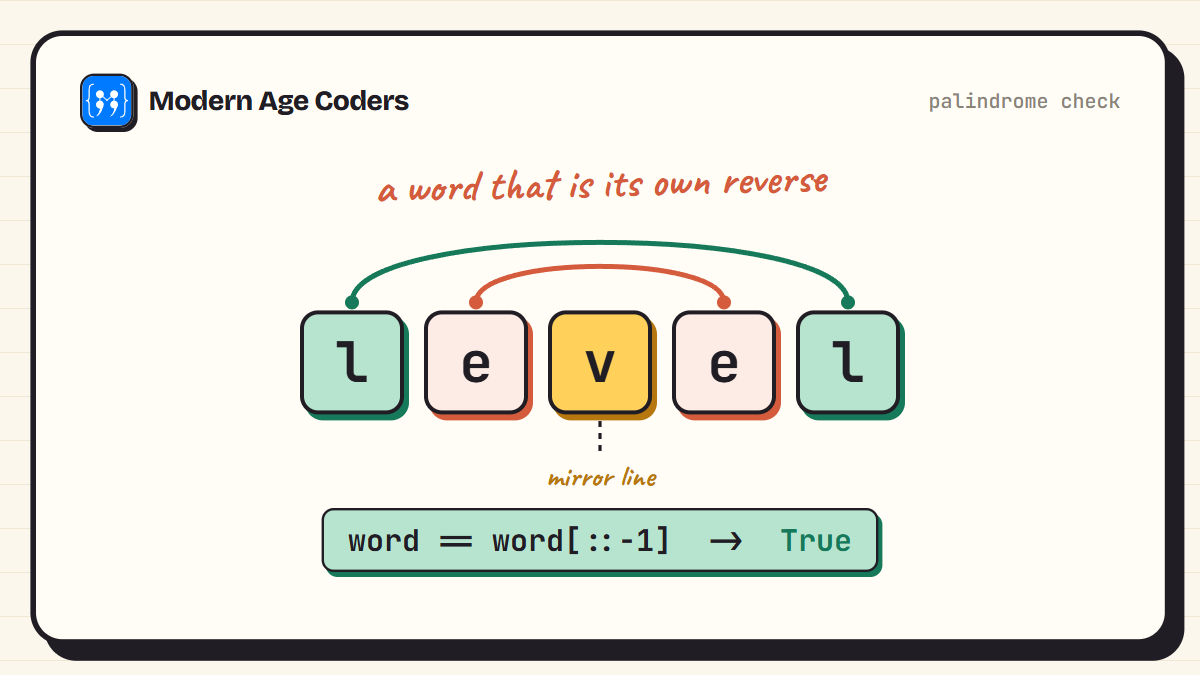
A close cousin is reversing the words of a sentence rather than the letters. Split the sentence into a list of words, reverse the list with the same slice, and join it back together.
sentence = "learn python one step at a time"
reversed_words = " ".join(sentence.split()[::-1])
print(reversed_words)
# time a at step one python learn
Common Mistakes to Avoid
- Calling .reverse() on a string: that method belongs to lists. On a string it raises an AttributeError.
- Printing reversed(text) directly: you get something like <reversed object at 0x...>. Wrap it in "".join() to get a string back.
- Typing [::1] instead of [::-1]: a step of positive 1 just copies the string unchanged. The minus sign does the reversing.
- Forgetting case in palindrome checks: "Madam" reversed is "madaM", which does not match. Lower the string first with .lower().
- Expecting the original to change: every method here returns a new string. The one you started with stays exactly as it was.
Try it yourself
Write all five methods from memory and test each one on your own name. Then try the palindrome check on "racecar", "Noon", and "python". If all three behave the way you predicted, this topic is officially yours.
Frequently Asked Questions
Slicing. Write text[::-1] and you get a new string with the characters in reverse order. It is one line, it is the fastest option, and it is what most working Python programmers use.
Python strings are immutable, meaning they cannot be changed after creation. A method like .reverse() rearranges items in place, which is impossible for a string. Lists are mutable, so they get .reverse(), while strings use slicing or reversed() to produce a new reversed copy.
It is a slice with three slots: start, stop, and step. Empty start and stop cover the whole string, and a step of -1 walks through it backwards. So text[::-1] reads the full string from the last character to the first.
The slice, text[::-1]. It runs inside Python's underlying C code rather than a character-by-character Python loop. The reversed() with join() combination comes second, and hand-written loops are the slowest, though for normal-sized strings you will not notice a difference.
Split, reverse, and join: " ".join(sentence.split()[::-1]). The split() call breaks the sentence into a list of words, the slice reverses the list, and join() stitches the words back together with spaces.
Compare it with its own reverse: word == word[::-1]. If the letters might have capitals, lower the string first, so clean = word.lower() and then check clean == clean[::-1].
Yes. The same [::-1] slice reverses lists, tuples, and any other sequence type in Python. That is part of why it is worth learning properly: it is one pattern that works across the whole language.
Keep Going, One Small Program at a Time
Five methods, one small problem, and a surprising amount of Python covered along the way: immutability, slices, iterators, loops, and recursion. That is the pattern with fundamentals. Tiny programs carry big ideas. If you enjoyed this one, try the same style of walkthrough on finding the HCF and LCM in Python or the classic Armstrong number program next.
And if you would rather build these skills with a teacher who watches you code and untangles your doubts on the spot, our Python from the ground up course starts at exactly this level, and our live coding courses welcome learners aged 6 to 67.