GCK / BLOCK / 01
Scratch Coding for Kids
Three months to a first finished Scratch game.
Open the syllabusGermany · Making games · Ages 7 to 12
Plenty of children in Germany play games every day; far fewer have made one. Making a game turns a child from player into designer: they decide the rules, test them, and find out why their first version is too easy or impossible. This page shows what children can build at each age, explains how German age labels work and why your child's own game sits outside them, and works through a project on the most nerve-racking rule in German board games: you need a six to get out.
Live classes since 2020 · 10,000+ students worldwide · children design the rules, then code them
Quick answer
Game coding classes for kids in Germany at Modern Age Coders are live online lessons in English for children of about 7 to 12 who want to make their own games. Our Game Development for Kids course starts with Scratch, then moves to Roblox scripting and Minecraft coding, with Godot for older children. A mentor stays with your child, adjusting to their pace and accent, in a group of fifteen to twenty or one to one, after school or at weekends.
Game courses
One course that covers three game worlds, one focused on Roblox, and one for older children ready for a real game engine.
GCK / 01
About 8 to 12. Scratch games first, then Roblox and Minecraft projects, all with the same mentor.
Open the syllabus →
GCK / 02
About 8 to 14. Real scripts for obbies, tycoons and simulators, typed in Luau, the language Roblox uses.
Open the syllabus →
GCK / 03
For older children and young teens. 2D and 3D games in a free, open-source engine with its own Python-like language.
Open the syllabus →What children build
Younger children build small games in blocks; older ones type real scripts. In every case the child designs the rules first, which is where most of the learning happens.
| Age | Tool | A typical first game | The idea it teaches |
|---|---|---|---|
| 7 to 8 | Scratch | Catch the falling apples | Events, movement, a score |
| 8 to 9 | Scratch | A maze with a timer and two levels | Variables, conditions, levels |
| 8 to 10 | Minecraft | Code that builds a house in seconds | Loops and coordinates |
| 9 to 12 | Roblox (Luau) | An obstacle course with checkpoints | Typed scripts, events, debugging |
| 10 to 12 | Python | A dice game with fair and unfair rules | Random numbers and probability |
| 11 and up | Godot | A platformer with enemies that patrol | Objects, physics, game loops |
Our own course plan. Children move between tools when they are ready, not by age alone.
Every project starts on paper: what is the goal, what stops the player, how do you win or lose. Children who skip this step build games that are either impossible or over in ten seconds, and they learn that quickly.
Then the game is tested, by the child, by the group and sometimes by a younger sibling, and changed. That loop of testing and fixing is the real skill.
We do not hand children finished game templates to recolour, and they do not paste code from tutorials or AI tools. Each mechanic is built and understood.
The result is slower at first and much faster later, because a child who knows why their jump works can build the next one alone.
German age labels
In Germany, the age on a game box comes from the Jugendschutzgesetz, and for games the testing is organised by the USK. Here is what the labels mean, in the words of the law and the USK.
| Label in the law | In English | What the USK says about such games |
|---|---|---|
| Freigegeben ohne Altersbeschränkung | No age restriction | Gives no information on whether a game is suitable for pre-school children or educationally valuable |
| Freigegeben ab sechs Jahren | From age 6 | Mostly family games that may be more exciting and competitive, such as fast racing, building and strategy games |
| Freigegeben ab zwölf Jahren | From age 12 | Often clearly more combat-focused, framed by historical, comic, futuristic or fairy-tale stories |
| Freigegeben ab sechzehn Jahren | From age 16 | Games aimed at older teenagers and adults |
| Keine Jugendfreigabe | No youth release | For adults only |
Sources: Jugendschutzgesetz, paragraph 14 (2) and (2a), gesetze-im-internet.de; USK, "Welche Alterskennzeichen gibt es?" and "Wer ist und was macht die USK?", usk.de; read on 3 November 2026. The English summaries are ours.
The USK, Unterhaltungssoftware Selbstkontrolle, describes itself as "eine freiwillige Einrichtung der Games-Branche", a voluntary body of the games industry, responsible for age testing of digital games in Germany. For online games and apps it also issues labels within the international IARC system.
Its own statistics for 2025 report labels for 1,675 titles in the classic procedure and around 1.3 million games online.
Under paragraph 14 (2a), labels also carry symbols that give the main reasons for the age rating. The USK's 2023 summary headline mentions higher age labels for in-game purchases and loot boxes.
For parents the useful point is that the label is about content and risks, not about whether a game is good for learning. The USK says so plainly about its lowest label.
A game your child makes in class has no USK label, because nobody sells it. That puts the responsibility on us. In our courses, game themes stay child-friendly: collecting, racing, puzzles, mazes, building and friendly rivals, never violence. When a child asks to remake a game they play that carries a higher label, the mentor helps them build its mechanics, such as a timer, a level or a shop, inside a theme suitable for their age.
A German game, as a project
In Mensch ärgere Dich nicht, the classic German board game, your pieces wait at home until you roll a six. Many families play that you get three tries while all your pieces are still at home. How much do those three tries really help? Our ten to twelve year olds answer with a program, and then check it with maths.
Each turn you roll one dice. With all your pieces at home you may roll up to three times; the moment a six appears, a piece comes out and your wait is over. The question is how many turns that takes on average, with one try a turn and with three.
Children guess first. The usual answers are "six turns with one try, two with three", which is nearly right, and the program shows by how much.
A function plays the waiting part of the game once, rolling random numbers from 1 to 6 until a six comes up, and returns the number of turns. Then the program plays it 10,000 times and takes the average.
We fix the random seed so the class gets the same numbers every run. Without it, every child's answer is slightly different, which is itself a lesson.
import random

random.seed(2026)

def turns_to_leave_home(tries_per_turn):
    turns = 0
    while True:
        turns += 1
        for _ in range(tries_per_turn):
            if random.randint(1, 6) == 6:
                return turns

games = 10000
for tries, label in [(1, "One try a turn:"), (3, "Three tries a turn:")]:
    total = 0
    for _ in range(games):
        total += turns_to_leave_home(tries)
    print(label, round(total / games, 2), "turns on average")
It prints: One try a turn: 6.12 turns on average and Three tries a turn: 2.36 turns on average.
Now the maths. On one roll the chance of missing a six is five in six. Missing three times in a row has a chance of five sixths, times five sixths, times five sixths, about 0.5787, so the chance of getting out in a turn with three tries is about 0.4213. When something happens with chance p each turn, it takes on average 1 divided by p turns. Version 2 does that arithmetic.
miss = 5 / 6
for tries in [1, 3]:
    six_this_turn = 1 - miss ** tries
    print(tries, "tries:", round(six_this_turn, 4), "chance per turn,", round(1 / six_this_turn, 2), "turns expected")
It prints: 1 tries: 0.1667 chance per turn, 6.0 turns expected and 3 tries: 0.4213 chance per turn, 2.37 turns expected.
| Rule | 10,000 simulated games | Exact expected value |
|---|---|---|
| One try a turn | 6.12 turns | 6.00 turns |
| Three tries a turn | 2.36 turns | 2.37 turns |
All figures are ours, from Python 3.14 with random seed 2026 for the simulation. The board-game rule with three tries is a common family rule, used here as the example.
The simulation lands within a whisker of the maths, which tells the children two things: their program is probably right, and 10,000 games is enough to trust an average. Then Version 3 asks a question the average hides. Averages are calm; single games are not.
random.seed(7)
waits = [turns_to_leave_home(3) for _ in range(games)]
print("Out in the first turn:", waits.count(1))
print("Longest wait:", max(waits), "turns")
After Version 1, it prints: Out in the first turn: 4285 and Longest wait: 18 turns.
In 10,000 games with three tries, 4,285 players got out in their very first turn, close to the 4,213 the maths predicts. And one unlucky player waited 18 turns. Every family has met that player. Now the children know that nothing was wrong with the dice: across thousands of games, very long waits are simply bound to happen to someone.
Games and school
Yes, more than parents often expect. A game is a program with loops, conditions, variables and events, which are the topics school Informatik starts with.
School Informatik arrives at different ages across Germany. The Informatik-Monitor 2026/27 shows one weekly Informatik lesson in grades 5 to 10 at a Bavarian Mittelschule, Informatik und Medienbildung in grades 5 to 10 at every school type in Mecklenburg-Vorpommern, and two hours a week in grades 7 and 8 at a Saarland Gemeinschaftsschule. A child who has built a few games arrives with the ideas already in their hands. Our Informatik Companion course follows the school subject itself, in English, for children who want help alongside school.
Games also teach the habit that school tasks rarely leave room for: testing your own work and changing it. The dice project above has no single right answer to copy, only a program that either matches the maths or does not. That is the same thinking the free Informatik-Biber rewards, a puzzle contest for grades 3 to 13 that needs no prior knowledge.
Class times
After school and on weekend afternoons. The mentor teaches from India, which is ahead of Germany, so a German afternoon falls in the mentor's evening.
| Germany | Mentor in India, winter | Mentor in India, from 28 March 2027 |
|---|---|---|
| Weekday 17:15 | 21:45 | 20:45 |
| Saturday 14:00 | 18:30 | 17:30 |
The Einheitenzeitgesetz makes German legal time UTC+1 in winter (MEZ) and UTC+2 in summer (MESZ). This winter began when summer time ended on 25 October 2026; summer time returns on 28 March 2027. India is UTC+5:30 all year. Examples only; no batch is fixed to these times.
Milestones
Our own milestones for children who make games. We use them to choose the next project and to show parents real progress.
| Level | Usual age | Your child can |
|---|---|---|
| 1. Play rules | 7 to 8 | Make something happen when a key is pressed, and keep a score |
| 2. Win and lose | 8 to 9 | Add a timer, lives and a game-over screen |
| 3. Levels | 9 to 10 | Store the level in a variable and make each one harder on purpose |
| 4. Scripts | 10 to 12 | Type game logic in Luau or Python and read the error messages |
| 5. Balance | 11 to 12 | Test whether a rule is fair, with a simulation, and change it |
Level 5 is the dice project. When your child says "let us test whether that rule is fair" about a game at the kitchen table, it has worked.
We report progress as games finished and explained, never as hours of screen time.
A game nobody can win is not hard, it is broken. Test it until someone can.
When luck seems unfair, count. Thousands of games will show you what is normal.
More for young game makers
Every course runs live in English with one mentor, either in a group or privately.
GCK / BLOCK / 01
Three months to a first finished Scratch game.
Open the syllabusGCK / BLOCK / 02
Games, apps and first AI ideas over a full year.
Open the syllabusGCK / BLOCK / 03
Scratch game projects with simple AI ideas, 8 to 12.
Open the syllabusGCK / WORLD / 01
Code that builds and changes a Minecraft world.
Open the syllabusGCK / WORLD / 02
Simple games and apps that run on a phone.
Open the syllabusGCK / WORLD / 03
A web page for your own game, built by hand.
Open the syllabusGCK / LOGIC / 01
Typed Python for dice games, quizzes and more.
Open the syllabusGCK / LOGIC / 02
Chance, patterns and graphs in Python, 10 to 15.
Open the syllabusGCK / LOGIC / 03
The language of many game engines, for 9 to 12.
Open the syllabusHow lessons run
Weekdays or weekends, flexible: choose your batch, or for a very personalised plan choose 1-on-1 at your convenience, weekend mornings or weekdays.
After school
Late afternoon in Germany, once homework is done.
Saturday
An afternoon slot for longer building sessions.
Private
One to one at a time that suits your family.
Rules on paper before any code.
Others try the game and say what is unfair.
One person who follows each game from idea to finish.
Collecting, racing, puzzles and building, never violence.
Each child explains how their game works.
What was built and what comes next.
Student work
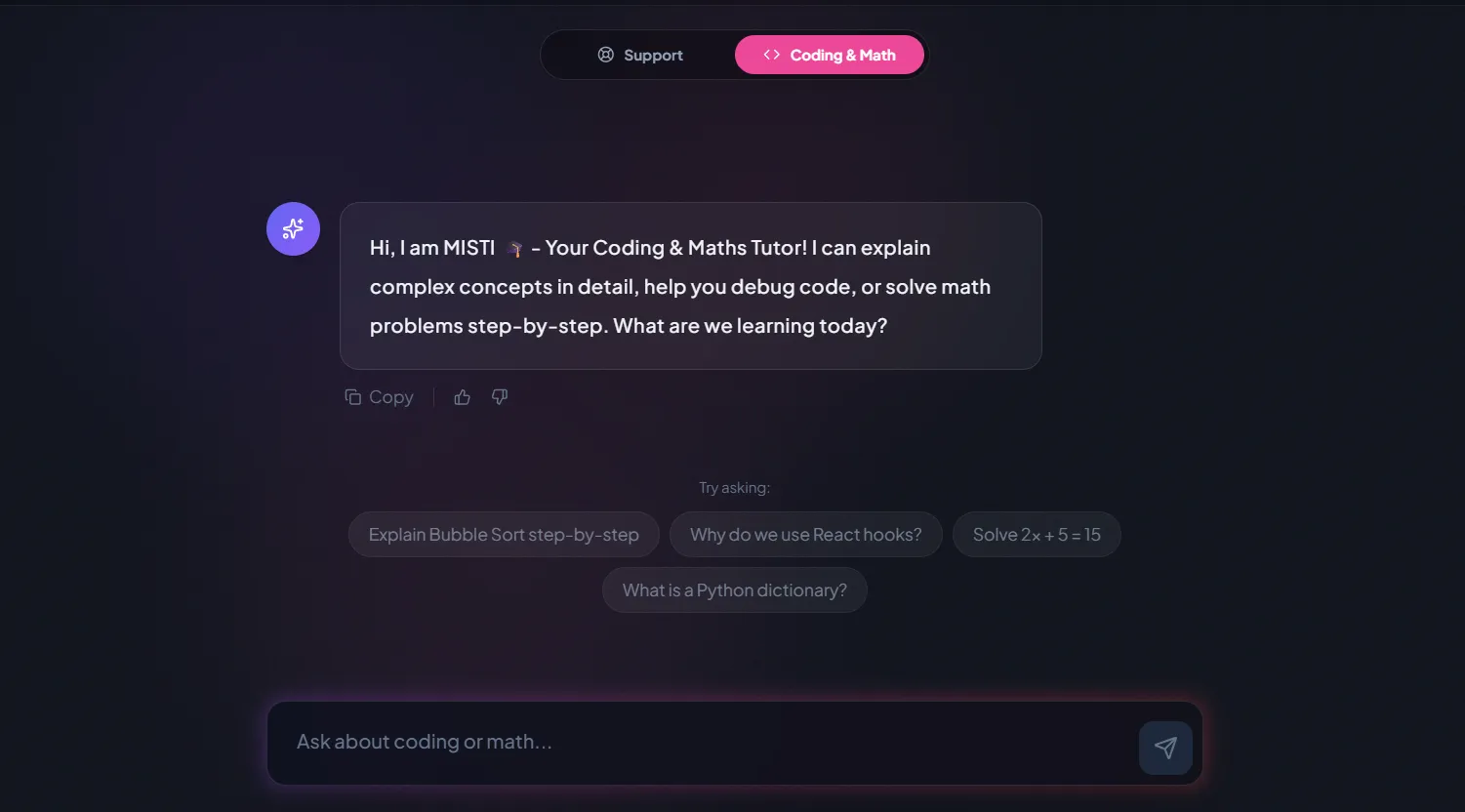
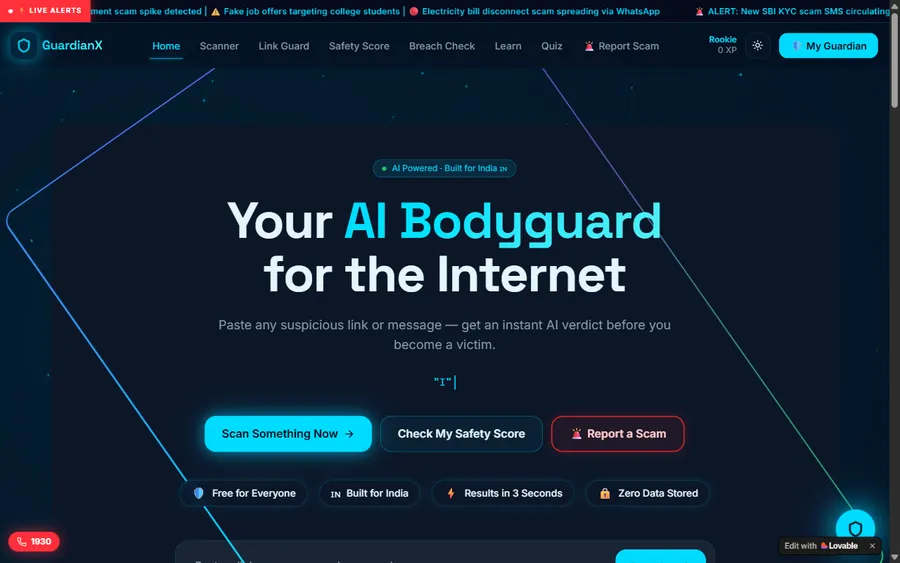
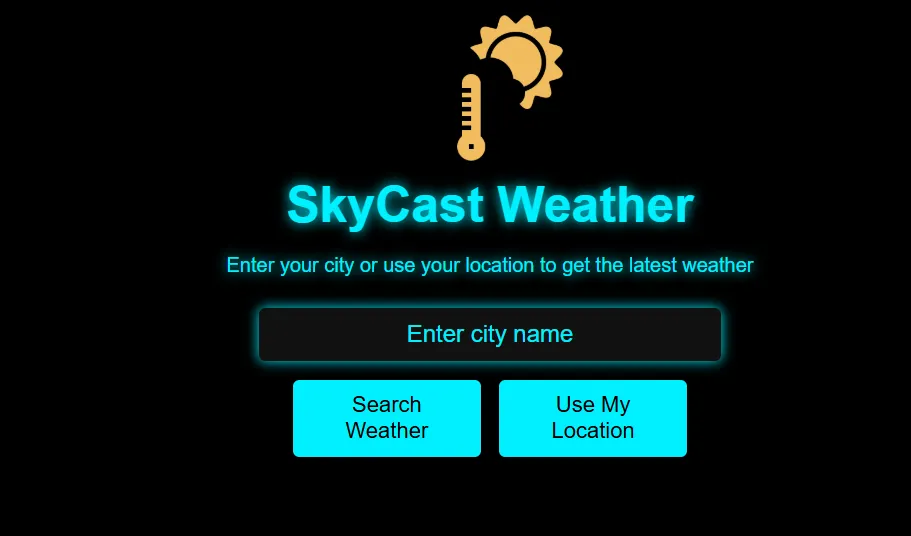
A selection of what our older students have made; the student labs page has the full collection.
AI and ML
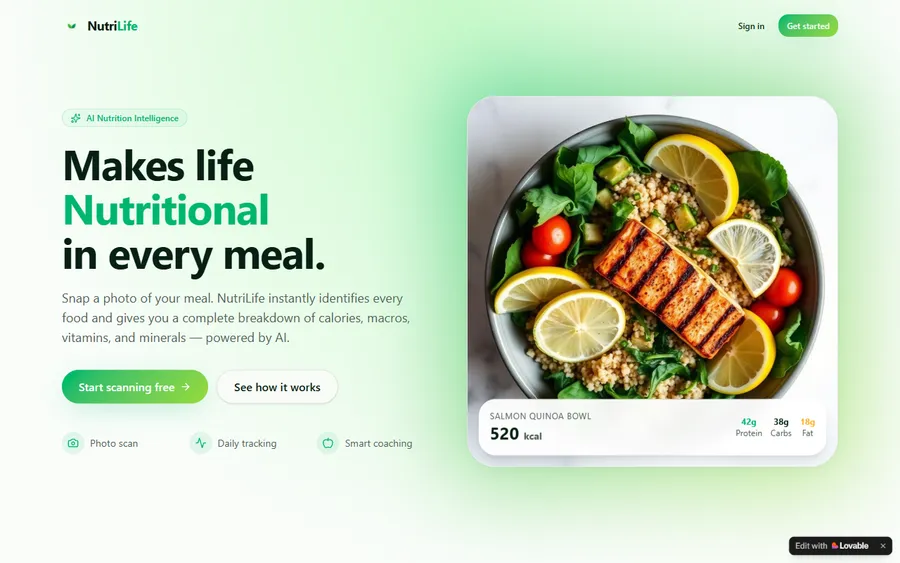
An AI nutrition coach that reads what you eat and works you toward a target.
AI and ML
A chatbot that answers mathematics and programming questions, built and deployed by a student.
AI and ML
An assistant that helps a young person recognise unsafe situations online.
Web app
A weather forecasting site with live conditions for any location.
Fees
A month means eight live lessons and one monthly payment. We display that fee in euro using the European Central Bank reference rate, but the card is charged in US dollars, and your bank's conversion decides the exact euro figure you see afterwards.
Free first class
Free
no card required
Group batch
€90
a month, eight live classes, charged in US dollars
One to one
€134
a month, eight live classes, charged in US dollars
What families say
Our families' Google reviews, as they posted them.
★★★★★
"The one step solution for my son. Modern Age Coders make learning coding so simple that kids love it. The teachers explain complex concepts clearly with practical exercises and interactive content."
Ria Mukherjee
Parent
★★★★★
"Modern Age Coders has been a game-changer for me. I struggled to grasp IT concepts and coding before joining, but their classes transformed everything. I can now confidently write complex programs with ease."
Samriddha Mondal
Student
★★★★★
"One of the most wonderful education centres out there. Education is not limited to school syllabus but focuses on skill development."
Vansh Agarwal
Student
★★★★★
"My child Dhairya is really enjoying the Modern Age Coders classes. This is his first online class and he eagerly looks forward to it. I can already see his improvement, and the teachers are very cooperative."
Sonam Oswal
Parent of Dhairya
★★★★★
"Modern Age Coders have wonderful teachers who teach in a clear, easy and practical way. The teacher boosts students' confidence and inspires them to learn without hesitation."
Sonu Goyal
Parent
★★★★★
"I highly recommend this computer coding class! The teachers are incredibly knowledgeable and passionate about coding."
Ritu Kedia
Parent
Parents ask
No. Classes are live and taught in English only, by mentors based in India. Game tools such as Scratch, Roblox Studio and Godot use English words anyway, and the mentor adapts to your child's pace and accent.
From about 7 in Scratch, where blocks snap together. From about 9 or 10, children can type game scripts in Luau for Roblox or in Python, and older children can move to the Godot engine.
No. Children design, build and test their own games. Playing happens only as testing: trying a classmate's game to see whether it is fair and fun, then improving their own.
No. Themes in our classes stay child-friendly: collecting, racing, puzzles, mazes and building. If a child wants to recreate a mechanic from a game with a higher age label, the mentor helps them build it in a suitable theme.
Under paragraph 14 of the Jugendschutzgesetz, games carry one of five labels, from no age restriction through 6, 12 and 16 to no youth release. The USK organises the testing and says its labels concern content, not educational value.
Yes. Games use loops, conditions, variables and events, the same ideas school Informatik begins with, which in some Länder starts in grade 5 according to the Informatik-Monitor 2026/27.
Weekdays or weekends, flexible: choose your batch, or for a very personalised plan choose 1-on-1 at your convenience, weekend mornings or weekdays. A Saturday class at 14:00 in Germany is 18:30 for the mentor until 28 March 2027.
Not to start: Scratch and Python projects need no account. For Roblox and Minecraft lessons, any account is set up and managed by a parent, following each company's own terms.
The monthly fee is shown in euro, worked out with the European Central Bank reference rate. Payment is taken in US dollars and your bank converts it, so the amount you see can differ slightly. The first class is free.
A set of finished games they designed themselves, and the ability to explain how each one works, from scoring to levels. Older children also learn to test whether a rule is fair, as in the dice project.
Elsewhere on this site
More for families in Germany whose children love games.
Every Germany page, in one hub.
When school Informatik starts.
Where most young game makers begin.
Our page on Roblox scripting.
Code inside a Minecraft world.
Typed code for dice and more.
Start here
In the free class your child designs and builds a tiny game with the mentor, who then suggests the right tool and course for their age.
Before booking you can read how we teach, or look through the Game Development for Kids syllabus.
WhatsApp us · +91 91233 66161 · connect@modernagecoders.com
Live online, in English, with mentors in India. WhatsApp is the quickest way to reach us.
A priority demo is a full class of about 45 to 60 minutes. After the class the mentor sends a written skill report and a personal learning roadmap on WhatsApp. If you enrol, the demo fee is adjusted against your first month's fee. Share your demo Order ID with us on WhatsApp and we take it off.
Book a priority demo