Scratch Programming for Kids
The best first coding language ever built, mastered properly: from the first dragged block to real games your child designed, in three focused months.
Syllabus updated August 2026
Questions? WhatsApp +91 91233 66161 or email connect@modernagecoders.com
Recordings are free with a Google sign-in. These recordings show how we teach, not the exact syllabus of this course.
Our promise
The world's best learning experience, open to everyone.
- World-class instructorsEvery class is taught by an instructor who specialises in that exact field.
- No compromise on qualityEvery lesson, project and piece of feedback is held to the highest standard.
- Education for everyoneLearners aged 6 to 67, from first-time beginners to working professionals, in 25+ countries.
If you want the highest quality, Modern Age Coders is the right choice.
Book a Priority DemoHow long this course takes
This course runs 3-4 months (12-16 weeks) at 2 live classes/week + 2-3 hours practice. The range allows for background and pace: a complete beginner uses the full span, and a student with prior knowledge finishes sooner. The syllabus below is planned to the shorter end, with margin kept for revision.
For personalised duration planning, call +91 91233 66161 and we'll map a schedule to your goals.
At a glance
- Who it is for
- Complete beginner, ages 6 to 12.
- Prerequisites
- None. Scratch was invented exactly for this start
- Format
- Live, interactive classes with a real instructor, never pre-recorded videos. Live classes run about one hour.
- Language
- English or Hindi, depending on the batch.
- Duration
- 3-4 months (12-16 weeks)
- Weekly commitment
- 2 live classes/week + 2-3 hours practice
- Class size
- Group batches of 15 to 20 students, mini batches of up to 6, or 1-on-1.
- Certificate
- Certificate from Modern Age Coders, awarded on passing the final exam
- Watch first
- Free recordings of real classes for ages 6 to 12, free with a Google sign-in. These recordings show how we teach, not the exact syllabus of this course.
- Live demo
- Optional. Enrol directly on this page, or book a Priority Demo: a full live class of about 45 to 60 minutes with a mentor reserved for you.
- Questions
- WhatsApp +91 91233 66161 or email connect@modernagecoders.com.
How we teach
Deep understanding. Real projects. Expert guidance.
Learn coding, AI and maths through careful explanations, practical demonstrations, and hands-on problem-solving. Our instructors guide you from the foundations to advanced ideas, helping you understand what happens, why it happens, and how to build it yourself.
You will explore concepts step by step, write and improve code, investigate mistakes, ask questions, and apply your knowledge to meaningful projects. Lessons are designed around active participation, thoughtful feedback, and growing independence.
Expert-led live teaching, with practical participation built into every lesson.
- Students explain their thinking.
- Instructors demonstrate, then guide practice.
- Learners code, solve, or build during lessons.
- Questions and misconceptions get attention.
- Assignments receive useful feedback.
- Progress is checked before advancing.
How to join Scratch Coding for Kids: Zero to Real Games in 3 Months
Four steps from this page to the first class. See a full class first with a Priority Demo, or choose a plan and enrol today.
Rated 4.9 across 547 Google reviews. Monthly billing, cancel any time.
How enrolment works
See a full class first (optional)
Book a Priority Demo: a live class of about 45 to 60 minutes with a mentor reserved for you, today or tomorrow. After the class the mentor sends a written skill report and a personal learning roadmap on WhatsApp. If you enrol, the demo fee is adjusted against your first month's fee. Share your demo Order ID with us on WhatsApp and we take it off.
Book a Priority DemoDemo fee ₹499Choose a plan
Group batch (15 to 20 students), mini batch (up to 6 students, India only) or 1-on-1 with your own mentor. Every plan is live online, and each class runs about one hour. The cards below show classes per week and the monthly fee in your currency.
Enrol and pay the first month
Press Enrol Now on your plan, fill in the student's name, email and phone, and pay through secure Razorpay checkout: UPI, cards or net banking in India, and debit or credit card from any other country.
Fix your class timings
After payment, message us on WhatsApp or call +91 91233 66161 with the student's name, the course and your preferred time slot. We confirm the batch, send the class link and schedule the first class at your chosen time.
Billing is monthly and you can cancel any time.
International Students (Outside India)
Billed monthly in US dollars, the same price in every country. Contact us with any questions.
Questions before you enrol? Talk to our team.
Ask about class timings, the right level for your child, what they need to know already, or payment. Parents and adult learners can reach us on WhatsApp, by email or by phone.
Program Overview
Scratch, built by MIT, is where millions of children write their first real program, and for good reason: logic is learned by snapping colorful blocks together, and the results move, sing and play back immediately. This live online course takes children aged 6 to 12 from zero to genuinely capable: 35+ projects across three months, from first animations to complete games with scores, levels, clones and multi-sprite coordination.
The pace is honest and kid-sized: two live classes a week plus 2 to 3 hours of playful practice completes the course in 3 months, and children who want more time take up to 4, the batch adapts. Every week ends with something to show the family; every month ends with a friendly mixed challenge that quietly revises earlier skills; and the course ends with a final project exam, a game demo plus a short viva, that decides the certificate. Real skills, real games, real pride.
What Makes This Program Different
- Every single week ships projects: 35+ games, animations and stories across the course, built by the child, not the teacher
- Real Scratch depth: variables, lists, clones and broadcasts, the concepts that make later Python feel familiar
- Kid-sized honest pace: 3 months at 2 classes a week, with a 4th month in hand for children who want more practice time
- Monthly mixed challenges revise earlier skills on purpose, so nothing fades between weeks
- A final project exam decides the certificate: a game demo plus a friendly viva, with a free retest after revision if needed
- Small live batches capped at 10, grouped by age, with mini-batch and 1-on-1 options
Your Learning Journey
Career Progression
Detailed Course Curriculum
Explore the complete week-by-week breakdown of what you'll learn in this comprehensive program.
Topics Covered
- What is programming? Why learn to code?
- Introduction to MIT Scratch platform
- Creating your Scratch account
- Scratch interface tour: Stage, Sprites, Blocks
- Understanding coordinates (x, y) system
- Sprite selection and management
- Basic motion blocks: move, turn, go to
- Using the green flag and stop button
- Saving and naming projects
- Sprite costumes and switching
- Stage backdrops basics
- First animation: making sprites move
Projects You Build
- [object Object]
- [object Object]
- [object Object]
- [object Object]
Practice & Assignments
Make your sprite dance across the stage with move and glide blocks, visiting all four corners using x and y coordinates.
Topics Covered
- Advanced looks blocks and effects
- Graphic effects: color, fisheye, whirl, pixelate
- Size changes and animations
- Show and hide sprites strategically
- Layer ordering with go to front/back
- Adding sounds from library
- Recording custom sounds
- Sound effects and volume control
- Playing notes and creating melodies
- Tempo and beat in projects
- Mouse interaction and following
- Creating buttons and click events
Projects You Build
- [object Object]
- [object Object]
- [object Object]
- [object Object]
Practice & Assignments
Give your sprite a costume change show that uses three graphic effects and plays a sound at each transformation.
Topics Covered
- Understanding forever loops
- Repeat loops with specific counts
- If-then conditional statements
- If-then-else decision making
- Wait blocks and timing control
- Repeat until conditions
- Stop commands for sprites and scripts
- Combining multiple conditions
- Nested loops understanding
- Creating smooth animations with loops
- Basic collision detection
- Game over and winning conditions
Projects You Build
- [object Object]
- [object Object]
- [object Object]
- [object Object]
Practice & Assignments
Build a guess the door scene where if then else blocks decide what happens behind each of three doors.
Topics Covered
- Adding the Pen extension
- Pen down and pen up commands
- Drawing lines and shapes
- Changing pen color and shade
- Pen size adjustments
- Creating geometric patterns
- Stamps and creating trails
- Drawing with mouse control
- Mathematical art and fractals
- Spirograph patterns
- Clearing and managing drawings
- Creating drawing applications
Projects You Build
- [object Object]
- [object Object]
- [object Object]
- [object Object]
Practice & Assignments
Draw a rainbow spiral with the pen extension by changing the pen color inside a repeat loop.
Assessment
Month 1 check: build a small interactive scene live, plus a fun take-home challenge mixing everything from month 1
Topics Covered
- What are variables? Real-world examples
- Creating variables for all sprites vs. this sprite only
- Setting and changing variable values
- Displaying variables on stage
- Creating score systems
- Lives and health systems
- Timers and countdowns
- High score tracking
- Currency systems for games
- Variable-based animations
- Random number generation
- Mathematical operations with variables
Projects You Build
- [object Object]
- [object Object]
- [object Object]
- [object Object]
Practice & Assignments
Create a clicker game where a score variable rises with every click and the sprite celebrates at ten points.
Topics Covered
- Understanding lists (arrays)
- Creating and naming lists
- Adding items to lists
- Deleting items from lists
- Inserting at specific positions
- Replacing list items
- Finding items in lists
- List length and iteration
- Using lists for inventories
- Leaderboards and high scores
- Question banks for quizzes
- Shopping lists and collections
Projects You Build
- [object Object]
- [object Object]
- [object Object]
- [object Object]
Practice & Assignments
Make a favorites program that stores five favorite foods in a list and says a random one when the space key is pressed.
Topics Covered
- Understanding clones concept
- Creating clones of sprites
- When I start as a clone
- Clone-specific behaviors
- Deleting clones properly
- Managing multiple clones
- Bullet systems in games
- Enemy spawning mechanics
- Particle effects with clones
- Power-ups and collectibles
- Clone collision detection
- Performance optimization
Projects You Build
- [object Object]
- [object Object]
- [object Object]
- [object Object]
Practice & Assignments
Build a falling snowflake shower using clones that appear at random x positions and delete themselves at the bottom.
Topics Covered
- Understanding broadcast messages
- When I receive message
- Broadcast and wait
- Scene management with broadcasts
- Menu systems and navigation
- Coordinating multiple sprites
- Turn-based game mechanics
- Cutscenes and dialogues
- Game state management
- Pause and resume functionality
- Level transitions
- Achievement notifications
Projects You Build
- [object Object]
- [object Object]
- [object Object]
- [object Object]
Practice & Assignments
Create a two scene story where a broadcast message switches the backdrop and cues the next character to speak.
Assessment
Month 2 check: a mini game built live using variables and clones, with challenge questions reaching back to month 1
Topics Covered
- Music extension advanced features
- Creating dynamic soundtracks
- Text to Speech capabilities
- Language translation features
- Video Sensing for motion detection
- Creating motion-controlled games
- Using webcam for interaction
- Machine Learning extension intro
- Creating AI-powered projects
- Optional hardware fun: micro:bit and Makey Makey, for families who have one at home
Projects You Build
- [object Object]
- [object Object]
- [object Object]
- [object Object]
Practice & Assignments
Use the Text to Speech extension to make a talking pet that greets you in two different languages.
Topics Covered
- Implementing gravity
- Jump mechanics and physics
- Velocity and acceleration
- Collision detection advanced
- Bouncing and elasticity
- Friction simulation
- Pendulum motion
- Projectile motion
- Water and fluid effects
- Particle systems advanced
- Realistic movement patterns
- Physics-based puzzles
Projects You Build
- [object Object]
- [object Object]
- [object Object]
- [object Object]
Practice & Assignments
Give a character a real jump using a velocity variable, gravity and a landing check on a platform.
Topics Covered
- Performance optimization techniques
- Reducing lag and improving FPS
- Efficient clone management
- Sprite and backdrop optimization
- Code organization and comments
- Creating custom blocks (functions)
- Debugging techniques
- Error handling strategies
- Testing and quality assurance
- User interface design
- Menu and navigation systems
- Settings and options menus
Projects You Build
- [object Object]
- [object Object]
- [object Object]
- [object Object]
Practice & Assignments
Tidy up one of your older projects by adding comments to three scripts and merging any blocks that repeat.
Topics Covered
- Planning large projects
- Game design documentation
- Project management basics
- Version control concepts
- Sharing and remixing ethics
- Scratch community guidelines
- Creating tutorials for others
- Portfolio presentation
- Transitioning to text coding
- JavaScript similarities
- Python connections
- Future learning paths
Projects You Build
- THE CAPSTONE: an original game designed and built by the child, with levels, scoring and a polished start screen
- Classic picks: an RPG adventure with quests, an educational quiz world, or an arcade game with increasing difficulty
- A portfolio page collecting the course’s best 10 projects
Practice & Assignments
Write a one page plan for your final game with its goal, its sprites and three rules, then build the title screen.
Assessment
FINAL EXAM: capstone game demo plus a friendly viva and a mixed quiz drawn from the whole course. Passing earns the certificate; a child who falls short gets focused revision and a free retest
Projects You'll Build
Build a professional portfolio with 35+ Scratch projects plus an original capstone game real-world projects.
Weekly Learning Structure
Certification & Recognition
Technologies & Skills You'll Master
Comprehensive coverage of the entire modern web development stack.
Support & Resources
Career Outcomes & Opportunities
Transform your career with industry-ready skills and job placement support.
Prerequisites
Who Is This Course For?
Career Paths After Completion
Course Guarantees
Real students. Real moments. Real joy.
These are our actual student meetups. No stock photos, no filters. Swipe through and meet the community you'll be joining.







































What families say
Straight from the parents and students who learn with us. Rated 4.9 across 547 Google reviews.
“Mivaan enjoys the class. He understands the concepts and completes his tasks with excitement. He started taking interest in coding… truly amazing class.”
“I absolutely love it here! I made new friends and learned important valuable coding skills while having the fun of my life. It's not just coding here, it's outings, bonding and most importantly preparing you for your future. Definitely five stars.”
“What stands out most is how excited my son is before every class. He looks forward to learning, problem-solving, and sharing what he's built. I've noticed a big boost in his confidence!”
“Modern Age Coders has been a game-changer for me! I struggled to grasp IT concepts and coding before joining, but their classes transformed everything. I'm now the topper in my class and can confidently write complex programs with ease.”
“Modern Age Coder have wonderful teachers who teach in a clear, easy and practical way. The teacher boosts students' confidence, keeps them updated with technology, and inspires them to learn without hesitation.”
“The one step solution for my son. Modern Age Coders make learning coding so simple that kids love it.”
“Coding classes here make learning very interesting and conceptual. The teachers teach us in a very easy-to-understand and efficient manner.”
“One of the most wonderful education centres out there. Education is not limited to school syllabus but focuses on skill development. Learning here has been a wonderful journey and still continuing.”
“I highly recommend this computer coding class! The teachers are incredibly knowledgeable and passionate about coding. They make every session engaging and insightful.”
“My child Dhairya is really enjoying the Modern Age Coder IT classes. This is his first online class, and he eagerly looks forward to it.”
“Very good classes. Don't worry about coding. They teach the best, especially Shivam sir.”
“Very good classes. Makes learning very easy and interactive.”
Hear it from our students
Real parents and students in their own words, on our public YouTube channel.
Straight answers about Scratch Coding for Kids: Zero to Real Games in 3 Months
- Who should take this course?
- Complete beginner, ages 6 to 12. It suits kids aged 6-14 with zero coding experience; children who love games, stories, art, or music; kids who learn best through visual, hands-on activities.
- What will they learn and build?
- Scratch, built by MIT, is where millions of children write their first real program, and for good reason: logic is learned by snapping colorful blocks together, and the results move, sing and play back immediately.
- How deeply are topics covered?
- The course runs 3-4 months (12-16 weeks) at 2 live classes/week + 2-3 hours practice. A structured, well-paced curriculum taught step by step, with classwork in every session and homework after every class.
- Who teaches it?
- Modern Age Coders mentors, who teach the live classes themselves. You can watch them at work in the free class recordings before you decide.
- How do practice, feedback and assessment work?
- Mixed-review challenges after every month and a final exam that decides the certificate: real knowledge, real work, real projects. Doubt support between classes over WhatsApp, so you are never left stuck. A certificate your child earns by passing the final exam, with a free retest after revision if needed.
- What does it cost?
- Three monthly plans: a group batch, a mini batch and 1-on-1. Prices are shown in your currency in the plans section. Monthly billing, cancel any time.
- When can classes take place?
- Live classes are scheduled around your week. Group batches meet at a fixed weekly slot; 1-on-1 students choose their own. International students are scheduled in their own timezone. Ask on WhatsApp for the current slots.
- Can I watch the teaching before deciding?
- Yes. Full recordings of real 6 to 12 classes are free to watch, free with a Google sign-in. These recordings show how we teach, not the exact syllabus of this course. Some classes are in English and some in Hindi; everyone follows at their own pace. Watch a class end to end, like you are in it. Sessions are interactive and each moment builds on the last.
- Can I enroll without a live demo?
- Yes. Choose a plan on this page and enrol directly; a demo is not required. If you would like to see a full class with a mentor first, book a Priority Demo.
- How do I reach you with a question?
- WhatsApp +91 91233 66161, email connect@modernagecoders.com, or call +91 91233 66161. Tell us the student's age and what they have learned so far, and we will point you to the right plan and batch.
Common Questions About Scratch Coding for Kids: Zero to Real Games in 3 Months
Get answers to the most common questions about this comprehensive program
Still have questions? We're here to help!
Contact UsRelated Courses You May Like
Continue your learning journey with these recommended programs
 Kids Coding
Coding for Kids: Scratch to Games, Apps and AI
Coding for kids aged 6-12: live online classes from first Scratch game to mobile apps, Minecraft and...
Explore Course Kids Coding
App Making for Kids: Build Real Apps with Blocks
App development course for kids aged 8-12: build real mobile apps with block coding in live online c...
Explore CourseRelated Articles & Guides
Deepen your knowledge with these hand-picked articles
 Education
15 min read
Education
15 min read
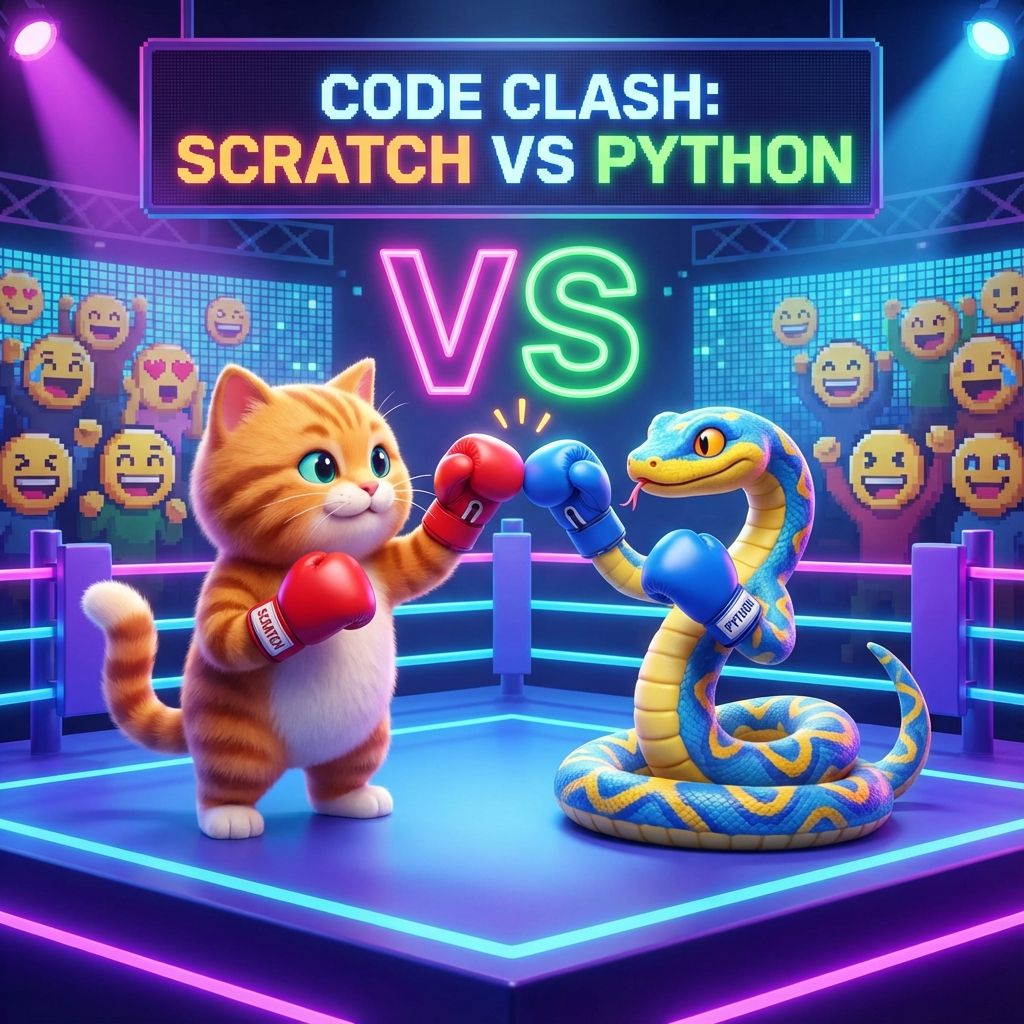
Scratch vs Python for Kids: The Difference and Which First
Scratch vs Python: Scratch is free drag-and-drop blocks for ages 8 to 13+, Python is typed text code...
Read Article Education
8 min read
Education
8 min read
The Ultimate Guide to Teaching Kids Coding in 2025
Effective strategies, tools, and best practices for teaching kids coding. Perfect guide for parents ...
Read ArticleReady to start Scratch Coding for Kids: Zero to Real Games in 3 Months?
Book a Priority Demo to see a full live class with a mentor reserved for you, today or tomorrow. Or choose a plan and enrol now.
Questions? WhatsApp +91 91233 66161 or email connect@modernagecoders.com