SEPR / P / 01
Git and GitHub for teens
Commits, branches and pull requests from the beginning.
Open the syllabusNew South Wales · Year 12 Software Engineering · Skills, not ghostwriting
The Software Engineering project in Year 12 is where NSW students show they can run a piece of software work from a vague need to a tested, evaluated solution. It is meant to be hard in a particular way: not just writing code, but defining requirements, choosing a development approach, managing time, checking quality and responding to feedback. We teach every one of those skills. We do not do any of it for you.
Read from the NSW syllabus · Skills taught on our own examples · Your project stays your own
In short
The Software engineering project is a Year 12 focus area of the NSW Software Engineering 11-12 Syllabus (2022). Students define and analyse a problem, research Waterfall, Agile and WAgile approaches, manage the project with tools such as Gantt charts, apply quality assurance and version control, then test, evaluate and report. The project must be the student's own work under NESA rules.
Skills worth having first
Version control, then a full build cycle, then the problem solving that keeps a project moving.
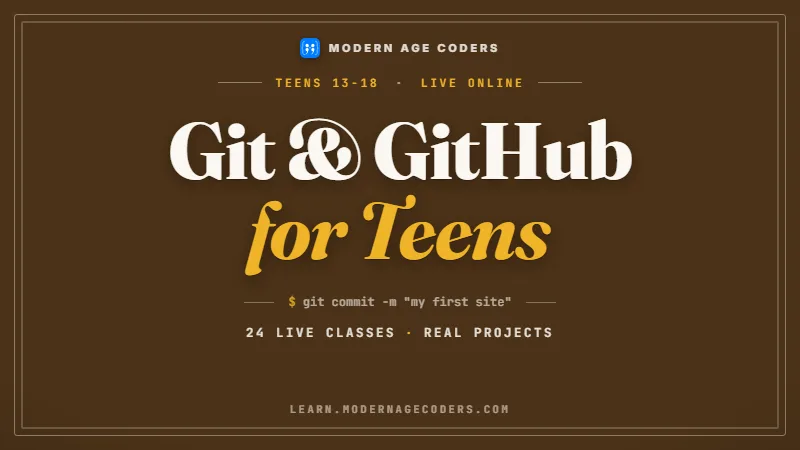
SEPR / 01
Commits, branches and history, the habit the syllabus names directly and the best evidence of steady, genuine work.
Open the syllabus →
SEPR / 02
Front end, back end and database built in tested slices, on projects of our own, so the cycle is familiar before Year 12.
Open the syllabus →
SEPR / 03
Algorithms, tracing and test design, the skills that turn a stuck project into a moving one.
Open the syllabus →What the syllabus asks for
NESA organises the Software engineering project content into the stages below. The items are quoted from the Year 12 content on the NSW Curriculum site, checked on 7 October 2026.
| Stage | Examples of what students do |
|---|---|
| Identifying and defining | Define and analyse the requirements of a problem, including assessing scheduling and financial feasibility and defining boundaries |
| Research and planning | Research and use the Waterfall and Agile approaches; research the WAgile approach; apply project management, including scheduling and tracking with Gantt charts |
| Quality | Defining criteria on which quality will be judged; ensuring requirements are met using a continual checking process |
| Producing and implementing | Design, construct and implement a solution; implement version control; demonstrate programmed backup |
| Testing and evaluating | Apply methodologies to test code; analyse and respond to feedback; evaluate the effectiveness of the solution, including a report that synthesises feedback |
The list makes one thing clear: code is only part of the project. A large share of the content is about the process around the code, from feasibility at the start to a feedback report at the end. Students who treat the project as "build an app, then write it up" usually find the process evidence thin when it matters.
The syllabus also asks students to explore social and ethical issues of project work, including working individually and collaboratively and responding to stakeholders, and to "Explore strategies to respond to difficulties", naming looking for a solution online, collaboration with peers and outsourcing as things to explore.
The focus area carries 30 indicative hours in Year 12, alongside Secure Software Architecture, Programming for the Web and Software Automation. That is not much time for a full development cycle, which is why planning skills and a realistic scope matter so much.
For the course as a whole, including the online HSC exam, see our HSC Software Engineering page. This page stays on the project.
Source: NSW Curriculum, Software Engineering 11-12, Year 12, Software engineering project. Checked on 7 October 2026.
Development approaches
The syllabus asks students to research and use two approaches and research a third. The comparison below is our teaching summary, built on the points NESA lists for each.
| Approach | What NESA asks students to look at | Our one-line summary |
|---|---|---|
| Waterfall | Logical progression of steps through the life cycle; the stages of falling water; advantages and disadvantages; scale and types of developments | Finish each stage before the next begins |
| Agile | Rate of developing a final solution; method tailoring; iteration workflow; scale and types of developments | Build in short cycles and adjust as you learn |
| WAgile | Understanding it is a hybrid model; when and how intervention is applied during the life cycle; scale and types of developments | Plan like Waterfall, build in Agile cycles |
For a one-person school project with a fixed deadline, the honest answer is often a hybrid: settle the requirements and a schedule early, then build and test in short cycles. That is close to what WAgile describes, and being able to justify such a choice in writing is worth more than naming the approaches.
A Gantt chart is the planning tool the syllabus names for scheduling and tracking. The useful habit is updating it as reality changes, so it becomes a record of what happened rather than a plan drawn once and forgotten.
We teach these approaches on small projects of our own, so students experience a Waterfall plan breaking under a late requirement change, and an Agile cycle absorbing it. That experience makes the written comparison in a student's own project far more convincing.
Version control fits every approach. Each commit is a dated, described step, and a history of steady commits is both good engineering and natural evidence that the work was built over time by the student.
Quality assurance
The syllabus asks for "ensuring requirements are met using a continual checking process". A requirements traceability matrix is a simple way to do exactly that: every requirement is linked to the design that meets it and the test that proves it.
A worked example on an invented project of our own, a school library loan tracker. The table lists five requirements and checks each against a design element and a test.
| Requirement | Design element | Test case | Status |
|---|---|---|---|
| R1 Record a loan with a due date | Loans table and form | T1: add a loan, read it back | Passed |
| R2 Flag loans more than 14 days overdue | Daily overdue check | T2: loan dated 15 days ago is flagged | Passed |
| R3 Return a book and close the loan | Return button | T3: returned loan no longer listed | Passed |
| R4 Stop a student holding more than 3 loans | Limit check on new loan | None written | Not tested |
| R5 Search loans by student name | Search box | T5: partial name finds the student | Passed |
The matrix shows at a glance that only 4 of the 5 requirements have a test, 80% coverage, and that R4 is the gap. Writing T4, a fourth loan refused for a student who already holds 3, raises coverage to 100% and, in our example, exposes a bug: the limit check counted returned loans as well as open ones.
Nobody would have found that by clicking around the finished app. The matrix forces the uncomfortable question for every requirement: how do we know this works?
The same matrix serves the evaluation stage. When the syllabus asks students to evaluate the effectiveness of a solution, a traceability table gives the evaluation a backbone: each requirement, the evidence it is met, and what still fails.
In a student's own project, the requirements, design and tests are theirs to write. What we teach is the method, on examples like this one, so the student can build the matrix for their own work without help.
Keeping it your own work
These points come from NESA's All My Own Work page and official notice 34/26, read on 7 October 2026.
| Rule | What NESA says |
|---|---|
| All My Own Work | To be eligible for entry into a Preliminary and/or HSC course, and for the award of the HSC, all students must complete AMOW or its equivalent |
| What AMOW covers | Four topics, including what is and is not all your own work, plagiarism, acknowledging other people's work, and working honestly when getting help |
| Notice 34/26 | Changes to the ACE Rules on take-home tasks, including rules on certifying HSC projects and on developing a school malpractice policy |
| Who it applies to | Year 12 students commencing HSC courses from Term 4, 2026, and Year 11 students commencing Preliminary courses from Term 1, 2027 |
One of AMOW's topics is about working honestly when getting help with your work, and that is the line we hold. We teach planning, version control, testing and evaluation as general skills on our own projects. We will talk about a student's project only in general terms, such as how to choose a scope or how to structure an evaluation, and we do not write, edit, debug, review or comment on any code, document or design that will be submitted.
This protects the student. A project that reflects the student's own skill can be explained line by line if a teacher asks, and NESA's tighter rules make that ability more important, not less.
Sources: NESA, All My Own Work; NESA official notice 34/26. Checked on 7 October 2026.
Skills in order
A project goes far more smoothly when these are already habits, built on practice projects rather than the assessed one.
| Order | Skill | Practised on |
|---|---|---|
| 1 | Writing testable requirements | Our invented briefs, one sentence per requirement |
| 2 | Planning with a Gantt chart | A two-week practice build, updated daily |
| 3 | Version control | Every practice project, with a commit per change |
| 4 | Testing and evaluation | A traceability matrix and a short feedback report |
Scope is the usual problem: an idea that needs six months of work squeezed into far fewer hours. Practising scoping on a small brief teaches students to cut features before they cut quality.
The second is late testing. Students who test only at the end discover problems when there is no time left to fix them.
Every skill here is the daily work of professional software teams, and of university group projects.
Students who want harder programming problems alongside the project can look at the competitions calendar, which includes the informatics olympiad.
The catalogue
Grouped by the part of the project they prepare for. Each card opens a full syllabus.
SEPR / P / 01
Commits, branches and pull requests from the beginning.
Open the syllabusSEPR / P / 02
Breaking problems down and tracing solutions.
Open the syllabusSEPR / P / 03
Correct code under pressure, and testing edge cases.
Open the syllabusSEPR / B / 01
A complete web application built in tested steps.
Open the syllabusSEPR / B / 02
APIs, databases and error handling on the server.
Open the syllabusSEPR / B / 03
The language many NSW projects use, from basics to classes.
Open the syllabusSEPR / Q / 01
Secure habits for code that handles real data.
Open the syllabusSEPR / Q / 02
Database design that stays correct as data grows.
Open the syllabusSEPR / Q / 03
Interfaces and state for students building apps.
Open the syllabusOur approach
Our tutors teach from India, which runs four and a half hours behind Sydney in winter and five and a half hours behind during NSW daylight saving. A 5.30 pm Sydney lesson in summer starts at noon for the tutor, so after-school sessions are simple to arrange.
Weekday after school
Weekly skill sessions through Year 11 and Year 12.
Weekend workshops
A practice project built from brief to evaluation.
Holiday blocks
Focused practice on one skill, such as testing.
Every exercise uses invented briefs and our own code.
Students keep a Gantt chart and commit history on every practice build.
Each practice requirement gets a test before it gets code.
Students at one level, each presenting their practice work.
Private lessons on a single skill, never on assessed work.
We do not write, edit, debug or review projects, and we promise no marks.
Student work
Personal projects, never school assessment. More are in our student labs.

AI and ML
An AI nutrition coach that reads what you eat and works you toward a target.

AI and ML
A chatbot that answers mathematics and programming questions, built and deployed by a student.

AI and ML
An assistant that helps a young person recognise unsafe situations online.

Web app
A weather forecasting site with live conditions for any location.
Fees
A monthly fee in US dollars, set at one level for every family outside India. Joining is free and only the current month is ever charged.
Free first class
USD 0
no card required
Group batch
USD 100
a month, billed in US dollars
One to one
USD 150
a month, billed in US dollars
What families say
Word for word from Google, as our students and parents wrote them.
★★★★★
"The one step solution for my son. Modern Age Coders make learning coding so simple that kids love it. The teachers explain complex concepts clearly with practical exercises and interactive content."
Ria Mukherjee
Parent
★★★★★
"Modern Age Coders has been a game-changer for me. I struggled to grasp IT concepts and coding before joining, but their classes transformed everything. I can now confidently write complex programs with ease."
Samriddha Mondal
Student
★★★★★
"One of the most wonderful education centres out there. Education is not limited to school syllabus but focuses on skill development."
Vansh Agarwal
Student
★★★★★
"My child Dhairya is really enjoying the Modern Age Coders classes. This is his first online class and he eagerly looks forward to it. I can already see his improvement, and the teachers are very cooperative."
Sonam Oswal
Parent of Dhairya
★★★★★
"Modern Age Coders have wonderful teachers who teach in a clear, easy and practical way. The teacher boosts students' confidence and inspires them to learn without hesitation."
Sonu Goyal
Parent
★★★★★
"I highly recommend this computer coding class! The teachers are incredibly knowledgeable and passionate about coding."
Ritu Kedia
Parent
Questions about project help
It is the Software engineering project focus area of the NSW Software Engineering 11-12 Syllabus (2022), with 30 indicative hours in Year 12. Students define a problem, plan and manage development, build and implement a solution with version control, then test, evaluate and report.
No. We teach the skills a project needs using our own examples. We do not write, edit, debug, review or comment on any code, document or design that will be submitted for assessment.
Waterfall completes each stage of development before the next begins. Agile builds in short cycles and adjusts the plan as it goes. WAgile is a hybrid that the syllabus also asks students to research.
A table linking each requirement to the design element that meets it and the test that proves it. Gaps, such as a requirement with no test, show up immediately, which supports the syllabus aim of checking requirements continually.
The syllabus names it, and it is good practice: each commit records a dated, described change. A steady commit history also shows how the work developed over time.
A NESA program on academic integrity. NESA states all students must complete it, or its equivalent, to be eligible to enter Preliminary and HSC courses and for the award of the HSC.
NESA official notice 34/26 changed the ACE Rules on take-home tasks, including certifying HSC projects and school malpractice policies, for Year 12 students commencing HSC courses from Term 4, 2026.
That is set by NESA rules and your school. Ask your teacher before using any AI tool. We do not advise on using AI inside assessed work.
No. The project and its mark belong to the student. We teach the skills that make good work possible.
Requirements writing, planning approaches, Gantt charts, Git, testing methods, traceability and evaluation reports, all practised on our own small projects.
Related pages
The full course, the other computing course, and subject choices.
The whole course and its online exam.
The data and systems course, with its own project.
Comparing the options before Year 11.
Why copied code fails you later.
All our Australian pages.
How a lesson runs, plainly.
Start here
Say which skill feels weakest, planning, Git, testing or evaluation, and we will teach it in the free lesson on a practice project of our own.
Want to read first? Course outlines are on the course atlas, our method is on how we teach, and the wider course is covered on our Software Engineering page.
WhatsApp us · +91 91233 66161 · connect@modernagecoders.com
WhatsApp gets the quickest answer. The +91 number is Indian because the school runs from India; we have no office in NSW.
A priority demo is a full class of about 45 to 60 minutes. After the class the mentor sends a written skill report and a personal learning roadmap on WhatsApp. If you enrol, the demo fee is adjusted against your first month's fee. Share your demo Order ID with us on WhatsApp and we take it off.
Book a priority demo