Table of Contents
- Understanding the Two Options
- The Detailed Comparison: Custom vs Ready-Made
- The Decision Framework: How to Choose
- Real-World Cost Analysis Examples
- The Hybrid Approach: Best of Both Worlds?
- Common Mistakes to Avoid
- Decision Checklist: Your Action Plan
- Frequently Asked Questions
- Conclusion: Making the Right Choice for Your Business
You're standing at a crossroads. Your business needs software, maybe for inventory management, customer relationship management, project tracking, or something entirely unique to your operations. The question keeping you up at night: should you buy ready-made software or build something custom?
This isn't a trivial decision. Choose wrong, and you could waste hundreds of thousands of rupees on software that doesn't fit your needs. Or worse, you could cripple your business by forcing it to conform to software limitations instead of the other way around.
But choose right, and you'll have a powerful tool that accelerates growth, streamlines operations, and gives you a competitive edge. The good news? There's a systematic way to make this decision. Let's break it down with real data, detailed comparisons, and a framework you can actually use.
The Stakes Are High
According to industry research, 70% of businesses that choose the wrong software solution end up switching within 3 years, wasting an average of ₹15-50 lakhs in the process. This guide will help you avoid becoming part of that statistic.
Understanding the Two Options
What Is Ready-Made Software?
Ready-made software (also called off-the-shelf, commercial off-the-shelf or COTS, or SaaS when cloud-based) is pre-built software designed to serve a broad market. Think Salesforce for CRM, QuickBooks for accounting, or Shopify for e-commerce.
- Built for the masses: Designed to meet common needs across many businesses
- Immediate availability: Sign up today, start using tomorrow
- Proven and tested: Already used by thousands or millions of users
- Regular updates: Vendor handles maintenance, security, and new features
- Subscription model: Usually monthly or annual fees
What Is Custom Software?
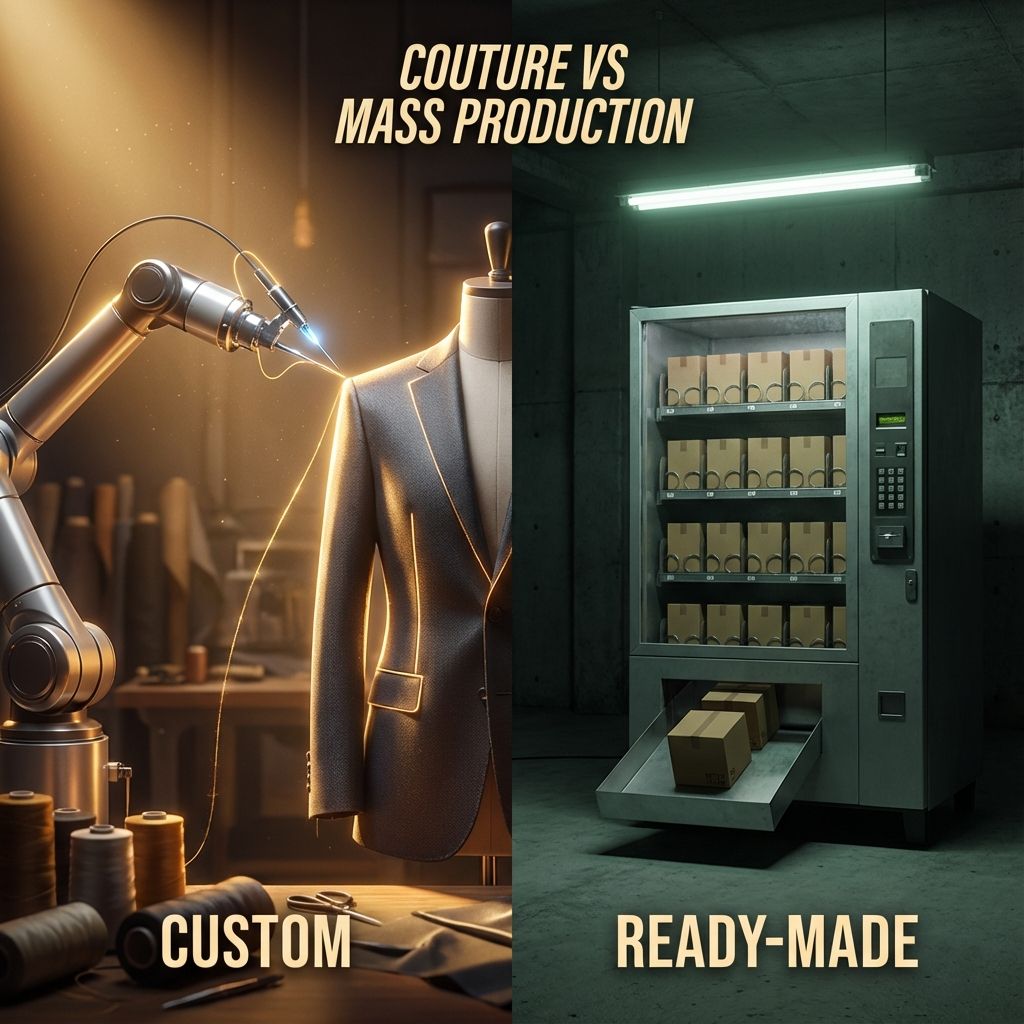
Custom software is built specifically for your business, tailored to your exact processes, workflows, and requirements. It's like having a suit made by a tailor versus buying one off the rack. It fits perfectly because it's made for you.
- Built for you: Designed around your specific business processes
- Takes time: Development typically takes 3-12 months or more
- Unique solution: No one else has exactly what you have
- You control updates: Decide when and what to change
- Ownership model: Large upfront cost, but you own it
The Detailed Comparison: Custom vs Ready-Made
Let's compare these options across every dimension that matters to your business. This isn't just about cost. It's about fit, flexibility, scalability, and long-term value.
Cost Comparison: The Full Picture
| Cost Factor | Ready-Made Software | Custom Software |
|---|---|---|
| Initial Investment | ₹5,000-50,000 (first year) | ₹5,00,000-50,00,000+ |
| Monthly/Annual Fees | ₹5,000-1,00,000/month | ₹10,000-50,000/month (maintenance) |
| Setup & Training | ₹10,000-1,00,000 | Included in development cost |
| Customization | ₹50,000-5,00,000 (if possible) | Included in initial build |
| Integration Costs | ₹1,00,000-10,00,000 | ₹50,000-5,00,000 |
| 5-Year Total Cost | ₹5,00,000-75,00,000 | ₹8,00,000-80,00,000 |
Notice something interesting? Over 5 years, the total cost can be similar, but the distribution is very different. Ready-made software has lower upfront costs but ongoing fees. Custom software has high upfront costs but lower ongoing expenses.
Feature & Functionality Comparison
| Aspect | Ready-Made | Custom |
|---|---|---|
| Feature Set | 80% of what you need, 20% you don't | 100% of what you need, 0% waste |
| Flexibility | Limited to vendor's roadmap | Complete control |
| Unique Processes | Must adapt your process to software | Software adapts to your process |
| Competitive Advantage | Same tools as competitors | Unique capabilities |
| Learning Curve | Moderate (standard interface) | Low (designed for your team) |
| Updates | Automatic (can break workflows) | Controlled (you decide when) |
The 80/20 Rule
If ready-made software meets 80% or more of your needs, it's usually the better choice. If it's less than 60%, custom software becomes more attractive. The 60-80% range is where the decision gets tricky and requires deeper analysis.
Time to Value Comparison
| Timeline | Ready-Made | Custom |
|---|---|---|
| Research & Selection | 2-8 weeks | 4-12 weeks |
| Development/Setup | 1-4 weeks | 12-52 weeks |
| Training | 2-6 weeks | 2-4 weeks |
| Full Deployment | 1-3 months | 4-18 months |
| ROI Realization | 3-9 months | 12-36 months |
Time is money, especially for growing businesses. Ready-made software gets you operational faster, which can be crucial if you're solving an urgent problem or trying to capture a market opportunity. Custom software requires patience but delivers exactly what you need.
Risk & Control Comparison
| Risk Factor | Ready-Made | Custom |
|---|---|---|
| Vendor Lock-in | High - dependent on vendor | Low - you own the code |
| Price Increases | High - vendor controls pricing | Low - predictable costs |
| Feature Removal | Possible - vendor decides | Impossible - you control |
| Service Discontinuation | Possible - vendor can shut down | Impossible - you own it |
| Data Control | Limited - vendor's servers | Complete - your infrastructure |
| Security | Vendor's responsibility | Your responsibility |
| Compliance | May not meet specific requirements | Built to your compliance needs |
The Vendor Lock-in Trap
Many businesses underestimate vendor lock-in risk. Once you've built your processes around ready-made software and accumulated years of data, switching becomes extremely expensive and disruptive. Factor this into your decision.
The Decision Framework: How to Choose
Now that you understand the differences, how do you actually make the decision? Here's a systematic framework used by successful businesses. Work through these questions honestly, and the right choice will become clear.
Step 1: Assess Your Business Uniqueness
Ask yourself: How unique are your business processes?
- Standard processes (80%+ common): Accounting, basic CRM, email marketing, project management → Ready-made software
- Somewhat unique (50-80% common): Industry-specific workflows with some customization → Ready-made with customization or hybrid approach
- Highly unique (less than 50% common): Proprietary processes, unique competitive advantage → Custom software
Example: A restaurant needs point-of-sale software. That's standard, go ready-made. But a logistics company with a unique routing algorithm that's their competitive advantage? That needs custom development.
Step 2: Evaluate Your Budget Reality
Be brutally honest about your financial situation:
- Limited upfront capital (less than ₹5 lakhs): Ready-made is your only realistic option
- Moderate capital (₹5-20 lakhs): Consider ready-made with customization or simple custom solutions
- Significant capital (₹20 lakhs+): Custom software becomes viable if justified by business needs
- Enterprise budget (₹1 crore+): Custom software with full control and scalability
Hidden Cost Alert
Don't forget to budget for: data migration (₹50,000-5,00,000), training (₹1,00,000-10,00,000), integration with existing systems (₹1,00,000-20,00,000), and ongoing support. These costs apply to both options but are often overlooked.
Step 3: Consider Your Timeline
When do you need this software operational?
- Urgent (1-3 months): Ready-made is your only option. Custom software can't be rushed without quality issues.
- Soon (3-6 months): Ready-made is still better unless you have very specific needs that justify waiting.
- Strategic (6-12 months): Both options are viable. Evaluate based on other factors.
- Long-term (12+ months): Custom software becomes more attractive as you have time to build it right.
Step 4: Analyze Competitive Advantage
This is the most important question: Will this software be a source of competitive advantage?
- Commodity function: If competitors use the same software and it's fine, go ready-made. Examples: email, accounting, basic CRM.
- Differentiator: If unique software capabilities could set you apart, consider custom. Examples: proprietary algorithms, unique customer experiences, specialized workflows.
- Core competency: If software IS your product or defines how you compete, custom is essential. Examples: SaaS companies, tech-enabled services, data-driven businesses.
Amazon didn't use off-the-shelf warehouse management software. They built custom systems because logistics IS their competitive advantage. But they probably use standard accounting software because that's not what differentiates them.
Step 5: Evaluate Integration Needs
How well does the software need to work with your existing systems?
- Standalone: Software works independently → Ready-made is fine
- Standard integrations: Needs to connect with common tools (Salesforce, QuickBooks, etc.) → Ready-made usually has these
- Complex integrations: Must connect with legacy systems or proprietary tools → Custom may be necessary
- Deep integration: Needs to be tightly woven into existing infrastructure → Custom is often better
Real-World Cost Analysis Examples
Let's look at specific scenarios with actual numbers to make this concrete. These are based on real businesses and real costs.
Scenario 1: Small Retail Business (CRM System)
Business: 15-person retail company, 5,000 customers, needs to track sales, customer interactions, and marketing campaigns.
Ready-Made Option (Salesforce Essentials):
- Cost: ₹2,000/user/month = ₹30,000/month
- Setup: ₹50,000 (consultant)
- Training: ₹25,000
- Year 1 Total: ₹4,35,000
- 5-Year Total: ₹18,75,000
Custom Option:
- Development: ₹12,00,000 (6 months)
- Hosting: ₹10,000/month
- Maintenance: ₹25,000/month
- Year 1 Total: ₹16,20,000
- 5-Year Total: ₹33,00,000
Verdict: Ready-made wins. The business needs are standard, budget is limited, and ready-made CRM offers more features than they could afford to build custom. Savings: ₹14,25,000 over 5 years.
Scenario 2: Manufacturing Company (Inventory & Production)
Business: 100-person manufacturing company with unique production processes, custom machinery, and complex inventory tracking needs.
Ready-Made Option (SAP Business One):
- Licenses: ₹3,00,000/year
- Implementation: ₹15,00,000
- Customization: ₹10,00,000 (to fit their processes)
- Training: ₹5,00,000
- Annual support: ₹3,00,000/year
- Year 1 Total: ₹36,00,000
- 5-Year Total: ₹57,00,000
Custom Option:
- Development: ₹35,00,000 (12 months)
- Infrastructure: ₹50,000/month
- Maintenance: ₹1,00,000/month
- Year 1 Total: ₹53,00,000
- 5-Year Total: ₹1,07,00,000
Verdict: Custom wins. Their processes are unique enough that ready-made software requires extensive customization anyway. Custom software fits perfectly, provides competitive advantage through optimized workflows, and actually costs less over 5 years when you factor in the customization costs. Savings: ₹50,00,000 over 5 years, plus better fit.
Scenario 3: Healthcare Clinic (Patient Management)
Business: Multi-specialty clinic with 30 doctors, needs patient records, appointment scheduling, billing, and compliance with healthcare regulations.
Ready-Made Option (Practice Management Software):
- Subscription: ₹1,50,000/month
- Setup: ₹3,00,000
- Training: ₹2,00,000
- Year 1 Total: ₹23,00,000
- 5-Year Total: ₹95,00,000
Custom Option:
- Development: ₹45,00,000 (18 months, includes compliance)
- Hosting: ₹75,000/month
- Maintenance: ₹1,50,000/month
- Year 1 Total: ₹85,50,000
- 5-Year Total: ₹1,80,00,000
Verdict: Ready-made wins. Healthcare software requires extensive compliance features, regular updates for regulatory changes, and proven security. Building this custom is expensive and risky. The ready-made option is battle-tested and maintained by experts. Savings: ₹85,00,000 over 5 years, plus reduced compliance risk.
Pattern Recognition
Notice the pattern? Ready-made wins when: (1) Your needs are standard, (2) Compliance/security is critical, (3) The domain is well-established. Custom wins when: (1) Your processes are unique, (2) Software is a competitive advantage, (3) Ready-made requires extensive customization anyway.
The Hybrid Approach: Best of Both Worlds?
Here's something many businesses don't consider: you don't have to choose just one approach. A hybrid strategy can give you the benefits of both while minimizing the downsides.
Hybrid Strategy 1: Ready-Made Core + Custom Extensions
Use ready-made software for standard functions, but build custom extensions for unique needs.
Example: Use Shopify for your e-commerce platform (ready-made) but build a custom inventory management system that integrates with it (custom). This gives you quick time-to-market for the storefront while optimizing your unique backend processes.
- Pros: Faster deployment, lower initial cost, custom where it matters most
- Cons: Integration complexity, dependency on ready-made platform's API
- Best for: Businesses with some unique processes but standard customer-facing needs
Hybrid Strategy 2: Start Ready-Made, Migrate to Custom
Begin with ready-made software to validate your business model, then build custom once you've proven the need and have the budget.
Example: A startup uses ready-made CRM for the first 2 years while growing. Once they hit ₹10 crore revenue and have specific needs, they invest in custom CRM that perfectly fits their sales process.
- Pros: Lower risk, learn what you actually need before building, spread costs over time
- Cons: Migration costs and disruption, may build dependencies that are hard to break
- Best for: Startups and growing businesses with limited initial capital
Hybrid Strategy 3: Custom Core + Ready-Made Peripherals
Build custom software for your core competitive advantage, but use ready-made tools for supporting functions.
Example: A logistics company builds custom routing and tracking software (their competitive advantage) but uses ready-made accounting, HR, and email marketing tools.
- Pros: Invest in what matters, save money on commodity functions, maintain competitive edge
- Cons: Still requires significant custom development investment
- Best for: Established businesses where software is central to competitive advantage
The Smart Hybrid Approach
Most successful businesses use a hybrid approach. They're strategic about where to invest in custom development (competitive advantage) and where to use ready-made solutions (commodity functions). This maximizes ROI while minimizing risk.
Common Mistakes to Avoid
After analyzing hundreds of software decisions, here are the most common and costly mistakes businesses make:
Mistake 1: Choosing Based on Cost Alone
The cheapest option is rarely the best option. A ₹5,000/month ready-made tool that only meets 50% of your needs will cost you far more in lost productivity and workarounds than a ₹20,00,000 custom solution that fits perfectly.
Better approach: Calculate total cost of ownership over 5 years, including hidden costs like workarounds, lost productivity, and opportunity cost.
Mistake 2: Underestimating Custom Development Time and Cost
Software projects almost always take longer and cost more than initial estimates. Budget at least 30-50% more than quoted, and add 3-6 months to the timeline.
Better approach: Start with an MVP (Minimum Viable Product) that solves your core problem, then iterate. This reduces risk and gets you value faster.
Mistake 3: Forcing Your Business to Fit the Software
Many businesses buy ready-made software and then completely change their processes to match it, even when those processes were working well and provided competitive advantage.
Better approach: If ready-made software requires you to fundamentally change successful processes, that's a red flag. Consider custom development or a different ready-made option.
Mistake 4: Ignoring Scalability
Choosing software that works for your current size but can't scale with growth. You'll outgrow it in 2-3 years and face expensive migration.
Better approach: Plan for 3-5x growth. If you have 10 users now, choose software that can handle 30-50 users without major changes.
Mistake 5: Not Involving End Users
Executives choose software without consulting the people who will actually use it daily. Result: low adoption, resistance, and wasted investment.
Better approach: Include end users in the evaluation process. Let them test options. Their buy-in is crucial for successful implementation.
Decision Checklist: Your Action Plan
Ready to make your decision? Use this checklist to systematically evaluate your options. Score each factor from 1-5, with 5 favoring custom and 1 favoring ready-made.
| Factor | Score (1-5) | Weight | Notes |
|---|---|---|---|
| Process Uniqueness | ___ | High | How unique are your workflows? |
| Budget Available | ___ | High | Can you afford ₹10+ lakhs upfront? |
| Timeline Urgency | ___ | Medium | How quickly do you need this? |
| Competitive Advantage | ___ | High | Is this a differentiator? |
| Integration Complexity | ___ | Medium | How complex are integrations? |
| Scalability Needs | ___ | Medium | How much will you grow? |
| Control Requirements | ___ | Low | How much control do you need? |
| Technical Expertise | ___ | Low | Do you have tech team? |
Scoring Guide:
- Total Score 25-40: Ready-made software is your best bet. Your needs are standard enough that custom development isn't justified.
- Total Score 15-24: Gray area. Consider hybrid approach or ready-made with heavy customization.
- Total Score 8-14: Custom software makes sense. Your needs are unique enough to justify the investment.
When in Doubt, Start Ready-Made
If you're genuinely unsure, start with ready-made software. It's lower risk, faster to implement, and you can always migrate to custom later once you've validated your needs and have the budget. Many successful companies started with ready-made tools and only built custom solutions once they reached significant scale.
Frequently Asked Questions
Yes, and this is actually a smart strategy for many businesses. Start with ready-made software to validate your business model and understand your needs. Once you've grown and have clearer requirements, you can invest in custom development. However, plan for migration costs (₹5-20 lakhs typically) and some business disruption during the switch. Make sure to export your data regularly so migration is easier.
Ask these questions: (1) Does it have an API for integrations? (2) Can you add custom fields and workflows? (3) Are there third-party plugins available? (4) What's the cost of customization? (5) Will customizations survive software updates? Request a demo with your specific use cases. Most vendors will show you how their software can be adapted to your needs. If they can't demonstrate 70%+ fit, look elsewhere.
This is a valid concern. Protect yourself by: (1) Ensuring you own the source code (include this in your contract), (2) Keeping code in a repository you control (GitHub, GitLab), (3) Having documentation for the system, (4) Using common technologies that other developers can work with, (5) Having an escrow agreement for critical systems. With these protections, another developer can take over if needed.
Sometimes, yes! Open-source software can offer the best of both worlds: (1) Free or low-cost like ready-made, (2) Customizable like custom software, (3) Community support and regular updates. However, you'll need technical expertise to implement and maintain it. Consider open-source if you have a technical team or budget for technical consultants. Examples: WordPress for websites, Odoo for ERP, Moodle for learning management.
Plan for 15-20% of development cost annually for custom software. For a ₹20 lakh custom system, budget ₹3-4 lakhs per year for maintenance, updates, and bug fixes. For ready-made software, maintenance is included in your subscription, but budget for: (1) User training as you grow, (2) Additional integrations, (3) Customization as needs evolve, (4) Potential price increases (5-10% annually is common).
Switching is expensive but not impossible. Costs typically include: (1) New software purchase/development, (2) Data migration (₹2-15 lakhs), (3) Training (₹1-10 lakhs), (4) Parallel running period (1-3 months of double costs), (5) Lost productivity during transition. Total switching cost is often 50-100% of your original investment. This is why getting the decision right the first time is so important. Use the decision framework in this article to minimize this risk.
For most businesses, outsourcing is better initially. In-house development requires: (1) Hiring multiple developers (₹8-15 lakhs/year each), (2) Project management expertise, (3) Ongoing salaries even after project completion. Outsource to an agency for the initial build (₹10-50 lakhs), then consider hiring one developer for maintenance (₹6-10 lakhs/year) once the system is stable. Only build a full in-house team if software development is core to your business.
Check these factors: (1) Portfolio: Have they built similar systems? Ask for references. (2) Technology stack: Do they use modern, maintainable technologies? (3) Process: Do they follow agile development with regular demos? (4) Communication: Are they responsive and clear? (5) Contract: Does it protect you with milestones and deliverables? (6) Post-launch support: What's included? What costs extra? Get quotes from 3-5 developers and compare not just price but approach and expertise.
Conclusion: Making the Right Choice for Your Business
The custom vs ready-made decision isn't about which option is objectively better. It's about which option is better for your specific situation. Both can be the right choice depending on your needs, budget, timeline, and business goals.
Here's what we've learned: Ready-made software wins when your needs are standard, budget is limited, timeline is tight, or the domain requires specialized expertise (like healthcare compliance). Custom software wins when your processes are unique, software provides competitive advantage, you need complete control, or ready-made options require extensive customization anyway.
But remember: this isn't a one-time decision. Your software needs will evolve as your business grows. What works today might not work in three years. The smartest businesses regularly reassess their software stack and aren't afraid to make changes when needed.
Use the decision framework in this article. Be honest about your budget, timeline, and needs. Involve your team in the decision. And don't be afraid to start with one approach and migrate to another as your business evolves.
The worst decision is no decision, staying with inadequate systems because you're paralyzed by the choice. The second worst is making an emotional decision based on what sounds cool rather than what actually serves your business. Use data, use the framework, and make a rational choice.
Your software should serve your business, not the other way around. Whether that means buying ready-made, building custom, or using a hybrid approach, make the choice that empowers your team and accelerates your growth. And if you want to understand software development better to make more informed decisions, consider learning the fundamentals through our software development courses.
Ready to Move Forward?
Whether you choose custom or ready-made, understanding how software works gives you power in the decision-making process. You'll ask better questions, evaluate options more effectively, and avoid costly mistakes. Consider learning the basics of software development. It's an investment that pays dividends in every technology decision you make.
Have questions about your specific software decision? Our team at Modern Age Coders can help you evaluate your options and make an informed choice. We're not just educators. We're partners in your technology journey.