Ontario Computer Science Companion: ICS3U and ICS4U
A second teacher for Grade 11 and Grade 12 computer science: problem solving first, then clean code in Python or Java, in step with your school course.
Syllabus updated October 2026
Questions? WhatsApp +91 91233 66161 or email connect@modernagecoders.com
Recordings are free with a Google sign-in. These recordings show how we teach, not the exact syllabus of this course.
Fees and enrolment
How to join Ontario Computer Science Companion: ICS3U and ICS4U (Python and Java)
Choose how you want to pay, pick a plan and press Enrol. We then fix your class timing with you.
Rated 4.9 across 547 Google reviews.
How would you like to pay?
Pay once for 6 months and save 20%. Same live classes, same mentor, a lower price for every session.
Group Classes
6 months · 48 sessions
One payment for all 6 months
- Paying monthly
₹1,499 × 6 months = ₹8,994- You save
- ₹1,795 (20%)
- Per session
- ₹150
₹187
2 sessions a week · 15 to 20 students
Stop early? Every session you have not taken is refunded at ₹150. Refund policy
Enrol for 6 monthsMini Batch
6 months · 48 sessions
One payment for all 6 months
- Paying monthly
₹2,999 × 6 months = ₹17,994- You save
- ₹3,595 (20%)
- Per session
- ₹300
₹375
2 sessions a week · Up to 6 students
Stop early? Every session you have not taken is refunded at ₹300. Refund policy
Enrol for 6 monthsHow your 6-month price works
- Sessions
- 24 one-to-one sessions over 6 months, fully flexible timing
- Price per session
- ₹1,000 instead of
₹1,250 - Your 6-month fee
- ₹1,000 × 24 sessions = ₹24,000
- Paying monthly instead
₹4,999 × 6 months = ₹29,994- You save
- ₹5,994 (20%)
Everything in the monthly 1-on-1 plan is included: your own mentor, flexible timing, personal dashboard, class recordings, progress reports and parent-teacher meetings.
Stop early? Every session you have not taken is refunded at ₹1,000. Refund policy
Pay once for 6 months and save 25%. Same live classes, same mentor, a lower price for every session.
Group Classes
6 months · 48 sessions
One payment for all 6 months
- Paying monthly
$100 × 6 months = $600- You save
- $151 (25%)
- Per session
- $9.35
$12.50
2 sessions a week · 15 to 20 students
Stop early? Every session you have not taken is refunded at $9.35. Refund policy
Enrol for 6 monthsHow your 6-month price works
- Sessions
- 48 one-to-one sessions over 6 months, 2 sessions a week
- Price per session
- $14 instead of
$18.75 - Your 6-month fee
- $14 × 48 sessions = $672
- Paying monthly instead
$150 × 6 months = $900- You save
- $228 (25%)
Everything in the monthly 1-on-1 plan is included: your own mentor, flexible timing, personal dashboard, class recordings, progress reports and parent-teacher meetings.
Stop early? Every session you have not taken is refunded at $14. Refund policy
How enrolment works
Pick a plan
Group (15 to 20 students), Mini Batch (up to 6, India only) or 1-on-1 with your own mentor. Pay monthly, or for 6 months at once and save.
Press Enrol and pay
Fill in the student's name, email and phone, then pay securely: UPI, cards or net banking in India, or a debit or credit card from any other country.
Fix your class timing
After paying, WhatsApp or call +91 91233 66161 with the student's name and your preferred time. We confirm the batch or 1-on-1 slot and send the class link.
Start learning
Join your first live class at the time you chose. Your mentor takes it from there.
Want to see a class first? Book a Priority Demo: a live class of about 45 to 60 minutes with a mentor reserved for you. If you enrol, the demo fee is adjusted against your first month's fee. Share your demo Order ID with us on WhatsApp and we take it off.
Pay monthly and cancel any time, or pay for 6 months at once and save. Stop a 6-month plan early and every session left is refunded.
International Students (Outside India)
Billed monthly in US dollars, the same price in every country. Contact us with any questions.
Questions before you enrol? Talk to our team.
Ask about class timings, the right level for your child, what they need to know already, or payment. Parents and adult learners can reach us on WhatsApp, by email or by phone.
Our promise
The world's best learning experience, open to everyone.
- World-class instructorsEvery class is taught by an instructor who specialises in that exact field.
- No compromise on qualityEvery lesson, project and piece of feedback is held to the highest standard.
- Education for everyoneLearners aged 6 to 67, from first-time beginners to working professionals, in 25+ countries.
If you want the highest quality, Modern Age Coders is the right choice.
Book a Priority DemoHow long this course takes
This course runs 6 months (24 weeks) per plan, joinable any month and paced to your school course at 2 live classes/week + short practice tasks between classes. The range allows for background and pace: a complete beginner uses the full span, and a student with prior knowledge finishes sooner. The syllabus below is planned to the shorter end, with margin kept for revision.
For personalised duration planning, call +91 91233 66161 and we'll map a schedule to your goals.
At a glance
- Who it is for
- Ontario students in Grades 11 and 12 (roughly ages 15 to 18) taking ICS3U or ICS4U at school, in Python or Java. Age: Roughly 15 to 18 (Grades 11 and 12).
- Prerequisites
- Currently taking, or about to take, ICS3U or ICS4U at an Ontario school. ICS4U students should have completed ICS3U
- Format
- Live, interactive classes with a real teacher, never pre-recorded videos. Live classes run about one hour.
- Language
- English or Hindi, depending on the batch.
- Duration
- 6 months (24 weeks) per plan, joinable any month and paced to your school course
- Weekly commitment
- 2 live classes/week + short practice tasks between classes
- Class size
- Group batches of 15 to 20 students, mini batches of up to 6, or 1-on-1.
- Certificate
- Certificate from Modern Age Coders, awarded on passing the final assessment (this is not an Ontario high school credit)
- Watch first
- Free recordings of real classes for ages 13 and up, free with a Google sign-in. These recordings show how we teach, not the exact syllabus of this course.
- Live demo
- Optional. Enrol directly on this page, or book a Priority Demo: a full live class of about 45 to 60 minutes with a mentor reserved for you.
- Questions
- WhatsApp +91 91233 66161 or email connect@modernagecoders.com.
How we teach
Deep understanding. Real projects. Expert guidance.
Learn coding, AI and maths through careful explanations, practical demonstrations, and hands-on problem-solving. Our instructors guide you from the foundations to advanced ideas, helping you understand what happens, why it happens, and how to build it yourself.
You will explore concepts step by step, write and improve code, investigate mistakes, ask questions, and apply your knowledge to meaningful projects. Lessons are designed around active participation, thoughtful feedback, and growing independence.
Expert-led live teaching, with practical participation built into every lesson.
- Students explain their thinking.
- Instructors demonstrate, then guide practice.
- Learners code, solve, or build during lessons.
- Questions and misconceptions get attention.
- Assignments receive useful feedback.
- Progress is checked before advancing.
Program Overview
ICS3U (Introduction to Computer Science, Grade 11, University Preparation) and ICS4U (Computer Science, Grade 12, University Preparation) are Ontario's university-preparation computer science courses, described in the ministry's Computer Studies curriculum for Grades 10 to 12 (2008). The ministry describes ICS3U this way: "Students will design software independently and as part of a team, using industry-standard programming tools and applying the software development life-cycle model". For ICS4U it says: "Students will use modular design principles to create complex and fully documented programs, according to industry standards". In each Grade 11 and 12 course, the curriculum document says, the first strand is Programming Concepts and Skills and the second is Software Development, and the fourth strand "deals with the role of computers in society". ICS3U has no prerequisite; ICS4U requires "Introduction to Computer Science, Grade 11, University Preparation", which is ICS3U.
This course runs alongside the student's own ICS3U or ICS4U class. We teach in whichever language the school uses, Python or Java, and we follow the order of the student's school course outline, so what is learned here is used in class the same week. Every topic starts with the problem before the syntax: reading the task, breaking it into steps, writing the algorithm in plain words, then turning it into code and testing it. From there we build data types, control structures, lists and arrays, modular programming with functions or methods, string and file handling, sorting and searching, and for ICS4U students, recursion and object-oriented design. Assignments and the final project or exam are the student's own work: we explain, question and review, and the student writes the code.
Please read this plainly: Modern Age Coders teaches alongside school and does not grant Ontario high school credits. ICS3U and ICS4U are each worth one credit, and families who need the credit take the course through their school or a ministry-inspected credit provider. What we add is understanding, practice and confidence, in live classes with a real teacher.
What Makes This Program Different
- Built around Ontario's ICS3U and ICS4U, following the student's own school course outline week by week
- Python or Java, whichever the school uses, with the same concepts shown side by side when a student meets both
- Problem solving and algorithm design before syntax: plain-word steps, tracing tables and test cases come first
- Honest about credits: we teach alongside school and do not grant Ontario high school credits
- Assignments stay the student's own work: we explain and review, we never write school code for them
- Exam review technique taught directly: tracing code by hand, writing code on paper and planning answers under time
Your Learning Journey
Career Progression
Detailed Course Curriculum
Explore the complete week-by-week breakdown of what you'll learn in this comprehensive program.
Topics Covered
- A starting conversation and short diagnostic: the school, the language, the course outline and the next assignment
- Reading a programming task and listing the inputs, outputs and rules
- Writing an algorithm as numbered plain-word steps, then as pseudocode
- Flowcharts for decisions and repetition, kept simple
- Tracing an algorithm by hand with a trace table
- Setting up the school's editor or IDE at home so practice matches class
Projects You Build
- Three small problems solved twice: once as plain-word steps, once as working code
Practice & Assignments
Write the algorithm for each practice task before opening the editor, and keep both
Topics Covered
- Integers, decimals, text and true or false values, in Python and in Java
- Static types in Java and dynamic types in Python, and what each means for errors
- Arithmetic, integer division and remainder, and the rounding surprises they cause
- Reading input and converting it to the right type
- Formatting output neatly, as school assignments usually require
- Naming variables so a marker can follow the code
Projects You Build
- A unit converter or bill splitter with clear prompts, checked input and formatted output
Practice & Assignments
Short daily tracing questions: predict the output, then run the code to check
Assessment
Month 1 check: a short written trace plus one small program, reviewed with written feedback
Topics Covered
- if, else if and else in Python and Java
- Boolean expressions with and, or and not
- Nested decisions and when to flatten them
- Testing every branch: choosing test cases on purpose
- Validating input so a program does not crash on a bad value
- Comparing text correctly, including the Java equals trap
Projects You Build
- A rules-based program, such as a ticket pricing or grading-rules calculator, with a written test plan
Practice & Assignments
For every decision program, list the test cases first and record the expected results
Topics Covered
- Counted loops and condition-controlled loops
- Running totals, counters and finding the largest or smallest value
- Loops that validate input until it is correct
- Nested loops for tables and patterns
- Off-by-one errors and how a trace table catches them
- Choosing a for loop or a while loop for the job
Projects You Build
- A number guessing game or a times-table quiz with scoring and replay
Practice & Assignments
A loop tracing set: write the value of every variable after each pass
Assessment
Phase 1 assessment: a written tracing section and a short program, marked with comments
Topics Covered
- Python lists, Java arrays and Java ArrayList, and how they differ
- Looping through a collection by index and by value
- Parallel lists and when a better structure is needed
- Searching a list for a value, counting matches and filtering
- Two-dimensional lists and arrays for grids and tables
- Index errors: why they happen and how to prevent them
Projects You Build
- A class marks analyzer: store scores, report the average, the highest and lowest, and a simple bar display
Practice & Assignments
Short list and array tasks, each with a trace of the indexes visited
Topics Covered
- Breaking a program into functions in Python or static methods in Java
- Parameters, return values and why a function should do one job
- Local and global scope, and avoiding hidden shared state
- Writing a short comment or docstring that says what a function does
- Testing one function at a time
- Refactoring a long program into clear modules
Projects You Build
- Refactor an earlier project into well-named functions or methods, with a test for each
Practice & Assignments
For each new function, write its purpose, its inputs and its output before the body
Assessment
Month 3 check: a modular program built from a given plan, reviewed for structure and clarity
Topics Covered
- Strings as sequences: indexing, slicing or substring, and length
- Common string tasks: counting letters, reversing, checking palindromes, simple ciphers
- Splitting a line of text into fields and joining fields back together
- Reading a text file line by line in Python and in Java
- Writing results to a file and handling a missing file safely
- Processing a small data file from start to finish
Projects You Build
- A file report tool: read a data file, summarize it and write a tidy results file
Practice & Assignments
String puzzles and short file tasks, with the expected output written before running
Topics Covered
- Linear search and binary search, and when binary search is allowed
- Bubble, selection and insertion sort, traced pass by pass
- Counting comparisons to see why some algorithms are faster
- The software development life cycle: analysis, design, coding, testing and maintenance
- Planning and documenting a larger program, and working on a team project with clear roles
- ICS3U exam review: tracing questions, written code and longer design questions
Projects You Build
- A searchable, sortable record list built from a file, with a short design document and test log
Practice & Assignments
Trace each sort on a new list by hand, then confirm with code
Assessment
Phase 2 assessment: a mixed ICS3U-style review paper plus a program built from a written specification
Topics Covered
- Base case and recursive case, explained with small examples
- Tracing recursion with a call stack diagram
- Recursive versions of factorial, sums, string reversal and power
- Recursive binary search and an introduction to merge sort
- When recursion is clearer than a loop, and when it is slower
- Common recursion mistakes: a missing base case and a case that never shrinks
Projects You Build
- Write three recursive solutions and their loop versions, and compare them in a short written note
Practice & Assignments
Draw the call stack for every recursion question before running the code
Topics Covered
- Classes and objects: attributes, methods and constructors in Java and Python
- Encapsulation: private data and public methods
- Designing classes from a description: nouns, responsibilities and relationships
- Lists of objects, and sorting objects by a chosen field
- Inheritance and when to use it, with a simple class diagram
- Documenting classes and methods so another programmer can use them
Projects You Build
- An object-oriented library, inventory or game roster program with a class diagram and documentation
Practice & Assignments
Design the classes on paper first, then build them one method at a time with tests
Assessment
Month 5 check: a recursion trace and a small class design, reviewed with written feedback
Topics Covered
- Comparing algorithms by counting steps, with an introduction to big-O language
- Choosing data structures for the job: lists, dictionaries or maps, and sets
- Modular design for larger programs: files, classes and clear interfaces
- Version control basics with Git so work is never lost
- If your school sets a final project or culminating task: reading the brief, scoping it and planning milestones
- Writing user documentation, internal comments and a test log
Projects You Build
- A project plan and working first version for the student's own final project, built by the student
Practice & Assignments
Weekly milestone check-ins: what was built, what was tested, what is next
Topics Covered
- Making a one-page summary for each topic of the school course
- Tracing questions: working steadily with a trace table under time
- Writing code on paper: structure first, then details, then a quick self-check
- Design and explanation questions: answering exactly what is asked
- Timed review papers in the style of school exams, with careful review afterwards
- Reading the teacher's exam outline so revision matches what will be assessed
Projects You Build
- A personal review pack: topic summaries, a mistakes list and two reviewed timed papers
Practice & Assignments
A timed mixed review each week, with every mistake written up and fixed
Assessment
Final assessment: a timed review paper plus a short live walk-through of the student's own project code
Projects You'll Build
Build a professional portfolio with A portfolio of small programs, a documented object-oriented program and a review pack, all the student's own work real-world projects.
Weekly Learning Structure
Certification & Recognition
Technologies & Skills You'll Master
Comprehensive coverage of the entire modern web development stack.
Support & Resources
Career Outcomes & Opportunities
Transform your career with industry-ready skills and job placement support.
Prerequisites
Who Is This Course For?
Career Paths After Completion
Course Guarantees
Real students. Real moments. Real joy.
These are our actual student meetups. No stock photos, no filters. Swipe through and meet the community you'll be joining.







































What families say
Straight from the parents and students who learn with us. Rated 4.9 across 547 Google reviews.
“Mivaan enjoys the class. He understands the concepts and completes his tasks with excitement. He started taking interest in coding… truly amazing class.”
“I absolutely love it here! I made new friends and learned important valuable coding skills while having the fun of my life. It's not just coding here, it's outings, bonding and most importantly preparing you for your future. Definitely five stars.”
“What stands out most is how excited my son is before every class. He looks forward to learning, problem-solving, and sharing what he's built. I've noticed a big boost in his confidence!”
“Modern Age Coders has been a game-changer for me! I struggled to grasp IT concepts and coding before joining, but their classes transformed everything. I'm now the topper in my class and can confidently write complex programs with ease.”
“Modern Age Coder have wonderful teachers who teach in a clear, easy and practical way. The teacher boosts students' confidence, keeps them updated with technology, and inspires them to learn without hesitation.”
“The one step solution for my son. Modern Age Coders make learning coding so simple that kids love it.”
“Coding classes here make learning very interesting and conceptual. The teachers teach us in a very easy-to-understand and efficient manner.”
“One of the most wonderful education centres out there. Education is not limited to school syllabus but focuses on skill development. Learning here has been a wonderful journey and still continuing.”
“I highly recommend this computer coding class! The teachers are incredibly knowledgeable and passionate about coding. They make every session engaging and insightful.”
“My child Dhairya is really enjoying the Modern Age Coder IT classes. This is his first online class, and he eagerly looks forward to it.”
“Very good classes. Don't worry about coding. They teach the best, especially Shivam sir.”
“Very good classes. Makes learning very easy and interactive.”
Hear it from our students
Real parents and students in their own words, on our public YouTube channel.
Straight answers about Ontario Computer Science Companion: ICS3U and ICS4U (Python and Java)
- Who should take this course?
- Ontario students in Grades 11 and 12 (roughly ages 15 to 18) taking ICS3U or ICS4U at school, in Python or Java. Age: Roughly 15 to 18 (Grades 11 and 12). It suits grade 11 students meeting programming for the first time who want to understand it properly; grade 12 students facing recursion, object-oriented design and a larger final project; students who missed a unit or lost confidence and want to catch up calmly.
- What will they learn and build?
- ICS3U (Introduction to Computer Science, Grade 11, University Preparation) and ICS4U (Computer Science, Grade 12, University Preparation) are Ontario's university-preparation computer science courses, described in the ministry's Computer Studies curriculum for Grades 10 to 12 (2008).
- How deeply are topics covered?
- The course runs 6 months (24 weeks) per plan, joinable any month and paced to your school course at 2 live classes/week + short practice tasks between classes, across 3 phases listed week by week in the syllabus below.
- Who teaches it?
- Modern Age Coders mentors, who teach the live classes themselves. You can watch them at work in the free class recordings before you decide.
- How do practice, feedback and assessment work?
- Classwork in every session and homework after every class. Doubt support between classes over WhatsApp, so you are never left stuck. A certificate from Modern Age Coders that you earn by passing the final assessment, with a free retest after revision if needed. It is not an Ontario high school credit.
- What does it cost?
- Three monthly plans: a group batch, a mini batch and 1-on-1. Prices are shown in your currency in the plans section. Monthly billing, cancel any time.
- When can classes take place?
- Live classes are scheduled around your week. Group batches meet at a fixed weekly slot; 1-on-1 students choose their own. International students are scheduled in their own timezone. Ask on WhatsApp for the current slots.
- Can I watch the teaching before deciding?
- Yes. Full recordings of real 13 and up classes are free to watch, free with a Google sign-in. These recordings show how we teach, not the exact syllabus of this course. Some classes are in English and some in Hindi; everyone follows at their own pace. Watch a class end to end, like you are in it. Sessions are interactive and each moment builds on the last.
- Can I enroll without a live demo?
- Yes. Choose a plan on this page and enrol directly; a demo is not required. If you would like to see a full class with a mentor first, book a Priority Demo.
- How do I reach you with a question?
- WhatsApp +91 91233 66161, email connect@modernagecoders.com, or call +91 91233 66161. Tell us the student's age and what they have learned so far, and we will point you to the right plan and batch.
Common Questions About Ontario Computer Science Companion: ICS3U and ICS4U (Python and Java)
Get answers to the most common questions about this comprehensive program
Still have questions? We're here to help!
Contact UsRelated Courses You May Like
Continue your learning journey with these recommended programs
 Speed Mathematics
Vedic Maths Mastery: Speed Calculation with All 16 Sutras
Vedic maths course online with live classes: all 16 sutras for fast multiplication, squares, divisio...
Explore Course Web Development
React Masterclass: JavaScript to Production React
React course for college students and professionals: JavaScript foundations, React with hooks, state...
Explore CourseRelated Articles & Guides
Deepen your knowledge with these hand-picked articles
 Education
9 min read
Education
9 min read
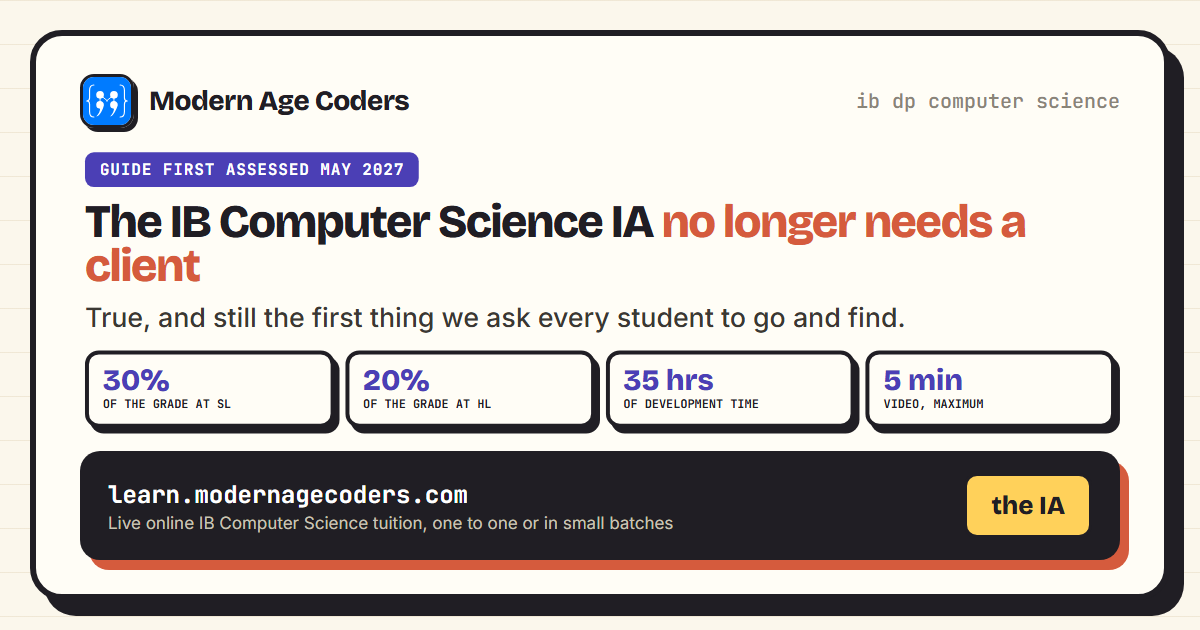
The IB Computer Science IA No Longer Needs a Client
The guide first assessed in 2027 drops the client requirement from the Computer Science IA. Here is ...
Read Article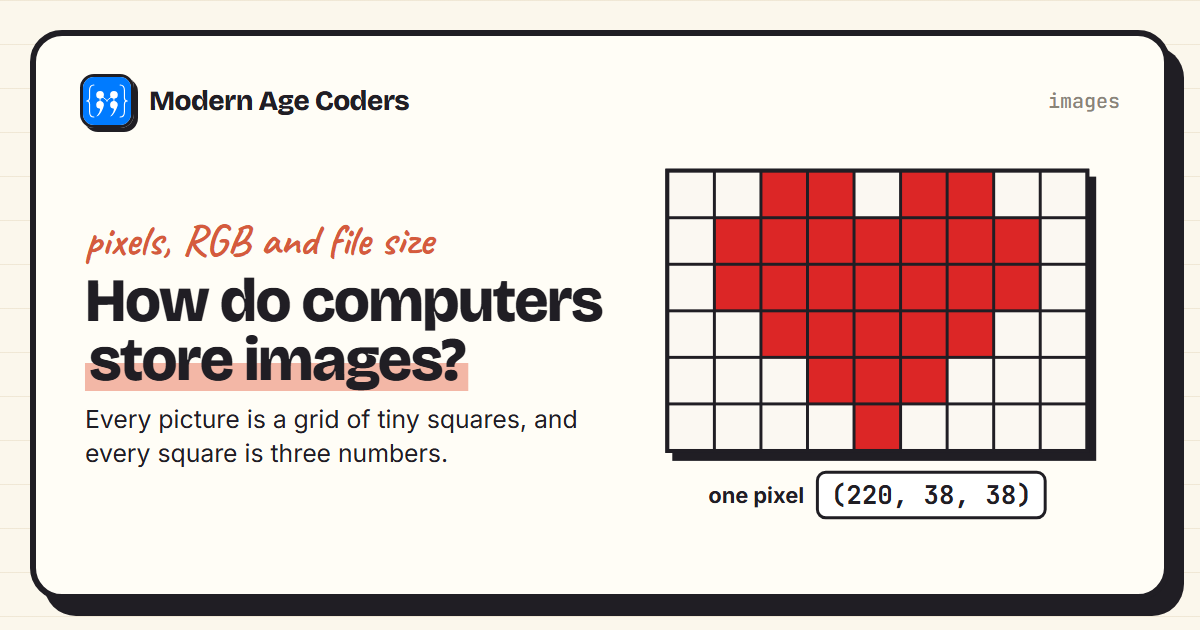 Programming
8 min read
Programming
8 min read
How Do Computers Store Images? Pixels, RGB and File Size
How computers store pictures: pixels, RGB and hex colours, greyscale, and a measured comparison of P...
Read ArticleReady to start Ontario Computer Science Companion: ICS3U and ICS4U (Python and Java)?
Book a Priority Demo to see a full live class with a mentor reserved for you, today or tomorrow. Or choose a plan and enrol now.
Questions? WhatsApp +91 91233 66161 or email connect@modernagecoders.com