Table of Contents
A text adventure is one of the best first real projects in Python. The player types commands like "go north" or "take key", and the game describes what happens. There are no graphics to wrestle with, so all the effort goes into the parts of programming that matter: storing information, making decisions and repeating a loop until something ends it. And unlike most beginner exercises, the result is a game someone else can actually play.
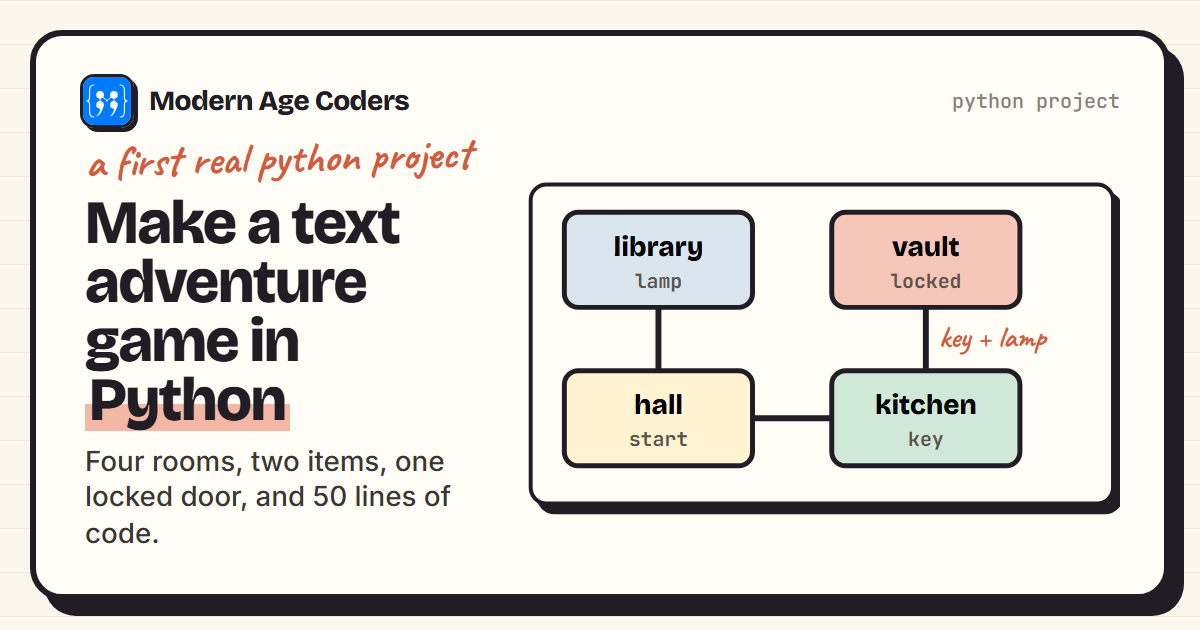
This tutorial builds a small but complete adventure: four rooms, two items, a locked door and a win condition, in 50 lines. It suits anyone who knows the basics of Python, variables, if statements, loops and a little about dictionaries, which usually means learners of about 11 and up. We also played the finished game with a script of moves, and the transcript shown later is what it really printed.
What you need to know first
- Variables and strings: storing the current room and the player's command.
- if, elif and else: deciding what each command does.
- A while loop: keeping the game running until the player wins or quits.
- Dictionaries and lists: describing the rooms and holding the inventory. If dictionaries are new to you, our Python dictionary guide covers everything used here.
Step 1: describe the world as data
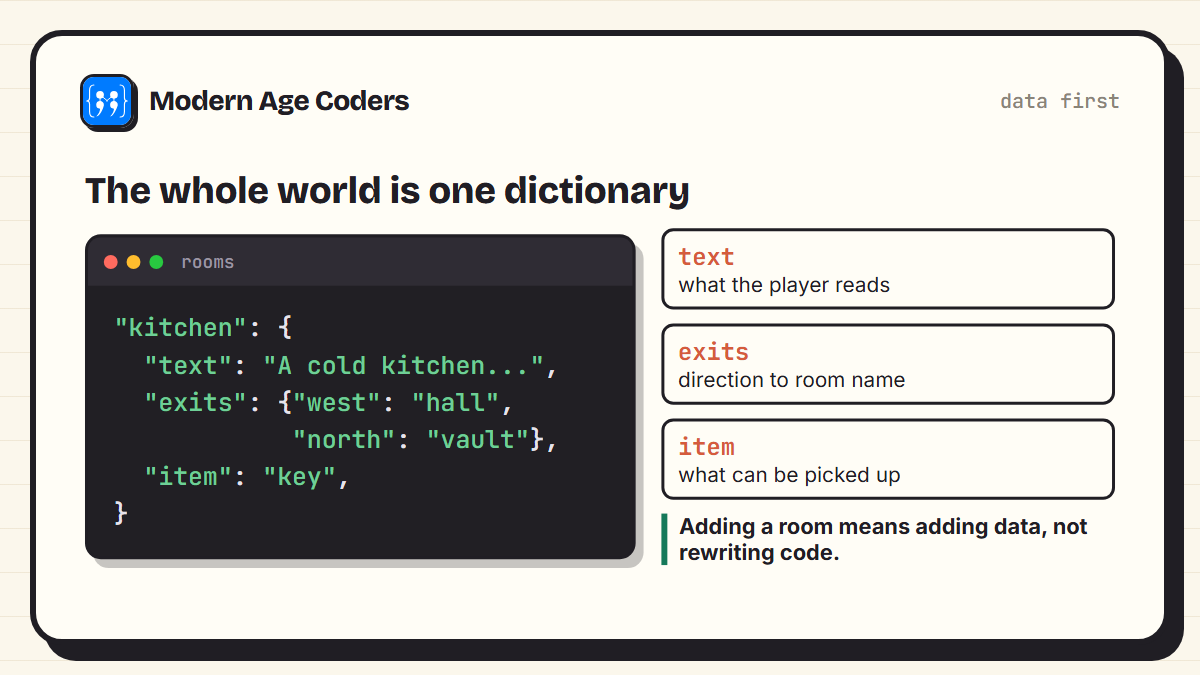
The most important design decision comes before any game logic: put the world in a dictionary. Each room has its description, its exits and any item lying in it. The code that runs the game never mentions a specific room by name, apart from where the player starts and the room that wins.
rooms = {
    "hall":    {"text": "A dusty hall. Doors lead north and east.",
                "exits": {"north": "library", "east": "kitchen"}, "item": None},
    "library": {"text": "Shelves of old books. A door leads south.",
                "exits": {"south": "hall"}, "item": "lamp"},
    "kitchen": {"text": "A cold kitchen. Doors lead west and north.",
                "exits": {"west": "hall", "north": "vault"}, "item": "key"},
    "vault":   {"text": "Gold glitters in the lamplight. You found the treasure!",
                "exits": {}, "item": None, "locked": True},
}
Here is a quick test that moving works, following an exit from the hall the way the full game will:
rooms = {
    "hall":    {"text": "A dusty hall. Doors lead north and east.",
                "exits": {"north": "library", "east": "kitchen"}, "item": None},
    "library": {"text": "Shelves of old books. A door leads south.",
                "exits": {"south": "hall"}, "item": "lamp"},
    "kitchen": {"text": "A cold kitchen. Doors lead west and north.",
                "exits": {"west": "hall", "north": "vault"}, "item": "key"},
    "vault":   {"text": "Gold glitters in the lamplight. You found the treasure!",
                "exits": {}, "item": None, "locked": True},
}

room = "hall"
print(rooms[room]["text"])
room = rooms[room]["exits"]["east"]      # move east, the way the game will
print(rooms[room]["text"])A dusty hall. Doors lead north and east.
A cold kitchen. Doors lead west and north.Why data first matters
Because the rooms are data, adding a new room means adding one entry to the dictionary. You never touch the game loop. Professional games and apps are built on exactly the same principle: code that follows rules, and content that can change without breaking it.
Step 2: the game loop
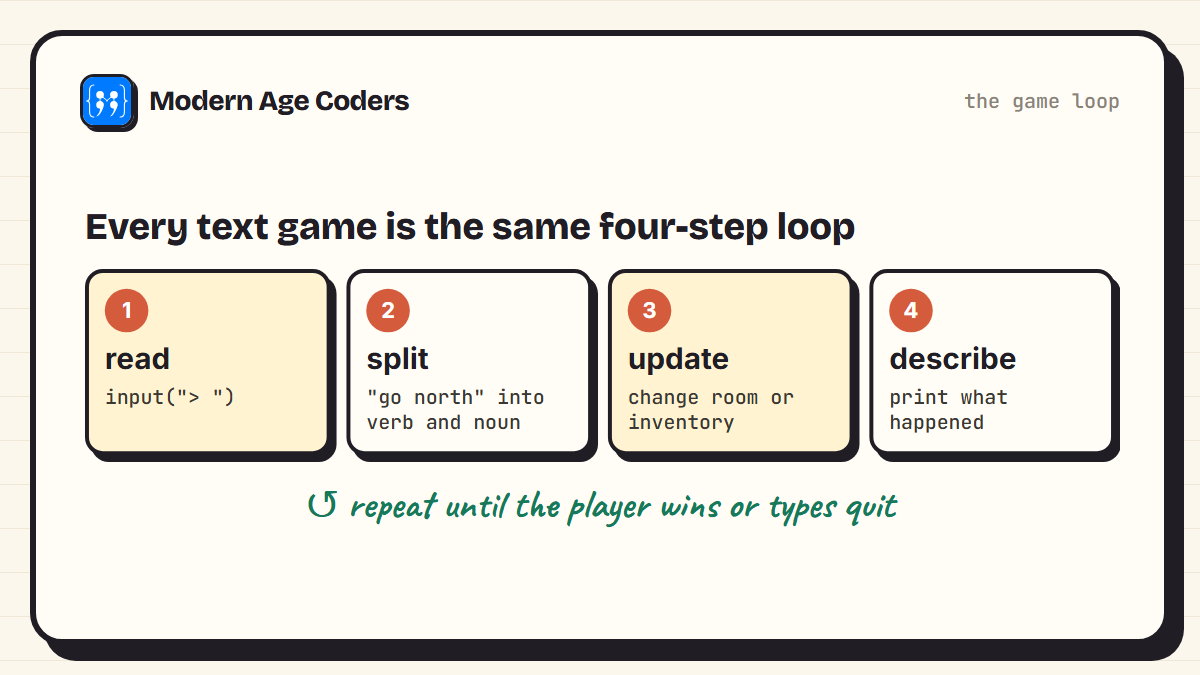
Every text game, from 1970s classics to a beginner's first project, runs the same loop:
- Read a command with
input(). - Split it into a verb and a noun: "go north" becomes "go" and "north".
- Update the game: change the current room, or add an item to the inventory.
- Describe what happened, then go round again.
Using .strip().lower().split() on the input means " Go North" and "go north" are treated the same, which saves players a lot of frustration.
Step 3: the complete game
Here is the full program. The only new ideas are the inventory list and the two conditions that guard the vault: the door is locked without the key, and it is too dark to enter without the lamp.
rooms = {
    "hall":    {"text": "A dusty hall. Doors lead north and east.",
                "exits": {"north": "library", "east": "kitchen"}, "item": None},
    "library": {"text": "Shelves of old books. A door leads south.",
                "exits": {"south": "hall"}, "item": "lamp"},
    "kitchen": {"text": "A cold kitchen. Doors lead west and north.",
                "exits": {"west": "hall", "north": "vault"}, "item": "key"},
    "vault":   {"text": "Gold glitters in the lamplight. You found the treasure!",
                "exits": {}, "item": None, "locked": True},
}

def play():
    room, inventory = "hall", []
    print(rooms[room]["text"])
    while True:
        command = input("> ").strip().lower().split()
        if not command:
            continue
        verb, noun = command[0], (command[1] if len(command) > 1 else "")

        if verb == "go":
            target = rooms[room]["exits"].get(noun)
            if target is None:
                print("You cannot go that way.")
            elif rooms[target].get("locked") and "key" not in inventory:
                print("The door is locked. You need a key.")
            elif target == "vault" and "lamp" not in inventory:
                print("It is pitch dark in there. You need a lamp.")
            else:
                room = target
                print(rooms[room]["text"])
                if room == "vault":
                    print("You win!")
                    return
        elif verb == "take":
            if rooms[room]["item"] == noun:
                inventory.append(noun)
                rooms[room]["item"] = None
                print(f"You take the {noun}.")
            else:
                print("There is nothing like that here.")
        elif verb == "look":
            item = rooms[room]["item"]
            print(rooms[room]["text"] + (f" You see a {item}." if item else ""))
        elif verb == "inventory":
            print("You carry:", ", ".join(inventory) or "nothing")
        elif verb == "quit":
            print("Goodbye.")
            return
        else:
            print("Try: go <direction>, take <item>, look, inventory, quit")

play()
A real playthrough
To test the game properly, we fed it a sequence of moves automatically and captured everything it printed. This is the exact output, including an attempt to open the vault before finding the key:
A dusty hall. Doors lead north and east.
> look
A dusty hall. Doors lead north and east.
> go north
Shelves of old books. A door leads south.
> look
Shelves of old books. A door leads south. You see a lamp.
> take lamp
You take the lamp.
> go south
A dusty hall. Doors lead north and east.
> go east
A cold kitchen. Doors lead west and north.
> go north
The door is locked. You need a key.
> take key
You take the key.
> inventory
You carry: lamp, key
> go north
Gold glitters in the lamplight. You found the treasure!
You win!
Testing like this, with a fixed list of moves, is a genuinely professional habit. Every time you change the game, you can replay the same moves and check nothing broke. You can do it yourself by replacing input with a function that returns the next move from a list.
The most common bug
Forgetting to update the room variable after a successful move, so the player keeps seeing the same room. If your game seems stuck, print the value of room at the top of the loop. That single line of debugging solves most text-game problems.
Make it your own
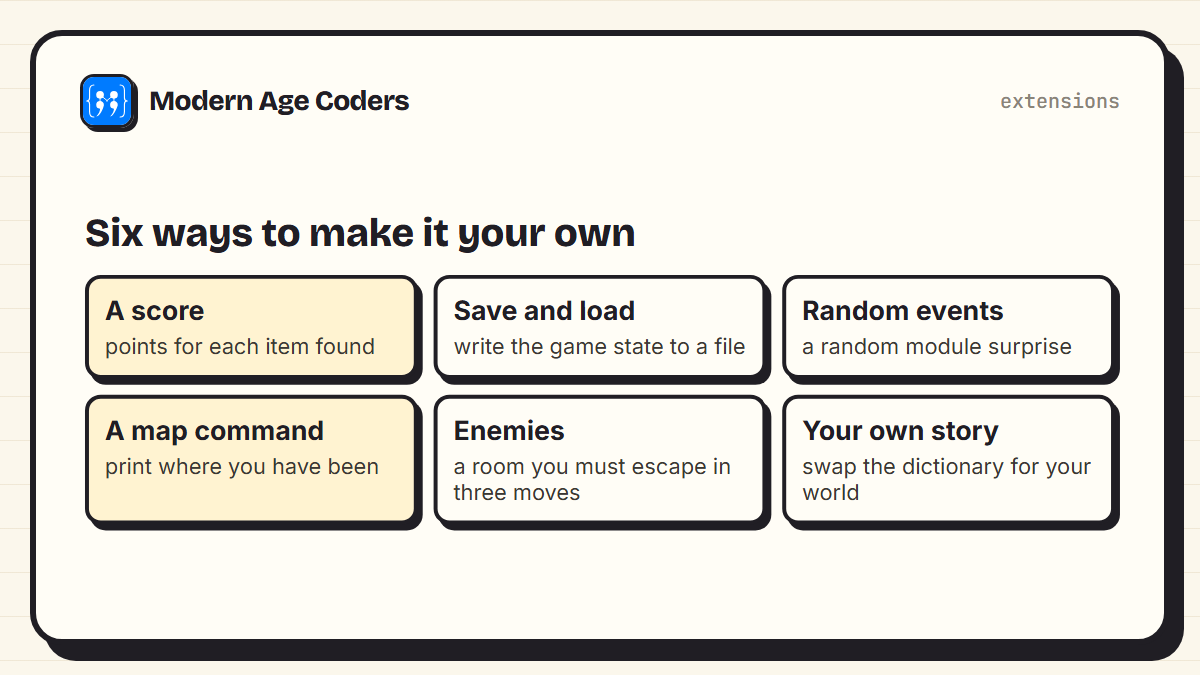
- Keep score: add points for each item and print the total at the end.
- Save and load: write the room and inventory to a file so a game can be continued. Our guide to reading and writing files in Python shows how.
- Random events: use the random module so a bat sometimes blows out your lamp.
- A map command: keep a list of visited rooms and print it.
- Enemies: a room the player must leave within three moves.
- Your own world: keep the loop, replace the dictionary with your own story. This is where it stops being our game and starts being yours.
Once a text adventure works, the natural next step is a game with graphics, using a library such as Pygame, or a web version in JavaScript. For more ideas at every level, see our basic Python programs and HTML, CSS and JavaScript project ideas.
What this project teaches
| Skill | Where it appears in the game |
|---|---|
| Dictionaries inside dictionaries | The rooms and their exits |
| Loops that end on a condition | The game loop, ending on a win or quit |
| Branching logic | The if and elif chain for each command |
| State | The current room and the inventory, changing as you play |
| Input cleaning | strip, lower and split on every command |
| Testing | Replaying a fixed list of moves |
A text adventure is the smallest program that feels like a real game, which is exactly why beginners finish it.
How we teach it
Projects like this one sit at the centre of our Python classes, following the learning-by-building principle on our how we teach page: students make something that works in the same lesson they learn the idea behind it. Beginners start with Python from the ground up, taught live, one to one or in small groups of 5 to 10.
Frequently asked questions
Store the rooms in a dictionary with a description, exits and items, then write a loop that reads a command with input, splits it into a verb and a noun, updates the current room or inventory, and prints what happened. Repeat until the player wins or quits.
Children of around 11 and up who know variables, if statements, loops and basic dictionaries can build one, often over two or three sessions. Younger children can build a simpler version with only rooms and movement.
The version in this tutorial takes a beginner roughly two to four hours spread over a few sessions. Adding your own rooms, items and puzzles can take as long as you want.
No. The game here uses only built-in Python: dictionaries, lists, input, print and a while loop. The random module, also built in, is useful for surprises.
Add another entry to the rooms dictionary with its text, exits and item, and add an exit pointing to it from an existing room. The game loop does not need to change.
Replace input with a function that returns the next move from a list, run the game, and check the output. Keeping that list of moves lets you retest the whole game every time you change something.
Good next steps are a quiz game that reads questions from a file, a graphical game with Pygame, or a web game in JavaScript. Each builds on the loop and state ideas from the text adventure.