What should a Burnaby parent look for in a coding class, at each age from 6 to 12?
At 6 or 7, short lessons with blocks and lots of talking; at 8 or 9, real projects and the first typing; from 10 to 12, typed code, data and a teacher who expects reasons. Modern Age Coders teaches Burnaby children live online at every one of those stages, in a class of 15 to 20 or one to one, from Coding for Kids to Python and AI for Kids. The first lesson is free.
A coding class that suits a twelve-year-old can bore a six-year-old, and one built for a six-year-old can make an eleven-year-old feel babysat. So rather than one checklist, this page gives Burnaby parents three: what a good class looks like for ages 6 and 7, for 8 and 9, and for 10 to 12. It also sets out what British Columbia’s ADST modules ask of children in Grades 6 and 7, where keyboarding and internet safety sit beside programming, and it walks through a project our older students run on a City of Burnaby open data file. That file includes a code nobody explains, and the lesson is not to guess. We name no other provider and make no ranking; use the guide on any class, including ours.
Facts last verified 22 October 2026. Teaching is online; no Burnaby branch is claimed.
One for each stage in the guide below, plus a web course for children who want to make pages. The free lesson checks the fit.
Short, lively lessons with blocks: characters that move, repeat and respond, and a child who explains each step out loud.
See the syllabus

A full game built over weeks, with the first steps toward typing, which BC’s Grade 6 and 7 modules also care about.
See the syllabus

Typed Python and real data, including the Burnaby fountains file on this page, read straight from JSON.
See the syllabus
Real web pages in HTML and CSS, with lessons on what is safe to put online, which echoes BC’s digital literacy module.
See the syllabusBrowse the course atlas for more than one hundred options and use the coding roadmap to check prerequisites.
The four we are known for
These run underneath everything above. Every one is live and online, placed by ability rather than by age, and the first class is free.
Scratch games and small apps, with AI as a helper the child learns to question.
See the syllabus
First typed code: games, turtle art and small programs that make decisions.
See the syllabus
Blocks first, then games and apps, at the pace of the child.
See the syllabus
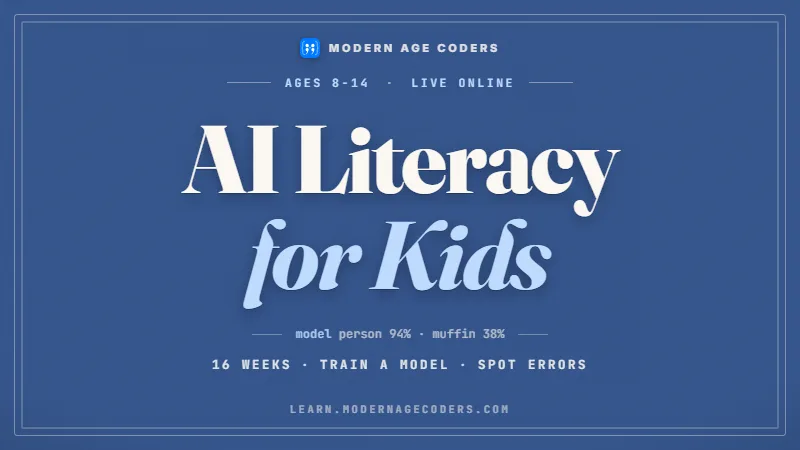
How AI works, where it goes wrong, and how to use it safely.
See the syllabusOur guide, for Burnaby families. Children develop at different speeds, so read the bands loosely and look at your own child. The same tests apply to any provider, us included.
| Age | Look for | Be wary of | Ask the provider |
|---|---|---|---|
| 6 and 7 | Lessons of modest length, blocks or pictures instead of typing, a teacher who keeps the child talking and moving | Long lectures, long videos, or a child left alone with a tablet for most of the session | How long is a lesson, and how often does my child speak in it? |
| 8 and 9 | A project that grows over several weeks, simple loops and decisions, and a gentle start on typing | A new disconnected toy every lesson, or Python forced before reading and typing are comfortable | What will my child have finished after a term, and when does typing begin? |
| 10 to 12 | Typed code, real files, being asked why a program works, and the occasional unsolved problem | Copying from the teacher’s screen, or a promise that AI will write the code for them | Can my child change a program on their own when the rule changes? |
| Every age | One regular teacher, a stated group size, and a monthly fee written down before the trial | Vague answers on size, teacher or fee | What is the most children a class can have? |
A group that mixes a six-year-old with an eleven-year-old forces the teacher to aim at the middle, which suits neither. Ask how groups are formed before you book.
Moving from blocks to typed code is mostly about typing comfort, not cleverness. Many children are ready around 9 or 10; some sooner, some later. A good teacher waits for the signs.
In a trial lesson, sit nearby for the first ten minutes. If your child is speaking, guessing and trying things, the class is working; if they are watching, it is not yet.
Burnaby schools follow BC’s curriculum, where Grade 6 and 7 students take at least three Applied Design, Skills, and Technologies modules a year, chosen by the school. We read the module content on curriculum.gov.bc.ca on 22 October 2026. The quotes are BC’s; the notes are ours.
We are a live online class that works beside school, not a school. We have no connection with the BC education ministry, the Burnaby school district or the City of Burnaby, and we grant no school credit or marks.
The City of Burnaby publishes its drinking water fountains as open data. Our students aged about 10 to 12 read it as JSON, count the fountain types and meet a code that the file never explains. The counts are ours.
| Code in the file | Rows | What we think it means |
|---|---|---|
| DF | 84 | Drinking fountain (our reading) |
| ST | 46 | Self-closing tap (our guess; the description mentions them) |
| DDF | 14 | Not explained anywhere in the file or its description |
| BF | 5 | Bottle filling station (our reading) |
| No code at all | 2 | These two rows have no site either |
Our script reads the JSON with Python’s standard library. Each fountain is a feature, and its details sit inside an attributes dictionary. The lookup table gives a meaning only where we have a reason; anything else prints “not explained in the file”:import json
meaning = {
"DF": "drinking fountain (our reading)",
"BF": "bottle filling station (our reading)",
"ST": "self-closing tap (our guess)",
}
with open("fountains.json", encoding="utf-8") as f:
data = json.load(f)
counts = {}
for feature in data["features"]:
code = feature["attributes"]["TYPE"]
if code is None:
code = "(blank)"
counts[code] = counts.get(code, 0) + 1
for code, n in sorted(counts.items(), key=lambda pair: -pair[1]):
print(code, n, meaning.get(code, "not explained in the file"))
The City’s description names three kinds of fixture: drinking water fountains, bottle filling stations and self-closing taps. The file uses four codes. We could guess what DDF stands for, but a guess printed as fact is how bad data spreads, so the script says plainly that it does not know.
The 149 rows that name a site spread over 66 sites. 36 sites have a single fixture and 7 have five or more, so a few large parks hold many of them while most sites have one.
Of those 66 site names, 60 are written in capitals and 6 in mixed case. Before grouping by site, a careful student makes the case match, or the same place could be counted twice.
The description says the data is “Updated as required”, and the catalogue record was last changed in August 2023. A fountain in the file may be switched off for winter, or a new one may be missing. Our students write the download date and this warning under every chart.
Data source: City of Burnaby open data, Drinking Water Fountains, published under the Open Government Licence - City of Burnaby (licence), which is based on the BC licence: contains information licensed under the Open Government Licence - British Columbia. The City does not endorse this page or our classes, and we do not print the file’s site names.
CEMC at the University of Waterloo runs the Beaver Computing Challenge across Canada, including BC schools. It tests logic, not programming. These figures come from CEMC’s contest page, read on 22 October 2026.
| Level | Who may write it | Questions | Writers in 2025 |
|---|---|---|---|
| Grade 5/6 | Grade 6 or below | 12 multiple choice, out of 60 | 14 260 |
| Grade 7/8 | Grade 8 or below | 15 multiple choice, out of 90 | 16 344 |
| Grade 9/10 | Grade 10 or below | 15 multiple choice, out of 90 | 7827 |
Every level lasts 45 minutes, and the 2026 window runs from Monday 9 November to Friday 20 November 2026.
CEMC says all students must take part through their school, so a Burnaby parent should ask the teacher rather than look for a sign-up form.
We write our own logic puzzles and label them as ours. CEMC keeps its past contests free online; we point families to them instead of copying them.
Read more in our Beaver Computing Challenge guide. CEMC and the University of Waterloo are not connected with Modern Age Coders.
BC sprang forward on 8 March 2026 for the last time. The province described 1 November 2026 as the day when clocks would usually be turned back, but now will remain the same, completing the move to “Pacific time, the name of B.C.’s new time zone”.
Pacific time is UTC-7 and India is UTC+5:30, so India is 12 hours 30 minutes ahead of Burnaby every day of the 2026 to 2027 school year. A 4:00 pm weekday class in Burnaby is 4:30 am the next morning in India; a 10:00 am Saturday class is 10:30 pm Saturday in India.
Families in Ontario, Quebec and the Atlantic provinces still change clocks on 1 November 2026 and 14 March 2027. Burnaby families do not, so a weekly class time stays exactly where it is.
Burnaby numbers use 604 or 778, with 236, 672 and 257 overlaying them. Enter the ten digits in the form; the +1 is filled in.
These ages match the guide above but are only a starting point. Your child’s free lesson decides the real one.
Short block programs, predicting what happens, and explaining it in their own words.
Coding for KidsScratch Coding for KidsA game that grows over weeks, plus the first steady typing practice.
Scratch Coding for KidsGame Development for KidsPython with loops, decisions and dictionaries, and a web page made by hand.
Python and AI for KidsWeb Development for KidsReading JSON like the Burnaby fountains file, and saying what the data cannot show.
Python and AI for KidsAI Literacy for Kids (Ages 8 to 14)Because the tool will happily guess what DDF means, and present the guess as fact.
Ask an AI assistant to summarise the Burnaby fountains file and it may well tell you what DDF stands for, confidently. The file never says. A child who has written the lookup table, and chosen to leave DDF unexplained, has learned the habit that matters most with AI: separating what the data says from what someone filled in.
So our children’s classes teach thinking before tools: read the data, decide what is known, write the code, check it. Children learn how AI works and how it fails, using the same five tests BC asks them to apply to search results. They do not hand their thinking to a chatbot. For home use, OpenAI requires a parent’s permission before anyone under 18 uses ChatGPT.
BC already asks Grade 6 and 7 students to judge sources for accuracy and bias; an AI answer is just one more source to judge. The longer argument is in is coding still worth learning in 2026.
Classes happen at home, live, with one teacher who knows your child. Nobody has to cross the city to get there.
Weekdays or weekends, flexible: choose your batch, or for a very personalised plan choose 1-on-1 at your convenience, weekend mornings or weekdays.
A class of 15 to 20 children grouped by age and level, or private lessons that follow one child’s pace.
A laptop or desktop with a keyboard, so the typing practice BC values happens naturally. Headphones help in a busy home.
Children in Vancouver, Coquitlam, Surrey and Richmond join the same classes on the same Pacific clock.
Sit in on any lesson. We would rather you judge the teaching than our description of it.
A real lesson, ending with a recommended course and level. No card required.
Online only
Modern Age Coders has no Burnaby premises and claims none. Every class is live online, taught from India.
Three options; the currency code appears next to each fee.
A full live lesson, free, ending with a suggested course for your child’s age.
The monthly fee for a place in a class of 15 to 20 children of a similar age and level.
The monthly fee for private lessons with one teacher.
Burnaby families pay the same monthly fee as families anywhere in Canada. You are not charged until after the free lesson, once a course and a time are settled; holidays and missed lessons are covered on the pricing page.
Rated 4.9 across 547 Google reviews. These are real reviews, reproduced as written.
★★★★★
"The one step solution for my son. Modern Age Coders make learning coding so simple that kids love it. The teachers explain complex concepts clearly with practical exercises and interactive content."
Ria Mukherjee
Parent
★★★★★
"Modern Age Coders has been a game-changer for me. I struggled to grasp IT concepts and coding before joining, but their classes transformed everything. I can now confidently write complex programs with ease."
Samriddha Mondal
Student
★★★★★
"One of the most wonderful education centres out there. Education is not limited to school syllabus but focuses on skill development."
Vansh Agarwal
Student
★★★★★
"My child Dhairya is really enjoying the Modern Age Coders classes. This is his first online class and he eagerly looks forward to it. I can already see his improvement, and the teachers are very cooperative."
Sonam Oswal
Parent of Dhairya
★★★★★
"Modern Age Coders have wonderful teachers who teach in a clear, easy and practical way. The teacher boosts students' confidence and inspires them to learn without hesitation."
Sonu Goyal
Parent
★★★★★
"I highly recommend this computer coding class! The teachers are incredibly knowledgeable and passionate about coding."
Ritu Kedia
Parent
Tell us your child’s age or grade. A seven-year-old might build a short block animation; an eleven-year-old might read their first JSON file.
What Burnaby families ask us most.
Ours are live online rather than in a Burnaby building. Your child learns at home with a real teacher, in a class of 15 to 20 grouped by age, or one to one.
Short sessions, blocks instead of typing, and a teacher who keeps the child talking and trying. Avoid long videos and lessons where the child mostly watches.
When typing is comfortable, often around 9 or 10. BC also lists keyboarding in its Grade 6 and 7 technology modules, which helps.
BC teaches it through ADST. In Grades 6 and 7 each child takes at least three ADST modules a year, chosen by the school, and coding sits in some of them.
Yes, with rules. Our web lessons follow the same idea as BC's digital literacy module: no names, schools or photos of children on public pages.
The Beaver Computing Challenge has levels for Grade 6 or below and Grade 8 or below, written through school. CEMC lists the 2026 window as 9 to 20 November 2026.
Weekdays or weekends, flexible: choose your batch, or for a very personalised plan choose 1-on-1 at your convenience, weekend mornings or weekdays. Times are given in Pacific time, which no longer changes in November.
They learn how AI works and how to check its answers, but they write their own code. Children under 18 need a parent's permission to use ChatGPT.
Use the age-by-age table on this page: look at lesson length, how groups are formed, when typing starts, and whether your child explains their own code.
See the fees section above: a free first lesson, then a monthly fee for a class place or for private lessons. Nothing is charged before the free lesson.
Start with coding classes in British Columbia or the national Canada hub. For the years after elementary school, see BC Computer Programming 11 and 12. Families comparing types of class across the country can read online coding classes in Canada, and every province’s clocks are set out in the 2026 time zone guide.