MACB / KID / 01
Vibe coding for kids
Scratch, games and AI ideas for beginners.
Open the syllabusCanada · Comparison · Live online coding
Unlike most comparisons a Canadian parent meets, this one is between two schools that work the same basic way. BrightCHAMPS and Modern Age Coders both teach coding live, online, with a teacher on screen, in groups or one to one. So the useful question is not live against recorded, or centre against home. It is how each school packages a child's learning, and where that learning can lead. BrightCHAMPS, on its Canada pages, offers coding as grade-band courses beside subjects such as financial literacy, robotics and communication. We teach coding and math as one continuing path that runs from age 6 into Canadian school computer science, contests and adult study. This page sets out both, from BrightCHAMPS' own pages as read on 22 October 2026.
Live online classes since 2020 · 10,000+ students · independent of BrightCHAMPS
In short
BrightCHAMPS teaches live online coding classes for kids in Canada as grade-band courses from Grade 1 to Grade 12, alongside subjects such as financial literacy and robotics. Modern Age Coders also teaches live online, in a batch or one to one, but as one coding and math path for ages 6 to 67, reaching courses such as the Ontario Computer Science Companion.
Where our path reaches
One for a young beginner, one for a teen learning a school language, and one that sits beside an Ontario credit course.
MACB / 01
Ages 6 to 12. Scratch to games, apps and simple AI, with batches grouped by age.
Open the syllabus →
MACB / 02
Ages 13 to 18. The language many Ontario and AP courses use, from first class to objects.
Open the syllabus →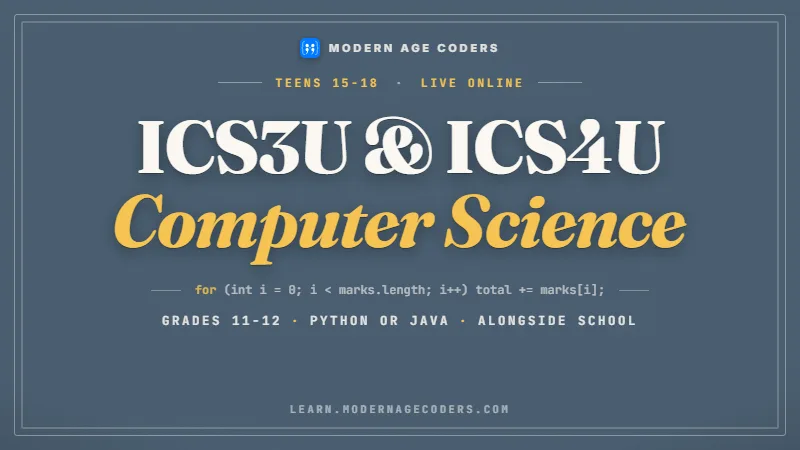
MACB / 03
Grades 11 and 12. Help beside ICS3U or ICS4U at school, in Python or Java. We do not grant credits.
Open the syllabus →Side by side
The BrightCHAMPS column quotes or closely paraphrases BrightCHAMPS' own Canada pages (brightchamps.com/en-ca), read on 22 October 2026. Many rows match, which is the honest starting point: both are live online schools.
| Point | BrightCHAMPS | Modern Age Coders |
|---|---|---|
| Format | "Classes are taught live." It describes "live, teacher-led sessions where children spend most of the time building" | Live classes over video with one regular teacher |
| Recordings | "These sessions are live only. Recordings are not shared to protect privacy." | Every class is live with a teacher |
| Where | Online; its Canada page is titled "Online Coding Classes for Kids in Canada" | Online, for students in every province |
| Ages and grades | Course bands for Grade 1, Grades 2 to 3, Grades 4 to 6 and Grades 7 to 12; one group page gives an "8-12 age group", one 1-on-1 page a "12-18 age group" | Ages 6 to 67, with kids, teen, college and adult courses |
| Session length | "60 minutes per session" on the course pages we read | Two live classes a week, eight a month |
| Group or one to one | Both: "Group sessions" ("Learn Coding with your peers") or "a teacher focused only on you" | Both: a batch of 15 to 20, or one to one |
| Class size | Not given as a number: "Most tracks use small groups so kids can get help when they need it." | 15 to 20 in a batch |
| Curriculum approach | Project-led: "Concepts are always tied to a project." Progress "from visual coding to Python, Java and C++" | Concept first, then a problem or project that tests it; Scratch, Python, Java, JavaScript, C++ and more |
| Other subjects | Its Canada course menu also links communication, DIY, financial literacy, gen AI, math and robotics | Coding and mathematics only |
| Prices published | Yes, on its Canada course pages, marked "taxes not included" | Yes, as a monthly fee on our pricing and course pages |
| First step | A free trial class | A free first class |
Sources: BrightCHAMPS coding classes for kids in Canada, its Canada course menu and two of its grade-band course pages, read 22 October 2026. This page reproduces none of BrightCHAMPS' prices. Modern Age Coders and BrightCHAMPS are separate companies; we have no partnership with BrightCHAMPS and it has not endorsed this page.
Live teaching, a teacher on screen, groups or one to one, blocks for young beginners and typed languages later: on all of these, BrightCHAMPS' Canada page and ours describe much the same thing. A family who wants live online classes rather than videos or a centre can be well served by either.
That is worth saying plainly, because it means the choice is a matter of fit, not of one school doing the job and the other not.
The differences are structural. BrightCHAMPS builds its coding offer as a set of courses for each grade band, inside a wider menu of children's subjects. We build one long coding and math path whose later stages are Canadian school computer science, contest preparation and courses for adults.
Neither shape is right for every child. The sections below show what each looks like and who it tends to suit.
How each packages learning
BrightCHAMPS lists its Canadian coding courses by grade band and level. Our courses are listed by age group, but each leads into the next, so a student does not finish a band and start again elsewhere.
| Grade band | Course levels BrightCHAMPS lists | Formats |
|---|---|---|
| Grade 1 | Introduction, Beginner, Intermediate and Advanced Coding for Kids (Grade 1) | Group or 1-on-1 |
| Grades 2 to 3 | Beginner, Intermediate and Advanced Coding for Kids (Grades 2 to 3) | Group or 1-on-1 |
| Grades 4 to 6 | Beginner, Intermediate and Advanced Coding for Kids (Grades 4 to 6) | Group or 1-on-1 |
| Grades 7 to 12 | Beginner, Intermediate and Advanced Coding for Kids (Grades 7 to 12) | Group or 1-on-1 |
A grade band is easy to understand: a parent finds their child's grade, picks a level, and sees a defined course with a set of projects. BrightCHAMPS says it offers "20 structured online coding courses" for Canada, and its pages list each course's projects in advance.
Its course pages also show what a session is like: "Teachers give a short run-through, then kids try it themselves." Recordings are not shared, and families get project files or notes instead.
Our courses are not boxed by grade. A twelve-year-old who has outgrown blocks moves to Python in the same school, and a fifteen-year-old taking ICS3U at school can join a companion course built around that Ontario course.
The same school then carries on past Grade 12: university-level programming, data structures, and courses for working adults. A student can stay with the path for years, and a parent can start their own course in the same place.
Where the path leads in Canada
Our own path, set out by stage, with the Canadian milestones that sit beside it. The milestones are run by schools and by CEMC, not by us; we teach students who take them.
| Stage | Typical age | What the student does with us | Canadian milestone beside it |
|---|---|---|---|
| Blocks | 6 to 9 | Scratch games and animations, with every block explained aloud | Ontario's Grades 1 to 8 math curriculum, which has a coding expectation in every grade |
| First typed code | 9 to 12 | Python or C++ through games and puzzles | The Beaver Computing Challenge, which CEMC offers at Grade 5/6, 7/8 and 9/10 levels |
| School languages | 13 to 16 | Python and Java, from programs to classes and objects | Ontario's Grade 10 course ICD2O, or a computing elective in another province |
| School computer science | 15 to 18 | A companion course beside ICS3U or ICS4U | The Ontario credit course itself, which the school grants |
| Contests | 13 to 18 | Problem solving for the Canadian Computing Competition | CCC Junior and Senior, written at school |
| Beyond school | 18 and up | University-level programming, algorithms and projects | First-year computer science or a new career |
Modern Age Coders is not connected with CEMC, the University of Waterloo or any ministry of education, and we do not grant Ontario credits or any other provincial credit. For the detail of each milestone, see our pages on ICS3U help, the CCC Junior guide and CCC preparation.
By Grade 11 many Ontario students meet computer science as a credit course with marks attached. A teacher who already knows the student's code from earlier years can help with that course from the first week.
Contest students benefit in the same way. A student who has written typed code with us since age 11 reaches CCC Junior with years of habit already in place.
Not every child wants a path. Many want one good course this year, to try coding and see whether it sticks. For them, a defined grade-band course is a sensible unit, and BrightCHAMPS offers exactly that.
A family can also mix: a short course elsewhere to test interest, and a longer path later once the interest is clear.
A worked example
This walkthrough is ours, written for our teen classes; it is not from BrightCHAMPS or any other course. The bug is a common one, the kind that turns up in a first school computer science assignment. What matters is the order of the steps, which we repeat until students do it without being asked.
# Our worked example: a quiz-average bug, as a student might bring it to class
scores = [7, 9, 6, 10]

total = 0
for i in range(1, len(scores)):
    total = total + scores[i]

average = total / len(scores)
print("Average:", average)
We ran it on 22 October 2026. It prints Average: 6.25. The student is sure the scores average 8.
# Step 2: make the loop show its work
scores = [7, 9, 6, 10]

total = 0
for i in range(1, len(scores)):
    print("adding index", i, "value", scores[i])
    total = total + scores[i]

average = total / len(scores)
print("Average:", average)adding index 1 value 9 adding index 2 value 6 adding index 3 value 10 Average: 6.25
# Step 4: the fix, and a test chosen to catch the old bug
def average(scores):
    total = 0
    for s in scores:          # every score, first one included
        total = total + s
    return total / len(scores)

print("Average:", average([7, 9, 6, 10]))
print("Test:", average([100, 0, 0, 0]))Average: 8.0 Test: 25.0
Both lines confirmed on 22 October 2026. The second line is the test written to catch the original bug.
Students who skip step 1 cannot tell whether a change helped, because they never said what right looks like. Students who skip step 2 change lines at random until something works, and learn nothing about why.
The habit transfers to any language. In Java the print line becomes System.out.println, and the steps stay the same.
Loops over a list of marks are standard early material in Ontario Grade 11 computer science, and an off-by-one start is one of the most common slips. A companion class turns the slip into a lesson rather than a lost mark.
For contest students, step 5 is the important one: the CCC grader tests code on inputs the student never sees, so writing your own awkward test is part of preparation.
Who each suits
Two live online schools can each be the right answer for a different child. This is our reading, set against what BrightCHAMPS publishes.
You would like several children's subjects from one provider: coding alongside financial literacy, robotics, communication or math, each as its own course.
You prefer a defined course for your child's grade band, with its projects listed in advance, and a clear end point.
Your child is in Grade 1 to Grade 6 and you want a short, packaged first course to test whether coding interests them.
You want one coding and math school that a child can stay with from age 6 into high school and beyond, with the same school knowing their history.
Your teen is heading for ICS3U, ICS4U, AP Computer Science or the Canadian Computing Competition and wants teaching built around those.
You want math alongside coding from the same teachers, or an adult in the family wants a course too.
BrightCHAMPS links coding, financial literacy, robotics, communication, gen AI and math courses for Canada.
We teach coding and math only, across every age group.
Both teach live online, in groups or one to one.
Deciding
These apply to any online coding school, including the two on this page.
Families comparing more than two schools may find our coding classes in Canada hub useful, and our Canadian time zones page covers class times for every province.
Where a student starts
Our four placement stages, used in the first class whatever course the student took before.
| Stage | What we check |
|---|---|
| 1. Project follower | Can complete a guided project but would struggle to start one from nothing |
| 2. Project changer | Changes an existing project on purpose and can say what each change will do |
| 3. Problem solver | Writes a short typed program from a written problem and tests it |
| 4. Debugger | Finds and fixes their own bugs by stating what they expected and tracing the code |
The number of projects a child has finished says less than whether they can change one on purpose. We place on what the student can do in front of us.
A student moving from any project-led course often places at stage 2. Stage 3 is the step we work on first.
Before you fix a bug, write down what the right answer should be.
Then add a print line. Let the program tell you where it went wrong.
The catalogue
Each course is taught live online by a teacher who stays with the group, and each can be taken one to one instead.
MACB / KID / 01
Scratch, games and AI ideas for beginners.
Open the syllabusMACB / KID / 02
Real apps built with blocks.
Open the syllabusMACB / KID / 03
First websites, made by hand.
Open the syllabusMACB / TEEN / 01
From fundamentals to the STL.
Open the syllabusMACB / TEEN / 02
Logic and data structures, step by step.
Open the syllabusMACB / TEEN / 03
Python first, then real models.
Open the syllabusMACB / ADULT / 01
Zero to advanced, for adults.
Open the syllabusMACB / ADULT / 02
React, Node.js and deployment.
Open the syllabusMACB / ADULT / 03
Python, machine learning and deep learning.
Open the syllabusHow lessons run
Weekdays or weekends, flexible: choose your batch, or for a very personalised plan choose 1-on-1 at your convenience, weekend mornings or weekdays.
Weekdays
After school or after dinner, converted to your time zone.
Weekends
Mornings, for families who keep weeknights free.
1-on-1
A slot built around one student's school timetable.
Courses that lead into each other, age 6 to adult.
Students learn to find their own bugs.
Companion classes beside ICS3U and ICS4U.
Preparation for the CCC, written at school.
Math courses from the same school.
A batch of fifteen to twenty, or one to one.
Student work
Students at every stage finish work they can show. Here is a small sample; the student labs collect many more.

AI and ML
An AI nutrition coach that reads what you eat and works you toward a target.

AI and ML
A chatbot that answers mathematics and programming questions, built and deployed by a student.

AI and ML
An assistant that helps a young person recognise unsafe situations online.

Web app
A weather forecasting site with live conditions for any location.
Fees
We charge one monthly fee for eight live classes, shown below in your region's currency. Billing is monthly, there is no registration fee, and you can cancel at any time.
Free first class
Free
no card required
Group batch
$100 USD
a month, eight live classes
One to one
$150 USD
a month, eight live classes
What families say
Google reviews from parents and students, quoted exactly.
★★★★★
"The one step solution for my son. Modern Age Coders make learning coding so simple that kids love it. The teachers explain complex concepts clearly with practical exercises and interactive content."
Ria Mukherjee
Parent
★★★★★
"Modern Age Coders has been a game-changer for me. I struggled to grasp IT concepts and coding before joining, but their classes transformed everything. I can now confidently write complex programs with ease."
Samriddha Mondal
Student
★★★★★
"One of the most wonderful education centres out there. Education is not limited to school syllabus but focuses on skill development."
Vansh Agarwal
Student
★★★★★
"My child Dhairya is really enjoying the Modern Age Coders classes. This is his first online class and he eagerly looks forward to it. I can already see his improvement, and the teachers are very cooperative."
Sonam Oswal
Parent of Dhairya
★★★★★
"Modern Age Coders have wonderful teachers who teach in a clear, easy and practical way. The teacher boosts students' confidence and inspires them to learn without hesitation."
Sonu Goyal
Parent
★★★★★
"I highly recommend this computer coding class! The teachers are incredibly knowledgeable and passionate about coding."
Ritu Kedia
Parent
Questions from Canadian parents
No. They are separate companies, and Modern Age Coders has no partnership or affiliation with BrightCHAMPS. The details about BrightCHAMPS on this page come from its own Canada pages, read on 22 October 2026.
Yes. BrightCHAMPS has Canada pages at brightchamps.com/en-ca, including one titled Online Coding Classes for Kids in Canada. It describes live, teacher-led sessions and lists courses by grade band from Grade 1 to Grade 12.
BrightCHAMPS says its classes are taught live, that sessions are live only, and that recordings are not shared to protect privacy. Our classes are also live with a teacher.
Both teach live online. BrightCHAMPS offers coding as grade-band courses beside other children's subjects such as financial literacy and robotics. We teach coding and math as one path from age 6 to adult, including companion classes for Ontario computer science and CCC preparation.
Modern Age Coders teaches teens live online in Python, Java and C++, with a companion course for students taking ICS3U or ICS4U at school and a course for the Canadian Computing Competition. We do not grant Ontario credits; the school grants the credit.
The BrightCHAMPS Canada course pages we read give 60 minutes per session. We run two live classes a week, eight a month.
Yes, its Canada course pages show prices, marked taxes not included. We do not repeat them here. Our own monthly fee is listed on our pricing page in your region's currency.
Yes. Book a free first class and the teacher will place your child by what they can do, whatever course they took before. Many students who have finished project-led courses start with us on typed problem solving.
Weekdays or weekends, flexible: choose your batch, or for a very personalised plan choose 1-on-1 at your convenience, weekend mornings or weekdays. The time is agreed in your province's own time zone.
We teach coding and mathematics only, from age 6 to adult. If you want several other children's subjects such as communication or financial literacy from one provider, BrightCHAMPS lists courses in those.
Elsewhere on this site
More for Canadian families choosing a coding school.
Our hub for families in every province.
Support beside Ontario Grade 11 computer science.
The Canadian Computing Competition, Junior level.
Junior and Senior, with the route onward.
Machine learning for Canadian teens.
Every Canadian time zone, for 2026 to 2027.
What live teaching adds.
More on the method in our worked example.
The whole path, stage by stage.
Start here
Bring a project your child made anywhere, or nothing at all. The teacher will ask them to change something on purpose, watch how they find a bug, and tell you where on the path they would start.
To see a full lesson first, read how we teach; every course outline is on the courses page.
WhatsApp us · +91 91233 66161 · connect@modernagecoders.com
Our teachers are in India and teach Canadian students over live video; we keep no office in Canada. WhatsApp reaches us quickest from any time zone.
A priority demo is a full class of about 45 to 60 minutes. After the class the mentor sends a written skill report and a personal learning roadmap on WhatsApp. If you enrol, the demo fee is adjusted against your first month's fee. Share your demo Order ID with us on WhatsApp and we take it off.
Book a priority demo