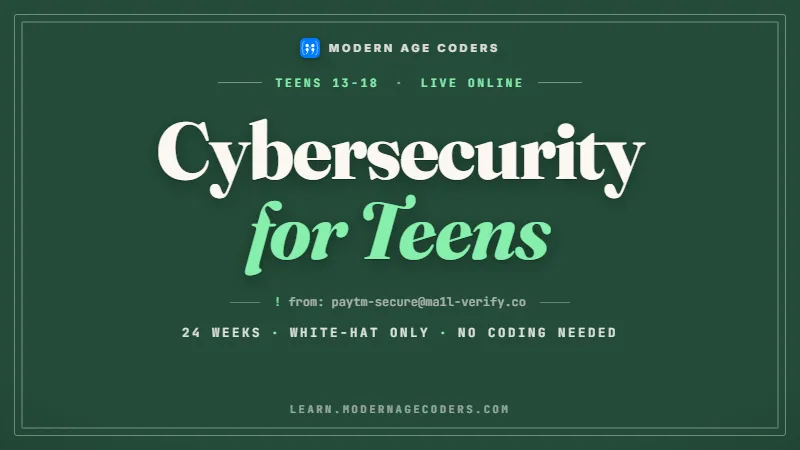
Cybersecurity for Teens
Teens live online. This course teaches them how that world actually works, how it gets attacked, and how defenders win.
Syllabus updated August 2026
Questions? WhatsApp +91 91233 66161 or email connect@modernagecoders.com
Recordings are free with a Google sign-in. These recordings show how we teach, not the exact syllabus of this course.
Our promise
The world's best learning experience, open to everyone.
- World-class instructorsEvery class is taught by an instructor who specialises in that exact field.
- No compromise on qualityEvery lesson, project and piece of feedback is held to the highest standard.
- Education for everyoneLearners aged 6 to 67, from first-time beginners to working professionals, in 25+ countries.
If you want the highest quality, Modern Age Coders is the right choice.
Book a Priority DemoHow long this course takes
This course runs 6 months (24 weeks) at 2 live classes/week + 2-3 hours practice. The range allows for background and pace: a complete beginner uses the full span, and a student with prior knowledge finishes sooner. The syllabus below is planned to the shorter end, with margin kept for revision.
For personalised duration planning, call +91 91233 66161 and we'll map a schedule to your goals.
At a glance
- Who it is for
- Beginner, ages 13 to 18, no coding required.
- Prerequisites
- None required. The safe-coding week adapts to whatever level a student codes at, including none
- Format
- Live, interactive classes with a real instructor, never pre-recorded videos. Live classes run about one hour.
- Language
- English or Hindi, depending on the batch.
- Duration
- 6 months (24 weeks)
- Weekly commitment
- 2 live classes/week + 2-3 hours practice
- Class size
- Group batches of 5 to 10 students, mini batches of 3 to 4, or 1-on-1.
- Certificate
- Certificate from Modern Age Coders, awarded on passing the final assessment
- Watch first
- Free recordings of real classes for ages 13 and up, free with a Google sign-in. These recordings show how we teach, not the exact syllabus of this course.
- Live demo
- Optional. Enrol directly on this page, or book a Priority Demo: a full live class of about 45 to 60 minutes with a mentor reserved for you.
- Questions
- WhatsApp +91 91233 66161 or email connect@modernagecoders.com.
How we teach
Deep understanding. Real projects. Expert guidance.
Learn coding, AI and maths through careful explanations, practical demonstrations, and hands-on problem-solving. Our instructors guide you from the foundations to advanced ideas, helping you understand what happens, why it happens, and how to build it yourself.
You will explore concepts step by step, write and improve code, investigate mistakes, ask questions, and apply your knowledge to meaningful projects. Lessons are designed around active participation, thoughtful feedback, and growing independence.
Expert-led live teaching, with practical participation built into every lesson.
- Students explain their thinking.
- Instructors demonstrate, then guide practice.
- Learners code, solve, or build during lessons.
- Questions and misconceptions get attention.
- Assignments receive useful feedback.
- Progress is checked before advancing.
How to join Cybersecurity for Teens: Online Safety & White-Hat Defense
Four steps from this page to the first class. See a full class first with a Priority Demo, or choose a plan and enrol today.
Rated 4.9 across 547 Google reviews. Monthly billing, cancel any time.
How enrolment works
See a full class first (optional)
Book a Priority Demo: a live class of about 45 to 60 minutes with a mentor reserved for you, today or tomorrow. After the class the mentor sends a written skill report and a personal learning roadmap on WhatsApp. If you enrol, the demo fee is adjusted against your first month's fee. Share your demo Order ID with us on WhatsApp and we take it off.
Book a Priority DemoDemo fee ₹499Choose a plan
Group batch (5 to 10 students), mini batch (3 to 4 students, India only) or 1-on-1 with your own mentor. Every plan is live online, and each class runs about one hour. The cards below show classes per week and the monthly fee in your currency.
Enrol and pay the first month
Press Enrol Now on your plan, fill in the student's name, email and phone, and pay through secure Razorpay checkout: UPI, cards or net banking in India, and debit or credit card from any other country.
Fix your class timings
After payment, message us on WhatsApp or call +91 91233 66161 with the student's name, the course and your preferred time slot. We confirm the batch, send the class link and schedule the first class at your chosen time.
Billing is monthly and you can cancel any time.
International Students (Outside India)
Billed monthly in US dollars, the same price in every country. Contact us with any questions.
Questions before you enrol? Talk to our team.
Ask about class timings, the right level for your child, what they need to know already, or payment. Parents and adult learners can reach us on WhatsApp, by email or by phone.
Program Overview
Most teenagers manage more online accounts than their parents, yet nobody has ever taught them how any of it works or how it fails. This 6-month live course fixes that, and it does so honestly: this is a defensive course. Students learn how attacks work conceptually, how a phishing email is constructed, why password reuse is the root of most account theft, how ransomware spreads, because you cannot defend against what you do not understand. Nobody here is taught to break into anything, and every student signs a white-hat code of conduct in week one that we return to all course long.
The arc runs from how the internet actually moves data, through passwords, hashing, and two-factor authentication, into phishing and social engineering recognition, malware concepts and safe habits, then encryption from paper ciphers to the HTTPS padlock, and web security ideas like cookies and sessions. It ends with a capture-the-flag month: instructor-built puzzle competitions in cryptography, logic, and file forensics that are legal, safe, and genuinely fun. Along the way students harden their own accounts, audit their own digital footprint, and brief their own families, so the payoff starts in week one, not after graduation.
What Makes This Program Different
- Strictly defensive and ethical: attacks are explained conceptually so defense makes sense, and no offensive tooling is ever taught
- A white-hat ethics thread runs through every month, starting with a signed code of conduct in week one
- Students secure their real digital lives during the course: accounts hardened, backups running, families briefed
- Case studies of real incidents are read the way defenders read them: what failed, and what would have stopped it
- The capstone is a capture-the-flag event built entirely by our instructors, so every puzzle is legal, safe, and age-appropriate
- No coding required: the course is about systems and judgment, and the safe-coding week meets students at whatever level they code
Your Learning Journey
Career Progression
Detailed Course Curriculum
Explore the complete week-by-week breakdown of what you'll learn in this comprehensive program.
Topics Covered
- The white-hat code of conduct: what we do, what we never do, and why, signed by every student
- What happens when you type a URL: DNS, IP addresses, and servers in plain language
- Packets: how data travels in pieces and reassembles
- Clients and servers: who asks, who answers
- Watching a request travel with standard diagnostic tools like traceroute
- Why understanding the plumbing is the first defensive skill
Projects You Build
- Map the full path of a web request as an annotated diagram, from keyboard to server and back
Practice & Assignments
Trace three websites you use daily and note how many network hops each takes
Topics Covered
- Home networks: router, Wi-Fi, and every device quietly connected
- Public Wi-Fi: what it can expose and sensible rules for using it
- What the cloud really is: someone else's computer, and what that implies
- Wi-Fi encryption settings and router passwords in plain terms
- The guest network: a simple defense most homes never switch on
- IoT devices: why the smart bulb is part of your security story
Projects You Build
- Home network inventory: every connected device listed, with a written safety checklist for the household
Practice & Assignments
Check your home router's basics with a parent: admin password changed, encryption on, firmware updated
Topics Covered
- What websites and apps collect, and where it goes
- Cookies at a first glance: useful, and worth understanding
- Search-engine results for your own name: the public footprint
- Privacy settings that actually matter on the platforms teens use
- Oversharing patterns: location tags, school names, and routines
- The permanence problem: why deleted rarely means gone
Projects You Build
- Personal digital footprint audit: what is publicly findable about you, plus a written cleanup plan you execute
Practice & Assignments
Complete a privacy-settings review on your two most used apps and record what you changed
Topics Covered
- Assets, threats, and risk: security's core vocabulary made concrete
- Threat modeling a phone: what is worth stealing, who might want it, how it is reached
- Likelihood vs impact: why we defend against the boring attacks first
- Defense in depth: layers, not walls
- The human layer: why most successful attacks start with a person, not a computer
- Ethics checkpoint: knowledge of weaknesses creates responsibility, never permission
Projects You Build
- Full threat model for a fictional student's phone and accounts, with ranked risks and matched defenses
Practice & Assignments
Write a one-page threat model for something you own and care about
Assessment
Month 1 check: explain the path of a web request and defend your threat model in a short viva
Topics Covered
- How attackers actually get passwords: guessing, leaked databases, and reuse, explained conceptually
- Credential stuffing: why one leaked password opens five accounts
- What makes a password strong: length beats cleverness
- Passphrases: four random words and why the maths favors them
- Password managers: what they are, how they help, how families adopt one
- Checking exposure: how breach-notification services like Have I Been Pwned work
Projects You Build
- Password health review of your own accounts, done privately at home with a parent, with a migration plan to unique passphrases
Practice & Assignments
Move your three most important accounts to strong unique passphrases and record the process, never the passwords
Topics Covered
- What a hash function is: one-way, deterministic, avalanche effect
- Hands-on with SHA-256 in a browser demo: same input, same fingerprint
- Why websites store hashes instead of passwords
- Salting: why two users with the same password get different hashes
- What a data breach actually leaks, and why hashing changes the damage
- Hash checking downloads: verifying a file is what it claims to be
Projects You Build
- Hashing lab worksheet: predict, test, and explain hash behavior across a set of inputs, including a tampered file
Practice & Assignments
Verify the published hash of a real downloaded file and write up the steps
Topics Covered
- Factors: something you know, have, and are
- Authenticator apps vs SMS codes: why one resists phishing better
- Passkeys: where sign-in is heading and why
- Recovery codes: the step everyone skips until it hurts
- Account recovery hygiene: recovery email and phone numbers kept current
- When 2FA prompts themselves become the attack: fatigue prompts, conceptually
Projects You Build
- Account lockdown: 2FA enabled on your key accounts with recovery codes stored safely, checklist evidence submitted
Practice & Assignments
Help one family member enable 2FA on one account and note what confused them
Topics Covered
- Gaming account theft: the scams built around skins, coins, and trades
- Marketplace and fan-merch scams: too good to be true, quantified
- Impersonation: fake friend accounts and what verification actually verifies
- What identity theft does to a real person: a case walk-through
- Reporting channels: platforms, banks, and India's cybercrime portal
- Ethics checkpoint: what you do when a friend's account is clearly compromised
Projects You Build
- Family security briefing: a one-page document teaching your household the month's defenses, delivered as a short talk at home
Practice & Assignments
Collect two real scam attempts from family chat groups and annotate the tells
Assessment
Month 2 check: passwords and identity quiz plus a live walkthrough of your family briefing
Topics Covered
- The standard skeleton: spoofed sender, urgent story, poisoned link
- Reading the real sender address behind a display name
- Lookalike domains: rn vs m, and the tricks typography plays
- Hovering before clicking: reading a link's true destination
- Email headers at a basic level: where a message really came from
- Why banks and platforms never ask for your password by email
Projects You Build
- Phish anatomy poster: dissect one anonymized real phishing email into its labeled parts
Practice & Assignments
Review your own spam folder with a parent and identify the technique in five messages
Topics Covered
- Smishing: scam texts about deliveries, prizes, and blocked accounts
- Fake login pages: pixel-perfect copies and the URL that gives them away
- Discord, WhatsApp, and in-game phishing: free-item links and fake giveaways
- QR code scams: why a square of dots deserves the same suspicion as a link
- Browser warnings and what they actually mean
- The verification habit: independently checking through the real app or site
Projects You Build
- Spot-the-phish gallery: grade 15 anonymized real samples as safe or suspicious, with written reasoning for each call
Practice & Assignments
Build your own three-question checklist for judging any unexpected message
Topics Covered
- The levers: authority, urgency, fear, and flattery
- Pretexting: attacks that begin with a believable story
- Case study read as defenders: a major breach that started with a phone call
- Why smart people fall for scams: stress and context, not stupidity
- OSINT awareness: how oversharing feeds targeted attacks, tying back to week 3
- Ethics checkpoint: persuasion skills and the bright line around consent and honesty
Projects You Build
- Case study brief: reconstruct a documented social engineering incident and identify the three points where defense could have stopped it
Practice & Assignments
Find the persuasion lever in five real scam messages from the class archive
Topics Covered
- Consolidating the month into a usable field guide
- Writing detection rules a grandparent could follow
- Reporting phishing properly: platform tools and national portals
- What to do after a wrong click: damage control steps in order
- Designing the class recognition tournament
- Teaching as testing: explaining a tell proves you understand it
Projects You Build
- Phish detector field guide: an illustrated recognition and response guide, then the class phishing-recognition tournament
Practice & Assignments
Test your field guide on a family member and revise the rule they misunderstood
Assessment
Month 3 check: timed recognition tournament across 20 fresh samples, plus field guide review
Topics Covered
- Viruses, worms, and trojans: what each name actually means
- Ransomware: encryption turned against you, conceptually
- Spyware and keyloggers: the quiet observers
- Adware and unwanted programs: the grey zone
- How infections really begin: attachments, cracked software, fake updates, and bundled installers
- Why cracked games are the classic teen infection route
Projects You Build
- Malware family tree: an illustrated chart mapping each family to its behavior and its most common arrival route
Practice & Assignments
Write plain-language definitions of five malware terms for a younger sibling
Topics Covered
- Updates as defense: what a patch is and why delay is dangerous
- Antivirus and built-in protections: what they catch and what they miss
- Least privilege at home: why daily life should not run on an admin account
- Sandboxing as a concept: why apps on a phone cannot read each other's data
- Backups and the 3-2-1 rule: the defense that defeats ransomware
- Restore drills: an untested backup is a hope, not a plan
Projects You Build
- Personal backup plan: design and actually implement a 3-2-1 backup for your own important files, with a test restore
Practice & Assignments
Run updates on your devices with a parent and document what was pending
Topics Covered
- The WannaCry outbreak: what happened, in sequence
- The unpatched systems that let it spread
- Who was hit and what it cost, including hospitals
- The defenses that worked where it failed to spread
- What a recovery effort looks like from the inside
- Ethics checkpoint: responsible disclosure, and the researchers who reported flaws the right way
Projects You Build
- Defender's timeline: reconstruct the outbreak and mark every point where standard defenses from week 14 would have changed the outcome
Practice & Assignments
Read one news report on a recent incident and identify which defense was missing
Topics Covered
- Safe downloading: official sources, and reading installer screens instead of clicking next
- Browser hygiene: extensions audited, permissions reviewed
- App permissions on phones: flashlight apps that want your contacts
- Recognizing fake download buttons and bundled junk
- The family device sweep: applying the whole month at home
- Writing a maintenance routine you will actually follow
Projects You Build
- Harden-your-browser lab: full extension and permission audit on your own browser and phone, with before-and-after notes
Practice & Assignments
Complete the device sweep on one family computer and log every change made
Assessment
Month 4 check: malware and defenses quiz plus review of your implemented backup and hardening evidence
Topics Covered
- The Caesar cipher: shifting the alphabet, and breaking it by brute force
- Substitution ciphers and keys
- Frequency analysis: why English's love of the letter E breaks substitution
- The Vigenere idea: why longer keys resist analysis
- A short history: ciphers, wars, and the codebreakers of Bletchley Park
- What classical failures teach modern cryptography
Projects You Build
- Cipher exchange: encode messages for classmates, then break intercepted ones using frequency analysis worksheets
Practice & Assignments
Break three prepared ciphertexts of increasing difficulty and document your method
Topics Covered
- Symmetric encryption: one shared key, and the delivery problem it creates
- Public-key encryption: the open padlock idea that solved key delivery
- Digital signatures: proving who wrote a message
- Key length and why brute force fails against modern ciphers
- End-to-end encryption: what your messaging apps actually promise
- Why nobody invents their own cipher: the first rule of cryptography
Projects You Build
- Concept comic or storyboard: explain the padlock analogy for public-key encryption well enough to teach it
Practice & Assignments
Identify which of your daily apps use end-to-end encryption and what that covers
Topics Covered
- What logged in actually means: sessions and cookies doing their real jobs
- Why stolen cookies matter: the session as a temporary key
- HTTPS vs HTTP: what the padlock encrypts and what it does not promise
- Certificates: how your browser decides whom to trust
- Certificate warnings: what they mean and when to walk away
- Public Wi-Fi revisited with new eyes: what HTTPS protects there and what it cannot
Projects You Build
- Trust tour: inspect certificates and cookies on five real sites using browser dev tools, documenting what each reveals
Practice & Assignments
Find one HTTP-only site in the wild and write up why the warning matters
Topics Covered
- Why apps get hacked, conceptually: trusting user input is the root of most classics
- Validating input: the habit, shown at whatever level students code
- Secrets never go in code: passwords, keys, and the accidental publish
- Dependencies age: why software built on old parts inherits their holes
- A gentle look at injection as an idea: data that gets treated as instructions
- Ethics checkpoint: finding a flaw in a real site means reporting, never poking further
Projects You Build
- Code safety review: audit one of your own past projects, from any language or even Scratch, against a provided safety checklist
Practice & Assignments
Add input validation to one small program you have written, or trace validation in a provided example
Assessment
Month 5 check: cryptography and web trust quiz plus cipher-breaking practical
Topics Covered
- What a capture-the-flag competition is, and its role in real security education
- Our rules: every puzzle is instructor-built, self-contained, legal, and safe
- Puzzle categories: cipher breaking, logic, metadata forensics, and web-trust trivia
- Reading a puzzle: what is given, what is asked, what is hidden
- The solver's notebook: keeping notes that turn into writeups
- Practice round one, solved together as a class
Projects You Build
- Practice CTF round: five starter puzzles solved individually with notes, then reviewed together
Practice & Assignments
Solve three take-home puzzles and log your approach for each, including dead ends
Topics Covered
- Cipher puzzles under time: applying month 5 at speed
- File forensics-lite: what image metadata and file properties reveal
- Logic and encoding puzzles: binary, hexadecimal, and Base64 as everyday costumes for data
- Teamwork in CTFs: splitting categories and sharing notes
- Hint discipline: when to take a hint and what it costs
- The writeup format: challenge, approach, solution, lesson
Projects You Build
- Team training rounds in every category, plus one polished writeup of your favorite solved puzzle
Practice & Assignments
Daily puzzle streak: one puzzle per day with a two-line log entry each
Topics Covered
- Final event briefing and team formation
- Competition strategy: triage easy points first
- The event itself: multi-category, scored, across class sessions
- Staying methodical under a clock
- Sportsmanship and collaboration within the rules
- Post-event solution reveal for every unsolved puzzle
Projects You Build
- The capstone CTF: a scored, multi-category competition built from the entire course's material
Practice & Assignments
Draft writeups for every puzzle your team solved while they are fresh
Topics Covered
- Polishing writeups into a portfolio piece
- Responsible disclosure as a practice: how professionals report what they find
- Defensive security careers surveyed honestly: analyst, incident response, security engineering, and the study each requires
- Where to keep learning: age-appropriate CTF platforms and safety-first communities
- The code of conduct, revisited as a graduation promise
- Presentations and certificates
Projects You Build
- Final CTF writeup portfolio presented to the class, alongside your family briefing and audit documents from the course
Practice & Assignments
Write a one-page letter to your future self on the security habits you intend to keep
Assessment
Capstone assessment: CTF performance, writeup portfolio, and a short ethics viva
Projects You'll Build
Build a professional portfolio with 10+ defensive artifacts: audits, field guides, hardened accounts, and CTF writeups real-world projects.
Weekly Learning Structure
Certification & Recognition
Technologies & Skills You'll Master
Comprehensive coverage of the entire modern web development stack.
Support & Resources
Career Outcomes & Opportunities
Transform your career with industry-ready skills and job placement support.
Prerequisites
Who Is This Course For?
Career Paths After Completion
Course Guarantees
Real students. Real moments. Real joy.
These are our actual student meetups. No stock photos, no filters. Swipe through and meet the community you'll be joining.







































What families say
Straight from the parents and students who learn with us. Rated 4.9 across 547 Google reviews.
“Mivaan enjoys the class. He understands the concepts and completes his tasks with excitement. He started taking interest in coding… truly amazing class.”
“I absolutely love it here! I made new friends and learned important valuable coding skills while having the fun of my life. It's not just coding here, it's outings, bonding and most importantly preparing you for your future. Definitely five stars.”
“What stands out most is how excited my son is before every class. He looks forward to learning, problem-solving, and sharing what he's built. I've noticed a big boost in his confidence!”
“Modern Age Coders has been a game-changer for me! I struggled to grasp IT concepts and coding before joining, but their classes transformed everything. I'm now the topper in my class and can confidently write complex programs with ease.”
“Modern Age Coder have wonderful teachers who teach in a clear, easy and practical way. The teacher boosts students' confidence, keeps them updated with technology, and inspires them to learn without hesitation.”
“The one step solution for my son. Modern Age Coders make learning coding so simple that kids love it.”
“Coding classes here make learning very interesting and conceptual. The teachers teach us in a very easy-to-understand and efficient manner.”
“One of the most wonderful education centres out there. Education is not limited to school syllabus but focuses on skill development. Learning here has been a wonderful journey and still continuing.”
“I highly recommend this computer coding class! The teachers are incredibly knowledgeable and passionate about coding. They make every session engaging and insightful.”
“My child Dhairya is really enjoying the Modern Age Coder IT classes. This is his first online class, and he eagerly looks forward to it.”
“Very good classes. Don't worry about coding. They teach the best, especially Shivam sir.”
“Very good classes. Makes learning very easy and interactive.”
Hear it from our students
Real parents and students in their own words, on our public YouTube channel.
Straight answers about Cybersecurity for Teens: Online Safety & White-Hat Defense
- Who should take this course?
- Beginner, ages 13 to 18, no coding required. It suits students who live online, which is all of them, and have never been taught how any of it works or fails; teens drawn to the hacking mystique who deserve the honest, legal, defensive version of that curiosity; students considering cybersecurity as a field who need the real foundation before any advanced study.
- What will they learn and build?
- Most teenagers manage more online accounts than their parents, yet nobody has ever taught them how any of it works or how it fails. This 6-month live course fixes that, and it does so honestly: this is a defensive course.
- How deeply are topics covered?
- The course runs 6 months (24 weeks) at 2 live classes/week + 2-3 hours practice, across 3 phases listed week by week in the syllabus below. A structured, well-paced curriculum taught step by step, with hands-on practice in every session.
- Who teaches it?
- Modern Age Coders mentors, who teach the live classes themselves. You can watch them at work in the free class recordings before you decide.
- How do practice, feedback and assessment work?
- Classwork every session, a task after every class, monthly reviews that mix in earlier topics, and a final exam covering the whole course that decides the certificate: real knowledge and real work, with a free retest after revision if needed. Doubt support between classes over WhatsApp, so you are never left stuck. A certificate you earn by passing the final assessment, with a free retest after revision if needed.
- What does it cost?
- Three monthly plans: a group batch, a mini batch and 1-on-1. Prices are shown in your currency in the plans section. Monthly billing, cancel any time.
- When can classes take place?
- Live classes are scheduled around your week. Group batches meet at a fixed weekly slot; 1-on-1 students choose their own. International students are scheduled in their own timezone. Ask on WhatsApp for the current slots.
- Can I watch the teaching before deciding?
- Yes. Full recordings of real 13 and up classes are free to watch, free with a Google sign-in. These recordings show how we teach, not the exact syllabus of this course. Some classes are in English and some in Hindi; everyone follows at their own pace. Watch a class end to end, like you are in it. Sessions are interactive and each moment builds on the last.
- Can I enroll without a live demo?
- Yes. Choose a plan on this page and enrol directly; a demo is not required. If you would like to see a full class with a mentor first, book a Priority Demo.
- How do I reach you with a question?
- WhatsApp +91 91233 66161, email connect@modernagecoders.com, or call +91 91233 66161. Tell us the student's age and what they have learned so far, and we will point you to the right plan and batch.
Common Questions About Cybersecurity for Teens: Online Safety & White-Hat Defense
Get answers to the most common questions about this comprehensive program
Still have questions? We're here to help!
Contact UsRelated Courses You May Like
Continue your learning journey with these recommended programs
 Cybersecurity
Ethical Hacking Course: Authorized Pentesting, Zero to Pro
Ethical hacking and cybersecurity course for adults: networking and Linux, authorized penetration te...
Explore Course Exam Board Mathematics
IB Maths AA & AI: SL & HL, Live Online with IA Coaching
Live online IB Maths course for AA and AI, SL and HL: syllabus-exact teaching, paper-specific techni...
Explore CourseRelated Articles & Guides
Deepen your knowledge with these hand-picked articles
 Artificial Intelligence
7 min read
Artificial Intelligence
7 min read
Best AI Coding Tools for Students in 2026
The best AI coding tools for students in 2026, what each is good for, and the one rule that decides ...
Read Article Education
14 min read
Education
14 min read
Best Coding Languages for Kids and Teens by Age, 6 to 18: 2026-27 Parent Guide
Kids coding languages by age, updated for 2026-27: Scratch from 6, Python from 11, then the advanced...
Read ArticleReady to start Cybersecurity for Teens: Online Safety & White-Hat Defense?
Book a Priority Demo to see a full live class with a mentor reserved for you, today or tomorrow. Or choose a plan and enrol now.
Questions? WhatsApp +91 91233 66161 or email connect@modernagecoders.com