What should a Kelowna family ask before choosing an online coding class for a child aged 6 to 12?
Ask whether every lesson is live with a real teacher, how many children share that teacher, whether class times are set in Pacific time, and what your child will have built after a term. Modern Age Coders teaches Kelowna children aged 6 to 12 live online, with a batch of 15 to 20 or a teacher alone, starting with Coding for Kids or Python and AI for Kids. The first class is free.
In a city the size of Kelowna, many families end up comparing online coding classes, because the choice of rooms to drive to is smaller than in Vancouver or Calgary. Online removes the drive but adds new questions: is the teacher really live, is the class built for Pacific time, and will a six-year-old cope with a screen? This page sets out those questions for Kelowna parents. It also shows what British Columbia’s Grade 6 and 7 technology modules can include, from Scratch to the history of Ada Lovelace and Alan Turing, and it walks through a small project our older students run on a City of Kelowna open data file: thirteen kilometre markers on the Okanagan Rail Trail, each with an elevation. We name and rank no other provider, and every question here applies to our classes too.
Facts last verified 22 October 2026. Teaching is online; no Kelowna branch is claimed.
Matched to age, and to what BC schools may introduce in Grades 6 and 7. The free class confirms the choice.
Short live lessons with blocks, plenty of talk and movement breaks, built for children who are new to learning on a screen.
See the syllabus

Scratch, one of the visual tools BC names for its Grade 6 and 7 module, taken as far as a finished game of the child’s own design.
See the syllabus

The move to typed Python, ending with real data such as the Okanagan Rail Trail markers on this page.
See the syllabus
Games in Scratch, Roblox and Minecraft, planned on paper before any code, for children who would rather build than listen.
See the syllabusBrowse the course atlas for more than one hundred options and use the coding roadmap to check prerequisites.
The four we are known for
These run underneath everything above. Every one is live and online, placed by ability rather than by age, and the first class is free.
Scratch games and small apps, with AI as a helper the child learns to question.
See the syllabus
First typed code: games, turtle art and small programs that make decisions.
See the syllabus
Blocks first, then games and apps, at the pace of the child.
See the syllabus
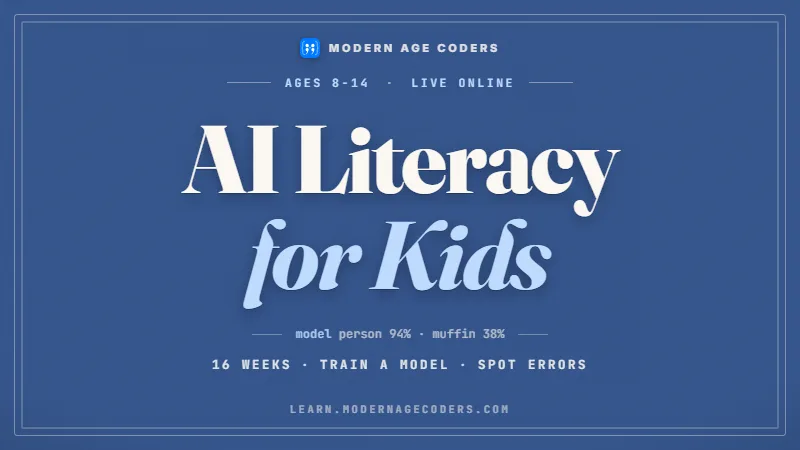
How AI works, where it goes wrong, and how to use it safely.
See the syllabusOur questions, written for Kelowna families comparing online classes for a child aged 6 to 12. A good provider will answer every one plainly; ask us the same.
A live class with a small group, a live class with a crowd, and a library of recorded videos are all called online. They are very different for a child of seven.
Most providers offer a first class without charge. Use it to watch your child’s face as much as the screen: interest, frustration and pride are all visible.
An hour after the trial, ask what they made. Children who answer with a story about a bug they fixed have been taught; children who shrug have watched.
Kelowna schools follow BC’s curriculum, where coding lives mostly in Applied Design, Skills, and Technologies (ADST). Schools choose at least three ADST modules a year for Grades 6 and 7. We read the content on curriculum.gov.bc.ca on 22 October 2026; quotes are BC’s, notes are ours.
| Stage | What BC lists | Our note |
|---|---|---|
| Grades 6 and 7, Computational Thinking | The “evolution of programming languages”, with examples such as Ada Lovelace, punch cards, Grace Hopper, Alan Turing and Enigma | History is on the official list, so the people behind the ideas are part of what a Grade 6 child may study |
| Grades 6 and 7, Computational Thinking | Visual programming, with Kodu and Scratch as examples | A child who already knows Scratch can spend the module creating rather than learning menus |
| Grade 10 | Courses such as Computer Studies 10 and Web Development 10 | Later choices, if the school offers them |
| Grade 11 | Computer Programming 11, which covers input and output, logic, decision structure and loops; also Computer Information Systems 11 and Robotics 11 | The ideas a Grade 6 child meets in blocks return here in typed code |
BC lets schools pick the modules, so a Kelowna child may or may not meet Computational Thinking before Grade 8. A weekly class outside school is often the only steady coding a child gets.
When a new idea arrives, we mention the people BC itself lists, so a loop or a cipher comes with a human story. Stories help abstract ideas stick for children.
We are a live online class, not a school, and give no school credit or marks. We are not connected with the BC education ministry, the Kelowna school district or the City of Kelowna.
The City of Kelowna publishes the kilometre markers it placed on the Okanagan Rail Trail, from the Airport to the North End of Kelowna, as open data. Each marker has a label, an elevation and a map position. Our students aged about 10 to 12 turn those into an answer. The numbers below are ours.
| Between markers | Elevation drop | Straight-line distance |
|---|---|---|
| 38 to 39 km | 2.3 | 1,005 |
| 39 to 40 km | 0.1 | 1,001 |
| 40 to 41 km | 2.9 | 1,002 |
| 41 to 42 km | 7.8 | 985 |
| 42 to 43 km | 3.3 | 975 |
| 43 to 44 km | 8.6 | 967 |
| 44 to 45 km | 8.9 | 1,016 |
| 45 to 46 km | 7.3 | 981 |
| 46 to 47 km | 7.8 | 971 |
| 47 to 48 km | 4.6 | 961 |
| 48 to 49 km | 9.8 | 987 |
| 49 to 50 km | 2.8 | 965 |
Our script. The label 38KM is text, so replace("KM", "") and int() turn it into the number 38 before sorting; zip then pairs each marker with the next one:import json, math
with open("km_markers.json", encoding="utf-8") as f:
features = json.load(f)["features"]
markers = []
for feature in features:
a = feature["attributes"]
km = int(a["Distance_KM"].replace("KM", ""))
markers.append((km, a["Elevation"], a["X"], a["Y"]))
markers.sort()
for here, there in zip(markers, markers[1:]):
drop = here[1] - there[1]
gap = math.dist(here[2:], there[2:])
print(here[0], "to", there[0], "km: down", round(drop, 1), "m, straight line", round(gap), "m")The elevation falls at every step, from 411.473 at km 38 to 345.182 at km 50, a total drop of 66.291 over twelve kilometres. So in the direction the kilometres count, the trail is gently downhill all the way.
Sorted as text, labels compare letter by letter, so a label like 100KM would come before 38KM because 1 comes before 3. Converting to numbers first is the fix. It is a small bug with a big lesson.
The file does not state its units. The straight-line gaps come out between 961 and 1,016, which only makes sense if the map coordinates are in metres, since the markers are a kilometre apart. That reasoning is ours, and it is how scientists catch unit mistakes.
A straight line can never be longer than the path it shortcuts, yet one gap is 1,016. So the markers cannot all be exactly 1,000 apart along the trail. Children love finding that the data proves itself slightly imperfect.
Thirteen points only cover the Kelowna section, and an elevation at each marker says nothing about the slopes in between. The file also never says which end is uphill on the ground; our answer is about the direction the kilometre labels count. Students write those limits down before they draw a chart.
Data source: City of Kelowna open data, Okanagan Rail Trail Kilometre Markers. Contains information licensed under the Open Government Licence - City of Kelowna (licence). The City of Kelowna does not endorse Modern Age Coders or this page.
BC’s government set Pacific time seven hours behind co-ordinated universal time, UTC-7, after the last clock change on Sunday 8 March 2026. Kelowna, unlike East Kootenay and Golden, which chose UTC-6, stays on Pacific time. Our conversions use the IANA time zone database (release 2026e).
| Kelowna | India | Note |
|---|---|---|
| Weekday, 4:30 pm | 5:00 am the next day | Same all year |
| Weekday, 6:00 pm | 6:30 am the next day | Same all year |
| Saturday, 8:30 am | 9:00 pm Saturday | Same all year |
| Sunday, 11:00 am | 11:30 pm Sunday | Same all year |
India is 12 hours 30 minutes ahead of Kelowna every day, so once a class time is set it does not move. That is simpler than in Ontario, Quebec or the Atlantic provinces, which still change twice a year.
Children of six and seven get brisk lessons with a stretch in the middle; older children work on one project for the whole session.
Kelowna numbers use 250, with 778, 236, 672 and 257 overlaying it. Type the ten digits into the form; the country code is already there.
Age bands are a guess until the free class shows what your child can actually do.
Short block programs, and the story of who invented the ideas behind them.
Coding for KidsScratch Coding for KidsScratch and simple game rules: loops, decisions and scores the child designs.
Scratch Coding for KidsGame Development for KidsText to numbers, sorting, and finding the bug when 100 sorts before 38.
Python and AI for KidsProblem Solving and Computational Thinking for KidsFiles like the rail trail markers, with a units check before any conclusion.
Python and AI for KidsAI Literacy for Kids (Ages 8 to 14)Not from this file, because the file does not say. Working that out is a human skill.
Give an AI assistant the thirteen markers and it will happily plot elevation against distance. It may also sort 38KM and 100KM as text, or announce the units with confidence it has not earned. A child who has reasoned from the gaps between markers, about a thousand each, to the conclusion that the coordinates are in metres, knows the difference between evidence and a guess.
That is the centre of our classes for children: look closely, reason, write the code, test it and explain it. Children learn how AI tools work and how they fail, and they use that knowledge to question answers. No chatbot does their thinking in class. At home, OpenAI asks that anyone under 18 has a parent’s permission before using ChatGPT.
BC’s Grade 6 and 7 module asks children to learn how programming languages evolved; knowing how a tool came to be is the first step to knowing what it cannot do. The longer argument is in why learning to code still matters in 2026.
One regular teacher, a screen-sharing group or one to one, and no driving for anyone.
Weekdays or weekends, flexible: choose your batch, or for a very personalised plan choose 1-on-1 at your convenience, weekend mornings or weekdays.
A batch of 15 to 20 children at a similar level, or one-to-one lessons that follow your child’s pace.
Any computer with a real keyboard and sound, plus a steady connection. The teacher installs only free tools.
Families in Kamloops, Nanaimo, Victoria and elsewhere on the 250 area codes can join the same classes on the same Pacific clock.
Listen in on any lesson. Hearing how the teacher questions your child is the fairest test of us.
A real lesson that ends with a suggested course and level. We do not ask for a card.
No Kelowna centre
Modern Age Coders has no premises in Kelowna and claims none. Teaching is live and online, from India.
Three options, each with its currency code printed next to it.
A full live lesson at no charge, closing with a suggested level and course.
The monthly fee for a seat in a batch of 15 to 20 children at the same stage.
The monthly fee for one-to-one lessons at times you choose.
Kelowna families pay what families pay everywhere in Canada. There is no charge until after the free lesson, and only once you have chosen a course and a time; holidays and missed lessons are covered on the pricing page.
Rated 4.9 across 547 Google reviews. These are real reviews, reproduced as written.
★★★★★
"The one step solution for my son. Modern Age Coders make learning coding so simple that kids love it. The teachers explain complex concepts clearly with practical exercises and interactive content."
Ria Mukherjee
Parent
★★★★★
"Modern Age Coders has been a game-changer for me. I struggled to grasp IT concepts and coding before joining, but their classes transformed everything. I can now confidently write complex programs with ease."
Samriddha Mondal
Student
★★★★★
"One of the most wonderful education centres out there. Education is not limited to school syllabus but focuses on skill development."
Vansh Agarwal
Student
★★★★★
"My child Dhairya is really enjoying the Modern Age Coders classes. This is his first online class and he eagerly looks forward to it. I can already see his improvement, and the teachers are very cooperative."
Sonam Oswal
Parent of Dhairya
★★★★★
"Modern Age Coders have wonderful teachers who teach in a clear, easy and practical way. The teacher boosts students' confidence and inspires them to learn without hesitation."
Sonu Goyal
Parent
★★★★★
"I highly recommend this computer coding class! The teachers are incredibly knowledgeable and passionate about coding."
Ritu Kedia
Parent
Share your child’s grade or age. A seven-year-old might animate a character with blocks; an eleven-year-old might turn 38KM into a number and find the slope.
What Kelowna families ask before a first class.
Yes, live online. There is no Kelowna centre; your child joins from home and learns with a real teacher, either in a batch of 15 to 20 or one to one.
It can be, if lessons are short, live and full of talking and doing. Avoid long recorded videos for children this young.
In Grades 6 and 7 children take at least three ADST modules a year, chosen by the school. One option, Computational Thinking, includes visual programming such as Scratch and the history of programming languages.
No. BC moved to permanent Pacific time, UTC-7, in 2026, so a Kelowna class time stays the same all year, while Ontario and Quebec still change on 1 November 2026.
Weekdays or weekends, flexible: choose your batch, or for a very personalised plan choose 1-on-1 at your convenience, weekend mornings or weekdays. Every time is given in Pacific time.
Usually when typing feels easy, which for many children is about age 9 or 10. The teacher watches for the signs and makes the move gradually.
The Beaver Computing Challenge, run by CEMC, has levels for Grade 6 or below and Grade 8 or below, and needs no coding. Children write it through their school.
We teach the programming side, not robot hardware. BC high schools may offer Robotics 11, and our coding classes are good preparation for it.
Ask the six questions on this page: is it live, how big is the group, is it on Pacific time, how long are lessons, what will my child build, and what is the monthly fee.
The fees section above lists a free first class and the monthly fees for a batch place and for one-to-one lessons. Nothing is charged before the free class.
Province-wide, see coding classes in British Columbia; nationally, the Canada hub. When your child reaches high school, read BC Computer Programming 11 and 12. The 2026 time zone guide shows every province’s clocks, and the Beaver Computing Challenge guide covers a first contest.