What makes a coding class right for a Markham child aged 6 to 12?
A good class keeps children talking about their own code, matches what Ontario asks in their grade, and states its group size and fee up front. Modern Age Coders runs live online coding for Markham children aged 6 to 12, with Scratch first and then Python and AI for Kids, in groups of 15 to 20 or one to one. A free trial lesson comes first.
Markham parents comparing kids’ coding classes usually face the same problem: every brochure promises the same things. Games, creativity, future skills. The difference shows up only inside a lesson, in who is talking, who is typing, and what happens when the program breaks. So this page is mostly about what to watch for in a trial lesson. It also sets out what Ontario math already expects from a Markham child in Grades 4 and 5, where loops start living inside other loops and code begins to make decisions, and it shows a small project our older students run on a City of Markham open data file. We name and rank no other provider. You can use every sign below on any class you try, including ours.
Facts last verified 22 October 2026. Teaching is online; no Markham branch is claimed.
Matched to age and to the stage Ontario math has reached; the trial lesson checks the match.

Repeat blocks inside repeat blocks, and if blocks that decide what a sprite does next: the Grade 4 and 5 ideas, built into a game.
See the syllabus

The step to typed code, where a nested loop draws a grid and an if statement checks a ride height, as on this page.
See the syllabus
Game rules are conditions in disguise. Children plan scoring and levels on paper first, then make the code follow them.
See the syllabus
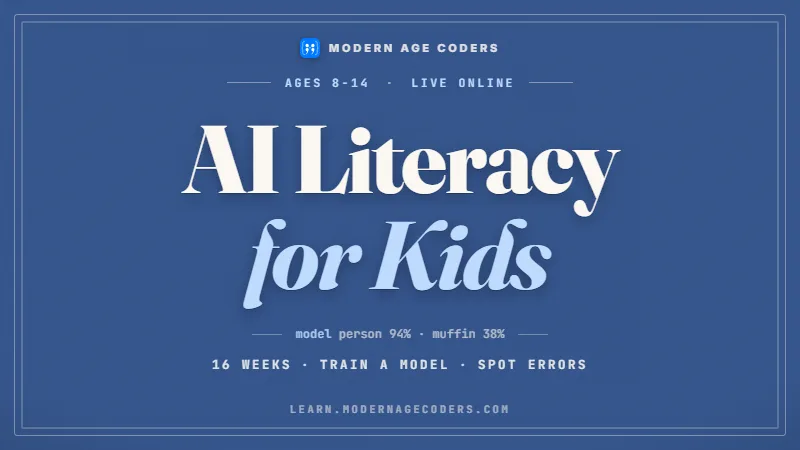
How AI tools make decisions, where they get things wrong, and how a child can check an answer before believing it.
See the syllabusBrowse the course atlas for more than one hundred options and use the coding roadmap to check prerequisites.
The four we are known for
These run underneath everything above. Every one is live and online, placed by ability rather than by age, and the first class is free.
Scratch games and small apps, with AI as a helper the child learns to question.
See the syllabus
First typed code: games, turtle art and small programs that make decisions.
See the syllabus
Blocks first, then games and apps, at the pace of the child.
See the syllabus
How AI works, where it goes wrong, and how to use it safely.
See the syllabusMarkham’s public schools teach the Ontario curriculum. We took the Grade 4 and Grade 5 coding wording straight from the ministry’s curriculum data on 22 October 2026. Quoted words belong to the ministry; the explanations are ours.
Two short programs, written by us, show each grade in typed Python. The first is a Grade 4 nested loop: the inner loop builds a line of four stars and the outer loop prints that line three times.for row in range(3):
line = ""
for col in range(4):
line = line + "*"
print(line)It prints three rows of four stars. The second is the Grade 5 ride check, with our own made-up height rule of 120 centimetres. With a height of 125 it prints “You can ride”; change the height to 110 and it prints “Not yet”.height = 125
if height >= 120:
print("You can ride")
else:
print("Not yet")
Ask a child what happens at exactly 120. Many guess wrong, because the difference between greater-than and greater-than-or-equal is invisible until you test it. Testing the boundary is the most useful habit Grade 5 can build.
Ontario also asks children to read and alter existing code and describe how a change affects the outcome. We do this every lesson: predict the output, run it, and explain any surprise.
We are an online class that sits beside school. We give no report-card marks and have no connection with the Ontario Ministry of Education, EQAO, the Markham school boards or the City of Markham.
Brochures look alike; lessons do not. These are the signs we would look for as parents, written for Markham families with a child aged 6 to 12. They are our own guide, and they apply to our trial lessons as much as anyone’s.
| Sign | What you will see | What its absence looks like |
|---|---|---|
| The child talks more than once a minute | The teacher asks what the code will do, and waits for an answer. | A long demonstration while the child watches and nods. |
| Mistakes are treated as information | A bug becomes a question: what did you expect, and what happened? | The teacher quietly fixes it, or the child is told to copy again. |
| The task matches the grade | A Grade 4 child meets loops inside loops; a Grade 5 child meets if statements. | Every age gets the same drag-and-drop activity. |
| The child changes something | Before the end, the rule changes and the child adapts their own program. | The lesson ends the moment the copied program works. |
| The group is the right size for the age | The teacher can see each screen and names each child. | Children wait a long time with their hand up, or drift off camera. |
| You hear a plan | The teacher can say what the next few lessons build toward. | “We’ll see how it goes” with no next step. |
| Your child leaves with something | A program they can run again at home and explain to you. | A certificate, but nothing they can show working. |
Watch for the first mistake. How a teacher handles one broken program tells you more than an hour of slides about the curriculum.
Use one question at every trial: what will my child be able to build in eight weeks that they cannot build today? Compare the answers side by side.
On the drive home, ask which part was hard. A child who names a specific bug and how it was fixed has been taught, not entertained.
The City of Markham publishes a file called City Owned Facilities, with the year each building was built. Our students aged about 10 to 12 sort the 82 rows into centuries with one line of integer division. All the counts here are ours.
| Type in the file | 1800s | 1900s | 2000s |
|---|---|---|---|
| Museum | 31 | 18 | 3 |
| Community Centre | 3 | 12 | 6 |
| Library | 1 | 2 | 0 |
| Recycling Depot | 1 | 2 | 0 |
| Art Gallery | 1 | 1 | 0 |
| Theatre | 0 | 1 | 0 |
| All 82 rows | 37 | 36 | 9 |
Our script, using only Python’s standard library. The key line is hundreds = year // 100 * 100: dividing 1874 by 100 with whole-number division gives 18, and multiplying back gives 1800, so every year falls into its century bin.import csv
bins = {}
oldest = None
with open("City_Owned_Facilities.csv", encoding="utf-8-sig") as f:
for row in csv.DictReader(f):
year = int(row["YEAR_BUILT"])
hundreds = year // 100 * 100
key = (row["TYPE"], hundreds)
bins[key] = bins.get(key, 0) + 1
if oldest is None or year < oldest[0]:
oldest = (year, row["TYPE"])
for key in sorted(bins):
print(key[0], str(key[1]) + "s", bins[key])
print("oldest:", oldest)
The earliest YEAR_BUILT in the file is 1824, on a Museum row, and the newest is 2016. Sorting all 82 years puts the middle of the list at 1926, so half the buildings the City lists are older than that.
Only 3 rows have the type Library, yet 9 building names contain the word LIBRARY. A community centre with a library inside is filed as a Community Centre, so a count by type undercounts libraries.
More than half the rows are Museum buildings, almost all from the 1800s. Should a chart of City buildings include them? There is no single right answer, which is the point of the exercise.
YEAR_BUILT tells us when a building was built, not when the City bought it, moved it or last renovated it. A building from 1850 may have been moved onto its site much later. Our students write those limits beside their chart before they present it.
Data source: City of Markham Open Data, City Owned Facilities. Contains public sector Information made available under the City of Markham’s Open Data Licence (licence). The City of Markham does not endorse Modern Age Coders, and this page is ours alone.
The Centre for Education in Mathematics and Computing (CEMC) at the University of Waterloo runs two things a Markham child meets around Grades 6 to 8. We read both on CEMC’s site on 22 October 2026.
| Gauss math contest | Team Up Challenge | |
|---|---|---|
| Meant for | Grades 7 and 8; CEMC welcomes motivated younger students | Grades 6 to 8 |
| Format | 25 multiple-choice questions in 60 minutes | A classroom resource that groups four students to solve problems together |
| When | 10 to 21 May 2027, with schools ordering by 22 April 2027 | 1 June 2027 or later |
| How a child takes part | Through their school | Through a teacher who uses it in class |
CEMC says every student must take part through their school, so a Markham family cannot enter a child alone. If your child is keen, ask the math teacher in the spring.
Gauss is a math contest, not a coding one, but the Grade 5 habit of testing edge cases carries straight over. Children who check their answer at the boundary lose fewer easy marks.
We never copy CEMC problems. We point families to CEMC’s free past contests and teach with puzzles our teachers write and label as ours.
For a full plan, read our Gauss preparation page or the wider guide to Waterloo contests. Modern Age Coders is not part of CEMC or the University of Waterloo.
Markham moves its clocks back on 1 November 2026 and forward on 14 March 2027. Our teachers in India do not change theirs, so the gap between the two shifts by an hour. Two typical slots, converted by us from the IANA time zone database (release 2026e):
Until 1 November 2026 Markham is on UTC-4 and India is 9 hours 30 minutes ahead, so this is 2:00 am the next day in India. From 1 November 2026 to 14 March 2027 Markham is on UTC-5, the gap is 10 hours 30 minutes, and it is 3:00 am.
Under UTC-4 that is 8:30 pm the same Sunday in India; under UTC-5, from 1 November 2026, it is 9:30 pm. Weekend mornings in Markham fall in the Indian evening all year.
Families never convert anything. Each invitation states the Markham time, and before both clock changes we send the next class time again in Eastern time.
Phone numbers in Markham use the 905 overlay, where 289, 365 and 742 share the same area. Enter the ten digits in the form below; the +1 is handled for you.
The grade bands are only a starting guess. The trial lesson shows where your child really is.
Characters that move in order, then repeat blocks, with plenty of talking through each step.
Coding for KidsScratch Coding for KidsPatterns and drawings made by a loop inside a loop, built in Scratch and explained aloud.
Scratch Coding for KidsGame Development for KidsIf statements, small games with rules, and the first typed Python for children ready to type.
Python and AI for KidsAI Literacy for Kids (Ages 8 to 14)Files like the Markham buildings list, functions, and logic puzzles that lead toward Gauss.
Python and AI for KidsProblem Solving and Computational Thinking for KidsBecause a decision written in code is only as good as the question behind it.
Ask an AI tool for a ride-height checker and it writes one instantly. Whether it says greater-than or greater-than-or-equal is a choice about a real child standing at 120 centimetres, and the tool makes that choice silently. A Grade 5 student who has tested the boundary themselves will catch it. A student who has never written an if statement will not know there was a choice.
That is why our children’s classes put thinking first: say the yes-or-no question, write it, test the edge, explain the result. Children learn what AI is and how it errs, and they practise checking its answers, but no chatbot does their work in class. For home use, OpenAI requires that anyone under 18 has a parent’s permission to use ChatGPT.
Ontario describes conditional statements as binary logic, a yes or a no; deciding which question deserves which answer is a human job. The longer argument is in whether coding is still worth learning in 2026.
Your child joins from home; the teacher joins from India; the lesson is live, with screens shared both ways.
Weekdays or weekends, flexible: choose your batch, or for a very personalised plan choose 1-on-1 at your convenience, weekend mornings or weekdays.
A group of 15 to 20 children at a similar level, or private lessons where the teacher follows one child’s pace and interests.
A computer with a keyboard, speakers or headphones, and a reliable internet connection. Our teachers help set up free tools in the first lesson.
Each group keeps a regular teacher, who learns how your child thinks and which mistakes they tend to make.
Children in Unionville, Thornhill, Milliken and Box Grove join the same online classes as the rest of Markham, on Eastern time.
The first lesson is free and complete. It ends with a level, a course and a time we recommend, and no card details.
Online only
Modern Age Coders has no centre in Markham and does not claim one. All teaching is live and online, and the teachers are based in India.
Three lines; the currency code is printed beside each fee.
A complete live trial lesson, free, finishing with a suggested course and level.
The monthly fee for a group place among 15 to 20 children at the same stage.
The monthly fee for private lessons with one teacher, at times you pick.
Markham families are charged exactly what any Canadian family is charged. There is no bill before the free trial lesson; payment starts once you have agreed a course and a time, and the pricing page covers missed lessons and holidays.
Rated 4.9 across 547 Google reviews. These are real reviews, reproduced as written.
★★★★★
"The one step solution for my son. Modern Age Coders make learning coding so simple that kids love it. The teachers explain complex concepts clearly with practical exercises and interactive content."
Ria Mukherjee
Parent
★★★★★
"Modern Age Coders has been a game-changer for me. I struggled to grasp IT concepts and coding before joining, but their classes transformed everything. I can now confidently write complex programs with ease."
Samriddha Mondal
Student
★★★★★
"One of the most wonderful education centres out there. Education is not limited to school syllabus but focuses on skill development."
Vansh Agarwal
Student
★★★★★
"My child Dhairya is really enjoying the Modern Age Coders classes. This is his first online class and he eagerly looks forward to it. I can already see his improvement, and the teachers are very cooperative."
Sonam Oswal
Parent of Dhairya
★★★★★
"Modern Age Coders have wonderful teachers who teach in a clear, easy and practical way. The teacher boosts students' confidence and inspires them to learn without hesitation."
Sonu Goyal
Parent
★★★★★
"I highly recommend this computer coding class! The teachers are incredibly knowledgeable and passionate about coding."
Ritu Kedia
Parent
Give us the grade or age. A Grade 2 child might make a sprite repeat a dance; a Grade 5 child might write the ride-height check and find its edge case.
What Markham families most often ask before a first lesson.
No, they are live online. Your child learns from home with a real teacher who can see their screen, in a group of 15 to 20 or in private lessons. We have no Markham location.
Ages 6 to 12 on these courses. Older children and teens move on to our Python and AI courses for teens.
Grade 4 math adds nested loops, which means a loop inside a loop. Grade 5 adds conditional statements, the if statements that let code make decisions.
Watch who talks and what happens at the first mistake. In a strong lesson your child explains their own code often, and a bug becomes a question rather than something the teacher silently fixes.
Usually Scratch first. At eight most children reason well but type slowly, and blocks let them focus on loops and decisions. Python follows once typing is comfortable.
In Grades 7 and 8 your child can write CEMC's Gauss contest through their school, listed for 10 to 21 May 2027. CEMC also welcomes motivated younger students.
Weekdays or weekends, flexible: choose your batch, or for a very personalised plan choose 1-on-1 at your convenience, weekend mornings or weekdays. Times are always confirmed in Eastern time.
Children learn how AI works and how to check its answers, but they write their own code. We do not hand young children a chatbot to do the thinking.
Usually a small optional task, such as changing one rule in the program from class. Children who try it learn faster, but nobody is marked on it.
The fees section on this page lists a free trial lesson, the monthly group fee and the monthly private fee. Nothing is charged before the free lesson.
Start from coding classes in Ontario or the Canada hub. Every grade from 1 to 8 is covered in our Ontario coding curriculum guide, the Grade 6 year has its own math and coding help page, and the national comparison of class formats is online coding classes in Canada. Toronto families can see coding and AI classes in Toronto.