ADT / FRONT / 01
React for teens
The library React Native is built on.
Open the syllabusGermany · App development · Ages 13 to 18
Almost every teenager has an idea for an app: a better homework planner, a club timetable, a game for the bus. Turning the idea into something that runs on a real phone is more achievable than most think, and it teaches a surprising amount of computer science along the way. This page explains which tools a teen in Germany can start with, what the app stores' owners say about publishing before 18, and the single idea that keeps an app from falling apart.
Live online since 2020 · 10,000+ students worldwide · apps that run on the learner's own phone
What this is
App development classes for teens in Germany at Modern Age Coders teach teenagers aged 13 to 18 to build real phone apps, live online in English. Teens write JavaScript, build screens with React Native and test every app on their own phone through Expo, from a first button to a finished project. One mentor keeps to each teen's pace and accent, in a group of fifteen to twenty or one to one.
Choose a start
Most teens start with the first course. Younger teens new to coding may start with blocks; those who want the web as well as phones can begin with JavaScript.
ADT / 01
The main course. React Native and JavaScript, from first screen to an app with data, navigation and a polished design.
Open the syllabus →
ADT / 02
For a younger teen with no coding yet. Real apps built from blocks, to learn events and data before typing code.
Open the syllabus →
ADT / 03
The language under React Native, learnt on interactive websites and browser games first.
Open the syllabus →The tools
With the same tools many professional teams use, set up so that a phone the teen already owns becomes the test device.
The React Native documentation describes it as an open source framework for building Android and iOS applications using React and the platform's native capabilities, with JavaScript used to reach the phone's features and describe the screens.
One codebase, two kinds of phone. For a teen, that means the app runs on their own phone and a friend's, whichever system each one has.
Expo is a set of tools around React Native. Its documentation calls Expo Go a playground for students and learners to try Expo quickly, and lists four ways to run an app while building it: an Android device, an iOS device, an Android emulator or the iOS simulator.
In practice the teen scans a code with their phone and sees their app appear, then changes a line and sees it update. That moment is usually when app development stops being abstract.
| Route | How apps are made | Suits |
|---|---|---|
| Blocks, for example MIT App Inventor | Drag-and-drop blocks for screens and logic | Younger teens new to coding |
| React Native with Expo | JavaScript code, one app for Android and iOS | Most teens from about 13 |
| Swift or Kotlin | The native language of one platform | Older learners aiming at one kind of phone |
Sources: React Native documentation (core components and native components); Expo documentation (set up your environment); MIT App Inventor, about us, which reports over 24 million learners from 195 countries creating over 100 million apps. Read on 3 November 2026. The table itself is our own.
Publishing
Building an app has no age limit. Publishing one under your own name is a contract with Apple or Google, and that is where age matters.
| Apple page | What it says |
|---|---|
| Apple Developer Program License Agreement, section 3.1 | The developer certifies that they are of the legal age of majority where they live, at least 18 in many countries or regions |
| Apple Developer Program, enrolment page | Under the age of majority, a parent or guardian can enrol with their own Apple Account and share it with the young developer |
| Apple Developer Program, enrolment page | An organisation that enrols needs a D-U-N-S Number to verify its identity |
Sources: Apple Developer Program License Agreement and developer.apple.com/programs/enroll, read on 3 November 2026. We could not read Google Play's own age rule in the raw text of its pages, so we state none; check the Play Console help before planning an Android release.
Teens build, run and share their apps on their own and their family's phones through Expo throughout the course. No developer account is needed for that.
Publishing in a store is optional and is the family's decision. Where a teen wants to, the mentor explains the steps, and Apple's own route for under-18s goes through a parent's account.
Many teens like to keep their code on GitHub. GitHub's terms say a user must be at least 13 years of age, so from 13 a teen can have an account of their own there.
We never create accounts for learners. Accounts and contracts stay with the teen and their parents, under each provider's rules.
Worked example, ours
Keep the data in one place, change it only through one function, and work out the screen from the data every time. Here it is in a homework planner, in plain JavaScript that runs without a phone.
A planner holds tasks: a subject, a due date and whether it is done. The user adds tasks, ticks them off and deletes them. The screen shows what is still open, in date order, and how many tasks are late.
React Native apps are often built exactly like this: the data is called state, and each change is an action handled by a function called a reducer.
If every button changes the data in its own way, bugs hide in the gaps: a task ticked off in one list but not in another, a counter that drifts. If every change goes through one function, there is one place to read, test and fix.
The screen is never stored. It is calculated from the data, so it can never disagree with it.
// The heart of a homework-planner app: every change to the data goes through one function (our own example)
function reducer(state, action) {
  switch (action.type) {
    case 'add':
      return { ...state, tasks: [...state.tasks, { id: state.nextId, subject: action.subject, due: action.due, done: false }], nextId: state.nextId + 1 };
    case 'done':
      return { ...state, tasks: state.tasks.map(t => t.id === action.id ? { ...t, done: true } : t) };
    case 'remove':
      return { ...state, tasks: state.tasks.filter(t => t.id !== action.id) };
    default:
      return state;
  }
}

// What the screen shows is worked out from the state, never stored separately
function screen(state, today) {
  const open = state.tasks.filter(t => !t.done).sort((a, b) => a.due.localeCompare(b.due));
  const late = open.filter(t => t.due < today).length;
  return { open: open.map(t => t.due + ' ' + t.subject), late };
}

let state = { tasks: [], nextId: 1 };
const actions = [
  { type: 'add', subject: 'Mathe: Aufgabe 4', due: '2026-11-05' },
  { type: 'add', subject: 'Englisch: essay', due: '2026-11-04' },
  { type: 'add', subject: 'Informatik: loop task', due: '2026-11-02' },
  { type: 'done', id: 2 },
  { type: 'remove', id: 99 },
];
for (const a of actions) state = reducer(state, a);
console.log(screen(state, '2026-11-03'));
It prints the open tasks '2026-11-02 Informatik: loop task', '2026-11-05 Mathe: Aufgabe 4' and late: 1.
Read the actions against the result. Three tasks were added. The English essay, task 2, was ticked off, so it disappears from the open list. The request to remove task 99 does nothing, because there is no task 99, and the app does not crash. The Informatik task was due on 2 November 2026, before the test date of 3 November, so it is counted as late and sorted to the top. All of that was checked without a phone, a simulator or a single tap. That is the second gift of this design: logic you can test in a second.
// Undo keeps every earlier state. A shortcut that edits a task in place breaks it (our own example)
function doneShortcut(state, id) {
  const task = state.tasks.find(t => t.id === id);
  task.done = true;               // changes the old state too
  return { ...state };
}
function doneCopy(state, id) {
  return { ...state, tasks: state.tasks.map(t => t.id === id ? { ...t, done: true } : t) };
}

for (const done of [doneShortcut, doneCopy]) {
  const start = { tasks: [{ id: 1, subject: 'Mathe: Aufgabe 4', done: false }] };
  const history = [start, done(start, 1)];
  const undone = history[0];       // the user presses undo
  console.log(done.name, '-> after undo, task done?', undone.tasks[0].done);
}
It prints doneShortcut -> after undo, task done? true and doneCopy -> after undo, task done? false.
| Function | How it marks the task done | After pressing undo |
|---|---|---|
| doneShortcut | Changes the existing task object in place | Still shows the task as done: undo is broken |
| doneCopy | Makes a new list with a new, updated task | Shows the task as open again: undo works |
The shortcut looks harmless and saves a line. But the old state in the history and the new state share the same task object, so changing one changes both, and undo has nothing to go back to. In a real app the same mistake shows up as a screen that fails to refresh, because React compares old and new state and sees no difference. Teens who understand this one example understand why React Native code is written the way it is, rather than copying patterns they cannot explain.
School in Germany
Rarely as a course of its own. Informatik is where it could happen, and Informatik is not the same everywhere.
The Gesellschaft für Informatik reports in its Informatik-Monitor 2026/27 that six Länder have no Informatik that is compulsory for every pupil: Berlin, Brandenburg, Bremen, Hessen, Rheinland-Pfalz and Sachsen-Anhalt. Where Informatik is taught, it covers algorithms, data and how computers work, which is exactly what app development needs, but there is seldom time to build and finish an app of one's own. That is the gap our course fills, alongside school, never instead of it. The school course is the one that counts for grades.
| In the app | The idea | Where it appears at school |
|---|---|---|
| Tasks sorted by date | Sorting and comparison | Informatik: algorithms |
| Counting late tasks | Filtering data | Informatik and maths: data |
| One reducer for all changes | State and functions | Informatik: modelling and programming |
| A screen readable by everyone | Design and accessibility | Art, design and German or English: clear writing |
| Keeping code on GitHub | Versions and teamwork | Project work in any subject |
Class times
After school or at the weekend. The mentors teach from India, which is ahead of Germany by a few hours.
| Germany | India, until 28 March 2027 | India, from 28 March 2027 |
|---|---|---|
| 15:15 | 19:45 | 18:45 |
| 18:00 | 22:30 | 21:30 |
| Saturday 12:45 | 17:15 | 16:15 |
| Sunday 14:15 | 18:45 | 17:45 |
German clocks show MEZ (UTC+1) in winter and MESZ (UTC+2) in summer, as the Einheitenzeitgesetz provides; this winter began on 25 October 2026 and next summer time starts on 28 March 2027. India does not change from UTC+5:30. These rows illustrate possible times; none is a fixed group.
The first class is booked in your own device's time. A teen with exams or a sports season can move one-to-one lessons with the mentor's agreement.
Milestones
Our own milestones for app learners, used to place each teen and to report progress to parents.
| Step | Usually by | The teen can |
|---|---|---|
| 1. JavaScript basics | Month 1 | Write functions, arrays and objects with confidence |
| 2. First screens | Month 2 | Build screens with buttons, text and lists that run on their phone |
| 3. State | Months 3 to 4 | Keep data in state, change it through a reducer and test it |
| 4. Real features | Months 5 to 6 | Add navigation, storage and data from the internet |
| 5. Own app | Month 7 onwards | Design, build, test and present an app of their own |
If a bug only happens after three taps, write the three taps as actions and test them without the phone.
Never change state in place. Copy it, and both the screen and undo will thank you.
Ask to see the app on your own phone. Then ask what happens if you press a button twice.
Publishing in a store is a separate step with adult rules. You decide whether and when.
More courses
Live in English with a regular mentor, in a group or one to one. The last three are adult courses, a next step at 18.
ADT / FRONT / 01
The library React Native is built on.
Open the syllabusADT / FRONT / 02
Layouts and design that people enjoy.
Open the syllabusADT / FRONT / 03
Saving every version of an app.
Open the syllabusADT / BACK / 01
Servers and APIs an app talks to.
Open the syllabusADT / BACK / 02
Databases for real app data.
Open the syllabusADT / BACK / 03
React and Node.js together.
Open the syllabusADT / NATIVE / 01
Dart and cross-platform apps.
Open the syllabusADT / NATIVE / 02
SwiftUI apps for iPhone.
Open the syllabusADT / NATIVE / 03
Native Android apps.
Open the syllabusHow classes run
Weekdays or weekends, flexible: choose your batch, or for a very personalised plan choose 1-on-1 at your convenience, weekend mornings or weekdays.
After school
From about a quarter past three, German time.
Weekends
Midday and early afternoon on Saturday and Sunday.
One to one
A slot agreed with the mentor, moved around exams.
Every app runs on a real device.
Patterns explained, never just copied.
Spoken clearly, explained again gladly.
Someone who knows the teen's app.
Families keep every account and contract.
Fifteen to twenty teens, or one.
Student work
Apps and other projects by our students worldwide; there are more on the student labs page.
AI and ML
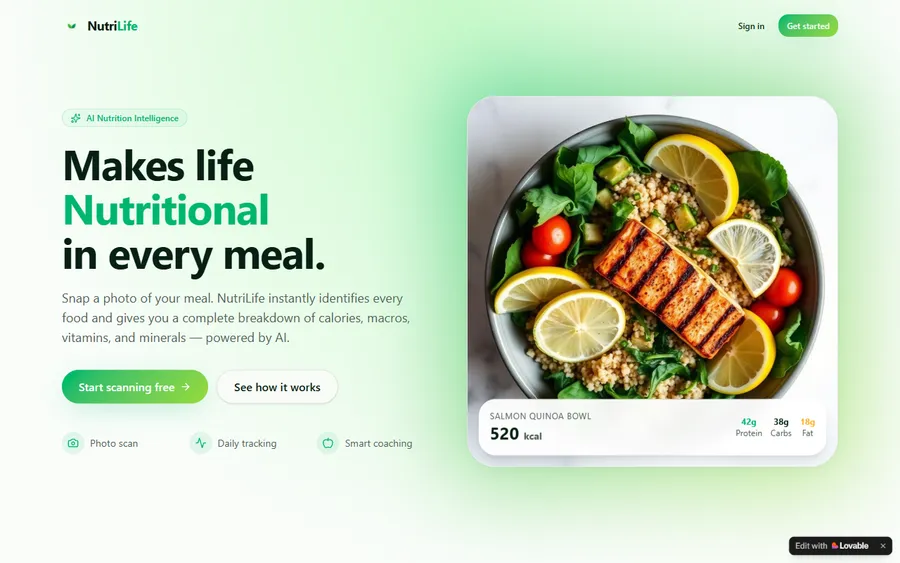
An AI nutrition coach that reads what you eat and works you toward a target.
AI and ML
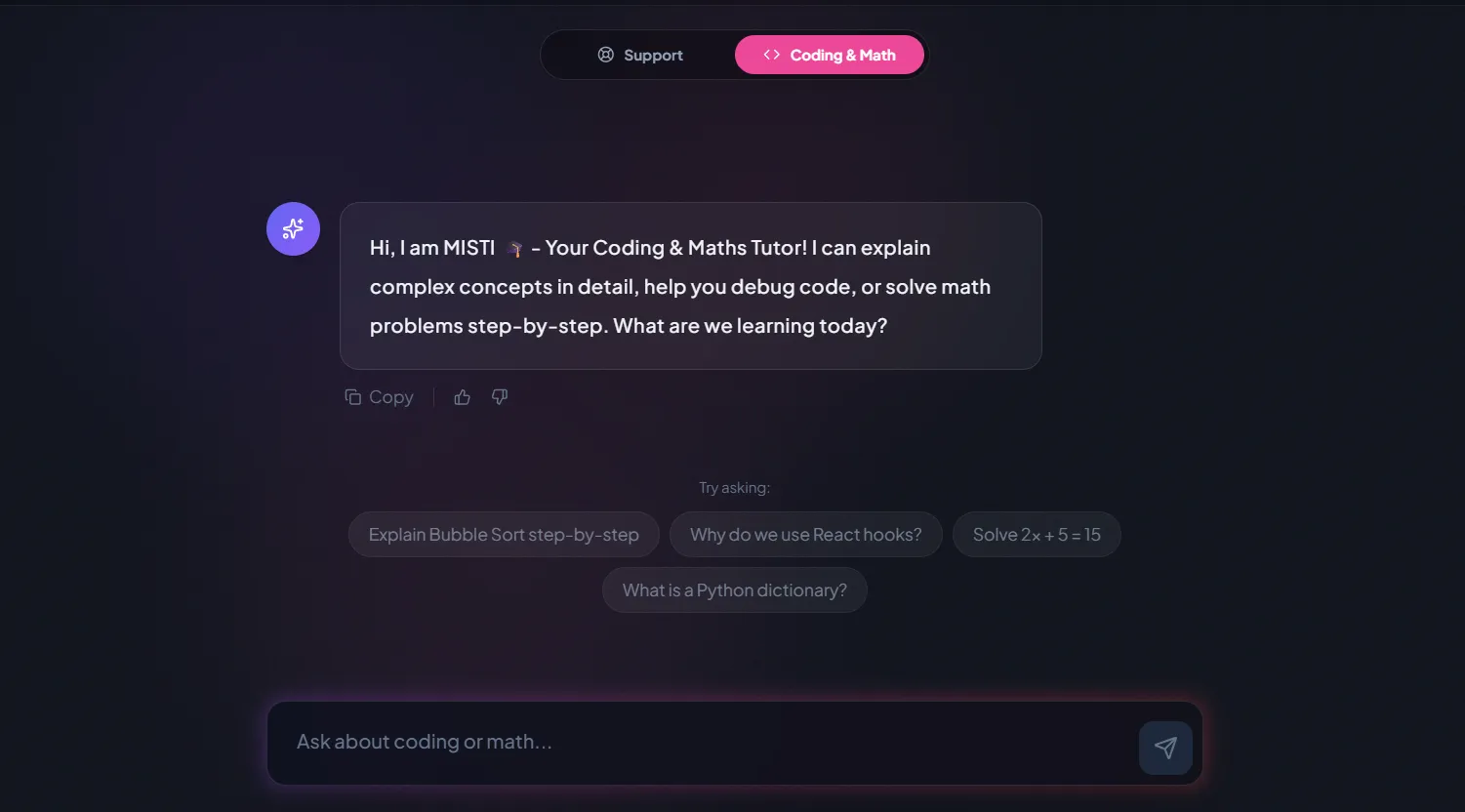
A chatbot that answers mathematics and programming questions, built and deployed by a student.
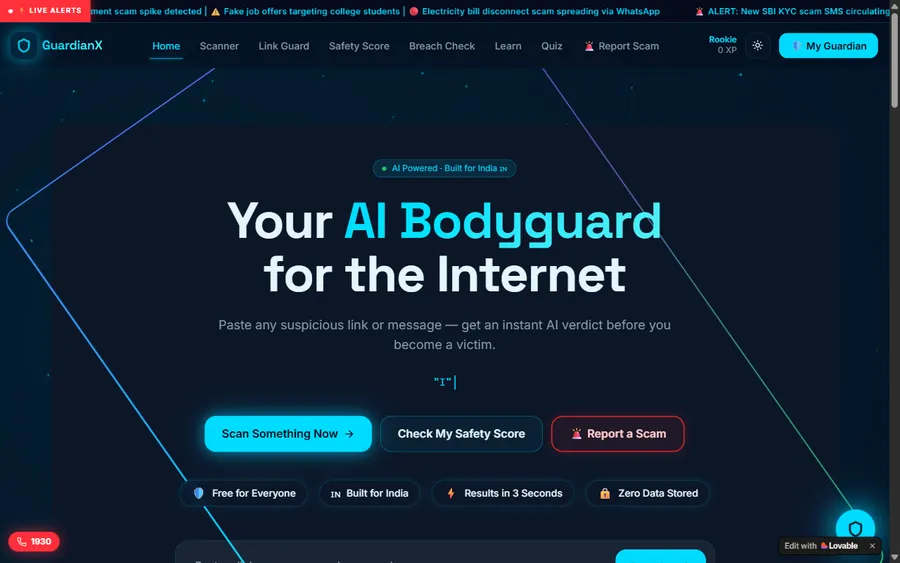
AI and ML
An assistant that helps a young person recognise unsafe situations online.
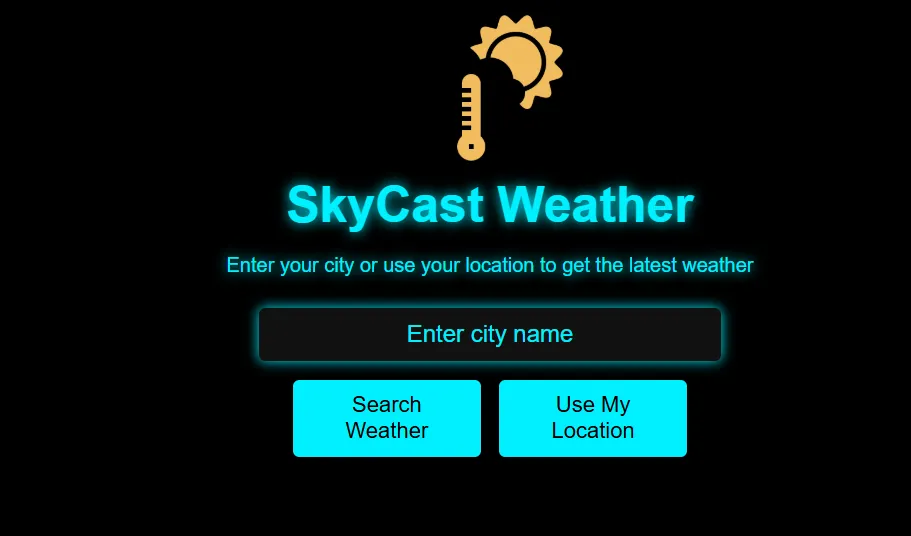
Web app
A weather forecasting site with live conditions for any location.
Fees
Eight live classes a month for one fee. We quote it in euro, converted at the European Central Bank reference rate, but take payment in US dollars; your bank does the conversion, so the euro total it shows may differ by a little.
Free first class
Free
no card required
Group batch
€90
a month, eight live classes, charged in US dollars
One to one
€134
a month, eight live classes, charged in US dollars
What families say
Google reviews by teens and parents, exactly as posted.
★★★★★
"The one step solution for my son. Modern Age Coders make learning coding so simple that kids love it. The teachers explain complex concepts clearly with practical exercises and interactive content."
Ria Mukherjee
Parent
★★★★★
"Modern Age Coders has been a game-changer for me. I struggled to grasp IT concepts and coding before joining, but their classes transformed everything. I can now confidently write complex programs with ease."
Samriddha Mondal
Student
★★★★★
"One of the most wonderful education centres out there. Education is not limited to school syllabus but focuses on skill development."
Vansh Agarwal
Student
★★★★★
"My child Dhairya is really enjoying the Modern Age Coders classes. This is his first online class and he eagerly looks forward to it. I can already see his improvement, and the teachers are very cooperative."
Sonam Oswal
Parent of Dhairya
★★★★★
"Modern Age Coders have wonderful teachers who teach in a clear, easy and practical way. The teacher boosts students' confidence and inspires them to learn without hesitation."
Sonu Goyal
Parent
★★★★★
"I highly recommend this computer coding class! The teachers are incredibly knowledgeable and passionate about coding."
Ritu Kedia
Parent
Teens and parents in Germany ask
No. Classes are live and taught in English only, by mentors based in India who match each teen's pace and accent. JavaScript and app tools are in English anyway, so the language of class and code is the same.
Most teens start the React Native course at 13 or older. A younger teen with no coding experience may begin with block-based app making.
No. Expo lists Android devices, iOS devices, the Android emulator and the iOS simulator as ways to run an app while building it, so a teen can start with the phone and computer they already have.
Apple's licence agreement requires the developer to be of the legal age of majority, at least 18 in many countries. Its enrolment page says a parent or guardian can enrol with their own Apple Account and share it. Publishing is optional and the family's decision.
No. Apps run on the teen's own phone through Expo during the course, without any store account.
JavaScript, with React Native for the screens. React Native is an open source framework for building Android and iOS apps, according to its own documentation.
Rarely as its own course. The Informatik-Monitor 2026/27 lists six Länder without Informatik compulsory for all pupils. Our course runs alongside school and does not replace it.
Weekdays or weekends, flexible: choose your batch, or for a very personalised plan choose 1-on-1 at your convenience, weekend mornings or weekdays. Teens in Germany usually choose after school or the weekend.
The fee appears in euro at the European Central Bank reference rate and is charged in US dollars, which your bank converts, so your statement can differ slightly. The first class is free.
Yes, that is the aim: an app of their own design that runs on their phone, with code they can explain, and usually several smaller apps on the way.
Further reading
Other pages for teens in Germany and for app builders.
Every page we have for Germany.
The same subject for Dutch learners.
For teens in Canada.
Add a model to your app.
Help with school Informatik, in German.
A live class, step by step.
Start here
In the free class the teen gets a first screen running on their own phone, and the mentor sees which course fits. Everything happens in English, at the teen's pace.
Before booking, read how we teach or see the whole course list.
WhatsApp us · +91 91233 66161 · connect@modernagecoders.com
Classes take place live online, in English, with mentors based in India. Send us a WhatsApp message in English for the quickest reply.
A priority demo is a full class of about 45 to 60 minutes. After the class the mentor sends a written skill report and a personal learning roadmap on WhatsApp. If you enrol, the demo fee is adjusted against your first month's fee. Share your demo Order ID with us on WhatsApp and we take it off.
Book a priority demo