React for Teens
The framework behind the interfaces teens live in, learned properly: real JavaScript first, then React the way it is written now, ending deployed.
Syllabus updated August 2026
Questions? WhatsApp +91 91233 66161 or email connect@modernagecoders.com
Recordings are free with a Google sign-in. These recordings show how we teach, not the exact syllabus of this course.
Fees and enrolment
How to join React Course for Teens: JavaScript to Real React Apps
Choose how you want to pay, pick a plan and press Enrol. We then fix your class timing with you.
Rated 4.9 across 547 Google reviews.
How would you like to pay?
Pay once for 6 months and save 20%. Same live classes, same mentor, a lower price for every session.
Group Classes
6 months · 48 sessions
One payment for all 6 months
- Paying monthly
₹1,499 × 6 months = ₹8,994- You save
- ₹1,795 (20%)
- Per session
- ₹150
₹187
2 sessions a week · 15 to 20 students
Stop early? Every session you have not taken is refunded at ₹150. Refund policy
Enrol for 6 monthsMini Batch
6 months · 48 sessions
One payment for all 6 months
- Paying monthly
₹2,999 × 6 months = ₹17,994- You save
- ₹3,595 (20%)
- Per session
- ₹300
₹375
2 sessions a week · Up to 6 students
Stop early? Every session you have not taken is refunded at ₹300. Refund policy
Enrol for 6 monthsHow your 6-month price works
- Sessions
- 24 one-to-one sessions over 6 months, fully flexible timing
- Price per session
- ₹1,000 instead of
₹1,250 - Your 6-month fee
- ₹1,000 × 24 sessions = ₹24,000
- Paying monthly instead
₹4,999 × 6 months = ₹29,994- You save
- ₹5,994 (20%)
Everything in the monthly 1-on-1 plan is included: your own mentor, flexible timing, personal dashboard, class recordings, progress reports and parent-teacher meetings.
Stop early? Every session you have not taken is refunded at ₹1,000. Refund policy
Pay once for 6 months and save 25%. Same live classes, same mentor, a lower price for every session.
Group Classes
6 months · 48 sessions
One payment for all 6 months
- Paying monthly
$100 × 6 months = $600- You save
- $151 (25%)
- Per session
- $9.35
$12.50
2 sessions a week · 15 to 20 students
Stop early? Every session you have not taken is refunded at $9.35. Refund policy
Enrol for 6 monthsHow your 6-month price works
- Sessions
- 48 one-to-one sessions over 6 months, 2 sessions a week
- Price per session
- $14 instead of
$18.75 - Your 6-month fee
- $14 × 48 sessions = $672
- Paying monthly instead
$150 × 6 months = $900- You save
- $228 (25%)
Everything in the monthly 1-on-1 plan is included: your own mentor, flexible timing, personal dashboard, class recordings, progress reports and parent-teacher meetings.
Stop early? Every session you have not taken is refunded at $14. Refund policy
How enrolment works
Pick a plan
Group (15 to 20 students), Mini Batch (up to 6, India only) or 1-on-1 with your own mentor. Pay monthly, or for 6 months at once and save.
Press Enrol and pay
Fill in the student's name, email and phone, then pay securely: UPI, cards or net banking in India, or a debit or credit card from any other country.
Fix your class timing
After paying, WhatsApp or call +91 91233 66161 with the student's name and your preferred time. We confirm the batch or 1-on-1 slot and send the class link.
Start learning
Join your first live class at the time you chose. Your mentor takes it from there.
Want to see a class first? Book a Priority Demo: a live class of about 45 to 60 minutes with a mentor reserved for you. If you enrol, the demo fee is adjusted against your first month's fee. Share your demo Order ID with us on WhatsApp and we take it off.
Pay monthly and cancel any time, or pay for 6 months at once and save. Stop a 6-month plan early and every session left is refunded.
International Students (Outside India)
Billed monthly in US dollars, the same price in every country. Contact us with any questions.
Questions before you enrol? Talk to our team.
Ask about class timings, the right level for your child, what they need to know already, or payment. Parents and adult learners can reach us on WhatsApp, by email or by phone.
Our promise
The world's best learning experience, open to everyone.
- World-class instructorsEvery class is taught by an instructor who specialises in that exact field.
- No compromise on qualityEvery lesson, project and piece of feedback is held to the highest standard.
- Education for everyoneLearners aged 6 to 67, from first-time beginners to working professionals, in 25+ countries.
If you want the highest quality, Modern Age Coders is the right choice.
Book a Priority DemoHow long this course takes
This course runs 9-11 months (36-44 weeks) at 2 live classes/week + 3-4 hours practice. The range allows for background and pace: a complete beginner uses the full span, and a student with prior knowledge finishes sooner. The syllabus below is planned to the shorter end, with margin kept for revision.
For personalised duration planning, call +91 91233 66161 and we'll map a schedule to your goals.
At a glance
- Who it is for
- Absolute beginner, ages 13 to 18.
- Prerequisites
- None. The course starts at the first HTML tag
- Format
- Live, interactive classes with a real instructor, never pre-recorded videos. Live classes run about one hour.
- Language
- English or Hindi, depending on the batch.
- Duration
- 9-11 months (36-44 weeks)
- Weekly commitment
- 2 live classes/week + 3-4 hours practice
- Class size
- Group batches of 15 to 20 students, mini batches of up to 6, or 1-on-1.
- Certificate
- Certificate from Modern Age Coders, awarded on passing the final exam
- Watch first
- Free recordings of real classes for ages 13 and up, free with a Google sign-in. These recordings show how we teach, not the exact syllabus of this course.
- Live demo
- Optional. Enrol directly on this page, or book a Priority Demo: a full live class of about 45 to 60 minutes with a mentor reserved for you.
- Questions
- WhatsApp +91 91233 66161 or email connect@modernagecoders.com.
How we teach
Deep understanding. Real projects. Expert guidance.
Learn coding, AI and maths through careful explanations, practical demonstrations, and hands-on problem-solving. Our instructors guide you from the foundations to advanced ideas, helping you understand what happens, why it happens, and how to build it yourself.
You will explore concepts step by step, write and improve code, investigate mistakes, ask questions, and apply your knowledge to meaningful projects. Lessons are designed around active participation, thoughtful feedback, and growing independence.
Expert-led live teaching, with practical participation built into every lesson.
- Students explain their thinking.
- Instructors demonstrate, then guide practice.
- Learners code, solve, or build during lessons.
- Questions and misconceptions get attention.
- Assignments receive useful feedback.
- Progress is checked before advancing.
Program Overview
React renders the interfaces of Instagram, Netflix and half the modern web, and it rewards exactly one kind of learner: the one whose JavaScript is real. This live online course for ages 13 to 18 is built on that truth. Three months of genuine foundations, HTML, CSS and JavaScript through the DOM and modern ES6+, then React itself: components, state, hooks, routing, data fetching, styling, forms, and the craft layer of TypeScript, testing and performance that separates tutorial-followers from builders. The final month adds an honest taste of Next.js and ships a deployed capstone at demo day.
Everything deploys: projects go to public URLs from the first phase, and the capstone is a polished, routed, data-driven React application the student can send to anyone. What the course refuses to do is pad: React Native, full-stack backends and framework tours live in our dedicated courses, pointed to honestly, not stapled on as filler weeks.
The pace is honest: nine months at two live classes a week plus three to four hours of practice, with two more months in hand when needed. Homework after every class, monthly mixed reviews, phase exams, and a final exam that decides the certificate, with focused revision and a free retest. Real JavaScript, real React, depth over dopamine.
What Makes This Program Different
- JavaScript first, seriously: three months of real foundations, because React punishes weak JavaScript forever
- React as it is written now: function components, hooks, and honest data patterns with loading and error states everywhere
- The craft layer included: TypeScript, testing and performance, not left for "later"
- Everything deploys: public URLs from phase 1, a deployed capstone at the end
- Honest scope: React Native and backends are dedicated courses, pointed to truthfully, not filler weeks
- Real assessment: weekly homework, monthly mixed reviews, and a final exam that decides the certificate, with focused revision and a free retest
Your Learning Journey
Career Progression
Detailed Course Curriculum
Explore the complete week-by-week breakdown of what you'll learn in this comprehensive program.
Topics Covered
- How the internet works - simplified for teens
- What happens when you visit Instagram or TikTok
- Setting up your coding environment (VS Code)
- Your first HTML page - creating a personal profile
- HTML tags that matter: headings, paragraphs, images
- Adding links and navigation to pages
- Creating lists (perfect for todo apps later)
- HTML forms - how login pages work
- Embedding YouTube videos and Spotify playlists
- Making your page accessible to everyone
- File organization and naming conventions
- Using GitHub like a pro developer
Projects You Build
- Personal profile page about your interests
- Fan page for your favorite artist/game/show
- School club or team website
Practice & Assignments
Daily: Create one new HTML page about topics you love
Topics Covered
- CSS basics - adding style to your pages
- Colors and backgrounds - creating themes
- Typography - choosing fonts like a designer
- The Box Model - spacing elements perfectly
- Flexbox - Instagram-style photo grids
- CSS Grid - Pinterest-like layouts
- Hover effects and transitions
- Animations - making elements move and bounce
- CSS variables for dark/light themes
- Mobile-responsive design for phones
- CSS frameworks introduction (Tailwind)
- Design principles teens should know
Projects You Build
- Animated landing page for a fake startup
- Instagram-style photo gallery
- Responsive blog design with dark mode
Practice & Assignments
Recreate UI elements from popular apps using CSS
Assessment
Month 1 check: build a styled page live from a sketch, plus a take-home mixing everything so far
Topics Covered
- CSS animations and keyframes
- Transform and 3D effects
- Creating loading spinners and progress bars
- Gradient backgrounds like Spotify
- CSS filters for image effects
- Scroll-triggered animations
- Parallax scrolling effects
- CSS custom properties (variables)
- Responsive images and videos
- Mobile-first design approach
- Performance optimization basics
- Browser developer tools mastery
Projects You Build
- Animated movie poster with hover effects
- Spotify-inspired music player UI
- Gaming website with parallax scrolling
Practice & Assignments
Build 5 trending UI components from Dribbble
Topics Covered
- What is JavaScript and why it's awesome
- Variables - storing information (let, const)
- Data types - numbers, strings, booleans
- Basic math and calculations
- Working with text (string methods)
- Making decisions with if/else
- Comparison operators (==, ===, >, <)
- Logical operators (&&, ||, !)
- Arrays - managing lists of data
- Loops - repeating tasks efficiently
- Functions - reusable code blocks
- First interactive features
Projects You Build
- Grade calculator for school
- Simple quiz game about your interests
- Password strength checker
Practice & Assignments
Solve 20 beginner-friendly JavaScript challenges
Assessment
Month 2 check: a JavaScript logic challenge live, plus mixed review of month 1
Topics Covered
- The DOM - controlling web pages with JavaScript
- Selecting elements like jQuery but vanilla JS
- Changing content dynamically
- Adding and removing CSS classes
- Creating new elements with JavaScript
- Event listeners - clicks, hovers, keyboard
- Building interactive forms
- Form validation and error messages
- Local storage - saving user data
- Working with dates and times
- setTimeout and setInterval for timing
- Building countdown timers
Projects You Build
- Interactive todo list with local storage
- Countdown timer for events
- Simple drawing app with canvas
Practice & Assignments
Create 10 interactive web components
Topics Covered
- Arrow functions - the React way
- Template literals for dynamic strings
- Destructuring - unpacking objects and arrays
- Spread operator - copying and merging
- Array methods crucial for React (map, filter, reduce)
- Working with objects in JavaScript
- ES6 modules - import and export
- Promises - handling asynchronous code
- Async/await - making promises easier
- Fetch API - getting data from the internet
- Working with JSON data
- Error handling with try/catch
- Deploying your best project to a public URL
Projects You Build
- Meme generator using API
- Weather app for your city
- Pokemon card collection from API
Practice & Assignments
Master array methods with 25 exercises
Assessment
Phase 1 exam: an interactive page built live, plus a written mixed paper over months 1-3
Topics Covered
- What is React and why teens should learn it
- React vs vanilla JavaScript - the difference
- Setting up React with Vite
- Understanding the React project structure
- JSX - writing HTML in JavaScript
- Your first React component
- Functional components explained
- Props - passing data to components
- Children props and composition
- Conditional rendering (showing/hiding elements)
- Rendering lists with map
- Keys in React lists
Projects You Build
- Profile card component
- Social media post component
- Product showcase with props
Practice & Assignments
Build 15 different React components
Topics Covered
- Understanding state in React
- useState hook - your first hook
- Handling events (onClick, onChange)
- Forms in React - controlled components
- Lifting state up between components
- State vs props - when to use what
- Multiple state variables
- State with objects and arrays
- Updating state correctly
- React Developer Tools
- Debugging React applications
- Common React mistakes to avoid
Projects You Build
- Like button with counter
- Toggle dark/light theme
- Interactive shopping cart
Practice & Assignments
Add state to 10 static components
Assessment
Month 4 check: build an interactive component live, plus mixed review reaching back to JavaScript
Topics Covered
- useEffect - side effects in React
- useEffect dependencies array
- Cleanup functions in useEffect
- Data fetching with useEffect
- Loading states and error handling
- useContext for global state
- Creating custom hooks
- useReducer for complex state
- useRef for DOM manipulation
- useMemo for performance
- useCallback explained
- Rules of hooks
Projects You Build
- GitHub profile viewer
- Real-time search with debouncing
- Theme context provider
Practice & Assignments
Create 5 custom hooks for common tasks
Topics Covered
- Single Page Applications (SPAs) explained
- React Router installation and setup
- Routes and Route components
- Link vs regular anchor tags
- NavLink for active styles
- URL parameters and useParams
- Query strings and useSearchParams
- Nested routes and layouts
- Protected routes for authentication
- 404 pages and error handling
- Programmatic navigation
- Route animations and transitions
Projects You Build
- Multi-page portfolio site
- Blog with individual post pages
- E-commerce site with routing
Practice & Assignments
Add routing to previous projects
Assessment
Month 5 check: a routed mini-app built live, plus mixed review
Topics Covered
- REST APIs explained for teens
- Fetch API in React components
- Axios for HTTP requests
- Managing loading and error states
- Displaying API data in components
- Pagination with APIs
- Infinite scrolling implementation
- Search functionality with APIs
- Authentication tokens and headers
- Environment variables for API keys
- CORS and how to handle it
- Mock APIs for development
- Loading, error and empty states as a discipline, not an afterthought
Projects You Build
- Movie database app (TMDB API)
- Spotify playlist viewer
- News aggregator for teens
Practice & Assignments
Integrate 5 different public APIs
Topics Covered
- CSS Modules in React
- Styled-components introduction
- CSS-in-JS benefits and drawbacks
- Tailwind CSS with React
- Material-UI components
- Chakra UI for quick development
- Creating a design system
- Responsive design in React
- Animation libraries (Framer Motion)
- React Spring for animations
- Transition effects between routes
- Building reusable styled components
Projects You Build
- Instagram-style photo feed
- Animated dashboard with charts
- Discord-inspired chat UI
Practice & Assignments
Style 5 apps with different approaches
Assessment
Phase 2 exam: a data-driven, routed, styled app defended, plus a cumulative written paper
Topics Covered
- Controlled vs uncontrolled components
- Complex form handling
- Multi-step forms
- Form validation strategies
- React Hook Form library
- Yup validation schema
- File uploads in React
- Image preview before upload
- Dynamic form fields
- Form state management
- Error display patterns
- Success feedback to users
Projects You Build
- Registration form with validation
- Survey form with multiple steps
- Profile editor with image upload
Practice & Assignments
Build 5 different form types
Topics Covered
- When to use Context API
- Creating context providers
- useContext hook patterns
- Multiple contexts in an app
- Context optimization techniques
- Avoiding unnecessary re-renders
- Context vs props drilling
- Auth context implementation
- Theme context patterns
- Shopping cart with context
- Context best practices
- When context isn't enough
- Redux Toolkit and Zustand in honest perspective: when component state stops being enough
Projects You Build
- Multi-theme app with context
- Global notification system
- User authentication with context
Practice & Assignments
Implement context in 5 different scenarios
Assessment
Month 7 check: lift and share state across an app live, plus mixed review
Topics Covered
- Why TypeScript makes React better
- TypeScript setup for React
- Typing props and state
- Function component types
- Event handler types
- useReducer with TypeScript
- Context API with TypeScript
- Redux with TypeScript
- Generic components
- Utility types for React
- Third-party library types
- Migration strategies
Projects You Build
- Convert React app to TypeScript
- Type-safe form builder
- TypeScript component library
Practice & Assignments
Write all new React code in TypeScript
Topics Covered
- Why testing matters for teens
- Jest testing framework basics
- React Testing Library introduction
- Writing your first test
- Testing components with props
- Testing state changes
- Testing user interactions
- Mocking API calls in tests
- Testing custom hooks
- Integration testing basics
- Test-driven development (TDD) intro
- Coverage reports
- Performance essentials: memoization judgment, lazy loading and measuring before optimizing
Projects You Build
- Add tests to todo app
- Test suite for form validation
- Testing user authentication flow
Practice & Assignments
Write tests for 5 components
Assessment
Phase 3 exam: type and test a feature live, plus a cumulative written paper over phases 1-3
Topics Covered
- Why the industry wraps React in Next.js
- File-based routing and layouts
- Server components in plain words
- When plain React is still the right call
- Deploying a Next.js site
- How everything you learned maps onto any React framework
Projects You Build
- A small blog or portfolio rebuilt in Next.js
Practice & Assignments
Compare your Vite and Next builds: what changed and why
Topics Covered
- Choosing the capstone: a real product idea scoped to three weeks
- A one-page spec: users, screens, data, components
- Component architecture sketched before code
- Repository, TypeScript config and deployment target ready on day one
- Instructor sign-off on scope
Projects You Build
- Approved capstone spec plus the running skeleton, deployed
Practice & Assignments
Pitch the spec to the batch and absorb one hard question
Topics Covered
- One focused week: features in vertical slices
- TypeScript throughout, loading states everywhere
- Instructor checkpoints and honest scope cuts
- Daily commits and an always-deployed build
- A mid-week hallway test with a real user
Projects You Build
- The capstone: a routed, data-driven, styled React application, feature-complete
Practice & Assignments
A deployed build at the end of every session
Topics Covered
- Polish pass: empty states, small screens, accessibility basics
- Presenting the capstone: live demo plus the hardest bug story
- A full-course spiral review before the exam
- Where each path leads: full-stack for the backend half, app development for React Native
Projects You Build
- Demo day presentation delivered to the batch and parents
Assessment
FINAL EXAM: a practical build plus a written paper with questions mixed from every phase. Passing earns the certificate; a student who falls short gets a focused revision plan and a free retest
Projects You'll Build
Build a professional portfolio with 20+ real builds, crowned by a deployed React capstone real-world projects.
Weekly Learning Structure
Certification & Recognition
Technologies & Skills You'll Master
Comprehensive coverage of the entire modern web development stack.
Support & Resources
Career Outcomes & Opportunities
Transform your career with industry-ready skills and job placement support.
Prerequisites
Who Is This Course For?
Career Paths After Completion
Course Guarantees
Real students. Real moments. Real joy.
These are our actual student meetups. No stock photos, no filters. Swipe through and meet the community you'll be joining.







































What families say
Straight from the parents and students who learn with us. Rated 4.9 across 547 Google reviews.
“Mivaan enjoys the class. He understands the concepts and completes his tasks with excitement. He started taking interest in coding… truly amazing class.”
“I absolutely love it here! I made new friends and learned important valuable coding skills while having the fun of my life. It's not just coding here, it's outings, bonding and most importantly preparing you for your future. Definitely five stars.”
“What stands out most is how excited my son is before every class. He looks forward to learning, problem-solving, and sharing what he's built. I've noticed a big boost in his confidence!”
“Modern Age Coders has been a game-changer for me! I struggled to grasp IT concepts and coding before joining, but their classes transformed everything. I'm now the topper in my class and can confidently write complex programs with ease.”
“Modern Age Coder have wonderful teachers who teach in a clear, easy and practical way. The teacher boosts students' confidence, keeps them updated with technology, and inspires them to learn without hesitation.”
“The one step solution for my son. Modern Age Coders make learning coding so simple that kids love it.”
“Coding classes here make learning very interesting and conceptual. The teachers teach us in a very easy-to-understand and efficient manner.”
“One of the most wonderful education centres out there. Education is not limited to school syllabus but focuses on skill development. Learning here has been a wonderful journey and still continuing.”
“I highly recommend this computer coding class! The teachers are incredibly knowledgeable and passionate about coding. They make every session engaging and insightful.”
“My child Dhairya is really enjoying the Modern Age Coder IT classes. This is his first online class, and he eagerly looks forward to it.”
“Very good classes. Don't worry about coding. They teach the best, especially Shivam sir.”
“Very good classes. Makes learning very easy and interactive.”
Hear it from our students
Real parents and students in their own words, on our public YouTube channel.
Straight answers about React Course for Teens: JavaScript to Real React Apps
- Who should take this course?
- Absolute beginner, ages 13 to 18. It suits teens who notice good interfaces and want to build the kind they admire; students starting from zero: the javascript foundation is built in, not assumed; teens with tutorial miles who cannot yet build alone; the assessments close that gap.
- What will they learn and build?
- React renders the interfaces of Instagram, Netflix and half the modern web, and it rewards exactly one kind of learner: the one whose JavaScript is real. This live online course for ages 13 to 18 is built on that truth.
- How deeply are topics covered?
- The course runs 9-11 months (36-44 weeks) at 2 live classes/week + 3-4 hours practice, across 4 phases listed week by week in the syllabus below. A structured, well-paced curriculum taught step by step, with classwork in every session and homework after every class.
- Who teaches it?
- Modern Age Coders mentors, who teach the live classes themselves. You can watch them at work in the free class recordings before you decide.
- How do practice, feedback and assessment work?
- Mixed-review assignments after every month and a final exam that decides the certificate: real knowledge, real work, real projects. Doubt support between classes over WhatsApp, so you are never left stuck. A certificate you earn by passing the final exam, with a free retest after revision if needed.
- What does it cost?
- Three monthly plans: a group batch, a mini batch and 1-on-1. Prices are shown in your currency in the plans section. Monthly billing, cancel any time.
- When can classes take place?
- Live classes are scheduled around your week. Group batches meet at a fixed weekly slot; 1-on-1 students choose their own. International students are scheduled in their own timezone. Ask on WhatsApp for the current slots.
- Can I watch the teaching before deciding?
- Yes. Full recordings of real 13 and up classes are free to watch, free with a Google sign-in. These recordings show how we teach, not the exact syllabus of this course. Some classes are in English and some in Hindi; everyone follows at their own pace. Watch a class end to end, like you are in it. Sessions are interactive and each moment builds on the last.
- Can I enroll without a live demo?
- Yes. Choose a plan on this page and enrol directly; a demo is not required. If you would like to see a full class with a mentor first, book a Priority Demo.
- How do I reach you with a question?
- WhatsApp +91 91233 66161, email connect@modernagecoders.com, or call +91 91233 66161. Tell us the student's age and what they have learned so far, and we will point you to the right plan and batch.
Common Questions About React Course for Teens: JavaScript to Real React Apps
Get answers to the most common questions about this comprehensive program
Still have questions? We're here to help!
Contact UsRelated Courses You May Like
Continue your learning journey with these recommended programs
 Web Development
Full Stack Web Development for Teens: React and Node.js
Full stack web development course for teens aged 13-18: HTML, CSS, JavaScript, React, Node.js, Mongo...
Explore Course Web Development
React Masterclass: JavaScript to Production React
React course for college students and professionals: JavaScript foundations, React with hooks, state...
Explore CourseRelated Articles & Guides
Deepen your knowledge with these hand-picked articles
 Programming
9 min read
Programming
9 min read
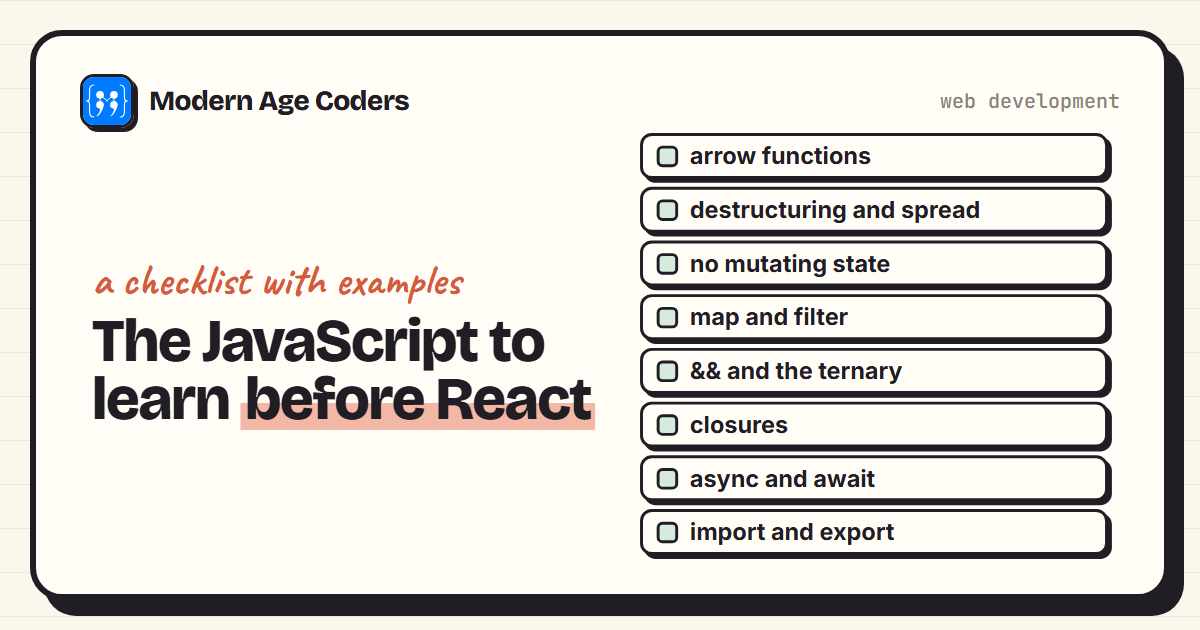
What JavaScript to Learn Before React (with Examples)
The JavaScript React relies on: spread, map, &&, closures, async and more, each with a runnable exam...
Read Article Web Development
38 min read
Web Development
38 min read
20 HTML, CSS, and JavaScript Project Ideas (With Code)
20 HTML, CSS, and JavaScript project ideas from beginner to advanced, each with the exact skills it ...
Read ArticleReady to start React Course for Teens: JavaScript to Real React Apps?
Book a Priority Demo to see a full live class with a mentor reserved for you, today or tomorrow. Or choose a plan and enrol now.
Questions? WhatsApp +91 91233 66161 or email connect@modernagecoders.com