SDAU / FND / 01
Python for Teens
Ages 13 to 18, from zero.
Open the syllabusAustralia · Ages 13 to adult · Build, test, ship
Writing code that runs once is the start. Software development is everything after that: deciding what the program must do, proving it does it, keeping a history of every change, and finding the change that broke it when something goes wrong. The Australian occupation classification describes the work in five verbs, and only one of them is writing code. Our software development course teaches all five, live online, to teenagers and adults across Australia. This page shows the approach, works through one real debugging exercise with our own numbers, and shows where the same habits already sit in the Australian Curriculum.
Live teaching since 2020 · 10,000+ students · Tests and version control from the first project
In short
A software development course teaches how programs are designed, tested, versioned, debugged and maintained, not only how to write them. ANZSCO describes software and applications programmers as people who design, develop, test, maintain and document program code. Modern Age Coders teaches those habits live online to Australian teens and adults, in small groups or one to one, starting with a free class.
Start here
Chosen by age and starting point. Each card opens the full syllabus.

SDAU / 01
Ages 13 to 18, from zero. Functions, files and tests, the base every later project stands on.
Open the syllabus →
SDAU / 02
For 18 and over: the same craft at an adult pace, with real automation projects.
Open the syllabus →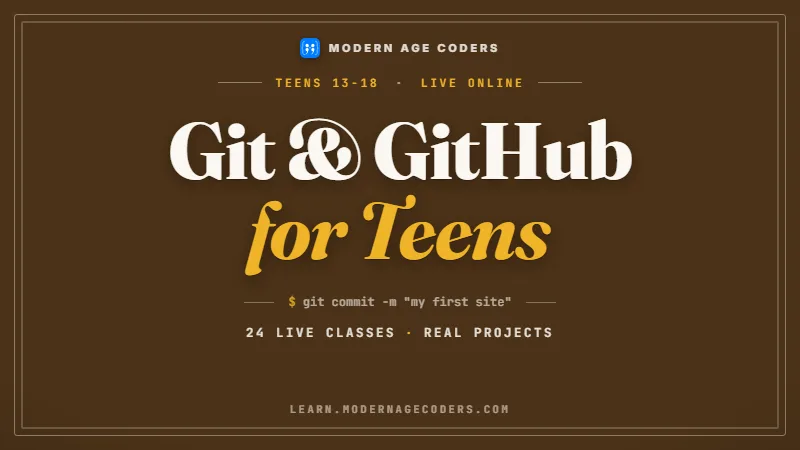
SDAU / 03
Commits, branches, pull requests and history, ages 13 to 18.
Open the syllabus →The craft
ABS's occupation classification, ANZSCO, gives a one-line definition of the work that is a useful course outline in itself.
Unit group 2613 Software and Applications Programmers is defined as people who "design, develop, test, maintain and document program code in accordance with user requirements, and system and technical specifications". Beginners usually practise only the second verb. Our course gives each of the five its own skills and its own projects.
| Verb | What students practise | Evidence they can do it |
|---|---|---|
| Design | User stories, inputs and outputs, sketches before code | A one-page plan another student can build from |
| Develop | Python first, then a second language; small functions | Programs that read like the plan |
| Test | Expected and actual output, boundary cases, automated tests | A test file that fails when the code is wrong |
| Maintain | Git history, small commits, finding what changed | A repository with a readable log |
| Document | README files, comments that explain why, usage notes | A stranger can run the project in five minutes |
A test is a sentence that says what correct means. Writing it first forces the question every project needs answered: how will we know this works?
Students who learn to test in their first month treat it as normal rather than as extra work added later.
Git turns a project into a history of small, named changes. That history is what makes the debugging technique below possible.
It also makes group work safe: two people can change the same project without losing each other's work.
A worked example
This exercise shows why tests and version control belong together. We built the repository ourselves so every number on this page can be checked.
The program is a small function that works out the coins and notes for an amount of money, in cents. It sits in a Git repository with 100 commits. At commit 73, one character changes: while cents >= n becomes while cents > n. Nothing crashes. The function simply stops giving the last coin when the amount left equals a coin's value, so change for $1.45 comes back as $1, 20c and 20c, five cents short.
| Method | Test runs needed | Notes |
|---|---|---|
| Check every commit from the oldest | 73 | Stops at the first failing commit |
| Check backwards from the newest | 28 | Stops at the last passing commit |
| git bisect run with the test file | 7 | Halves the remaining range at every step |
The Git documentation describes it in one line: "Use binary search to find the commit that introduced a bug". Mark one good commit and one bad one, and Git checks out the middle.
git bisect run needs a program that exits 0 when the code is good and non-zero when it is bad. Our test, change(145) == [100, 20, 20, 5], is that program.
With four commits, reading the four diffs is quicker than setting up bisect. The method earns its keep as history grows: 1,000 commits need only about 10 test runs.
Real histories contain commits that do not build. Git reserves a special exit code for them: "The special exit code 125 should be used when the current source code cannot be tested." The test script returns 125 and bisect steps around that commit.
Students write that case into their scripts too, so a broken build is skipped rather than mistaken for the bug.
A failing test plus a clean history turns "something broke last month" into a seven-step search. Without the test, there is nothing to run at each step; without small commits, the culprit is a week of mixed changes.
That is the point of the exercise: the debugging trick only works because of habits formed much earlier.
Sources, read 14 October 2026: Git documentation, git-bisect; the repository, test and timings are our own.
At school
The Digital Technologies curriculum for Years 7 to 10 already asks for testing and shared version control. Our course takes them further.
| Code | What it asks for | Where it appears in our course |
|---|---|---|
| AC9TDI8P06 | An elaboration specifies test cases for a change-calculating algorithm, with input $1.45 | The same function, under automated test, in the bisect exercise |
| AC9TDI10P06 | "validate algorithms and programs by comparing their output against a range of test cases" | Test files written before features |
| AC9TDI10P12 | An elaboration on sharing code development using "a collaborative version control tool such as GitHub" | Git from the first project, GitHub for group work |
Senior courses add their own requirements. NSW students will find the detail on our HSC Software Engineering help page and Victorian students on VCE Software Development help.
This course builds the general craft underneath both. It never writes assessed work.
Adults and younger teens do not need a school subject to start. The order is the same: plan, code, test, commit, then read the history when something goes wrong.
Teenagers in Years 7 to 10 will recognise the curriculum language above from class.
Source, read 14 October 2026: ACARA, Digital Technologies curriculum content, Years 7 to 10, Version 9.0.
Paths
Each project adds one professional habit to the last.
| Project | New habit | Done when |
|---|---|---|
| Coin change calculator | Writing tests before code | Boundary amounts like 5c and $100 pass |
| Command-line to-do list | Small commits with clear messages | The Git log reads like a diary |
| Quiz with a saved high-score file | Handling bad input without crashing | Text typed instead of a number is rejected politely |
| Team project on GitHub | Branches and pull requests | Two students merge work without losing any |
| Find the planted bug | git bisect with an automated test | The culprit commit is named in under ten runs |
Learners who want a web or mobile focus continue with web development for teens or JavaScript classes. Adults changing careers may find coding for career changers the better door.
Reading code
Developers spend much of their time reading, reviewing and changing existing programs. The course practises that from the second term.
| Question | Why it is asked |
|---|---|
| Does a test show the change works? | A change without a test can quietly break later |
| Is each commit about one thing? | Small commits make history searchable |
| Do names say what things are? | The next reader should not need to guess |
| What happens with empty or wrong input? | Edge cases are where most bugs hide |
| Is anything copied that could be a function? | Repeated code drifts apart when one copy is fixed |
Learners practise writing review comments that describe the problem and suggest a fix, rather than just saying something is wrong.
Kind, specific comments are a skill teams value, and they are rarely taught.
Having code questioned can sting at first. Seeing that every developer's code is reviewed, the teacher's included, makes it routine.
By the team project, learners ask for reviews before they are told to.
Progress
A learner moves up when a project proves the skill, whatever the calendar says.
| Stage | What you can do |
|---|---|
| 1. Coder | Write a working program from a clear description |
| 2. Tester | Write tests that fail when the code is wrong, including edge cases |
| 3. Maintainer | Keep a clean Git history and use it to find when a bug arrived |
| 4. Team developer | Plan, review and merge work with others through pull requests |
It teaches the habits the occupation description names. We make no promise about jobs or pay; those depend on far more than one course.
What it does promise is a portfolio of tested, versioned projects a learner can show and explain.
Python, because its syntax gets out of the way of the habits. JavaScript or Java follow once testing and Git feel routine.
The habits carry over to any language unchanged.
The catalogue
Grouped by stage. The free class decides where a learner starts.
SDAU / FND / 01
Ages 13 to 18, from zero.
Open the syllabusSDAU / FND / 02
Adults, zero to advanced.
Open the syllabusSDAU / FND / 03
Algorithms and clear thinking.
Open the syllabusSDAU / GIT / 01
History and teamwork, 13 to 18.
Open the syllabusSDAU / GIT / 02
Team-ready version control.
Open the syllabusSDAU / GIT / 03
For working developers.
Open the syllabusSDAU / SYS / 01
Object-oriented design, 13 to 18.
Open the syllabusSDAU / SYS / 02
React, Node.js and deployment, 18+.
Open the syllabusSDAU / SYS / 03
The theory under fast code, 18+.
Open the syllabusHow lessons run
Teachers work from India, whose day overlaps Australian afternoons and evenings. Lesson times are agreed in your own state's time and follow daylight saving changes.
After school
For teenagers during term.
Evening
For adults after work, by arrangement.
Weekend
Longer project sessions.
A short coding task and its first test, then advice on where to begin.
Fifteen to twenty learners reviewing each other's code.
For a specific project, pace or language.
Every project lives in Git from the first lesson.
Teachers comment on pull requests as a team lead would.
The learner types every line; teachers guide.
Student work
Work our students built and published. More in the student labs.

AI and ML
An AI nutrition coach that reads what you eat and works you toward a target.

AI and ML
A chatbot that answers mathematics and programming questions, built and deployed by a student.

AI and ML
An assistant that helps a young person recognise unsafe situations online.

Web app
A weather forecasting site with live conditions for any location.
Fees
Learners outside India pay one monthly fee in US dollars, with nothing due at sign-up and no contract.
Free first class
USD 0
no card required
Group batch
USD 100
a month, billed in US dollars
One to one
USD 150
a month, billed in US dollars
What families say
Published reviews from our Google profile, reproduced without edits.
★★★★★
"The one step solution for my son. Modern Age Coders make learning coding so simple that kids love it. The teachers explain complex concepts clearly with practical exercises and interactive content."
Ria Mukherjee
Parent
★★★★★
"Modern Age Coders has been a game-changer for me. I struggled to grasp IT concepts and coding before joining, but their classes transformed everything. I can now confidently write complex programs with ease."
Samriddha Mondal
Student
★★★★★
"One of the most wonderful education centres out there. Education is not limited to school syllabus but focuses on skill development."
Vansh Agarwal
Student
★★★★★
"My child Dhairya is really enjoying the Modern Age Coders classes. This is his first online class and he eagerly looks forward to it. I can already see his improvement, and the teachers are very cooperative."
Sonam Oswal
Parent of Dhairya
★★★★★
"Modern Age Coders have wonderful teachers who teach in a clear, easy and practical way. The teacher boosts students' confidence and inspires them to learn without hesitation."
Sonu Goyal
Parent
★★★★★
"I highly recommend this computer coding class! The teachers are incredibly knowledgeable and passionate about coding."
Ritu Kedia
Parent
Learners ask
A course that teaches the whole job of making software: planning what it must do, writing it, testing it, keeping its history in version control, debugging and documenting it.
Learning to code covers writing programs. Software development adds testing, version control, debugging methods and teamwork, the parts that keep a program working as it grows.
A Git command that uses binary search through a project's history to find the commit that introduced a bug. In our 100-commit example it found the faulty commit in 7 test runs.
No. The course starts with Python from zero and introduces testing and Git alongside the first programs.
No. HSC Software Engineering is a NSW senior subject with its own syllabus. This course teaches general skills that help such students, and we never complete assessed work.
Teenagers from 13 and adults of any age. Younger children usually begin with Scratch or Python for kids first.
ANZSCO unit group 2613 describes them as people who design, develop, test, maintain and document program code in line with user requirements and specifications.
We do not promise jobs or salaries. The course builds tested, versioned projects and the habits behind them, which you can show and explain.
Python first, then JavaScript, Java or C++ depending on the learner's goals.
Your first class costs nothing and no card is taken. The monthly prices for groups and private lessons sit in the fees panel on this page.
Also on this site
Other doors that sit next to this one.
The national guide to every state, city and track.
For NSW senior students.
For Victorian senior students.
The language of the web.
Close to the machine.
For adults switching fields.
Start here
Leave your details and we will call at a time that suits. The first class includes a short task with its first test and ends with a clear recommendation.
More about our approach: how lessons are taught, and the full course list.
WhatsApp us · +91 91233 66161 · connect@modernagecoders.com
Messages on WhatsApp from Australian numbers are answered first. Our phone number starts with +91 because the team works from India; we have no office in Australia.
A priority demo is a full class of about 45 to 60 minutes. After the class the mentor sends a written skill report and a personal learning roadmap on WhatsApp. If you enrol, the demo fee is adjusted against your first month's fee. Share your demo Order ID with us on WhatsApp and we take it off.
Book a priority demo