Is there a live online Python class for learners in Kamloops?
There is. Modern Age Coders runs live online coding and Python lessons for Kamloops learners aged 6 and up, adults included. A learner joins a fifteen to twenty strong group at one level, or works one to one. Typical first courses: Python and AI for Kids at 9 to 12, Python for Teens at 13 to 18, the Python Masterclass for adults. Lesson one is free.
For a family in Brocklehurst, Aberdeen or Westsyde, the nearest specialist Python teacher may be a long drive down the Coquihalla. Online removes the drive, and the real question becomes what a live online class actually delivers week to week. This page walks through one ordinary week, sets out a Python path for every age, shows a project our students run on the City of Kamloops tree inventory (nearly twenty thousand rows, and not all of them trees), and explains where coding already sits in the BC curriculum.
Facts last verified 23 October 2026. Teaching is online; no Kamloops branch is claimed.
One course per age group, plus machine learning for teenagers whose Python is already steady. The free class settles which.

Young learners type genuine Python: little games, coloured drawings and programs that ask questions and react to the answers.
See the syllabus

The whole of core Python, finishing with files, dictionaries and real data like the tree inventory project further down.
See the syllabus
For adults starting cold or returning: patient foundations, then the functions and file work that make Python useful.
See the syllabus
Machine learning built in Python on data the student can open and inspect, so every model is something to question.
See the syllabusBrowse the course atlas for more than one hundred options and use the coding roadmap to check prerequisites.
The four we are known for
These run underneath everything above. Every one is live and online, placed by ability rather than by age, and the first class is free.
Python, web and AI projects where the learner still owns the thinking.
See the syllabus
Automate the work you already do, then let AI carry part of it.
See the syllabus
Train a model, read what it learned, and be able to say why it is wrong.
See the syllabus
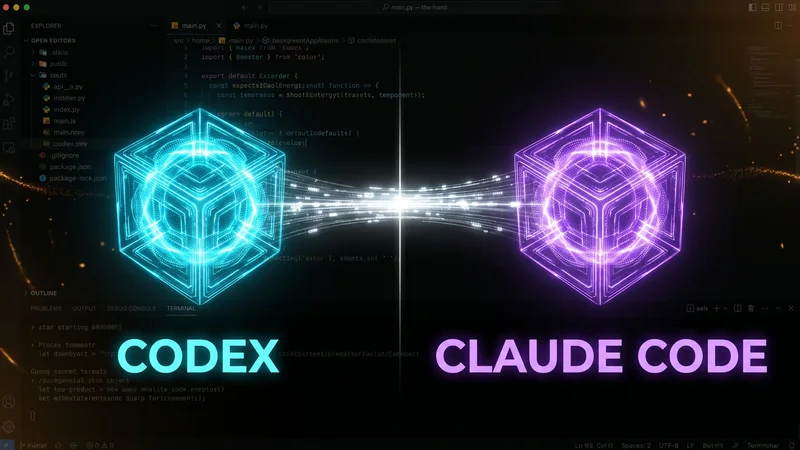
Run AI coding agents on real work without losing control of the codebase.
See the syllabusLive online is easiest to understand as a routine. This is what a typical week looks like for a teenager in a group class; one-to-one weeks follow the same pattern at the learner's own times.
| When | What happens | Why it matters |
|---|---|---|
| Monday, live class | The teacher introduces one idea, say dictionaries, and everyone writes a short program with it on their own computer while the teacher watches the shared screens of whoever is stuck. | Mistakes are caught in the minute they happen, not three days later |
| Tuesday to Wednesday | A small task alone: count something in a file, using the new idea, with no AI assistant writing it. | Doing it without help is the only proof the idea has landed |
| Thursday, live class | The group compares solutions. The teacher picks two that work differently and asks which is clearer and why. | Reading other people's code is half of programming |
| Friday to Sunday | Optional: extend the task, or bring a question to the next class. Nothing is graded. | Curiosity, not homework, is what keeps learners going |
| Every few weeks | Rebuild a program from a blank file without notes. | Shows what has stuck, honestly, to the learner and the parent |
Nothing in that week needs a learner to live near anyone. What it does need is a teacher who reads code, not just slides. When a Kamloops student writes for tree in trees and then mistypes tres on the next line, a teacher points at the NameError and asks the student to read it aloud before saying anything else. After a few weeks of that, students start reading error messages before they ask, which is the habit that matters.
Fill in the form or send a WhatsApp message with an age or grade. We set up a free class of 30 to 45 minutes and suggest a level at the end.
Any recent Windows, Mac or Linux computer, headphones and a connection that can hold a video call. Installing Python is free and part of lesson one or two.
A group class has fifteen to twenty learners at one level. One to one moves at a single learner's pace and suits adults or contest preparation.
The City of Kamloops publishes its tree inventory as open data under the Open Government Licence - Kamloops. Students pull the layer down, tally it in Python, and learn that tallying was never the hard bit. The numbers here were produced by our scripts from data read on 22 October 2026, not by the city.
| What we counted | Label in the data | Rows |
|---|---|---|
| Row type | TREE | 17,207 |
| Row type | PLANTING SITE | 1,034 |
| Row type | REMOVAL SITE | 982 |
| Row type | STUMP | 491 |
| Row type | DELETE | 16 |
| Tree rows, by first word | MAPL | 2,867 |
| Tree rows, by first word | PINE | 1,719 |
| Tree rows, by first word | SPRUCE | 1,451 |
| Tree rows, by first word | CRABAPPLE SPP | 1,286 |
| Tree rows, by first word | ASH | 1,091 |
The counting script is short and uses only the standard library. It runs on the CSV our students save from the layer:import csv
genus_counts = {}
trees = 0
with open("kamloops-trees.csv", encoding="utf-8") as f:
for row in csv.DictReader(f):
if row["SITETYPE"] != "TREE":
continue
trees += 1
genus = row["COMMONFULLNAME"].split(",")[0].strip()
genus_counts[genus] = genus_counts.get(genus, 0) + 1
print(trees, "rows are trees")
top = sorted(genus_counts.items(), key=lambda pair: pair[1], reverse=True)
for genus, count in top[:10]:
print(genus, count)
The city's map server hands out at most 1,000 records per request, and the layer holds 19,730. So the first program loops: ask for 1,000 rows starting at an offset, add them to a list, move the offset on, stop when a page comes back short. Twenty requests, one file.
Only 17,207 rows are marked TREE. The rest are empty planting sites, removal sites, stumps and 16 rows marked DELETE. Count everything and you overstate the city's trees by more than two and a half thousand.
Names are abbreviated by hand: "MAPL, NORWAY", "MAPL, NWY CRMSN KG". The script's 2,867 maples misses rows spelled out as MAPLE. Every name starting with MAPL covers 3,078 tree rows, 206 of them spelled MAPLE; crabapples split the same way across CRABAPPLE and CRABAPPL.
The planting year is filled in on only 4,670 tree rows, and 30 of those say 1800, which is almost certainly a placeholder rather than a date. So "trees planted per year" from this file describes the record-keeping as much as the planting. The inventory covers trees the city tracks, not every tree in Kamloops back yards.
A good next step for older students is a fair chart: 86 tree rows give a planting year of 2026 and 210 give 2025, but with most rows blank, the honest chart shows the blanks too. Contains information licensed under the Open Government Licence - Kamloops (open data portal, dataset and licence text). The licence is based on version 2.0 of the BC Open Government Licence. Using the data implies no endorsement by the City of Kamloops.
Kamloops schools follow the BC curriculum. We read curriculum.gov.bc.ca on 22 October 2026. Text inside quotation marks is copied from it; the plain descriptions are ours.
| Stage | Where coding appears | What the curriculum says |
|---|---|---|
| Grades 6 and 7 | Applied Design, Skills, and Technologies (ADST) | Students take "a minimum of three modules" each year; the computational thinking module mentions "visual programming", for example Kodu or Scratch |
| Grade 10 | ADST electives | The list includes Computer Studies 10 and Web Development 10 |
| Grade 11 | Computer Programming 11 (ADST) | Our summary: language constructs for input and output, logic, decisions and loops |
| Grade 12 | Computer Programming 12 (ADST) | Our summary: functions, methods and classes used to organize larger programs |
| Grades 11 and 12 | Computer Science 11 and 12 (Mathematics) | Our summary: decomposition, breaking a large problem into parts small enough to program |
Two separate course families, one under ADST and one under Mathematics, is a BC quirk worth knowing when a Kamloops teenager picks Grade 11 courses; which ones a school actually runs varies. Either way, the tree project above covers input and output, decisions and loops, and moving it into functions is the Grade 12 step. Our Computer Programming 11 and 12 page goes course by course.
We support students beside their school courses and do not grant BC credits. CEMC contests such as the Beaver Computing Challenge (9 to 20 November 2026) and the CCC (Wednesday 17 February 2027) are entered through a school, as CEMC requires. We are not connected with the BC Ministry of Education and Child Care, any school district, CEMC or the City of Kamloops.
BC moved its clocks forward on 8 March 2026 and, by the provincial announcement, left them there for good at UTC-7. Kamloops therefore keeps the same time through November, when most of eastern Canada falls back.
| Kamloops time | India time | Typical learner |
|---|---|---|
| 4:00 pm, weekday | 4:30 am the next morning | A child home from school |
| 6:00 pm, weekday | 6:30 am the next morning | A teen after sport, or an adult after work |
| 8:30 am, Saturday | 9:00 pm that Saturday | Families who prefer weekend mornings |
Before 2026, BC families had to recalculate twice a year; now one table holds from January to December. The one thing to watch is a relative or class elsewhere in Canada: Alberta stays an hour ahead of Kamloops all year, Ontario two or three hours depending on the season. Our Canada time zones page lays it all out; in our messages, the Kamloops time always comes before any other.
Where a learner joins depends on what they can already do; the free class works it out, and the ages are only a rough guide.
Order, repetition and choice with blocks, which is close to the visual programming BC uses in Grades 6 and 7, only earlier.
Coding for KidsScratch Coding for KidsVariables, loops and conditions typed and explained aloud, in programs short enough to understand completely.
Python and AI for KidsAI Literacy for Kids (Ages 8 to 14)Python up to the level of Computer Programming 11 and beyond, the tree inventory, then machine learning or contests.
Python for TeensAI and Machine Learning for TeensFrom zero to scripts that clean spreadsheets and pull data, with AI help introduced once results can be checked.
Python MasterclassPython Automation CourseBecause that is how many rows the layer has.
Ask a chatbot to count the trees in the Kamloops inventory and the code it writes will usually count rows. It will not notice the stumps, the empty planting sites or the 16 rows marked DELETE, and it will happily split maples across MAPL and MAPLE. The program runs; the number is wrong in two different ways.
We teach learners to think about what each row means before writing a single loop, and to check a result against something sensible. Older students do use AI tools in our classes, within each tool's age rules, as a starting draft they must test and correct. The thinking stays theirs.
BC's Computer Science 11 calls decomposition the skill of dividing problems into understandable parts; that is the part no AI tool can do for you if you want to trust the answer. The longer argument is in is coding worth learning in 2026 with AI around.
Everything is online, so distance across the region stops mattering. These are the practical details.
Weekdays or weekends, flexible: choose your batch, or for a very personalised plan choose 1-on-1 at your convenience, weekend mornings or weekdays.
Learners in Sun Peaks, Chase, Logan Lake, Merritt and Barriere join exactly the same live classes as learners in Kamloops itself.
Phones on the 250, 778, 236, 672 and 257 area codes all work in the form, which supplies the country code itself.
Teachers plan in BC grades and know where ADST and Computer Programming 11 fall in the school year. We explain assignments; we never complete them.
With BC on UTC-7 all year, a Kamloops class time does not move in November or March, which makes it the easiest province in the country to schedule.
The free class needs no card and no commitment. At the end the teacher suggests a level, a course and a time that fits.
No centre in Kamloops
Modern Age Coders has no office or classroom in Kamloops or anywhere in BC and claims none. Every lesson is live and online, taught by teachers based in India.
Three lines, each in the currency for your region.
A full live lesson at no charge, ending with a suggested level and course.
The monthly fee for a group of fifteen to twenty learners at one level.
The monthly fee for one learner and one teacher, at agreed times.
Kamloops learners pay the same monthly fee as learners elsewhere in Canada. An invoice comes only after the free lesson, when a course and a time have been chosen together; the pricing page explains holiday weeks and missed lessons.
Rated 4.9 across 547 Google reviews. These are real reviews, reproduced as written.
★★★★★
"The one step solution for my son. Modern Age Coders make learning coding so simple that kids love it. The teachers explain complex concepts clearly with practical exercises and interactive content."
Ria Mukherjee
Parent
★★★★★
"Modern Age Coders has been a game-changer for me. I struggled to grasp IT concepts and coding before joining, but their classes transformed everything. I can now confidently write complex programs with ease."
Samriddha Mondal
Student
★★★★★
"One of the most wonderful education centres out there. Education is not limited to school syllabus but focuses on skill development."
Vansh Agarwal
Student
★★★★★
"My child Dhairya is really enjoying the Modern Age Coders classes. This is his first online class and he eagerly looks forward to it. I can already see his improvement, and the teachers are very cooperative."
Sonam Oswal
Parent of Dhairya
★★★★★
"Modern Age Coders have wonderful teachers who teach in a clear, easy and practical way. The teacher boosts students' confidence and inspires them to learn without hesitation."
Sonu Goyal
Parent
★★★★★
"I highly recommend this computer coding class! The teachers are incredibly knowledgeable and passionate about coding."
Ritu Kedia
Parent
An age or grade and a line on any past coding is enough. A seven year old might begin with a maze game; a Grade 11 student might open the tree layer in the first lesson.
Questions we get from Kamloops parents, students and adults.
Not in a building. Lessons happen live over the internet, so a Kamloops learner logs in from home and a teacher works with them as they write code.
Usually two live lessons a week in a group, with a short solo task in between. The teacher introduces an idea, everyone codes it, and errors are explained as they happen.
Most children can start typed Python at about 9. Between 6 and 8 we start with blocks. Teenagers and adults can begin Python immediately.
Somewhere between 30 and 45 minutes of real teaching at the right level for the learner. At the end the teacher recommends a course and a time slot. It costs nothing.
Yes. Most adults start in the Python Masterclass. Those who want Python for their job then often take the automation course, which deals with files, spreadsheets and reports.
No. BC credits come only from school. Our classes run beside Computer Programming 11, Computer Science 11 and similar courses with extra practice and projects.
Yes. The 2027 CCC is set for Wednesday 17 February 2027 on the CEMC calendar. A school has to register the student; our part is preparation, using problems we write ourselves.
Weekdays or weekends, flexible: choose your batch, or for a very personalised plan choose 1-on-1 at your convenience, weekend mornings or weekdays. BC stays on UTC-7 all year, so times never shift.
Yes. Any number on 250, 778, 236, 672 or 257 is accepted. Skip the 1 at the front; the form expects ten digits.
A proper computer rather than a tablet, because typed code needs a keyboard and files. Add headphones and dependable internet. Python downloads for free and we help set it up.
Higher up this page, under Fees. You will see three items there, in your own currency: the free lesson, the group price for a month and the one-to-one price for a month.
For the province, read coding classes in British Columbia, or begin at coding classes in Canada. BC high school students can read about Computer Programming 11 and 12 and Calculus 12 help, and home learners about homeschool coding and math in BC.