Skip to content
Home/Canada/Ontario/Ajax and Pickering
Ajax and Pickering, Durham Region, Ontario

Coding classes for kids in Ajax and Pickering

Where can children in Ajax or Pickering, aged 6 to 12, learn coding live?

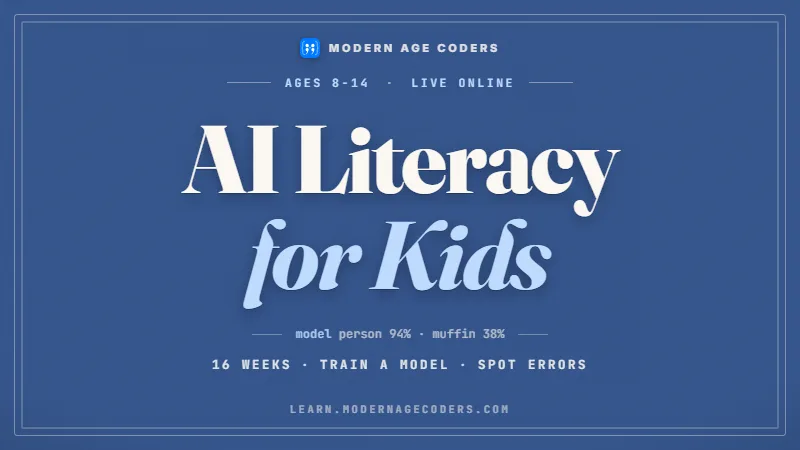
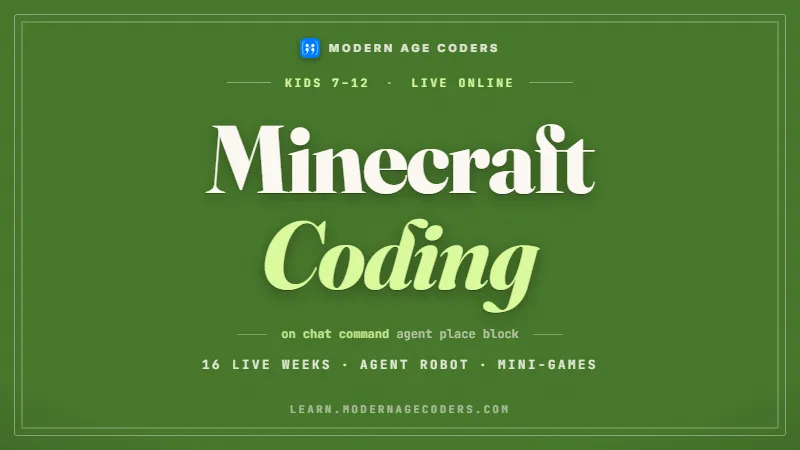
With Modern Age Coders, online. Children aged 6 to 12 from Ajax and Pickering learn live, one to one or alongside fifteen to twenty classmates. The six- to eight-year-olds tend to pick Scratch Coding for Kids or Minecraft Coding for Kids, and nine-year-olds and up often choose Python and AI for Kids. Every class has a teacher, and the first is free.

By Grade 5, Ontario math wants children to write code that makes decisions: if this is true, do that, otherwise do something else. It is the moment a program stops being a list of steps and starts to look clever, and it is also the moment children discover how picky a computer is about less-than and less-than-or-equal. For many children in Ajax and Pickering, on the eastern edge of the Toronto area, this becomes the favourite part once it clicks. Below are the Grade 5 expectations in the ministry’s words, a project built on the Town of Ajax’s own playground file, a word on FIRST LEGO League for children who want robots, and how our live classes fit the Durham school week.

Facts last verified 22 October 2026. Teaching is online; no Ajax and Pickering branch is claimed.

Courses for Ajax and Pickering children

Four ways in for an Ajax or Pickering child

Choose by age and by what already excites the child; the free class confirms the level.

Browse the course atlas for more than one hundred options and use the coding roadmap to check prerequisites.

The four we are known for

Python, AI, vibe coding and agentic coding

These run underneath everything above. Every one is live and online, placed by ability rather than by age, and the first class is free.

Grade 5 coding in Ajax and Pickering

If, then, else: the Ontario Grade 5 coding children in Ajax and Pickering meet

Public schools in Ajax and Pickering follow the Ontario curriculum. On 22 October 2026 we pulled the Grade 5 math text straight from the ministry’s curriculum service. Words in quotation marks are the ministry’s; beside each is the way our teachers bring it to life.

Grade 5, C3.1Children write and run code “that involves conditional statements and other control structures”.
A conditional is a fork in the road. We draw it as a fork first, with yes on one side and no on the other, before a single block is placed.
Grade 5, notes“A conditional statement evaluates a Boolean condition, something that can be either true or false.”
We play true-or-false out loud: the number is bigger than 10, the sprite is touching blue. Children learn that a condition is a question with only two answers.
Grade 5, notes“Conditional statements, like loops, can be nested to allow for a range of possible outcomes or to implement decision trees.”
Our playground project uses exactly this: three possible answers, so two questions asked in order. Children see why the order of the questions matters.
Grade 5, suggested situationsThe ministry lists “determining the minimum and maximum values from a set of numbers” and a guessing game whose code decides “if guess was too high, too low, or correct”.
The guessing game is a class favourite, and we build it in Scratch and then in Python. Finding the smallest and largest value comes up again in the Ajax data below.

Grade 5 is also where the ministry’s notes start distinguishing a single equals sign, which stores a value, from a double one, which compares two values. Children who skip that distinction write programs that look right and quietly do the wrong thing, which is why we slow down here. By the end of the year most of our Grade 5 students can explain, in their own words, why age less than 20 and age less than or equal to 20 give different answers for a playground built in 2006. Our guide to Ontario coding from Grade 1 to Grade 8 shows the years either side.

Next year, EQAO

Grade 6 is an EQAO year. EQAO lists 4 May to 8 June 2027 for the 2026 to 2027 Grade 6 assessment, so a Grade 5 child sits it a year and a half from now.

Decisions everywhere

Conditionals turn up across the Grade 5 math notes, from comparing areas of shapes to classifying angles. A child fluent in if-then has a tool for all of them.

Blocks still welcome

The curriculum accepts block and text code, so many Grade 5 classrooms still use blocks. We let each child choose, and nudge confident ones toward Python.

Who we are

Modern Age Coders is a live online school that teaches beside regular school. It gives no report-card marks and is not connected with the Ontario Ministry of Education, EQAO, any Durham school board, the Town of Ajax or the City of Pickering.

Ajax data project

How old are the playgrounds in Ajax? Sorting the Town’s file with if and else

The Town of Ajax publishes its playgrounds as open data, a point file of play sites with an INSTALL year for each one. Pickering’s open data hub, when we searched it on 22 October 2026, listed mostly Durham Region and conservation layers and no City of Pickering parks or playground file, so this project uses Ajax only. All figures in this section are counts we made ourselves from the Ajax download of that date.

Ajax playgrounds by age in 2026, our calculation (2026 minus the INSTALL year) from the Town of Ajax Playgrounds file; 73 rows have TYPE Playground
Age band in 2026PlaygroundsWhat the code asks
Under 10 years (installed 2017 or later)9age < 10
10 to 19 years33otherwise, age < 20
20 years or more (installed 2006 or earlier)31everything left over

The file has 81 rows: 73 playgrounds, 3 skate parks, 3 splash pads and 2 sets of exercise equipment. Install years run from 1999 to 2020, and 42 of the 73 playgrounds went in during the 2000s. The youngest is 6 years old in 2026 and the oldest 27. Written as Python, the Grade 5 decision tree looks like this, and children of 10 or 11 type it line by line in our class:import csv bands = {"under 10 years": 0, "10 to 19 years": 0, "20 years or more": 0} ages = [] with open("ajax-playgrounds.csv", encoding="utf-8-sig") as f: for row in csv.DictReader(f): if row["TYPE"] != "Playground": continue age = 2026 - int(row["INSTALL"]) ages.append(age) if age < 10: bands["under 10 years"] += 1 elif age < 20: bands["10 to 19 years"] += 1 else: bands["20 years or more"] += 1 print(bands) print("youngest", min(ages), "oldest", max(ages)) print("mean", round(sum(ages) / len(ages), 1)) ages.sort() print("median", ages[len(ages) // 2])

Skip what does not fit

The first if checks the TYPE column and uses continue to jump past skate parks, splash pads and exercise equipment. Only the 73 playgrounds reach the age questions.

Ask in the right order

Is the age under 10? If not, is it under 20? If neither, it must be 20 or more. Swap the first two questions and every playground under 10 also passes the under-20 test first, so the counts go wrong.

Mean and median

Our run printed a mean of 17.6 years and a median of 18. The two are close here, and children work out why: most install years cluster in one decade, with no extreme values pulling the mean.

A date that is not what it seems

Age here means years since the INSTALL date in the file. It is not the age of every swing or slide: parts can be replaced without the file changing. Most rows were last edited in 2013 or 2014, and the Town’s record of the dataset was modified on 9 May 2021. A good data scientist asks how old the data is before trusting what it says about age.

Some columns are never printed in our classes. Location names can name schools or people, and one column records a staff account, so we leave them out and teach why. The NAME column is safer and interesting: among the playgrounds it says Main 54 times, Senior 18 times and Junior once, which a class can turn into a pie chart. The most common install year is 2006, with 9 playgrounds. Data used under the Town of Ajax - Open Data Licence v.1.0, which allows commercial use. Contains public sector Information made available under The Corporation of the Town of Ajax’s Open Data Licence. The Town does not endorse this page.

Robots and contests

FIRST LEGO League and school contests: options for Ajax and Pickering children who want more

Some children want to code something they can hold. Others want a contest. Here is what the organisers themselves say, read on 22 October 2026.

FIRST LEGO League

FIRST Robotics Canada says the league “introduces STEM to children ages 4-14 through fun, exciting hands-on learning”. Teams build and program LEGO robots, which suits children who think with their hands.

What it builds

In FIRST’s words, its three divisions help youth “grow their critical thinking, coding, and design skills through hands-on STEM learning and robotics”. Coding classes and a robotics team support each other well.

CEMC contests

CEMC at the University of Waterloo designs its contests for Grades 5 to 12, and all students take part through their school. A Grade 5 child is at the starting line now.

We do not run robotics teams or sell kits; we teach the thinking and the code. A child who has written a nested if-else in our class arrives at a robotics table already knowing how to make a robot turn left only when its sensor sees a line. We teach with problems we write ourselves and label as ours. One of ours, for a Grade 5 child: a robot moves forward until it is less than 10 centimetres from a wall, then turns. Write the rule in plain words, then as an if-else, then predict what happens if the less-than becomes less-than-or-equal. For contests the Beaver Computing Challenge guide and the Canada contest calendar are the places to start. Modern Age Coders is not connected with FIRST Robotics Canada, CEMC or the University of Waterloo.

Class times

After school in Ajax and Pickering, a Saturday slot, and the time in India

Ajax and Pickering run on Eastern time, which moves back an hour on 1 November 2026 and forward on 14 March 2027. India does not change its clocks, so the gap shifts.

Two common Durham slots in India time. UTC offsets from the IANA time zone database (2026e); conversions by Modern Age Coders
Slot in Ajax or PickeringEastern at UTC-4 (to 1 November 2026, and from 14 March 2027)Eastern at UTC-5 (1 November 2026 to 14 March 2027)
6:00 pm on a weekday3:30 am next day in India4:30 am next day in India
10:30 am on a Saturday8:00 pm in India9:00 pm in India

Eastern time first

We always write class times for Ajax and Pickering families in Eastern time, and we reconfirm in the week before each clock change.

Young learners

For six- and seven-year-olds, lessons are short and active. By 10 or 11 most children enjoy a full hour on a single project.

905 numbers

Ajax and Pickering use the 905 belt codes: 905, 289, 365 and 742. The booking form already holds the +1, so enter just the ten-digit number.

Learning ladder

From first steps at 6 to decision trees by 12

Bands are a guide; the free class places a child by what they can do already.

Ages 6 and 7

Steps in order

Short sequences and simple games where order matters, told aloud before they are coded.

Scratch Coding for KidsCoding for Kids
Ages 8 and 9

First decisions

If-touching, if-pressed: sprites and Minecraft builds that react to what happens around them.

Minecraft Coding for KidsScratch Coding for Kids
Ages 10 and 11

If, elif, else

Typed Python, guessing games, and the Ajax playground file sorted into bands.

Python and AI for KidsMinecraft Coding for Kids
Age 12

Smarter programs

Nested decisions, simple functions, and a teacher-led look at how AI models choose an answer.

Python and AI for KidsAI Literacy for Kids (Ages 8 to 14)
Coding and AI

Why should an Ajax or Pickering child code when AI exists?

Because every AI system is, underneath, a pile of decisions someone had to understand.

In the playground project the hard part was not typing. It was deciding which question to ask first and noticing that an install year is not the same as the age of a slide. A tool can write the if-else; it cannot tell you whether the question was the right one. Children who have built decision trees by hand notice when an answer does not add up.

Adult chatbots stay out of our classes for children under 13. Those children learn what AI is through activities their teacher runs, such as sorting cards into rules and seeing where the rules fail. The rest of the lesson they reason for themselves, step by step, and test what they built before believing it.

Ontario puts if-then thinking into Grade 5 math, and that same thinking is what lets a person question an answer from a machine. The longer argument is in should children still learn to code.

Delivery

Live online classes for Ajax and Pickering homes

Children on both sides of the town line join the same live class from home, so there is no drive along the 401 after school.

When classes run

Weekdays or weekends, flexible: choose your batch, or for a very personalised plan choose 1-on-1 at your convenience, weekend mornings or weekdays.

Two formats

A batch of fifteen to twenty children at the same level, or one teacher and your child alone, for a quiet starter or a quick learner.

Matched by stage

Groups are formed by age and level, and a child moves up when they are ready, not on a fixed date.

Parents can join

You are welcome to sit with younger children. Teachers send a short update on what was built at the end of each stage.

What to have ready

A laptop or desktop with keyboard and mouse, sound, and a steady connection. A tablet makes typed code hard, so a computer is better.

Try it free

The first class is a real lesson with a real teacher. At the end we suggest a course and a level. No card is requested.

No Ajax or Pickering centre

Modern Age Coders has no premises in Ajax, Pickering or anywhere in Durham Region, and claims none. All classes are live online, taught from India by the teachers who also teach children in other countries.

Fees

What coding classes cost for Ajax and Pickering children

Three lines, with each fee shown in its currency.

First classFree

A full live lesson, free, ending with our suggestion of a course, a level and a time.

Group tuition$140 CAD

The monthly fee for a place in a group of fifteen to twenty children at the same stage.

Private tuition$210 CAD

The monthly fee for private lessons, one teacher with your child, at times that suit you.

Families in Ajax and Pickering pay what families pay across Canada. We charge nothing before the free lesson, and only once you have chosen a course and a time; see the pricing page for missed lessons and school breaks.

Reviews

What parents say about us on Google

Rated 4.9 across 547 Google reviews. These are real reviews, reproduced as written.

★★★★★

"The one step solution for my son. Modern Age Coders make learning coding so simple that kids love it. The teachers explain complex concepts clearly with practical exercises and interactive content."

Ria Mukherjee

Parent

★★★★★

"Modern Age Coders has been a game-changer for me. I struggled to grasp IT concepts and coding before joining, but their classes transformed everything. I can now confidently write complex programs with ease."

Samriddha Mondal

Student

★★★★★

"One of the most wonderful education centres out there. Education is not limited to school syllabus but focuses on skill development."

Vansh Agarwal

Student

★★★★★

"My child Dhairya is really enjoying the Modern Age Coders classes. This is his first online class and he eagerly looks forward to it. I can already see his improvement, and the teachers are very cooperative."

Sonam Oswal

Parent of Dhairya

★★★★★

"Modern Age Coders have wonderful teachers who teach in a clear, easy and practical way. The teacher boosts students' confidence and inspires them to learn without hesitation."

Sonu Goyal

Parent

★★★★★

"I highly recommend this computer coding class! The teachers are incredibly knowledgeable and passionate about coding."

Ritu Kedia

Parent

Free placement class

Book a free class for your Ajax or Pickering child

Tell us your child’s age and interests. A six-year-old might start with a sprite that follows the mouse, a nine-year-old with a guessing game, and a twelve-year-old with the Ajax playground file.

+1

FAQ

Questions from Ajax and Pickering families

What parents in Ajax and Pickering ask us most.

Do you offer coding classes for kids in Ajax and Pickering?

Yes, live online. There is no local centre; children join from home with a teacher, in a group of fifteen to twenty or one to one.

What coding does Ontario teach in Grade 5?

Grade 5 math asks children to write and change code that uses conditional statements, the if-then and if-then-else decisions that let a program choose what to do.

What age can my child start?

Age 6, about Grade 1, is a comfortable start. Our kids classes go up to 12, and older children move on to teen courses.

My child loves Minecraft. Is that a good way in?

Often, yes. Minecraft coding lets children build and program inside a world they already enjoy, and it leads naturally to typed code later.

Can my child join a robotics team too?

Yes. FIRST LEGO League is for ages 4 to 14 according to FIRST Robotics Canada. We do not run teams, but our classes teach the coding and logic a team needs.

When do classes run for Durham families?

Weekdays or weekends, flexible: choose your batch, or for a very personalised plan choose 1-on-1 at your convenience, weekend mornings or weekdays. Times are sent in Eastern time.

Does my child need to type already?

No. Younger children drag blocks into place. Typing comes later, usually around 9 or 10, when the child moves on to Python.

Will my child use ChatGPT in class?

No. Under-13s in our classes never work with adult chatbots. OpenAI asks for a parent's permission before anyone under 18 uses ChatGPT. Our younger students learn how AI works through activities their teacher leads.

Why is the data project only about Ajax?

The Town of Ajax publishes a playground file under an open licence. When we searched Pickering's open data hub, we found no City of Pickering parks or playground file, so the project uses Ajax data only.

How do I find the fees?

They are in the fees section of this page: a free first lesson, then a monthly group fee or a monthly private fee, displayed in your currency.

More for Ontario families

Related pages for Ajax and Pickering families

For the province as a whole, read coding classes in Ontario. Families who work or study in the city may want coding and AI classes in Toronto, and the national overview is coding classes in Canada. For a child approaching Grade 6, see Ontario Grade 6 math and coding help.

Free classPriority demoCall us

Keep exploring Modern Age Coders

Related courses and guides

Learn more

Free resources

From the blog

Start here