Skip to content
Home/Canada/Ontario/Cambridge
Cambridge, Ontario

Coding classes for kids in Cambridge, Ontario

Where can a child in Cambridge, Ontario, aged 6 to 12, learn to code live?

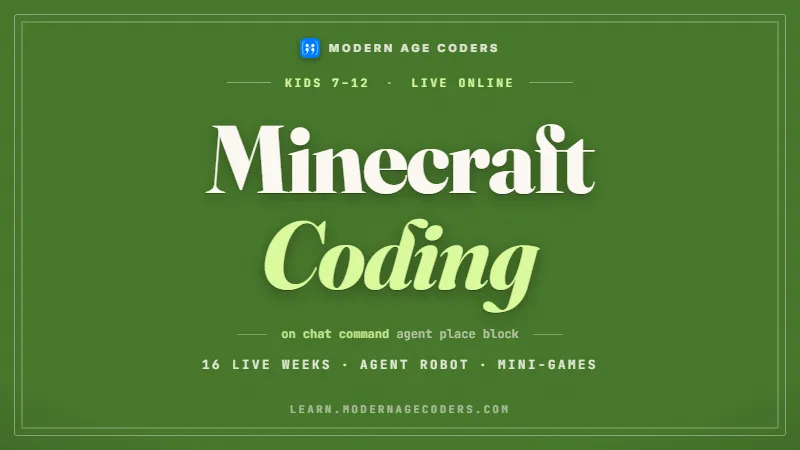
Online, with Modern Age Coders. Kids from 6 to 12 in Cambridge, Ontario code in real time with a teacher who sees their screen, privately or as part of a fifteen-to-twenty group. Scratch Coding for Kids and Minecraft Coding for Kids are common first courses; from about 9, Python and AI for Kids. The first class is free.

Grade 7 is where Ontario math introduces the sub-program: a named piece of code you write once and use many times. Programmers call it a function, and it is the single biggest step between a child who can code and a child who can build. Cambridge sits in the same census metropolitan area as Waterloo, home of the university whose CEMC writes many of Canada’s school contests, so local families often already know the contest names. What children usually lack is time to practise the ideas properly. Below are the Grade 7 coding expectations in the ministry’s words, a project that measures the City of Cambridge’s bikeway network with a function, two free CEMC options, and how our live classes fit a Cambridge family’s week.

Facts last verified 22 October 2026. Teaching is online; no Cambridge branch is claimed.

Courses for Cambridge children

Four starting courses for Cambridge, Ontario children

Each suits a different age and kind of child. One free class shows which.

Browse the course atlas for more than one hundred options and use the coding roadmap to check prerequisites.

The four we are known for

Python, AI, vibe coding and agentic coding

These run underneath everything above. Every one is live and online, placed by ability rather than by age, and the first class is free.

Grade 7 coding in Cambridge

Sub-programs and a defined count: the Ontario Grade 7 coding a Cambridge child meets

Cambridge public schools teach the Ontario curriculum. We copied the Grade 7 text from the ministry’s online curriculum on 22 October 2026, and set our classroom approach beside each line.

Grade 7, C3.1Code “that involves events influenced by a defined count and/or subprogram and other control structures”.
Two new ideas at once. We teach them one at a time: first a loop that runs a set number of times, then a named block of code the main program calls.
Grade 7, notesA defined count repeats an instruction a set number of times, or, in the ministry’s words, “until a condition has been met”.
Children write both kinds and compare: repeat 10 times, and keep going until the total passes 100. Knowing which one a problem needs is half the work.
Grade 7, notes“Sub-programs are used to assemble a complex program by writing portions of the code that can be modularized.”
We call them functions and give them good names. A program made of well-named functions reads almost like a list of instructions in English.
Grade 7, notesThe notes add that a sub-program can be reused across programs, or called more than once by the same main program.
Our bikeway project calls the same function four times with four different inputs. Children see straight away why writing it once beats writing it four times.

The ministry’s own example of a sub-program is one that finds the area of a rectangle and is then reused to work out surface area and volume. That is the shape of every good function: a small job, done well, used often. The notes also suggest that “One way to introduce the idea of a sub-program is to use a defined count”, which is the order we follow. Grade 7 is also where Ontario’s cellphone memo, PPM 128, moves from the whole-day rule for younger children to a class-time rule: for Grades 7 to 12 it says devices are “stored out of view and powered off or set to silent mode during instructional time”. Our classes run at home on a computer, after school. The Ontario coding guide for Grades 1 to 8 has the full ladder.

For ages 6 to 12

Most children on this page are younger than Grade 7. We teach the idea early through Scratch custom blocks, so by Grade 7 a sub-program feels familiar rather than new.

Efficiency carries on

Grade 7 keeps the Grade 6 focus on efficient code. A function is often the most efficient choice, because a fix in one place fixes every call.

Counting to a condition

A loop that runs until a condition is met is the start of real problem solving: keep doubling until the answer passes 1,000, and how many steps did it take?

What we are, and are not

Modern Age Coders teaches live online classes beside school. We give no report-card marks and have no connection with the Ontario Ministry of Education, EQAO, any Waterloo Region school board or the City of Cambridge.

Cambridge data project

How many kilometres of bike lane does Cambridge have? Measuring the City’s bikeway layer with a function

The City of Cambridge publishes its Bikeway Network as open data: every piece of bike lane, signed route and trail, with its type and its length in metres. Our older kids write one function that adds up the length of any type, then call it for each type. The kilometres in this section are our arithmetic on the copy of the layer we downloaded on 22 October 2026.

Bikeway Network, City of Cambridge: our sum of SHAPE.LEN by TYPE, in kilometres (rounded to two decimals; the seven largest types shown)
Bikeway type in the fileKilometres (our sum)Pieces in the file
BIKE LANE62.88266
SIGNED ROUTE43.51323
MULTI-USE SECONDARY39.27343
PAVED SHOULDER35.3763
MULTI-USE PRIMARY33.92164
WIDE SHARED LANE15.93126
PARK10.74145

The layer holds 1,541 pieces, every one marked IN SERVICE. Its map projection measures in metres, so SHAPE.LEN is a length in metres and dividing by 1,000 gives kilometres. Added together, all the pieces come to about 247.0 km by our sum; that is our figure from the raw lengths, not a City total, and the rounded rows above will not add up to it exactly. Here is the program a 12-year-old writes, with the Grade 7 sub-program in the middle:import json with open("bikeway-network.json", encoding="utf-8") as f: pieces = [feature["attributes"] for feature in json.load(f)["features"]] def km_of(kind): metres = 0 for piece in pieces: if piece["TYPE"] == kind: metres += piece["SHAPE.LEN"] return round(metres / 1000, 1) for kind in ["BIKE LANE", "SIGNED ROUTE", "MULTI-USE SECONDARY", "MULTI-USE PRIMARY"]: print(kind, km_of(kind), "km")

Write it once

km_of takes a type name, walks through the pieces, adds the lengths that match and returns kilometres. The four calls at the bottom reuse it, exactly as the Grade 7 notes describe.

A trade-off to discuss

Each call walks the whole list again, four walks for four types. For 1,541 pieces that is instant. Children who did the Grade 6 efficiency work can say how to make it one walk, and when that would matter.

Rounding at the end

The function rounds only after adding. Rounding each piece first would throw away a little every time, and 1,541 small losses add up. Bike lane comes out as 62.9 km either way here, but the habit matters.

A row is a piece, not a path

Why 266 pieces of bike lane? A lane is split wherever something changes, at a junction, a surface or a road segment. Our check found the shortest piece is 0.03 metres long, and 71 pieces are under 10 metres; the longest is about 2,051 metres. Counting rows tells you how the City stores the map, not how many routes a child could ride. Measuring length is the honest way to compare types.

Two more questions a class can ask of the same file. Grouped by asset type, on-road bikeways come to about 157.9 km and trails to about 89.1 km in our sums. By surface, 1,253 pieces are asphalt, 171 granular and 28 wood plank, the boardwalk sort, while 47 have no surface recorded. We leave out street and trail names in class. The City says it “uses open data to improve citizen engagement and enhance the transparency and accountability of our local government.” Contains information licensed under the Open Government Licence - City of Cambridge (licence). The City of Cambridge assumes no responsibility for this page or our calculations.

Free from Waterloo

CEMC’s Team Up Challenge and CS Circles: two free options for Cambridge children

CEMC, at the University of Waterloo in the same census metropolitan area as Cambridge, offers more than contests. Two of its free resources suit children at the top of our age range. Details are taken from CEMC’s pages on 22 October 2026.

Two CEMC resources, as described by CEMC (University of Waterloo)
ResourceCEMC’s descriptionTiming or access
Team Up ChallengeA collaborative mathematics resource for Grades 6 to 8, grouping four students to solve challenging math problems togetherTuesday 1 June 2027 or later, run by educators in class
CS Circles (Computer Science Circles)Python programming tutorials in the browserThe site remembers which exercises a learner completes

Math as a team

Team Up puts four students on one problem set. It is a resource educators run in class, so the route for a Cambridge child in Grade 6 is a teacher who chooses to use it.

Python at your own pace

CS Circles teaches Python in short lessons with exercises checked in the browser. We point older children there for extra practice between our classes.

Contests via the classroom

CEMC contests are ordered by schools, never by families, so a Cambridge child who wants to write one needs a teacher to sign the class up. Raise it early in the school year.

We never copy CEMC problems into our lessons. We write our own, label them ours, and send families to CEMC for the originals. One of ours, written for a Grade 6 or 7 child: write a function that takes a length in metres and returns it in kilometres rounded to one decimal; call it on 62,882 and on 9,999; why does the second answer look odd? (It rounds to 10.0.) Older teens in the region may later want the Python and AI classes we run for Waterloo-area teenagers. The free CEMC resources guide lists everything else CEMC offers at no cost, and we are not connected with CEMC or the University of Waterloo.

Class times

Cambridge after school, Saturday late mornings, and India time

Two of the slots we offer most, converted to India time. Cambridge falls back on 1 November 2026 and springs ahead on 14 March 2027; India does neither. Offsets come from the IANA tz database (2026e) and the sums are ours.

Two Cambridge slots in India time, 2026 to 2027
Cambridge slotIn India while Eastern is UTC-4In India while Eastern is UTC-5 (1 November 2026 to 14 March 2027)
4:15 pm, Monday to Friday1:45 am the next day2:45 am the next day
11:00 am, Saturday8:30 pm9:30 pm

Eastern on every invite

Cambridge families get every class time in Eastern, and a reminder before each clock change so the first class after it starts on time.

Pace for each age

Our six-year-olds have short, lively sessions with movement built in. Eleven- and twelve-year-olds usually want a full hour to finish what they start.

Local numbers

Cambridge phones use 519, with 226, 548 and 382 in the same area. The form already carries the +1, so key in the ten digits.

Learning ladder

From first blocks at 6 to Python functions at 12

Ages are a guide; the free class places a child by skill, not age.

Ages 6 and 7

Steps and repeats

Block programs, repeat blocks and stories, with a spoken guess before each run.

Scratch Coding for KidsCoding for Kids
Ages 8 and 9

Custom blocks

Scratch custom blocks and Minecraft routines, the friendly first version of a sub-program.

Minecraft Coding for KidsScratch Coding for Kids
Ages 10 and 11

Python functions

def, parameters and return values, used on puzzles and on the Cambridge bikeway file.

Python and AI for KidsProblem Solving and Computational Thinking for Kids
Age 12

Programs from parts

Bigger projects built from several functions, plus a teacher-led look at how AI systems work.

Python and AI for KidsAI Literacy for Kids (Ages 8 to 14)
Coding and AI

Is coding still worth it for a Cambridge child in the age of AI?

Yes, because breaking a big job into small named parts is what people do and machines still need.

The bikeway project is a small example. Deciding that the job needs one function called four times, that rounding belongs at the end, and that rows are not routes: none of that is typing. An AI tool can produce code, but a child who has designed functions knows whether the code it produced is organised sensibly, and can fix it when it is not.

Children under 13 in our classes do not work with adult chatbots. A teacher shows them, with games and sorting activities, how a model picks up patterns from examples and where that goes wrong. Most of the time they work things out themselves: plan, write a small part, test it, then the next part.

Grade 7 math in Ontario treats splitting a solution into named parts as something every child should learn, and a child who can do that can read, judge and repair what an AI hands back. The longer argument is in why kids should keep learning to code.

Delivery

Live online classes for families across Cambridge, Ontario

Children in Galt, Preston or Hespeler join the same live class from home, so there is no driving between them after school.

When classes run

Weekdays or weekends, flexible: choose your batch, or for a very personalised plan choose 1-on-1 at your convenience, weekend mornings or weekdays.

Batch or private

Share a teacher with fifteen to twenty children at the same level, or have lessons alone, which helps a child who needs to go slower or faster.

Same stage, same class

We group by age and level so explanations land. A child moves up when their work shows readiness, whatever the date.

Parents in the room

You are welcome to watch, particularly with younger children. The teacher reports on progress after each stage.

Equipment

A laptop or desktop, keyboard and mouse, working sound and a reliable connection. A tablet is not a good fit for typed code.

First class free

A real lesson with a teacher, ending with a suggested course and level for your child. No payment details are taken.

No Cambridge centre

Modern Age Coders has no premises in Cambridge or anywhere in Waterloo Region, and claims none. Every class is live online, taught from India by the teachers who also teach children in other countries.

Fees

Fees for kids’ coding classes in Cambridge, Ontario

Three options; each fee has its currency printed alongside.

First classFree

A full live lesson without charge, after which we suggest a course, a level and a time.

Group tuition$140 CAD

The monthly fee for a place among fifteen to twenty children learning at the same stage.

Private tuition$210 CAD

The monthly fee for lessons with one teacher and your child, timed around your week.

A Cambridge family pays exactly what a family in Halifax or Calgary pays. You decide after the free lesson whether to carry on, and only then is a course and weekly slot booked and billed; the pricing page covers holidays.

Reviews

Google reviews from our families

Rated 4.9 across 547 Google reviews. These are real reviews, reproduced as written.

★★★★★

"The one step solution for my son. Modern Age Coders make learning coding so simple that kids love it. The teachers explain complex concepts clearly with practical exercises and interactive content."

Ria Mukherjee

Parent

★★★★★

"Modern Age Coders has been a game-changer for me. I struggled to grasp IT concepts and coding before joining, but their classes transformed everything. I can now confidently write complex programs with ease."

Samriddha Mondal

Student

★★★★★

"One of the most wonderful education centres out there. Education is not limited to school syllabus but focuses on skill development."

Vansh Agarwal

Student

★★★★★

"My child Dhairya is really enjoying the Modern Age Coders classes. This is his first online class and he eagerly looks forward to it. I can already see his improvement, and the teachers are very cooperative."

Sonam Oswal

Parent of Dhairya

★★★★★

"Modern Age Coders have wonderful teachers who teach in a clear, easy and practical way. The teacher boosts students' confidence and inspires them to learn without hesitation."

Sonu Goyal

Parent

★★★★★

"I highly recommend this computer coding class! The teachers are incredibly knowledgeable and passionate about coding."

Ritu Kedia

Parent

Free placement class

Book a free class for your Cambridge child

Let us know the age and interests. A six-year-old might begin with a repeating animation, a nine-year-old with a Minecraft routine, and a twelve-year-old with the bikeway layer.

+1

FAQ

Questions from Cambridge, Ontario families

What parents in Cambridge ask us most.

Are there coding classes for kids in Cambridge, Ontario?

Yes, live online. We have no Cambridge premises; children learn from home with a teacher, one to one or in a group of fifteen to twenty.

Is this Cambridge in Ontario or in England?

This page is for Cambridge, Ontario, in the Kitchener, Cambridge and Waterloo area. Everything here follows the Ontario curriculum and Eastern time.

What is a sub-program in Grade 7 math?

It is a named piece of code that the main program can call, often more than once. Programmers call it a function. Ontario adds it to the Grade 7 coding expectations.

Can a younger child learn functions?

In a simple form, yes. Scratch custom blocks let children of 8 or 9 make their own named blocks, which is the same idea in a friendlier shape.

What age can my child start?

Six is a good starting age, around Grade 1. Our kids classes go up to 12, and teenagers move on to separate courses.

When do classes run for Cambridge families?

Weekdays or weekends, flexible: choose your batch, or for a very personalised plan choose 1-on-1 at your convenience, weekend mornings or weekdays. All times are given in Eastern time.

Is there free CEMC material my child can use?

Yes. CEMC's CS Circles teaches Python in the browser, and its Team Up Challenge is a classroom math resource for Grades 6 to 8 that teachers can run.

Will my child use ChatGPT?

No. Children under 13 do not use adult chatbots in our classes, and OpenAI needs a parent's permission for any user under 18. We teach how AI works through teacher-led activities.

Does my child need to type?

Not at first. Younger children use blocks, and typing comes with Python around age 9 or 10.

How do I see the fees?

The fees section on this page lists a free first class and two monthly options, group and private, each with the currency shown. You pay nothing before the free class.

More for Ontario families

Related pages for Cambridge, Ontario families

The province-wide picture is on coding classes in Ontario, and the national one on coding classes in Canada. If your child enjoys CEMC material, the Beaver Computing Challenge guide and the Gauss contest page cover the next steps, and families who teach at home can see homeschool coding and math in Ontario.

Free classPriority demoCall us

Keep exploring Modern Age Coders

Related courses and guides

Learn more

Free resources

From the blog

Start here