OCSC / G10 / 01
Python for teens
A first text language, properly.
Open the syllabusOntario · Grades 10 to 12 · Computer studies pathway
Ontario high school computer science is a short ladder with two rails: a university rail, ICS3U then ICS4U, and a college rail, ICS3C then ICS4C, with an open Grade 10 course in front of both. Beside the ladder runs the math line that universities care about most. This page puts every course on one map with the prerequisites the curriculum lists, shows four routes students commonly take, and sets the map against what two universities ask for. We teach students at every step of it, beside their school courses; we do not grant Ontario credits.
Live online since 2020 · 10,000+ students · Help at every grade on the map
The pathway in brief
The Ontario computer science pathway runs from ICD2O in Grade 10, which needs no prerequisite, to ICS3U or ICS3C in Grade 11, then ICS4U or ICS4C in Grade 12, each needing its Grade 11 partner. Modern Age Coders teaches along it live online, one to one or in a batch, through Ontario Computer Science Companion.
Courses along the pathway
The companion course covers the computer science rail. The Grade 12 math course covers the line universities list. The contest course stretches the strongest students.
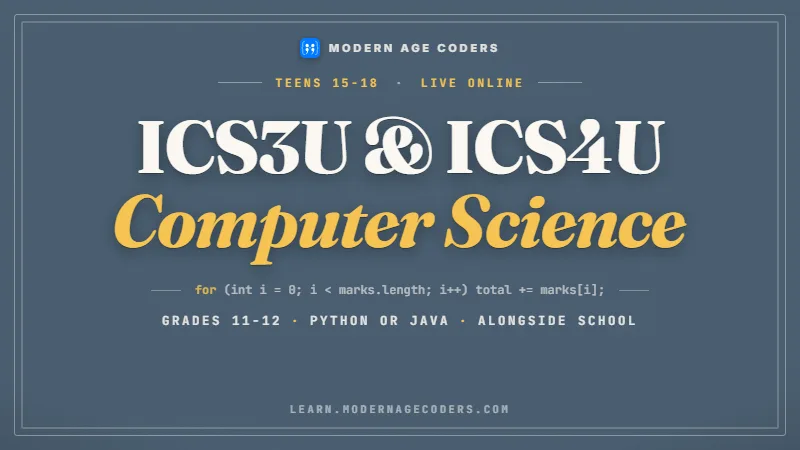
OCSC / 01
ICS3U and ICS4U, paced to the school outline, in Python or Java.
Open the syllabus →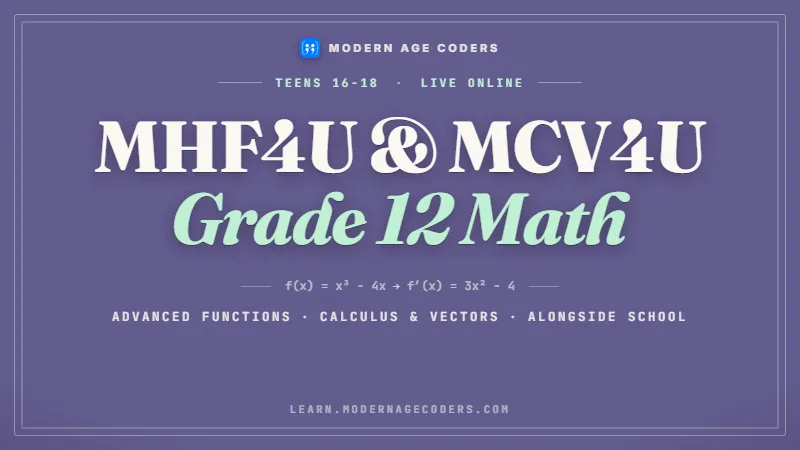
OCSC / 02
Advanced Functions and Calculus and Vectors, the two courses both universities on this page list.
Open the syllabus →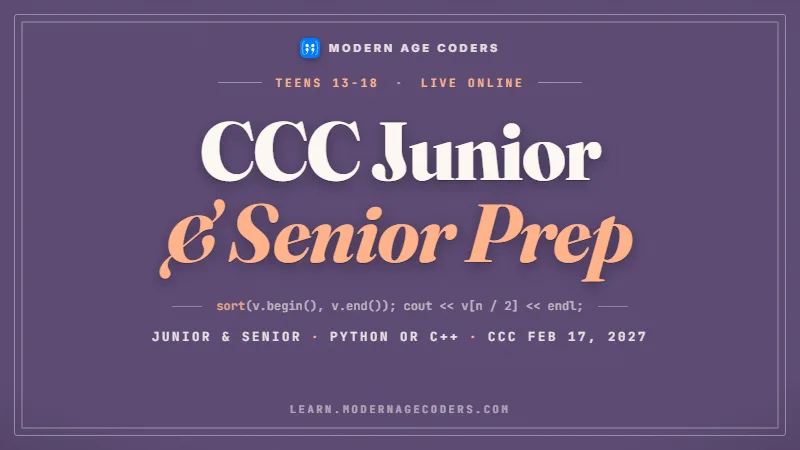
OCSC / 03
The Waterloo programming contest, for students who want a challenge beyond the course.
Open the syllabus →Every course on one page
The 2008 Computer Studies document includes a prerequisite chart, and introduces it plainly: “This chart maps out all the courses in the discipline and shows the links between courses and the possible prerequisites for them.” Here is the same map, brought up to date with the course list on the current Ontario curriculum website.
| Grade | Code | Course | Type | Prerequisite listed | Opens |
|---|---|---|---|---|---|
| 10 | ICD2O | Digital Technology and Innovations in the Changing World (2023) | Open | None | Nothing directly; prepares for Grade 11 |
| 11 | ICS3U | Introduction to Computer Science (2008) | University | None | ICS4U |
| 11 | ICS3C | Introduction to Computer Programming (2008) | College | None | ICS4C |
| 12 | ICS4U | Computer Science (2008) | University | ICS3U | University programs |
| 12 | ICS4C | Computer Programming (2008) | College | ICS3C | College programs and apprenticeship |
| 10 | ICS2O | Introduction to Computer Studies (2008 document only) | Open | None | Not on the current website’s list |
Only two arrows on the map are real requirements: ICS3U to ICS4U, and ICS3C to ICS4C. Everything else is open. A student can start computer studies in Grade 11 with no Grade 10 course at all, and the Grade 10 course itself needs nothing before it.
That makes the Grade 11 choice the one that matters. Picking ICS3U keeps ICS4U open for Grade 12; picking ICS3C opens ICS4C instead. Our ICS3U guide covers the university Grade 11 course in depth.
ICS2O is the Grade 10 course described in the 2008 document. The computer studies list on the current Ontario curriculum website shows ICD2O for Grade 10 and does not include ICS2O. We found no source stating that one replaced the other, so the map lists both and says where each appears.
Every course in the 2008 table carries the same value, stated in a note beneath it: “Each of the courses listed above is worth one credit.”
Sources: The Ontario Curriculum, Grades 10 to 12: Computer Studies (2008), course table and prerequisite chart; and the course list the Ontario curriculum website serves today (its content feed, read 22 October 2026). Modern Age Coders has no tie to the ministry and speaks only for itself.
The curriculum inside the courses
Families searching for the Ontario computer science curriculum usually want to know what is taught in each year. Each course is organised into strands, and the 2008 document explains the pattern: “Each of the Grade 11 and 12 courses has four strands.” Laid side by side, the strands show how the subject grows.
| Course | Strand A | Strand B | Strand C | Strand D |
|---|---|---|---|---|
| ICS2O, Grade 10 (2008) | Understanding Computers | Introduction to Programming | Computers and Society | None |
| ICD2O, Grade 10 (2023) | Computational Thinking and Making Connections | Hardware, Software, and Innovations | Programming | None |
| ICS3U, Grade 11 | Programming Concepts and Skills | Software Development | Computer Environments and Systems | Topics in Computer Science |
| ICS3C, Grade 11 | Programming Concepts and Skills | Software Development | Computer Environments and Systems | Computers and Society |
| ICS4U, Grade 12 | Programming Concepts and Skills | Software Development | Designing Modular Programs | Topics in Computer Science |
| ICS4C, Grade 12 | Programming Concepts and Skills | Software Development | Programming Environment | Computers and Society |
From Grade 11 on, the first two strands keep the same names in all four courses, so the work deepens rather than changes. For the third, the document says: “The third strand (strand C) in each of the courses focuses on the programming environment, and the Grade 12 university preparation course features Designing Modular Programs in this strand.”
The fourth strand covers computers in society, and on the university rail it reaches further: “In this strand, the university preparation courses also explore new research in the field of information and computer science, and its implications for society.”
Grade 10 is broad: a little programming, a lot about the technology around the student. Grade 11 is the programming year, with arrays, functions, testing and a first project. Grade 12 on the university rail is the design year, with classes, recursion, analysis and a team project; on the college rail it is the year of object-oriented programs with graphical interfaces.
That is why the jump from Grade 11 to Grade 12 feels larger than the jump from Grade 10 to Grade 11. The names of strands A and B stay the same, but what they ask for does not.
Four common routes
These four routes are ours, drawn from the map above. They are not official tracks; every school builds its own timetable, and a guidance counsellor confirms what works for one student.
| Route | Grade 10 | Grade 11 | Grade 12 | Suits |
|---|---|---|---|---|
| 1. University, full | ICD2O | ICS3U | ICS4U | Students aiming at university computer science, engineering or math who want all three years |
| 2. University, late start | No computer course | ICS3U | ICS4U | Students who discover computing in Grade 10 or 11; nothing on the map blocks them |
| 3. College | ICD2O | ICS3C | ICS4C | Students aiming at a college program in programming or IT, or an apprenticeship |
| 4. Taster | ICD2O | ICS3U or ICS3C | None | Students who want computing in their diploma but plan another field after school |
A fifth pattern is common enough to plan for: a student takes ICS3C in Grade 11, then decides on university computer science and wants ICS4U. The course table lists ICS3U as the prerequisite for ICS4U, so ICS3C alone does not open it.
The fix, if the school’s timetable allows, is to take ICS3U before ICS4U. The plan checker further down this page catches exactly this case.
A late start is allowed, but Grade 11 then carries the whole load of learning to program. In our experience, students starting ICS3U with no Grade 10 course cope far better when they write small programs over the summer before Grade 11, so that variables and loops are familiar by September.
The same applies to route 4 in reverse: a taster year in Grade 11 can turn into a Grade 12 course after all, as long as it was ICS3U or ICS3C, because each opens its own Grade 12 partner.
The rail beside the ladder
For university computer science, the math courses beside the computer studies ladder matter more than the ladder itself. Their prerequisites come from the same Ontario curriculum website, and they are stricter than the computer studies ones.
| Code | Course | Prerequisite, as the record gives it |
|---|---|---|
| MCR3U | Functions, Grade 11 | “Principles of Mathematics, Grade 10, Academic” |
| MHF4U | Advanced Functions, Grade 12 | “Functions, Grade 11, University Preparation, or Mathematics for College Technology, Grade 12, College Preparation” |
| MCV4U | Calculus and Vectors, Grade 12 | The prerequisite field is empty; the description says “The new Advanced Functions course (MHF4U) must be taken prior to or concurrently with Calculus and Vectors (MCV4U).” |
| MDM4U | Mathematics of Data Management, Grade 12 | “Functions, Grade 11, University Preparation, or Functions and Applications, Grade 11, University/College Preparation” |
MHF4U needs MCR3U first, and MCV4U needs MHF4U before it or alongside it. So a student who wants both Grade 12 courses needs Functions done by the end of Grade 11. The rule allows both in the same Grade 12 year, or MHF4U a term earlier so that Calculus and Vectors has a term to itself.
MCR3U in turn names a Grade 10 academic math course as its prerequisite. The current website lists a de-streamed Grade 9 math course, MTH1W, issued in 2021, so ask the school how that Grade 10 prerequisite applies to your teen’s own math sequence.
Both universities on this page list Grade 12 math by name for computer science and neither lists a Grade 12 computer course. A student who misses MCR3U in Grade 11 can find the university rail closed in Grade 12, whatever they did in computer studies.
So when we help a family plan, we draw the math line first and fit computer studies around it. Our math tutoring for Canada covers these courses.
Source: the Grade 11 and 12 math course records behind the Ontario curriculum website, pulled from its content feed on 22 October 2026, with codes and names exactly as the records give them.
Where the routes lead
Admission pages are usually read program by program. Here they are turned around: for each course on the map, does it appear on the two universities’ computer science pages? We read both pages on 22 October 2026.
| Course | Waterloo Computer Science | U of T St. George (TAD) | U of T Mississauga (TMX) | U of T Scarborough (TXC) |
|---|---|---|---|---|
| ICS3U | Recommended: “Grade 11 U Introduction to Computer Science” | |||
| ICS4U | Not named; counts only as a possible “One other 4U course” (our reading) | |||
| MHF4U | Required (Advanced Functions) | Required | Required | |
| MCV4U | Required (Calculus and Vectors) | Required | Required | Required |
| MDM4U | Recommended | |||
| Grade 12 English | “Any Grade 12 U English” | ENG4U / EAE4U | ENG4U / EAE4U | ENG4U / EAE4U |
| Total Grade 12 courses | “Six Grade 12 U and/or M courses including” those above | “six subjects at the 4U/M level” | Same | Same |
The only computer course either university names is ICS3U, and only Waterloo names it, as a recommendation. ICS4U appears on neither page. Math and English carry the requirements at both.
ICS4U still has a place: as a 4U course it can fill one of the six Grade 12 university slots, which on our reading is what Waterloo’s “One other 4U course” allows. More importantly, it prepares a student for the pace of a first-year computer science course.
U of T’s page adds: “The co-op component of Grade 12 courses will not be used for admission purposes”. Co-op credits count toward the diploma but not toward that admission average.
And the college rail sits outside both tables: ICS4C is a college preparation course, so it is not one of the 4U/M courses U of T counts. That is no criticism of ICS4C; it is built for a different destination. Requirements change each cycle, so check the live pages: Waterloo Computer Science and U of T Computer Science.
A worked example, ours
Prerequisite rules are data, and data can be checked by a program. We wrote this checker for this page: it stores each rule in a dictionary and walks a plan term by term. It is also a neat example of the problem solving the Grade 11 and 12 courses teach. It was run in Python 3.13.
# Check a high school course plan against prerequisites (ours)
# Rules from the Ontario curriculum: the 2008 Computer Studies course table
# and the math course records on the current curriculum website.

BEFORE = {                  # course: what must be finished in an earlier term
    "ICS4U": ["ICS3U"],
    "ICS4C": ["ICS3C"],
    "MCR3U": ["MPM2D"],
    "MHF4U": ["MCR3U"],
}
BY_THEN = {                 # course: what must come earlier or in the same term
    "MCV4U": ["MHF4U"],
}

def check(terms):
    """terms is a list of terms in time order; each term is a list of
    course codes. Returns a list of problems (empty means it works)."""
    term_of = {}
    for number, courses in enumerate(terms):
        for course in courses:
            term_of[course] = number
    problems = []
    for course, when in term_of.items():
        for need in BEFORE.get(course, []):
            if need not in term_of or term_of[need] >= when:
                problems.append(course + " needs " + need + " in an earlier term")
        for need in BY_THEN.get(course, []):
            if need not in term_of or term_of[need] > when:
                problems.append(course + " needs " + need + " first or alongside it")
    return problems


university = [["ICD2O", "MPM2D"], ["ICS3U", "MCR3U"], ["ICS4U", "MHF4U", "MCV4U"]]
switched = [["ICD2O", "MPM2D"], ["ICS3C", "MCR3U"], ["ICS4U", "MCV4U"]]

print(check(university) or "plan works")
for problem in check(switched):
    print(problem)
Output: plan works, then two lines for the switched plan: ICS4U needs ICS3U in an earlier term, and MCV4U needs MHF4U first or alongside it.
| Plan, term by term | Result | What it tests |
|---|---|---|
| ICS3U; then ICS4U | plan works | No Grade 10 course is needed |
| ICS3U and ICS4U in the same term | ICS4U needs ICS3U in an earlier term | A prerequisite cannot run alongside |
| MPM2D; MCR3U; MHF4U and MCV4U together | plan works | Concurrent MHF4U and MCV4U is allowed |
| MPM2D; MCR3U and MCV4U; then MHF4U | MCV4U needs MHF4U first or alongside it | Calculus and Vectors a term too early |
| ICD2O; ICS3C; ICS4C | plan works | The college rail |
| An empty plan | plan works | Nothing to check, and no crash |
The MHF4U record also accepts Mathematics for College Technology, Grade 12, as an alternative prerequisite, and our rule lists only MCR3U. Adding it means letting a rule hold a choice of courses rather than one: a good extension exercise for a Grade 11 student.
The checker also knows nothing about what a school actually offers, or about equivalent credits a student may hold. It tests the rules on this page and nothing more.
Because turning written rules into data is a core programming skill. The two dictionaries are the rules; the loop never changes when a rule is added. That separation is the modular design ICS4U asks for, in twenty lines.
Students who build this, then extend it, practise dictionaries, nested loops, edge cases and clear output in one small project that answers a question their family actually has.
OSSD, half credits and timing
Families searching for OSSD ICS3U or OSSD ICS4U usually want to know how the course counts toward the Ontario Secondary School Diploma. Here is what the sources say, and one thing we cannot do.
Each course on the 2008 table is worth one credit. On the current graduation requirements page, computer studies is one of the subjects students can use for the STEM-related course group, if they started Grade 9 in 2024 or later, or for Group 3, if they started in 2023 or earlier.
The 2008 Computer Studies document already pointed to Group 3 when it was written, in a footnote that lists computer studies beside technological education, an additional science course and cooperative education as ways to meet that requirement.
The courses in the 2008 document may be delivered as two half credits, “with the exception of the Grade 12 university preparation course”, which is ICS4U. Half-credit courses carry “a minimum of fifty-five hours of scheduled instructional time”.
There is one condition worth knowing if ICS3U is split: “students must successfully complete both parts of the course to fulfil the prerequisite”. Half of ICS3U does not open ICS4U.
Where the OSSD credit comes from is simple: the school, night school, summer school or Ontario credit provider that teaches and evaluates the course. We are a teaching school working beside those courses, and we do not grant Ontario credits. For the current diploma rules, the source is Ontario’s graduation requirements page, updated September 02, 2026.
Planning with your teen
These steps are ours. They take about an evening, and they make the course selection form in Grade 10 much easier.
Build the habit of writing small programs. Contests such as the CCC Junior, entered through school, are a low-pressure way to practise.
The busiest year on the map: ICS3U or ICS3C beside Functions. Tracing and testing habits formed now carry into Grade 12.
ICS4U or ICS4C beside Advanced Functions and Calculus and Vectors, and the admission forms some programs add.
Where your teen is on the map
Our own stages, matched loosely to the grades on the map.
| Stage | What it looks like |
|---|---|
| 1. Explorer | Writes small programs for fun, often in Grade 9 or 10, with or without ICD2O |
| 2. Builder | Writes programs with arrays and functions from a plan, the core of Grade 11 |
| 3. Designer | Splits programs into classes and chooses algorithms on purpose, the core of Grade 12 |
| 4. Ready for first year | Learns a new language or library alone, from its documentation |
The stages do not have to match the grades. A Grade 10 student at stage 2 is ahead; a Grade 12 student at stage 2 needs help with design before first year.
The math line matters as much as the stage. Ask about both at every course selection.
Pick one small project each summer and finish it. Finished projects move you up the stages faster than any course.
Keep your math on track. It decides more university doors than your computer courses do.
Our catalogue
Every course here is taught live by a teacher your teen keeps all term, in a group batch or privately.
OCSC / G10 / 01
A first text language, properly.
Open the syllabusOCSC / G10 / 02
Web pages that respond and react.
Open the syllabusOCSC / G10 / 03
Contest math from Gauss to Euclid.
Open the syllabusOCSC / G12 / 01
For schools that teach the ladder in Java.
Open the syllabusOCSC / G12 / 02
Algorithms for Grade 12 and beyond.
Open the syllabusOCSC / G12 / 03
Version control for team projects.
Open the syllabusOCSC / OFF / 01
A field no school course covers in depth.
Open the syllabusOCSC / OFF / 02
From the CCC to harder contests.
Open the syllabusOCSC / OFF / 03
An app on a phone by the end.
Open the syllabusClass format
Weekdays or weekends, flexible: choose your batch, or for a very personalised plan choose 1-on-1 at your convenience, weekend mornings or weekdays.
Weekdays
After school, at a time set in your Ontario time zone.
Weekends
Morning classes, steady across a whole school year.
1-on-1
For a student working ahead, or catching up.
From Grade 9 coding to ICS4U.
Functions through Calculus and Vectors.
The school’s language.
Course choices talked through.
Who follows the student year to year.
Fifteen to twenty, or one.
Student work
Projects from students at different points on the pathway. The student labs page has the full set.

AI and ML
An AI nutrition coach that reads what you eat and works you toward a target.

AI and ML
A chatbot that answers mathematics and programming questions, built and deployed by a student.

AI and ML
An assistant that helps a young person recognise unsafe situations online.

Web app
A weather forecasting site with live conditions for any location.
Fees
Start with a free class. After it, families pay a monthly fee for eight live classes a month; the amount appears below in your own currency, with no year-long commitment, and you can stop after any month.
Free first class
Free
no card required
Group batch
$100 USD
a month, eight live classes
One to one
$150 USD
a month, eight live classes
What families say
Google reviews from families, word for word.
★★★★★
"The one step solution for my son. Modern Age Coders make learning coding so simple that kids love it. The teachers explain complex concepts clearly with practical exercises and interactive content."
Ria Mukherjee
Parent
★★★★★
"Modern Age Coders has been a game-changer for me. I struggled to grasp IT concepts and coding before joining, but their classes transformed everything. I can now confidently write complex programs with ease."
Samriddha Mondal
Student
★★★★★
"One of the most wonderful education centres out there. Education is not limited to school syllabus but focuses on skill development."
Vansh Agarwal
Student
★★★★★
"My child Dhairya is really enjoying the Modern Age Coders classes. This is his first online class and he eagerly looks forward to it. I can already see his improvement, and the teachers are very cooperative."
Sonam Oswal
Parent of Dhairya
★★★★★
"Modern Age Coders have wonderful teachers who teach in a clear, easy and practical way. The teacher boosts students' confidence and inspires them to learn without hesitation."
Sonu Goyal
Parent
★★★★★
"I highly recommend this computer coding class! The teachers are incredibly knowledgeable and passionate about coding."
Ritu Kedia
Parent
Pathway questions
The current Ontario curriculum website lists five computer studies courses: ICD2O in Grade 10, ICS3U and ICS3C in Grade 11, and ICS4U and ICS4C in Grade 12. The 2008 curriculum document also describes ICS2O, a Grade 10 course not on the current list.
No. ICS4U needs ICS3U, and ICS3U has no prerequisite. ICD2O is optional, though it helps students who have never coded before.
The course table in the 2008 curriculum lists ICS3U as the prerequisite for ICS4U, and the current curriculum website shows the same. Ask the school about any equivalent it accepts.
Only if ICS3U is finished first. In a semestered school, ICS3U in the first semester and ICS4U in the second can work, if the school offers that timetable.
Each is worth one credit. Ontario's graduation requirements page lists computer studies in the STEM-related course group for students who started Grade 9 in 2024 or later, and in Group 3 for those who started in 2023 or earlier.
ICS3U can be delivered as two half credits, and both parts must be completed to fulfil the prerequisite for ICS4U. ICS4U, the Grade 12 university preparation course, is the one course in the 2008 document that cannot be split.
For university computer science, plan Functions (MCR3U) in Grade 11, then Advanced Functions (MHF4U) and Calculus and Vectors (MCV4U) in Grade 12. The curriculum says MHF4U must be taken before or at the same time as MCV4U.
On 22 October 2026 neither university's computer science page listed ICS4U. Waterloo recommended Grade 11 U Introduction to Computer Science, and both listed Grade 12 math and English. Check the pages in the year you apply.
No. We teach beside the school courses and do not grant Ontario credits. Credits come from the school or credit provider that teaches and evaluates each course.
Weekdays or weekends, flexible: choose your batch, or for a very personalised plan choose 1-on-1 at your convenience, weekend mornings or weekdays. Most of Ontario keeps Eastern time, and we confirm each class time in yours.
The first class is free. After that families pay a monthly fee and can stop after any month. The fees section on this page shows the current figure.
Along the pathway
Pages for the courses and contests on the map.
The Grade 11 university course, strand by strand.
The Waterloo programming contest for younger students.
Junior and Senior levels of the contest.
The CEMC math contests beside the math line.
Functions, Advanced Functions, Calculus and Vectors.
Classes for every age in the province.
Every page for Canadian families.
Start here
Tell us your teen’s grade, the courses they have taken and the ones they are considering. The first class looks at their current level and their plan together.
Want to read first? The companion course syllabus covers ICS3U and ICS4U, and how we teach describes a live lesson.
WhatsApp us · +91 91233 66161 · connect@modernagecoders.com
Every class is live on video with a teacher in India, so the pathway can be followed from anywhere in Ontario. A WhatsApp message is the quickest way to reach us.
A priority demo is a full class of about 45 to 60 minutes. After the class the mentor sends a written skill report and a personal learning roadmap on WhatsApp. If you enrol, the demo fee is adjusted against your first month's fee. Share your demo Order ID with us on WhatsApp and we take it off.
Book a priority demo