Table of Contents
- Why Choose Python?
- Learning Milestones: Your Python Roadmap
- Setting Up Python
- Your First Python Program
- Variables and Data Types
- Basic Operations
- Getting User Input
- Conditional Statements
- Loops: Repeating Actions
- Lists: Storing Multiple Values
- Functions: Reusable Code
- Practice Project: Number Guessing Game
- Common Beginner Mistakes
- Dictionaries: Key-Value Pairs
- Error Handling
- Working with Modules
- What You'll Learn in Our Python for Beginners Course
- Who Should Learn Python?
- Frequently Asked Questions
- Next Steps in Your Python Journey
Python is one of the most beginner-friendly programming languages, yet powerful enough to build everything from simple scripts to complex AI systems. Its clean syntax and readability make it the perfect first language for aspiring programmers. Whether you're a student looking to start your coding journey, a professional wanting to upskill, or simply curious about programming, Python offers an accessible entry point into the world of software development.
In this comprehensive Python tutorial for beginners, you'll learn the fundamentals step-by-step with plenty of code examples and practical exercises. By the end, you'll have written your first Python programs and understand the core concepts that power millions of applications worldwide. Let's dive into the fundamentals!
Still weighing your options before you commit? Our honest Python vs JavaScript comparison runs the same program in both languages and settles the which-first question by what you want to build.
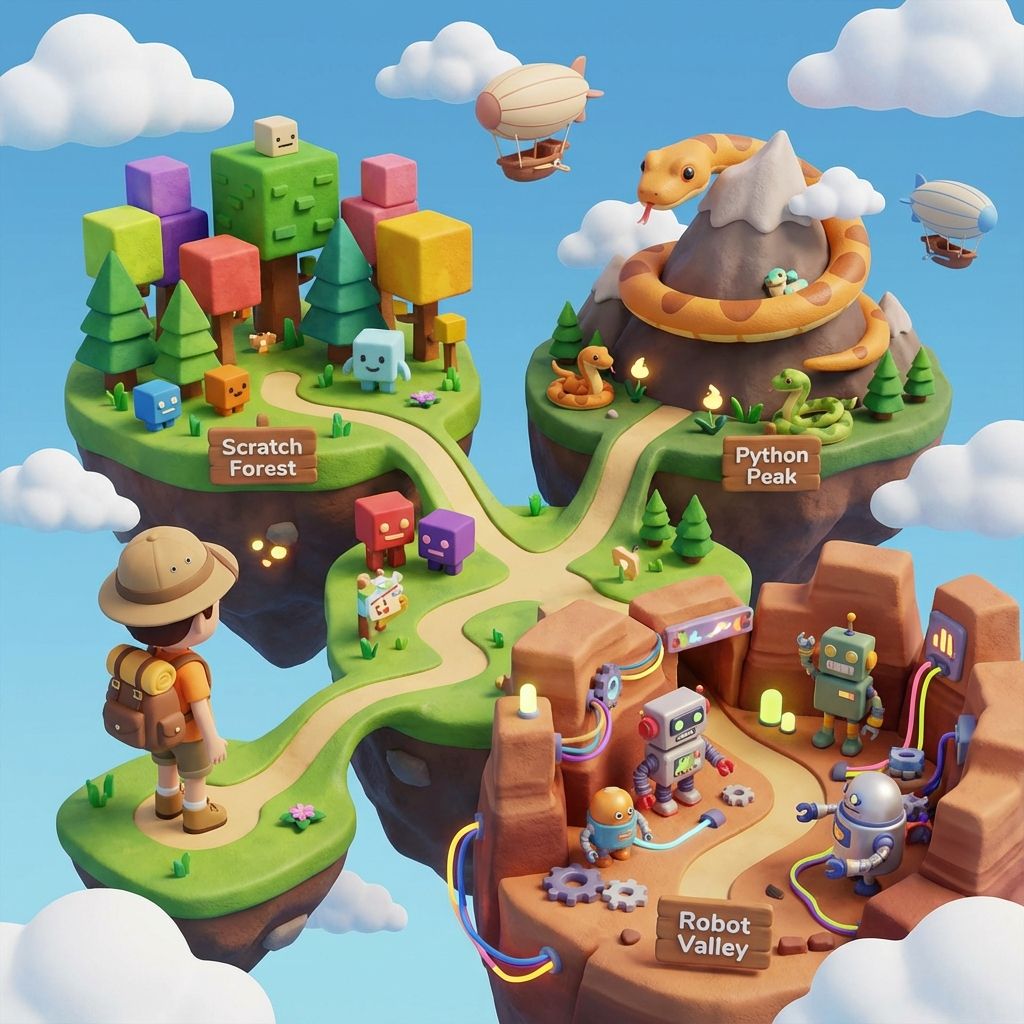
And if you like learning with a map in hand, our free Python tutorial library arranges every guide on this site into five ordered stages, with this one as stage one.
Your Learning Journey
This tutorial is designed to take you from zero to writing functional Python programs in just a few hours. Follow along, type out the code examples yourself, and experiment with modifications to deepen your understanding.
Why Choose Python?
Python has become the go-to language for beginners and professionals alike. Here's why:
- Easy to read and write - Python code looks almost like English
- Versatile - Used in web development, data science, AI, automation, and more
- Huge community - Millions of developers ready to help
- Extensive libraries - Pre-built tools for almost any task
- High demand - Python developers are sought after in the job market
Python Powers the World
Python is used by Google, NASA, Netflix, Instagram, and countless other companies for everything from web apps to space exploration!
Learning Milestones: Your Python Roadmap
Learning Python for beginners follows a clear progression. Here's what you'll achieve at each milestone:
Week 1: Python Basics
- Install Python and write your first 'Hello, World!' program
- Understand variables, data types, and basic operations
- Use print() and input() functions for simple interactions
- Write programs with 10-20 lines of code
Week 2-3: Control Flow
- Master if/elif/else statements for decision making
- Use for and while loops to repeat actions
- Work with lists to store multiple values
- Build simple interactive programs like calculators and games
Week 4-6: Functions and Data Structures
- Create reusable functions with parameters and return values
- Work with dictionaries, tuples, and sets
- Understand scope and variable lifetime
- Build multi-function programs with 100+ lines of code
Week 7-8: Intermediate Concepts
- Read and write files for data persistence
- Handle errors with try/except blocks
- Work with modules and import libraries
- Create your first real-world project
Learn at Your Own Pace
These milestones are guidelines, not strict deadlines. Some learners move faster, others take more time to practice. The key is consistent daily practice, even if it's just 30 minutes!
If you want the timeline in real numbers, our guide to how long it takes to learn Python turns these milestones into hour estimates and shows what they mean in weeks at two, four, seven and ten hours of practice a week.
Setting Up Python
Before we start coding, you'll need to install Python on your computer. Visit python.org and download the latest version (Python 3.11 or newer). The installation is straightforward, just follow the installer prompts and make sure to check the box that says 'Add Python to PATH' during installation.
Once installed, you can write Python code in several ways: IDLE (Python's built-in editor), Visual Studio Code (recommended for beginners), PyCharm, or even online platforms like Replit. For this tutorial, any of these will work perfectly.
Quick Setup Check
Open your terminal or command prompt and type 'python --version'. If you see a version number like 'Python 3.11.x', you're ready to go!
Your First Python Program
Let's start with the traditional 'Hello, World!' program:
# This is a comment - Python ignores this line
print('Hello, World!')

# You can print multiple things
print('Welcome to Python programming!')
print('Let\'s learn together!')
The print() function displays text on the screen. Notice how simple and readable Python is!
Python is Simple!
Notice how clean Python code is? No semicolons, no curly braces - just simple, readable code!
Variables and Data Types
Variables are like labeled boxes that store information your program can use and modify. Think of them as containers with names. Python automatically figures out what type of data you're storing, which makes it incredibly beginner-friendly compared to languages like Java or C++.
Understanding Python Data Types
# Numbers - Integers (whole numbers)
age = 14
students_count = 25
year = 2025

# Numbers - Floats (decimal numbers)
height = 5.6
temperature = 98.6
pi = 3.14159

# Strings (text) - use single or double quotes
name = 'Alice'
school = "Modern Age Coders"
greeting = "Hello, World!"

# Boolean (True/False) - for yes/no conditions
is_student = True
likes_coding = True
has_experience = False

# Print variables
print('Name:', name)
print('Age:', age)
print('Height:', height, 'feet')
print('Is student:', is_student)
Notice how we didn't need to declare the type of each variable? Python figures it out automatically. This is called dynamic typing, and it's one reason Python is so popular for beginners.
Working with Variables
# You can change variable values
score = 0
print('Starting score:', score)

score = 10  # Changed to 10
print('New score:', score)

score = score + 5  # Add 5 to current value
print('Updated score:', score)

# Shorthand for updating variables
score += 10  # Same as: score = score + 10
print('Final score:', score)  # Output: 25

# Multiple assignments in one line
x, y, z = 1, 2, 3
print(x, y, z)  # Output: 1 2 3

# Swap variables (Python makes this easy!)
a = 5
b = 10
a, b = b, a  # Swap values
print('a:', a, 'b:', b) # Output: a: 10 b: 5Variable Naming Best Practices
Use descriptive names like 'student_age' instead of 'sa'. Use lowercase with underscores for multi-word names. Avoid Python keywords like 'print', 'if', or 'for' as variable names.
Basic Operations
Python can perform mathematical operations and work with text in intuitive ways. Let's explore the operators you'll use constantly in your Python programming journey.
Mathematical Operations
# Basic arithmetic
sum_result = 10 + 5      # Addition: 15
difference = 10 - 5      # Subtraction: 5
product = 10 * 5         # Multiplication: 50
quotient = 10 / 5        # Division: 2.0 (always returns float)
floor_div = 10 // 3      # Floor division: 3 (rounds down)
remainder = 10 % 3       # Modulus (remainder): 1
power = 2 ** 3           # Exponent: 8

# Practical example: Calculate circle area
radius = 5
pi = 3.14159
area = pi * radius ** 2
print('Circle area:', area)  # Output: 78.53975

# Order of operations (PEMDAS applies)
result = 2 + 3 * 4  # Multiplication first: 14
result2 = (2 + 3) * 4  # Parentheses first: 20
String Operations
# Concatenation (joining strings)
first_name = 'Alice'
last_name = 'Smith'
full_name = first_name + ' ' + last_name
print(full_name)  # Output: Alice Smith

# String repetition
print('Ha' * 3)  # Output: HaHaHa
print('=' * 20)  # Output: ====================

# String formatting (modern way)
name = 'Bob'
age = 15
message = f'My name is {name} and I am {age} years old'
print(message)

# String methods
text = 'python programming'
print(text.upper())      # PYTHON PROGRAMMING
print(text.capitalize()) # Python programming
print(text.title())      # Python Programming
print(len(text))         # 18 (length)

# String slicing
word = 'Python'
print(word[0])      # P (first character)
print(word[-1])     # n (last character)
print(word[0:3])    # Pyt (characters 0 to 2)
print(word[2:]) # thon (from index 2 to end)Milestone Achieved!
You now understand variables, data types, and basic operations, the foundation of all Python programs. These concepts appear in every program you'll ever write!
Getting User Input
Make your programs interactive by asking for user input. This transforms static code into dynamic applications that respond to users!
# Get user's name
name = input('What is your name? ')
print('Hello, ' + name + '!')
print(f'Welcome to Python programming, {name}!')

# Get a number (input returns text, so convert it)
age = int(input('How old are you? '))
years_to_adult = 18 - age
print('You will be an adult in', years_to_adult, 'years')

# Build a simple calculator
print('\n--- Simple Calculator ---')
num1 = float(input('Enter first number: '))
num2 = float(input('Enter second number: '))

sum_val = num1 + num2
product = num1 * num2

print(f'{num1} + {num2} = {sum_val}')
print(f'{num1} × {num2} = {product}')Remember to Convert!
The input() function always returns a string. If you need a number, convert it with int() for whole numbers or float() for decimals. Forgetting this causes errors!

Conditional Statements
Conditional statements make your program smart by adding decision-making logic. They're like the 'if-then' reasoning we use in everyday life: 'If it's raining, bring an umbrella.'
Basic If-Elif-Else
age = 15

if age >= 18:
    print('You can vote!')
elif age >= 13:
    print('You are a teenager')
else:
    print('You are a child')

# Multiple conditions with grade calculator
score = 85

if score >= 90:
    grade = 'A'
    message = 'Excellent work!'
elif score >= 80:
    grade = 'B'
    message = 'Great job!'
elif score >= 70:
    grade = 'C'
    message = 'Good effort!'
elif score >= 60:
    grade = 'D'
    message = 'You can do better!'
else:
    grade = 'F'
    message = 'Keep practicing!'

print(f'Your grade is: {grade}')
print(message)
Comparison and Logical Operators
# Comparison operators
x = 10
y = 5

print(x == y)   # Equal to: False
print(x != y)   # Not equal: True
print(x > y)    # Greater than: True
print(x < y)    # Less than: False
print(x >= 10)  # Greater or equal: True
print(x <= 10)  # Less or equal: True

# Logical operators (and, or, not)
age = 16
has_license = False

if age >= 16 and has_license:
    print('You can drive!')
elif age >= 16 and not has_license:
    print('You need to get your license first')
else:
    print('You are too young to drive')

# Practical example: Login system
username = input('Enter username: ')
password = input('Enter password: ')

if username == 'admin' and password == 'secret123':
    print('Login successful!')
else:
print('Invalid credentials')Indentation Matters!
Python uses indentation (4 spaces) to define code blocks. Everything indented under an if statement runs only when that condition is true. This is different from languages like JavaScript that use curly braces.
Loops: Repeating Actions
Loops are one of the most powerful features in programming. They let you repeat code without writing it multiple times, making your programs efficient and scalable. Imagine having to write 'print' 100 times versus using a loop. That's the power we're talking about!
Once loops click, the fastest way to make them stick is drawing with them. Our guide to 30 star pattern programs in Python turns this same repeat-the-work idea into triangles, pyramids, and diamonds you can actually see.
For Loops
# For loop - repeat a specific number of times
for i in range(5):
    print('Count:', i + 1)

# Loop through a list
fruits = ['apple', 'banana', 'orange']
for fruit in fruits:
    print('I like', fruit)

# Range with start and end
for num in range(1, 11):  # 1 to 10
    print(num, 'squared is', num ** 2)

# Range with step
for num in range(0, 21, 5):  # 0, 5, 10, 15, 20
    print(num)

# Practical example: Multiplication table
number = 7
print(f'Multiplication table for {number}:')
for i in range(1, 11):
    result = number * i
    print(f'{number} × {i} = {result}')
While Loops
# While loop - repeat while condition is true
countdown = 5
while countdown > 0:
    print(countdown)
    countdown -= 1
print('Blast off!')

# Practical example: Password validator
attempts = 0
max_attempts = 3
correct_password = 'python123'

while attempts < max_attempts:
    password = input('Enter password: ')

    if password == correct_password:
        print('Access granted!')
        break  # Exit the loop
    else:
        attempts += 1
        remaining = max_attempts - attempts
        if remaining > 0:
            print(f'Wrong password. {remaining} attempts remaining.')
        else:
            print('Account locked!')

# Sum numbers until user enters 0
total = 0
print('Enter numbers to sum (0 to stop):')

while True:
    num = int(input('Number: '))
    if num == 0:
        break
    total += num
    print(f'Current sum: {total}')

print(f'Final sum: {total}')Milestone Achieved!
You've mastered conditionals and loops, the core control flow structures! With these, you can build programs that make decisions and repeat actions, which covers 80% of programming logic.
Lists: Storing Multiple Values
Lists are like containers that can hold multiple items in a specific order. Think of them as a shopping list or a playlist. They keep track of multiple values under one variable name. Lists are one of Python's most versatile data structures.
Lists find things by position. When your data has natural labels instead, names, subjects, settings, Python has a second container built exactly for that: the dictionary, and it is worth learning properly right after lists.
Creating and Accessing Lists
# Create a list
colors = ['red', 'blue', 'green', 'yellow']
numbers = [1, 2, 3, 4, 5]
mixed = ['Alice', 15, True, 3.14]  # Lists can hold different types

# Access items (indexing starts at 0)
print(colors[0])   # Output: red (first item)
print(colors[2])   # Output: green (third item)
print(colors[-1])  # Output: yellow (last item)
print(colors[-2])  # Output: green (second to last)

# Slicing (getting multiple items)
print(colors[1:3])   # ['blue', 'green'] (items 1 and 2)
print(colors[:2])    # ['red', 'blue'] (first 2 items)
print(colors[2:])    # ['green', 'yellow'] (from index 2 to end)
print(colors[::2])   # ['red', 'green'] (every 2nd item)
Modifying Lists
# Start with a list
fruits = ['apple', 'banana']

# Add items
fruits.append('orange')        # Add to end
fruits.insert(1, 'mango')      # Insert at position 1
print(fruits)  # ['apple', 'mango', 'banana', 'orange']

# Remove items
fruits.remove('banana')        # Remove by value
popped = fruits.pop()          # Remove and return last item
print(popped)  # 'orange'
print(fruits)  # ['apple', 'mango']

# Change items
fruits[0] = 'grape'
print(fruits)  # ['grape', 'mango']

# List methods
scores = [85, 92, 78, 95, 88]
print('Length:', len(scores))      # 5
print('Max:', max(scores))          # 95
print('Min:', min(scores))          # 78
print('Sum:', sum(scores))          # 438
print('Average:', sum(scores) / len(scores))  # 87.6

scores.sort()                       # Sort in place
print('Sorted:', scores)            # [78, 85, 88, 92, 95]

scores.reverse()                    # Reverse order
print('Reversed:', scores)          # [95, 92, 88, 85, 78]
List Comprehensions (Bonus!)
# Traditional way to create a list of squares
squares = []
for i in range(1, 6):
    squares.append(i ** 2)
print(squares)  # [1, 4, 9, 16, 25]

# List comprehension - same result, one line!
squares = [i ** 2 for i in range(1, 6)]
print(squares)  # [1, 4, 9, 16, 25]

# Filter with list comprehension
numbers = [1, 2, 3, 4, 5, 6, 7, 8, 9, 10]
even_numbers = [n for n in numbers if n % 2 == 0]
print(even_numbers)  # [2, 4, 6, 8, 10]

# Practical example: Convert temperatures
celsius = [0, 10, 20, 30, 40]
fahrenheit = [(temp * 9/5) + 32 for temp in celsius]
print(fahrenheit) # [32.0, 50.0, 68.0, 86.0, 104.0]Lists vs Arrays
Python lists are more flexible than arrays in other languages. They can grow/shrink dynamically and hold different data types. This makes them perfect for beginners!
Functions: Reusable Code
Functions are reusable blocks of code that perform specific tasks. They help you organize code, avoid repetition, and make your programs more maintainable. Think of functions as recipes. You define them once and use them whenever needed!
Creating and Using Functions
# Define a simple function
def greet(name):
    return 'Hello, ' + name + '!'

# Use the function multiple times
print(greet('Alice'))  # Hello, Alice!
print(greet('Bob'))    # Hello, Bob!
print(greet('Carol'))  # Hello, Carol!

# Function with multiple parameters
def calculate_area(length, width):
    area = length * width
    return area

room_area = calculate_area(10, 12)
print('Room area:', room_area, 'square feet')  # 120

# Function with default parameters
def introduce(name, age=18):
    return f'My name is {name} and I am {age} years old'

print(introduce('Alice', 15))  # My name is Alice and I am 15 years old
print(introduce('Bob'))        # My name is Bob and I am 18 years old
Functions with Multiple Returns
# Return multiple values
def get_stats(numbers):
    total = sum(numbers)
    average = total / len(numbers)
    maximum = max(numbers)
    minimum = min(numbers)
    return total, average, maximum, minimum

scores = [85, 92, 78, 95, 88]
total, avg, max_score, min_score = get_stats(scores)

print(f'Total: {total}')
print(f'Average: {avg}')
print(f'Highest: {max_score}')
print(f'Lowest: {min_score}')

# Function that modifies a list
def add_exclamation(words):
    result = []
    for word in words:
        result.append(word + '!')
    return result

original = ['Hello', 'Python', 'Rocks']
excited = add_exclamation(original)
print(excited)  # ['Hello!', 'Python!', 'Rocks!']

# Practical example: Temperature converter
def celsius_to_fahrenheit(celsius):
    fahrenheit = (celsius * 9/5) + 32
    return fahrenheit

def fahrenheit_to_celsius(fahrenheit):
    celsius = (fahrenheit - 32) * 5/9
    return celsius

print(f'25°C = {celsius_to_fahrenheit(25)}°F')  # 77.0°F
print(f'77°F = {fahrenheit_to_celsius(77)}°C') # 25.0°CDRY Principle
Don't Repeat Yourself! If you're writing the same code more than twice, turn it into a function. This makes your code cleaner and easier to maintain.
Practical Function Examples
# Validate email format
def is_valid_email(email):
    return '@' in email and '.' in email

print(is_valid_email('user@example.com'))  # True
print(is_valid_email('invalid.email'))     # False

# Calculate grade from score
def get_grade(score):
    if score >= 90:
        return 'A'
    elif score >= 80:
        return 'B'
    elif score >= 70:
        return 'C'
    elif score >= 60:
        return 'D'
    else:
        return 'F'

student_score = 87
print(f'Score {student_score} = Grade {get_grade(student_score)}')

# Check if number is prime
def is_prime(number):
    if number < 2:
        return False
    for i in range(2, number):
        if number % i == 0:
            return False
    return True

for num in range(1, 11):
    if is_prime(num):
print(f'{num} is prime')Milestone Achieved!
You've learned functions, one of the most important concepts in programming! Functions let you write modular, reusable code that's easier to test and maintain.
Python is powerful... and fast; plays well with others; runs everywhere; is friendly & easy to learn; is Open.
, Python.org
Practice Project: Number Guessing Game
Let's build a fun game that puts everything together:
import random

# Generate random number between 1 and 10
secret_number = random.randint(1, 10)
attempts = 0
max_attempts = 3

print('Welcome to the Number Guessing Game!')
print('I\'m thinking of a number between 1 and 10')

while attempts < max_attempts:
    guess = int(input('Take a guess: '))
    attempts += 1

    if guess == secret_number:
        print('Congratulations! You guessed it!')
        print('It took you', attempts, 'attempts')
        break
    elif guess < secret_number:
        print('Too low! Try again.')
    else:
        print('Too high! Try again.')

    if attempts == max_attempts:
print('Game over! The number was', secret_number)Great Job!
You just built your first Python game! This project uses variables, loops, conditionals, and user input - all the fundamentals!
Common Beginner Mistakes
Avoid these common pitfalls:
- Forgetting to indent code blocks (Python uses indentation instead of brackets)
- Mixing up = (assignment) with == (comparison)
- Forgetting to convert input() to int() when working with numbers
- Not closing quotes or parentheses
- Using undefined variables
Watch Out for Indentation!
Python uses indentation (spaces/tabs) to define code blocks. Inconsistent indentation is the #1 beginner mistake!
Dictionaries: Key-Value Pairs
Dictionaries store data in key-value pairs, like a real dictionary where you look up a word (key) to find its definition (value). They're incredibly useful for organizing related information.
Dictionaries are also the heart of a search engine. An inverted index is just a dictionary from each word to the pages that contain it, and our guide to how search engines work builds one in about forty lines of Python.
# Create a dictionary
student = {
    'name': 'Alice',
    'age': 15,
    'grade': 'A',
    'subjects': ['Math', 'Science', 'English']
}

# Access values
print(student['name'])    # Alice
print(student['age'])     # 15

# Add or modify values
student['school'] = 'Modern Age Coders'
student['age'] = 16  # Update age

# Check if key exists
if 'grade' in student:
    print(f"Grade: {student['grade']}")

# Loop through dictionary
for key, value in student.items():
    print(f'{key}: {value}')

# Practical example: Word counter
text = 'python is awesome python is fun'
words = text.split()
word_count = {}

for word in words:
    if word in word_count:
        word_count[word] += 1
    else:
        word_count[word] = 1

print(word_count)  # {'python': 2, 'is': 2, 'awesome': 1, 'fun': 1}
Error Handling
Errors happen to everyone! Python provides try-except blocks to handle errors gracefully instead of crashing your program.
# Basic error handling
try:
    number = int(input('Enter a number: '))
    result = 100 / number
    print(f'Result: {result}')
except ValueError:
    print('That\'s not a valid number!')
except ZeroDivisionError:
    print('Cannot divide by zero!')

# Practical example: Safe file reading
try:
    age = int(input('Enter your age: '))
    if age < 0:
        raise ValueError('Age cannot be negative')
    print(f'You are {age} years old')
except ValueError as e:
    print(f'Error: {e}')

# Always execute code with finally
try:
    file = open('data.txt', 'r')
    content = file.read()
    print(content)
except FileNotFoundError:
    print('File not found!')
finally:
    print('This always runs')
Working with Modules
Python's power comes from its extensive library of modules. Modules are pre-written code you can import and use in your programs.
# Math module
import math

print(math.pi)              # 3.141592653589793
print(math.sqrt(16))        # 4.0
print(math.ceil(4.3))       # 5 (round up)
print(math.floor(4.7))      # 4 (round down)

# Random module
import random

print(random.randint(1, 10))           # Random number 1-10
print(random.choice(['red', 'blue']))  # Random choice

colors = ['red', 'blue', 'green']
random.shuffle(colors)                 # Shuffle list
print(colors)

# Datetime module
from datetime import datetime

now = datetime.now()
print(f'Current time: {now}')
print(f'Year: {now.year}')
print(f'Month: {now.month}')
print(f'Day: {now.day}')

# Create your own module!
# Save this in a file called 'mytools.py':
# def double(x):
#     return x * 2
#
# Then use it:
# import mytools
# print(mytools.double(5)) # 10Final Milestone!
Congratulations! You've completed the Python basics tutorial. You now know variables, operators, conditionals, loops, lists, dictionaries, functions, error handling, and modules, everything you need to build real programs!
What You'll Learn in Our Python for Beginners Course
At Modern Age Coders, our structured Python course covers everything you need to go from complete beginner to building real projects:
- Variables, data types & operators
- Conditionals & loops
- Functions & modules
- File handling & error management
- Object-oriented programming (OOP)
- Working with APIs and JSON data
- Your first 5 projects: calculator, quiz game, web scraper, chatbot, and portfolio site
Who Should Learn Python?
- Kids aged 10+ starting their first text-based language after Scratch
- Teens preparing for competitive programming, hackathons, and college applications
- College students needing Python for data science, AI, or software engineering
- Working professionals switching to tech careers or automating their workflow
- Anyone worldwide who wants to learn the #1 most popular programming language
Our live 1-on-1 Python classes are available worldwide with flexible scheduling across all time zones. Students from the US, UK, UAE, Singapore, Australia, and 15+ other countries already learn with us. Book a free demo class to see if it's right for you.
Frequently Asked Questions
Most beginners can grasp Python basics in 4-8 weeks with consistent practice (1-2 hours daily). However, becoming proficient takes 3-6 months of regular coding. The key is daily practice, even 30 minutes a day is better than cramming on weekends. Start with simple programs and gradually increase complexity.
No! Basic arithmetic (addition, subtraction, multiplication, division) is enough to start. Python actually helps you learn math concepts through coding. As you advance to data science or machine learning, you'll need more math, but for general programming, basic math is sufficient.
Build projects! Start with simple programs like calculators, to-do lists, or games. Use platforms like HackerRank, LeetCode, or Codewars for coding challenges. Most importantly, code every day, consistency beats intensity. Try to solve real problems you encounter in daily life with Python.
Always learn Python 3! Python 2 reached end-of-life in 2020 and is no longer supported. All new projects use Python 3, which has better features, improved syntax, and active development. This tutorial uses Python 3 syntax.
Tons of things! Start with: calculators, number guessing games, to-do lists, password generators, quiz applications, simple chatbots, web scrapers, automation scripts, data analyzers, and basic websites with Flask or Django. The possibilities are endless!
Absolutely! Python is one of the most in-demand programming languages. It's used in web development, data science, AI/ML, automation, and more. Python developers earn competitive salaries, and the job market continues to grow. Learning Python opens doors to many career paths.
After mastering basics, explore: Object-Oriented Programming (OOP), file handling, APIs and web scraping, web frameworks (Flask/Django), data analysis (Pandas, NumPy), databases (SQL), version control (Git), and testing. Choose based on your interests, web development, data science, or automation.
Next Steps in Your Python Journey
You've completed the fundamentals and are ready to take your Python skills to the next level! Here's your roadmap for continued learning:
- Build Projects: Apply what you've learned by building real applications. Start with a calculator, then move to a to-do list app, password generator, or simple game
- Learn Object-Oriented Programming: Understand classes, objects, inheritance, and polymorphism to write more organized code
- Explore File Handling: Learn to read and write files, work with CSV and JSON data
- Master Data Structures: Deep dive into lists, dictionaries, sets, and tuples for efficient data management
- Study Algorithms: Learn sorting, searching, and problem-solving techniques
- Join Coding Communities: Participate in forums like Stack Overflow, Reddit's r/learnpython, and Python Discord servers
- Practice Daily: Use platforms like HackerRank, LeetCode, Codewars, and Project Euler for coding challenges
- Enroll in Structured Courses: Join our Python Complete Masterclass or Python for College Students at Modern Age Coders for guided learning with expert instructors
Remember, the best way to learn Python programming is by doing. Write code every day, even if it's just for 15 minutes. Don't be afraid to make mistakes. They're your best teachers! Every expert programmer started exactly where you are now. The difference is they kept practicing and building.
Need personalized guidance on your Python learning journey? Our expert instructors at Modern Age Coders provide one-on-one mentorship, structured curriculum, and real-world projects. Contact us today to start your transformation from beginner to confident Python developer. Happy coding!