SPEC-A1
Anyone can learn to type code. Far fewer learn to design a solution, reason about trade-offs, debug with method, and build systems that hold up. Modern Age Coders is built to close that gap. We develop genuine programming ability and the way you think, in live small-batch classes for ages 10 to 65.
Coding and programming overlap but differ in scope: coding is writing the instructions a computer follows, while programming is the wider craft of designing, building and maintaining complete software, including logic, testing and structure. Modern Age Coders teaches both, from first code to real projects, for ages 6 to 67.
“Children do not need another app that teaches them to copy code. They need a mentor who teaches them to think.”
Same keyboard, same language, two different jobs. The coder works at the surface of the syntax. The programmer works at the level of the problem. Read the spec sheet across six dimensions, left to right.
The popular promise is "code in thirty days". It works as a promise because typing is the easy part to teach and the easy part to demo. The hard part, the part that turns a coder into a programmer, is usually left out. Here is the line we draw.
Take a simple example. A coder learns that a Python list has an in check and a dictionary has one too, and uses whichever feels natural. A programmer knows that checking membership in a list scans every element while a dictionary lookup is near-constant, and that on a million records this is the difference between an instant answer and a frozen screen. Nothing about the syntax tells you this. It comes from understanding what is happening underneath, and that understanding is exactly what we teach.
This is why our classes spend real time on things a tutorial rushes past: how data is laid out, why recursion and iteration trade off the way they do, what actually happens when you import a module, how a request travels across the web, and where the maths hides inside machine learning. We are unapologetically depth-first. If you want the fuller version of this philosophy, see how we built real coding classes around teaching what other classes ignore.
This is a sequence on purpose. Each step earns the next. We do not hand you a finished solution to copy; we build the habits that let you produce your own. The numbers are the order we teach in.
Before any syntax, we make sure you can state the problem precisely, identify what is known and what is unknown, and reason about a solution on paper. A learner who can describe the steps in plain words can always express them in code. The reverse is rarely true.
Most growth comes from reading good code, not producing more of your own. We walk through real programs, name every construct, and ask what would break if a line changed. Reading fluently is what lets you join an existing project, understand a library, or learn from a stronger engineer.
You will rebuild things you depend on, in miniature: a small data structure, a tiny parser, a simple model. Building a thing once is worth a hundred explanations of it. It turns abstract knowledge into something you own and can rebuild anywhere.
Debugging is not luck and it is not panic. We teach a method: reproduce the fault, form a hypothesis, narrow the search, read the actual error, and fix the root rather than the symptom. The programmers who move fastest are simply the ones who get unstuck on purpose.
We slow you down on purpose at the start of a problem so you speed up everywhere after. Sketch the data, name the pieces, decide the flow, then write. Five minutes of design routinely saves an hour of tangled code, and it is the single habit that most separates a programmer from a coder.
There is rarely one right answer, only better and worse fits. Faster but heavier on memory, simpler but harder to extend, exact but slow. We train you to weigh these openly and explain why you chose what you chose. That judgement is engineering, and it is the ability employers and exams are really testing.
Each of these is a live, small-batch course built around thinking, not memorisation. Pick by where you are and where you want to go. You can browse the complete catalogue in the course atlas.
Programming ability is not an age. We teach learners from 10 to 65, grouped by level so the pace and examples fit. Three kinds of people get the most from a depth-first approach.
If you would rather understand than memorise, you do not need to "learn the easy way first". We start you on solid foundations so you never have to unlearn bad habits later.
You can build things, but you sense a gap: design, data structures, debugging under pressure, explaining your choices. This is exactly the gap we are built to close.
Exams and interviews test reasoning, not recall. We train the thinking that makes problem-solving rounds, coding tests and viva questions feel familiar instead of frightening.
Book a free demo and work through a real problem with a live instructor. No pressure, no recording, just a clear look at how we build programming ability.
Real student projects
Every one is a real, live project shipped by a Modern Age Coders student. Explore more in Student Labs.
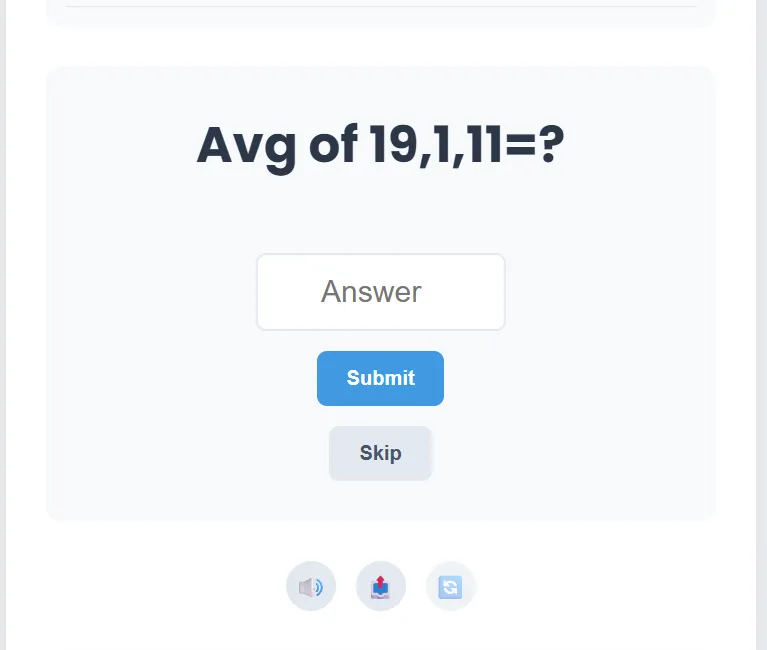 GameBabu: 90 Second Maths ChallengeAn exciting 90-second maths challenge with random problems under time pressure, and a dynamic leaderboard powered by Firebase/MongoDB with real-time score updates.by Modern Age CodersOpen the live project ↗
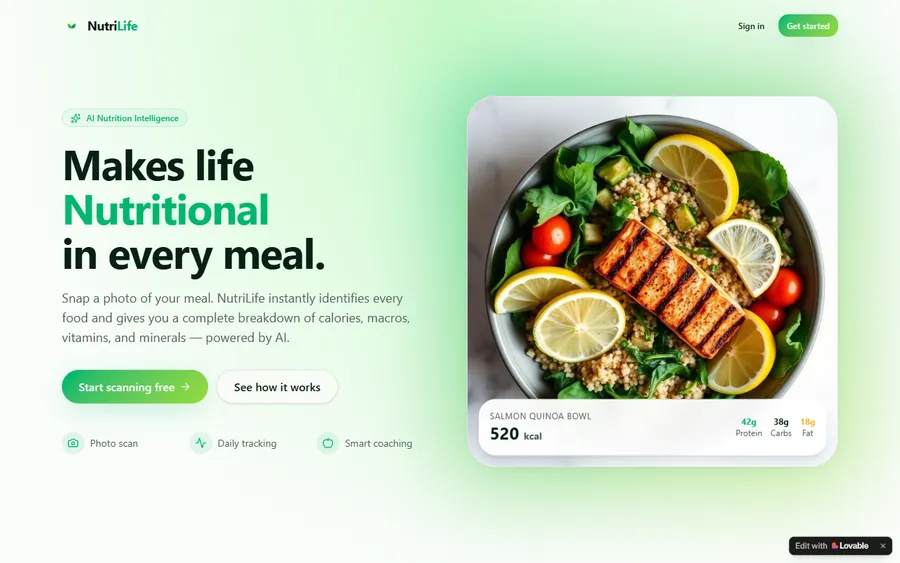 AI & MLNutriLife: AI Nutrition CoachSnap a photo of any meal and NutriLife instantly names every food, then breaks down the calories, macros, vitamins and minerals, powered by AI. Bhavya vibe-coded it from a single idea: shaped the app in prompts, then wired up the AI food-recognition, daily tracking and smart coaching by hand.by BhavyaOpen the live project ↗
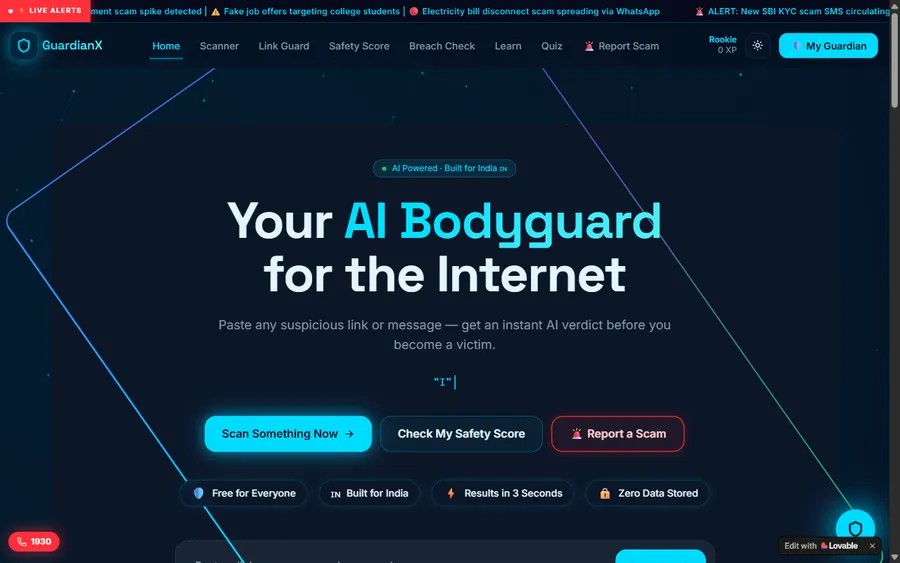 AI & MLGuardianX: AI Bodyguard for the InternetPaste any suspicious link or message and GuardianX returns an instant AI verdict before you become a victim, plus a link scanner, safety score, breach check and live scam alerts built for India. Vibe-coded from idea to working product through prompts, then refined until it genuinely understands how phishing and scams work.by VivaanOpen the live project ↗
Parent & student voices
Real, verified reviews from Modern Age Coders families. Read hundreds more on our Wall of Love.
“I absolutely love it here! I made new friends and learned important valuable coding skills while having the fun of my life. It's not just coding here, it's outings, bonding and most importantly preparing you for your future. Definitely five stars.”
“The classes are excellent. The teachers explain concepts very clearly and make code fun and easy to understand. The sessions are interactive and fun. They also help students boost their confidence. We not only focus on academics, but also on logic building and problem solving.”
“The one step solution for my son. Modern Age Coders make learning coding so simple that kids love it. Teachers make it so simple with clear explanations, practical exercises, and interactive content. As per my son, the coding class is very helpful and engaging. Sir explains complex concepts clearly. The projects were challenging and rewarding.”
See how Modern Age Coders compares with other programmes, and how coding and maths learning paths differ.