
How computer vision actually works.
Pixels, convolutions, feature maps and detection - explained deeply, then built. This is the page that takes you from a grid of numbers to a labelled bounding box, and shows you exactly how a machine gets from one to the other.
From pixels to a labelled box - the whole pipeline, one frame at a time.
A machine never sees a "cat". It sees a grid of numbers. Each stage below transforms that grid: first into edges, then textures, then parts, until a final head decides what is present and where. This is the shape of nearly every modern vision model.
Left to right: a raw pixel grid becomes edges, then textures, then object parts, then a single confident decision - cat, 0.97, located inside a green box. The picture below explains each step in real depth.
The six ideas that make a machine see.
Each idea builds on the one before it. Read them in order and the whole field stops being a black box - you will be able to point at any stage of a model and say what it is doing and why.
A grid of numbers, stored as a tensor
To a computer there is no picture. A colour image is a three-dimensional array: height by width by three channels - red, green and blue - where every entry is an intensity, usually from 0 to 255. A 224 by 224 photo is just 150,528 numbers arranged in a cube. Once you see an image as a tensor, everything that follows is arithmetic on that tensor: scaling values into a small range so training is stable, stacking many images into a batch, and reading off the shape to know what flows into the next layer.
A small filter slides across the image and reports what it finds
The core operation in vision is the convolution. You take a tiny grid of weights - a kernel, often 3 by 3 - and slide it across the image. At each position you multiply the kernel against the pixels underneath it and add the results into a single number. Slide it everywhere and you get a new grid: a feature map showing where that kernel's pattern appeared.
What a kernel detects depends entirely on its weights. One set fires on vertical edges, another on horizontal edges, another on a patch of a particular colour. The breakthrough of deep learning is that we do not design these kernels by hand - the network learns the weights from data, discovering for itself which patterns are worth looking for.
Edges become textures, textures become parts, parts become objects
One convolution layer finds simple things - edges and blobs. Stack the output through another convolution layer and it combines those edges into textures and corners. Stack again and it combines textures into parts: an eye, a wheel, a window frame. Stack deeper still and those parts combine into whole objects. This rising ladder of meaning is the single most important idea in the field. Early feature maps are local and generic; deep feature maps are abstract and specific. The same architecture that learns to spot a cat's ear learns to spot a road sign, because the hierarchy of edges-to-parts-to-objects is general.
Why pooling and depth make the hierarchy actually work
A convolutional neural network, or CNN, is a stack of convolution layers with two helpers. Between layers, a non-linearity - usually a ReLU that simply zeroes out negatives - lets the network represent patterns that are not just straight-line combinations. And pooling layers shrink the feature maps by keeping only the strongest response in each small region, which makes the network cheaper and lets it recognise a feature whether it sits slightly left or slightly right.
Depth is what gives a CNN its power: every layer sees a wider slice of the original image than the one before it, so deep layers reason about large structures while early layers handle fine detail. The whole stack is trained end to end with gradient descent - the same loss-minimising step behind every neural network - so the kernels, the combinations and the final decision are all learned together.
Treat the image as patches and let attention decide what matters
CNNs build understanding from small neighbourhoods outward. Vision transformers take a different route. They cut the image into a grid of small patches - say 16 by 16 pixels each - turn every patch into a vector, and then let an attention mechanism compare every patch with every other patch. Attention, in plain terms, is the model asking "to understand this patch, which other patches should I look at?" and weighting them accordingly. A patch of fur can pay attention to a patch of ear far across the image, even though they are not neighbours.
That global view is the strength of transformers: they can relate distant parts of an image directly, where a CNN needs many layers to connect them. With enough data they match or beat CNNs, and many modern systems combine both - convolutions for efficient local features, attention for long-range reasoning.
Classification, detection and segmentation - and how each is set up
Classification answers "what is in this image?" with one label. The feature maps are flattened and passed to a final layer that outputs a probability for each class - the highest wins. Object detection answers "what is in this image, and where?" It adds heads that predict bounding-box coordinates and a class for each box, plus a confidence score, so a single image can return many labelled boxes. Segmentation goes further and labels every pixel - this pixel is road, this one is car - producing a mask rather than a box. Same backbone of feature maps underneath; what changes is the head on top and the loss you train it with. Understanding that the task is decided by the head, not the eyes, is what lets you reshape a model for a new problem.
Why understanding beats running a pretrained model.
Loading a pretrained model and getting a result is the easy 20 percent. The hard, valuable 80 percent is everything that happens when that result meets your real data. That is exactly what understanding unlocks.
Choosing the right model
When you know how backbones, heads and input sizes work, you can pick a model that fits your problem and your hardware instead of grabbing whatever the tutorial used. You can tell a classifier from a detector at a glance and know which one your task needs.
Fine-tuning on your own data
Pretrained weights know generic features, not your factory, your crops or your medical scans. Understanding the hierarchy tells you which layers to freeze and which to retrain, so you adapt a powerful backbone to your classes with a fraction of the data and time.
Debugging when it goes wrong
A model that scores well in a demo can fail badly on your images. Knowing how feature maps, losses and confidence scores behave lets you read a confusion matrix, spot a labelling error, fix a preprocessing mismatch and tell a real model limit from a setup bug.
Trusting it on edge cases
Odd lighting, blur, an unusual angle, a class the model never saw - these are where products break. Understanding how vision models generalise, and where they do not, lets you test honestly, set sensible confidence thresholds and decide when a human needs to stay in the loop.
This is the philosophy of every track we teach. We build the depth first, because depth is what holds up when the demo meets reality. It is the same reason behind our real coding classes - learning to build and reason, not just to copy and run.
Real systems, with the understanding sitting underneath them.
You do not finish with notes about computer vision. You finish with working systems you wrote, ran and can explain - and you understand every layer they stand on.
An image classifier
You build a CNN that takes an image and returns a label with a probability. You train it on a real dataset, watch the loss fall and the accuracy rise, and learn to read whether it is genuinely learning or just memorising - then fix it when it is the latter.
An object detector
You move from "what is in the image" to "what and where". You build a detector that draws bounding boxes with class labels and confidence scores on images it has never seen, and you learn how the box and class heads are trained together.
Working with real image data
Real datasets are messy. You learn to load, resize and normalise images, to augment them so the model generalises, to handle class imbalance, and to split data honestly so your accuracy numbers actually mean something.
Transfer learning, understood
You take a backbone pretrained on millions of images and fine-tune it on your own small dataset. Because you understand the feature hierarchy, you know exactly which layers to freeze and which to retrain - the fastest honest route to a strong model.
The courses where you build this for real.
Every one is live, online and instructor-led in a small batch. Computer vision sits inside our AI, machine learning and deep learning tracks - here are the courses that take you there.
AI & ML Complete
Machine learning and deep learning end to end, with the vision models and the maths that make them work.
View course →
Artificial Intelligence Complete
AI from fundamentals to neural networks, CNNs and applied projects you build and defend.
View course →
Generative AI Masterclass
How modern generative and vision-language models work, and how to build with them.
View course →
Data Science Masterclass
From raw data to insight with Python - the data handling that every vision pipeline depends on.
View course →
Python Masterclass - Zero to Advanced
The language everything here runs on, taught from the ground up to genuinely advanced.
View course →Not sure where to start? The full catalogue, with prerequisites and what each one builds, is laid out in our course atlas.
Related deep-dives, written the same way.
Each of these explains a hard idea properly, then shows you how to build it. If this page made vision click, these are the natural next reads.
The Maths Behind Machine Learning
The linear algebra, calculus and probability that quietly run every model - convolutions and training included.
Read it →How Large Language Models Work
Tokens, embeddings and attention explained from scratch - the same attention that powers vision transformers.
Read it →Machine Learning From Scratch
Implement gradient descent and the core models by hand, then master the libraries with real understanding.
Read it →Master AI, ML, Python & Java
The full path from your first line of code to building and shipping intelligent systems.
Read it →Before you book a demo.
Do I need to be advanced to learn computer vision?
No. You need to be comfortable writing basic Python and willing to think carefully. We start from what an image really is - a grid of numbers - and build up to convolutions, CNNs and detection one honest step at a time. If your Python is shaky, our Python Masterclass gets you ready, and many learners take it first. You do not need any prior machine learning experience to begin.
Do I need maths for this?
You need school-level algebra and a willingness to learn the rest as we use it. Convolution is multiplication and addition over a small window. Training is gradient descent on a loss. We teach the small amount of linear algebra, calculus and probability each idea needs, exactly when it is needed, with pictures and code rather than abstract proofs. You will not be left guessing why a model behaves the way it does.
Will I build real projects?
Yes. You build an image classifier and train it on a real dataset, then build an object detector that draws bounding boxes with confidence scores on images it has never seen. You work with real image data - loading, augmenting and cleaning it - and you use transfer learning to fine-tune a pretrained backbone on your own classes. Every project ends in code you wrote, can run and can explain.
Who is this for and what ages?
This depth-first track suits serious teenagers, college students and working professionals who want to genuinely understand computer vision and build with it. We teach ages 6 to 67 across our courses, but the from-pixels-to-detection path here is aimed at older, motivated learners. If you are a younger beginner, a free demo helps us place you on the right starting course.
Are classes live?
Yes. Every class is live, online and instructor-led in a small batch. You write code during the session, watch feature maps and detections appear on screen, and get your model and your reasoning reviewed in real time. It is not a recorded video you watch alone - you can ask why something failed the moment it fails.
Why learn how computer vision works when pretrained models exist?
Because understanding is what lets you choose, fine-tune, debug and trust a vision model rather than just run a demo you cannot fix. Pretrained models are powerful, but they fail on your own data, your edge cases, your lighting, your classes. The people who know how convolutions, feature maps and detection heads work can read a confusion matrix, fix a labelling problem, fine-tune the right layers and ship a real product. People who only call an API stall the moment the demo stops matching reality.
See how it sees - in a live class.
Sit in one free demo, watch a model turn pixels into a labelled box on a real image, and decide for yourself whether this is the depth you have been looking for.
Real student projects
What our students actually build
Every one is a real, live project shipped by a Modern Age Coders student. Explore more in Student Labs.
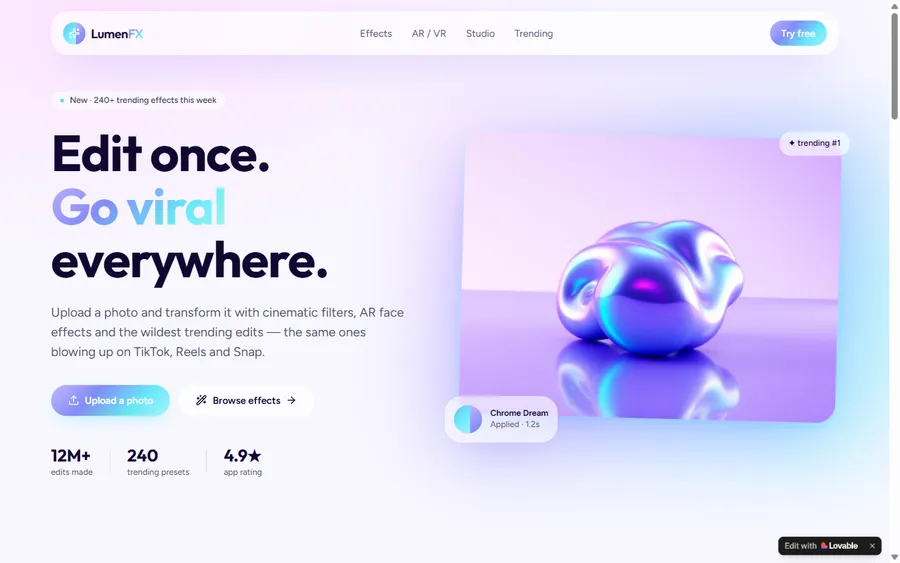 Web AppLumenFX: AR/VR Photo Effects StudioUpload a photo and transform it with cinematic filters, AR face effects and the wildest trending edits, the same looks blowing up on TikTok, Reels and Snap, with 240+ one-tap presets. Raayan vibe-coded the whole studio from an idea: prompted the concept, then built the effects engine and gallery UI by hand.by RaayanOpen the live project ↗
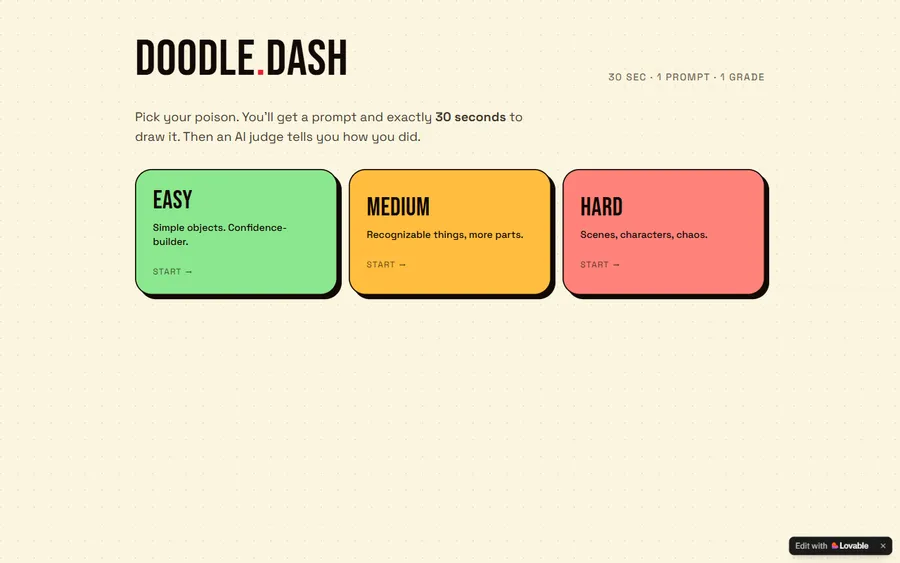 GameDoodle Dash: 30-Second Drawing ChallengePick a difficulty, get a prompt, and you have exactly 30 seconds to draw it, then an AI judge scores how close you got. Three modes from easy objects to chaotic scenes. Shubh vibe-coded it idea-first, wiring real AI image grading into a fast, addictive drawing game.by ShubhOpen the live project ↗
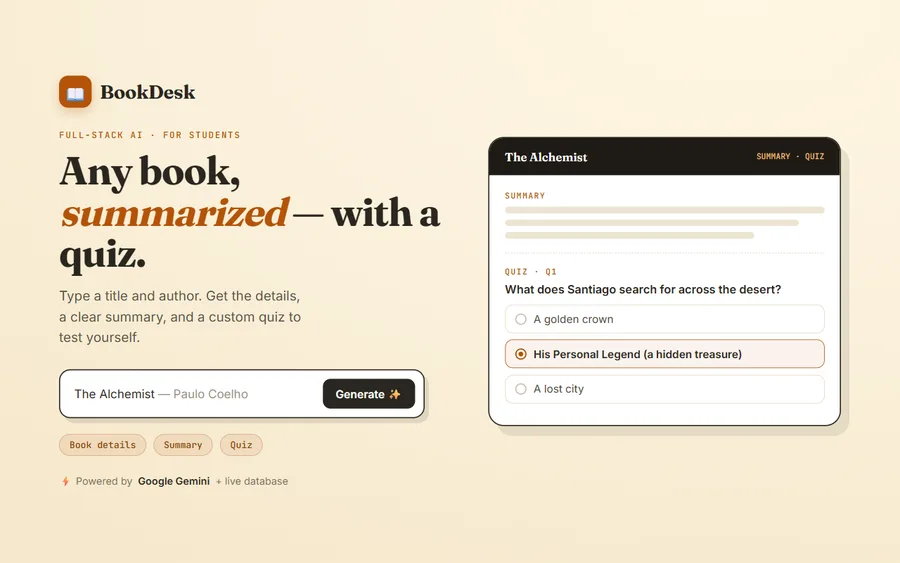 AI & MLBookDesk: AI Book Summaries & QuizzesType in any book name and author, and BookDesk pulls together the book's details, a clear summary and a custom quiz to test what you've learned, a genuinely useful study companion. Anika built it as a full-stack AI application, powered by Google Gemini with a live database behind it.by AnikaOpen the live project ↗
Parent & student voices
What our families say
Real, verified reviews from Modern Age Coders families. Read hundreds more on our Wall of Love.
“Modern Age Coders has been a game-changer for me! I struggled to grasp IT concepts and coding before joining, but their classes transformed everything. I'm now the topper in my class and can confidently write complex programs with ease.”
Student
“Modern Age Coder have wonderful teachers who teach in a clear, easy and practical way. The teacher boosts students' confidence, keeps them updated with technology, and inspires them to learn without hesitation.”
Parent
“My child Dhairya is really enjoying the Modern Age Coder IT classes. This is his first online class, and he eagerly looks forward to it. I can see his improvement, and I believe he will grow even more interested in the subject. The teachers are very cooperative and listen to our suggestions. Overall, I am very happy with the class.”
Parent of Dhairya