---
title: "What JavaScript to Learn Before React (with Examples)"
description: "The JavaScript React relies on: spread, map, &&, closures, async and more, each with a runnable example, plus a readiness test and a learning order."
slug: javascript-to-learn-before-react
canonical: https://learn.modernagecoders.com/blog/javascript-to-learn-before-react/
date: 2026-09-28
dateModified: 2026-09-28
category: "Programming"
tags: ["JavaScript", "React", "Web Development", "Beginners"]
keywords: ["javascript to learn before react", "what to learn before react", "how much javascript before react", "javascript concepts for react", "react prerequisites", "why is my react state not updating", "react shows 0"]
readTime: "9 min read"
author: "Modern Age Coders Team"
---
# What JavaScript to Learn Before React
> Most React bugs are JavaScript bugs in disguise. Here are the language features React leans on, each with a runnable example and its real output.
*By Modern Age Coders Team · 2026-09-28 · 9 min read*
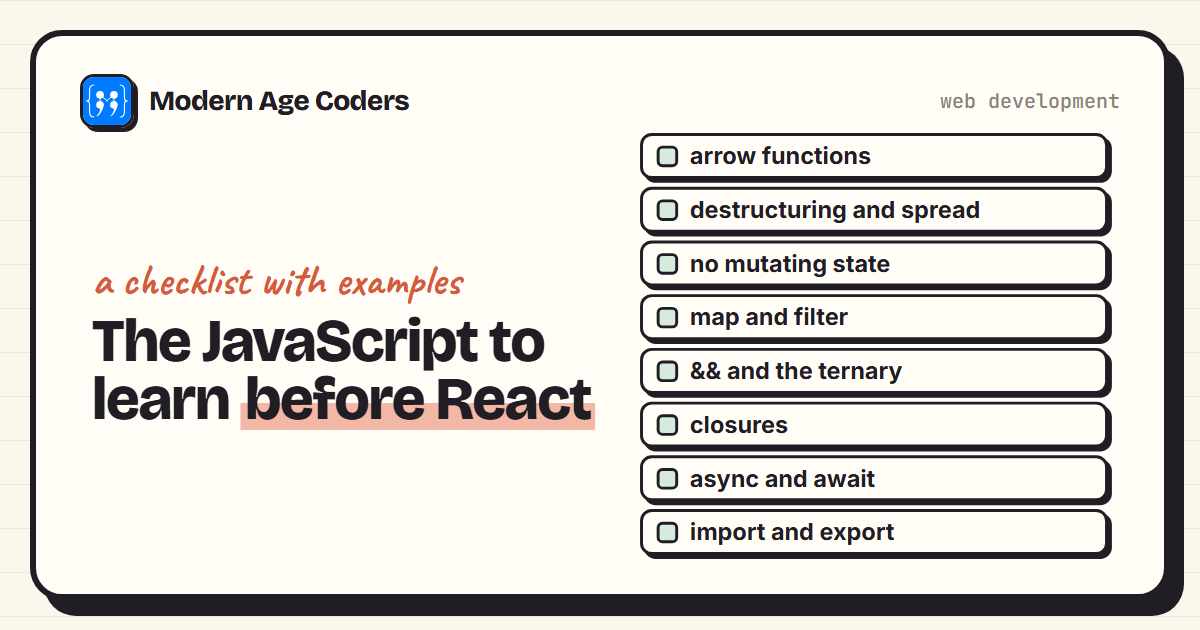
**Quick answer:** Before React, learn core JavaScript (variables, functions, loops, arrays, objects) plus eight features React uses constantly: arrow functions, destructuring and spread, immutability (never push to state), map and filter for lists, the && and ternary operators for conditional content, closures for event handlers, promises with async and await for loading data, and import and export for components. A good readiness test: build a to-do list in plain JavaScript without a tutorial.
React is the most popular way to build web interfaces, and it is tempting to jump straight in. Many learners do, and then hit a wall of confusing bugs: a list that will not update, a stray 0 on the page, a click handler that shows an old value. Almost none of these are React problems. They are JavaScript problems wearing a React costume.
This guide lists the JavaScript you actually need before React, why each piece matters, and a small example of each that you can run yourself in Node or the browser console. Every output shown below comes from running the code. By the end you will know whether you are ready, and exactly what to practise if you are not.
## How much JavaScript do you need before React?
Less than a whole textbook, but more than most people start with. You do not need to know every corner of the language. You do need to be comfortable with core JavaScript (variables, functions, if statements, loops, arrays and objects) and then eight specific features that React code uses on almost every line.
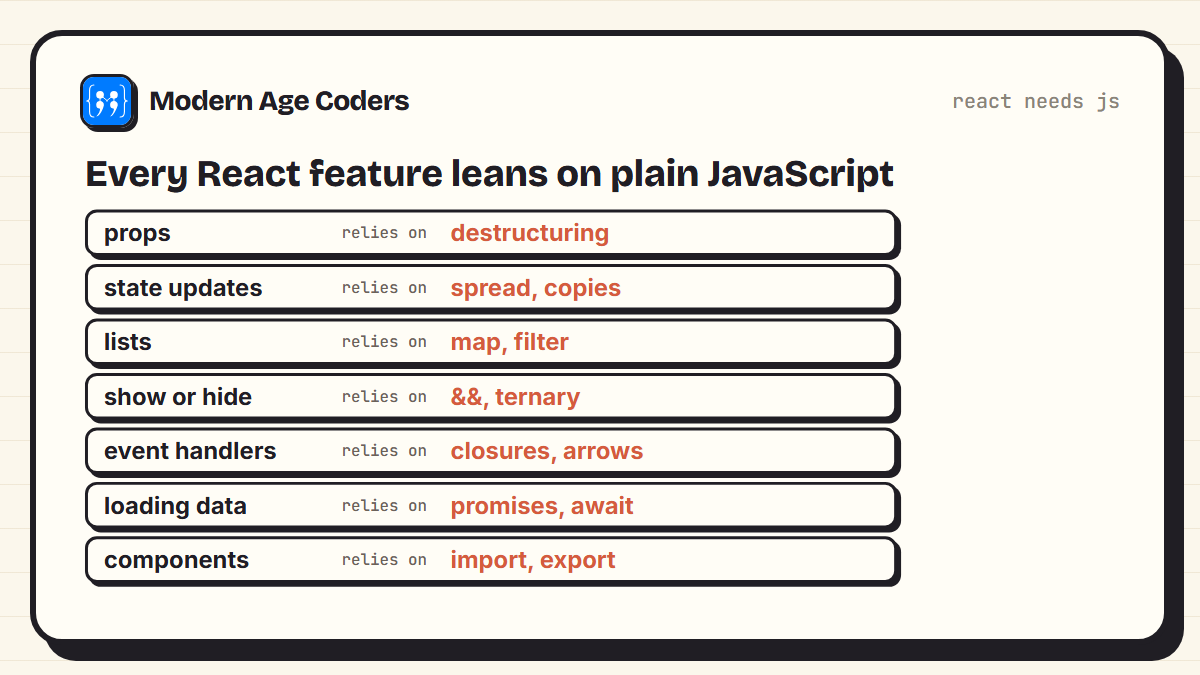
*React is a thin layer. Most of what you write is plain JavaScript.*
> **A quick readiness test**
> Can you build a to-do list in plain JavaScript, with add, delete and a count of remaining items, without following a tutorial? If yes, you are ready for React. If not, that project is the best preparation there is. Our list of [HTML, CSS and JavaScript project ideas](/blog/html-css-javascript-project-ideas) has more to try.
## 1. Arrow functions
React code is full of short functions passed to other functions: to `map`, to `onClick`, to `useEffect`. They are almost always written as arrow functions, so you need to read `s => s.score >= 50` as easily as a normal function. Know the two forms: a single expression returns its value automatically, while curly braces need an explicit `return`. Forgetting that return is one of the most common beginner bugs.
## 2. Destructuring and spread
Every React component receives its inputs, called props, as one object, and most components pull out the pieces they need with destructuring. State updates use the spread operator to build a new object with one value changed:
**destructuring.js**
```javascript
// 4. Destructuring and spread, the way props and state updates use them
const user = { name: "Asha", age: 14, city: "Pune" };
const { name, ...rest } = user;
console.log(name, rest);
const older = { ...user, age: user.age + 1 };
console.log(user.age, older.age);
```
**Output**
```text
Asha { age: 14, city: 'Pune' }
14 15
```
Notice that `user` still has age 14. Spread made a new object. That detail matters more than it looks, as the next section shows.
## 3. Why you must not mutate state
This is the concept that trips up the most React beginners. React decides whether to re-render by checking if the new state is a different object from the old one, using a comparison like `Object.is`. If you change an array in place with `push`, it is still the same array, so React thinks nothing happened:
**mutation.js**
```javascript
// 1. Mutating state keeps the same reference, so React sees "no change"
const todos = ["read", "code"];
const sameList = todos;
sameList.push("sleep");
console.log("mutated, same object?", Object.is(todos, sameList));
const newList = [...todos, "eat"];
console.log("copied, same object?", Object.is(todos, newList));
console.log(newList);
```
**Output**
```text
mutated, same object? true
copied, same object? false
[ 'read', 'code', 'sleep', 'eat' ]
```
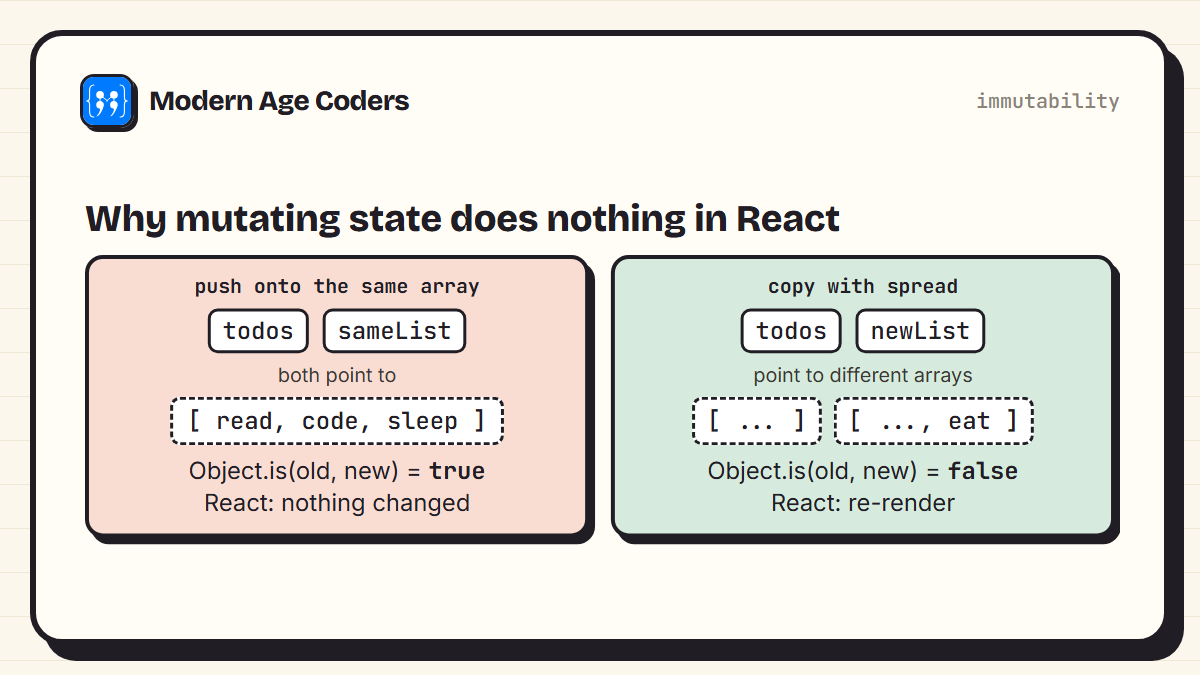
*Same object means no update. A new object means React re-renders.*
The rule to remember: in React, never change state directly. Build a new array or object with spread, `map` or `filter`, and hand that to the state setter.
## 4. map and filter
In React you do not write loops to show lists. You transform an array of data into an array of elements with `map`, often after narrowing it with `filter`. Both return a new array and leave the original alone, which is exactly the immutability React wants:
**lists.js**
```javascript
// 3. map returns a new array, filter keeps what passes
const students = [
{ id: 1, name: "Asha", score: 82 },
{ id: 2, name: "Ben", score: 47 },
{ id: 3, name: "Chen", score: 91 },
];
const passed = students.filter(s => s.score >= 50);
const rows = passed.map(s => `${s.name}: ${s.score}`);
console.log(rows);
console.log("original untouched:", students.length);
```
**Output**
```text
[ 'Asha: 82', 'Chen: 91' ]
original untouched: 3
```
In real React code the template strings become JSX, and the `key` is an actual prop that helps React track which item is which. The thinking is identical. If `map` and `filter` feel natural, React lists will too.
## 5. && and the ternary operator
React has no `if` inside JSX, so conditional content is written with `&&` or the ternary `condition ? a : b`. You need to know precisely what `&&` returns, because it is not always true or false:
**and.js**
```javascript
// 2. && returns the left side when it is falsy
const count = 0;
console.log(count && "You have messages");
console.log(count > 0 && "You have messages");
console.log(3 && "You have messages");
```
**Output**
```text
0
false
You have messages
```
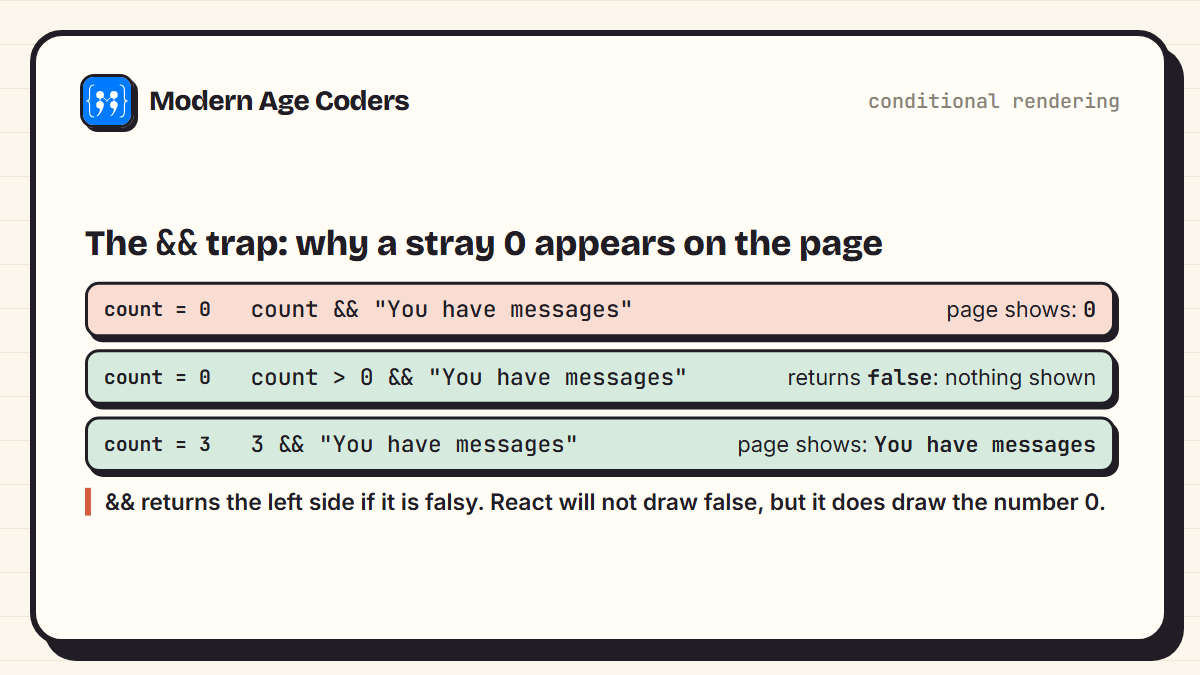
*The single most common cause of a mysterious 0 on a React page.*
> **The fix**
> Make the left side a real true or false: write `count > 0 && ...` instead of `count && ...`, or use a ternary.
## 6. Closures
A closure is a function that remembers the variables from the place it was created. Every event handler in a React component is a closure, and each render creates fresh handlers that remember that render's values. This explains the famous "stale value" puzzle, where a handler logs an old number:
**closure.js**
```javascript
// 5. Each "render" creates a handler that remembers that render's value
let count = 0;
function render() {
const countThisRender = count;
return function handleClick() {
console.log("this handler sees", countThisRender);
};
}
const firstHandler = render();
count = 5;
const secondHandler = render();
firstHandler();
secondHandler();
```
**Output**
```text
this handler sees 0
this handler sees 5
```
The first handler was created when `count` was 0, so it still sees 0, even after `count` changed. React works the same way: a handler belongs to the render that made it. Once you understand this in plain JavaScript, the React behaviour stops being mysterious.
## 7. Promises, async and await
Almost every real app loads data from somewhere, usually through an [API](/blog/what-is-an-api-explained-simply). That means promises and `async` functions. The key idea is order: the page does not stop and wait for the data.
**async.js**
```javascript
// 6. async/await: the order things actually happen
function fakeFetch(data, ms) {
return new Promise(resolve => setTimeout(() => resolve(data), ms));
}
async function loadProfile() {
console.log("1. request sent");
const profile = await fakeFetch({ name: "Asha" }, 100);
console.log("3. data arrived:", profile.name);
}
loadProfile();
console.log("2. page keeps rendering meanwhile");
```
**Output**
```text
1. request sent
2. page keeps rendering meanwhile
3. data arrived: Asha
```
Line 2 prints before line 3, even though it comes later in the file. In React, this is why a component usually renders once with a loading message, then again when the data arrives.
## 8. Modules: import and export
Each React component usually lives in its own file and is shared with `export` and `import`. You should know the difference between a default export (`import Button from './Button'`) and a named export (`import { formatDate } from './utils'`). Mixing them up causes one of the most common error messages new React developers see.
## What you can safely skip for now
- **Classes and `this`.** Modern React uses function components. You will meet classes in older code, but you do not need them to start.
- **Prototypes, generators and proxies.** Useful to know eventually, rarely needed in everyday React.
- **Advanced DOM work.** Knowing how to select an element and handle a click is enough. React takes over the DOM for you.
- **Every array method.** `map`, `filter`, `find` and `some` cover most React needs. `reduce` can wait.
## A sensible learning order
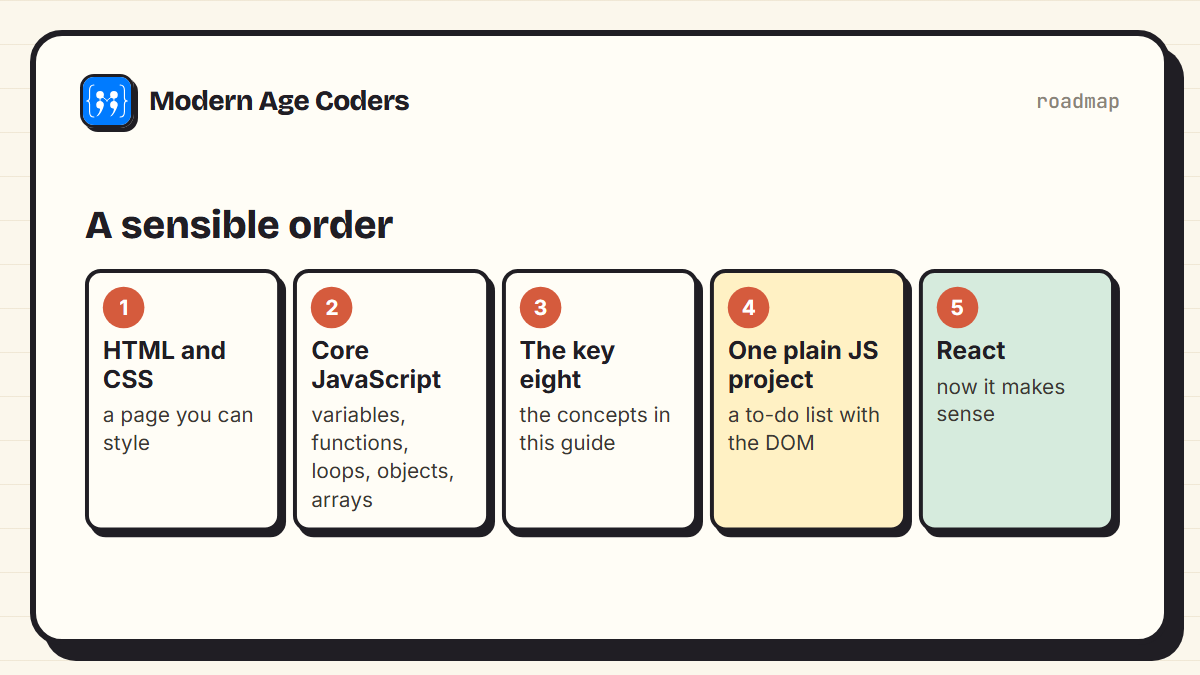
*The plain JavaScript project in step 4 is where the pieces join up.*
| Stage | What to be able to do | Check yourself |
| --- | --- | --- |
| HTML and CSS | Build and style a simple page | A profile card that looks right on a phone |
| Core JavaScript | Functions, loops, arrays, objects | Find the highest score in an array of objects |
| React-critical JS | The eight concepts above | Explain each output in this guide without running it |
| Plain JS project | Update the page from data | A to-do list with add, delete and a count |
| React | Components, props, state | Rebuild the same to-do list in React |
Rebuilding the same project in React is a powerful exercise, because you already understand the problem and can focus entirely on how React changes the approach. If you are still deciding between languages, our comparison of [Python and JavaScript as a first language](/blog/python-vs-javascript-which-to-learn-first) may help.
> React is easy once JavaScript is easy. Most React confusion is JavaScript confusion in disguise.
## How we teach it
Two principles on our [how we teach](/how-we-teach) page matter most here: learning by building, and staying with one concept until it is fully understood. In code, that means tracing line by line until a student can predict every step, which is exactly how the eight concepts above are best learned. Our [React course for teens](/courses/react-for-teens-complete-masterclass) builds JavaScript through the DOM and modern ES6+ before the first React component, and our [React masterclass for college students and adults](/courses/react-js-complete-masterclass-college) starts from solid JavaScript foundations. Classes run one to one or in small groups of 5 to 10.
[Book a free class](/book-demo) [Book a priority demo](/book-demo)
## Frequently asked questions
**What JavaScript should I learn before React?**
Core JavaScript first: variables, functions, conditions, loops, arrays and objects. Then eight features React relies on: arrow functions, destructuring and spread, not mutating data, map and filter, the && and ternary operators, closures, promises with async and await, and import and export.
**How long should I learn JavaScript before starting React?**
It depends on your pace and prior experience, so a fixed number of weeks is less useful than a test. If you can build a small to-do list in plain JavaScript without a tutorial, you are ready to start React.
**Can I learn React without knowing JavaScript?**
You can follow a tutorial, but you will struggle as soon as something goes wrong, because most React bugs are really JavaScript bugs. Learning the core language first is faster overall.
**Do I need to learn HTML and CSS before React?**
Yes. React produces HTML elements and you style them with CSS, so you need the basics of both. You do not need to be an expert.
**Why does my React page show a 0?**
Usually because of code like count && something. When count is 0, the && expression returns 0, and React displays numbers. Use count > 0 && something or a ternary instead.
**Why does my React state not update when I push to an array?**
Because push changes the existing array instead of creating a new one. React compares the old and new state and sees the same array, so it does not re-render. Create a new array with spread, map or filter instead.
**Should I learn TypeScript before React?**
No. Learn JavaScript and React first. TypeScript adds type checking on top of JavaScript and is easier to learn once you are comfortable with both.
---
*Source: https://learn.modernagecoders.com/blog/javascript-to-learn-before-react/*