---
title: "20 HTML, CSS, and JavaScript Project Ideas (With Code)"
description: "20 HTML, CSS, and JavaScript project ideas from beginner to advanced, each with the exact skills it teaches and real tested code for 12 of them."
slug: html-css-javascript-project-ideas
canonical: https://learn.modernagecoders.com/blog/html-css-javascript-project-ideas/
date: 2026-07-05
dateModified: 2026-07-05
category: "Web Development"
tags: ["JavaScript", "HTML", "CSS", "Project Ideas", "Web Development"]
keywords: ["html css javascript projects", "javascript projects for beginners", "web development project ideas", "javascript project ideas with code", "html css js projects for portfolio", "beginner to advanced javascript projects", "javascript projects for practice"]
readTime: "38 min read"
author: "Modern Age Coders"
---
# 20 HTML, CSS, and JavaScript Project Ideas (With Code)
> From your first digital clock to an unbeatable tic-tac-toe AI: twenty projects, sorted by difficulty, twelve with real tested code.
*By Modern Age Coders · 2026-07-05 · 38 min read*
The fastest way to actually learn **HTML, CSS, and JavaScript** is not another tutorial, it is a project you have to finish. A video can show you how addEventListener works. It cannot show you what happens when your to-do list forgets every task the moment you refresh the page, or why your calculator adds two numbers as text instead of doing real math. Those moments, the ones where something breaks and you have to figure out why, are where the language actually sinks in.
This page collects **20 HTML, CSS, and JavaScript project ideas**, sorted into three tiers so you always know what to build next. Every project lists the exact skills it teaches, and twelve of them come with real, tested code you can run today, including a working minimax AI that never loses at tic-tac-toe and a drag-and-drop Kanban board built with nothing but the native browser APIs.
No frameworks, no build tools, no npm install. Just a text editor, a browser, and twenty reasons to open both.
> **How to use this list**
> Work through the tiers in order, but inside a tier, build whatever sounds fun. Motivation finishes far more projects than discipline does. If a project stalls for more than two sessions, ship a smaller version of it and move on. A finished, imperfect to-do list teaches you more than a perfect one that never gets built.
## Why a Tiered Project List Works Better Than a Random One
Most project lists throw twenty ideas at you in no particular order, so a beginner ends up staring at a drag-and-drop Kanban board with the same confidence as a digital clock, and usually picks the wrong one first. Sorting by tier fixes that: each project assumes only the skills the tier before it already taught you, so the jump from one project to the next never feels like starting over.
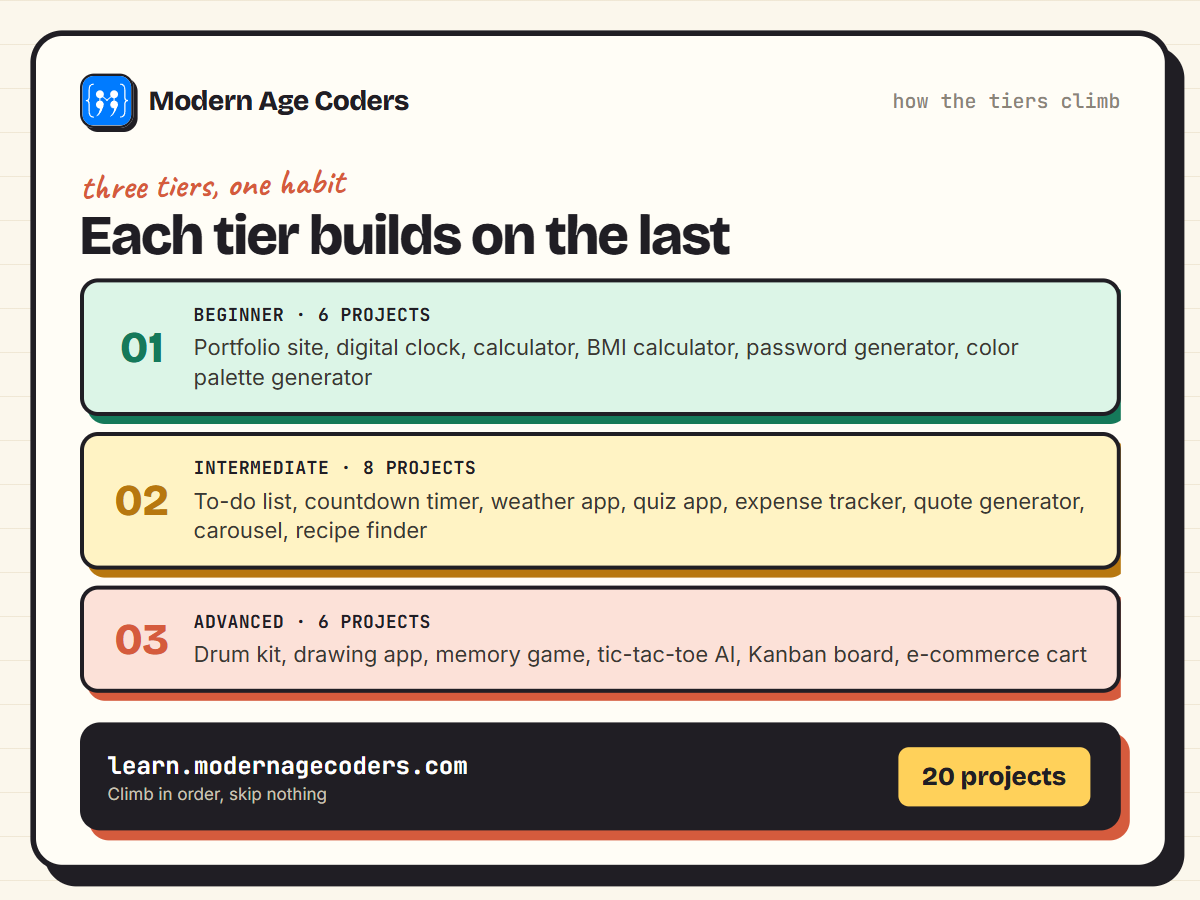
*Six projects, then eight, then six. Climb the tiers in order and every project uses something the last one taught you.*
## Beginner Projects: Build Confidence First
Start here if you are still getting comfortable with variables, functions, and the DOM. Every project in this tier fits in a single afternoon and produces something you can actually show someone, which matters more for motivation than any tutorial does.
### 1. Personal Portfolio Website
Ask any working developer what got them their first freelance client, and there's a good chance the answer wasn't a resume, it was a link. In this project you build a personal html css portfolio website from scratch: a home page, an about page, and a projects page that all share the same header and footer. The real skill underneath this simple site is page structure and layout, the same foundation you'll find under every marketing site, every SaaS pricing page, and every "About Us" page you've ever scrolled through.
- **Semantic HTML5 Structure:** Building the page with header, nav, main, section, and footer tags instead of generic divs, so browsers, screen readers, and search engines can all understand what each part of the page actually is.
- **CSS Flexbox and Grid for Layout:** Using Flexbox to line up the navigation bar and social icons, and CSS Grid to arrange the projects section into a clean, evenly spaced gallery.
- **Responsive Design with Media Queries:** Writing media queries so the layout reflows from a single column on a phone to a multi-column desktop view, without the text or images ever breaking.
- **Linking Multiple Pages:** Connecting the home, about, and projects pages with relative links and a consistent navigation menu, so the whole site feels like one place instead of three disconnected files.
**Make it yours:** Add a filter bar above the projects grid with buttons like All, Web, Python, and Games. A few lines of JavaScript toggle a CSS class on each project card to instantly show or hide it, no page reload needed, which is the same filtering pattern used on e-commerce category pages.
### 2. Digital Clock
Look at your phone's lock screen right now: that clock face updating every second is doing exactly what this javascript digital clock project asks students to build themselves, reading the current time from the browser and refreshing the display without ever reloading the page. Students code a live clock that ticks in real time, showing hours, minutes, and seconds formatted the way a real clock reads, "03:05:09" instead of "3:5:9". The same underlying pattern, pull fresh data on a timer and re-render it, runs the countdown timers on ticket-sale pages and the "last updated" stamps on stock and weather trackers.
- **The Date Object:** pulling the current hours, minutes, and seconds straight from the browser, with no external time source needed.
- **setInterval:** using JavaScript's built-in timer to re-check the time and redraw the page once every second, the same technique behind countdowns and auto-refreshing widgets.
- **String Padding:** catching numbers under 10, like a 5-second mark, and adding a leading zero so the display reads "05" instead of jumping around visually.
- **Template Literals:** using backtick strings to slot the hours, minutes, and seconds variables directly into the display text without clunky string concatenation.
```javascript
function formatClock(date) {
const h = String(date.getHours()).padStart(2, "0");
const m = String(date.getMinutes()).padStart(2, "0");
const s = String(date.getSeconds()).padStart(2, "0");
return `${h}:${m}:${s}`;
}
setInterval(() => {
document.getElementById("clock").textContent = formatClock(new Date());
}, 1000);
```
```text
formatClock(new Date(2026, 0, 1, 9, 5, 3)) // "09:05:03"
formatClock(new Date(2026, 0, 1, 23, 59, 9)) // "23:59:09"
```
**Make it yours:** Add a 12-hour/24-hour toggle switch that recalculates the displayed hour, appends AM or PM, and saves the student's chosen format to localStorage so it's remembered the next time they open the page.
### 3. Simple Calculator
Every calculator app on your phone is doing the same trick under the hood: turning taps into a string of characters, then deciding exactly when it's safe to compute an answer. In this javascript calculator project, the learner wires up a grid of number and operator buttons, builds the logic that reads what was pressed, and produces a working result complete with clear and decimal handling. The real skill underneath it is listening for clicks across a whole group of buttons with a single handler instead of writing ten separate ones, a pattern called event delegation that shows up anywhere a page has a repeating grid of interactive elements, like a product filter list or an on screen keyboard.
- **Event Delegation:** attach one click listener to the button container rather than one per button, then read the click event's target to figure out which digit or operator was actually pressed.
- **Building an Expression String:** each press appends to a running string like "12+7" stored in a variable, so the calculator always has an accurate record of what the user has typed, separate from what's shown on screen.
- **Safe Arithmetic Evaluation:** parse that string and compute the result by splitting it on operators and doing the math step by step in code, instead of reaching for eval, which can execute arbitrary text as code and is a genuine security risk in real applications.
- **Keyboard Input Support:** listen for keydown events so typing "5*3" and pressing Enter works exactly like clicking the matching buttons, since that's how most people instinctively try to use a calculator first.
```javascript
function calculate(a, operator, b) {
a = Number(a);
b = Number(b);
switch (operator) {
case "+": return a + b;
case "-": return a - b;
case "*": return a * b;
case "/": return b === 0 ? "Error" : a / b;
default: return "Error";
}
}
```
```text
calculate(12, "+", 8) // 20
calculate(12, "/", 0) // "Error"
calculate("9", "*", "3") // 27
```
**Make it yours:** Add a receipt style history strip along the side that logs every expression and its result as the calculator gets used, and make each past entry clickable so tapping one drops that old answer straight back into the current calculation, the way a physical adding machine's paper tape lets you reuse an earlier total.
### 4. BMI Calculator
Type bmi calculator javascript into a search bar and you will find thousands of versions online, but most of them skip the part that actually matters, what happens the instant someone clicks submit. In this project, learners build a form that takes a person's height and weight, calculates their BMI the moment the form is submitted, and displays a message explaining what that number means. The core skill is handling form submission without letting the page reload, a pattern that shows up anywhere a user submits data, from login pages to checkout forms. Once that click to calculation flow makes sense here, it makes sense everywhere else too.
- **Form Handling and preventDefault:** Attach a submit event listener to the form and call event.preventDefault() so the page does not refresh and wipe out the result before the user can see it.
- **Basic Math with User Input:** Pull the height and weight values out of the input fields, convert them from strings to numbers, and run them through the BMI formula to get a usable result.
- **Conditional Messages Based on Ranges:** Use if/else statements to check which range the calculated BMI falls into and display a different, plain-language message for each one.
- **Input Validation:** Check that the height and weight fields are filled in and hold positive numbers before calculating, so the app never shows NaN or a nonsense result.
```javascript
function getBMI(weightKg, heightCm) {
const heightM = heightCm / 100;
const bmi = weightKg / (heightM * heightM);
return Math.round(bmi * 10) / 10;
}
function bmiCategory(bmi) {
if (bmi < 18.5) return "Underweight";
if (bmi < 25) return "Normal weight";
if (bmi < 30) return "Overweight";
return "Obese";
}
```
```text
const bmi = getBMI(68, 172);
bmi // 23
bmiCategory(bmi) // "Normal weight"
```
**Make it yours:** Add a "BMI over time" tracker that saves each result to localStorage with a timestamp, then draws a simple line on a canvas element connecting the last several entries, so a student can watch their own number move week to week instead of only ever seeing one calculation at a time.
### 5. Random Password Generator
Every site that makes you set a password eventually nags you into making a stronger one, and behind that nagging sits code doing exactly what you will write here. In this javascript password generator project, the learner builds a tool that assembles a random password on demand, letting the user pick a length and choose which character types to include, then copies the finished password to the clipboard with a single click. The real skill underneath is controlled randomness: Math.random shows up anywhere a computer needs to pick something unpredictably, from shuffling quiz answers to generating one-time discount codes on a checkout page.
- **Random Number Generation:** using Math.random to pick characters unpredictably each time the generator runs, so no two passwords come out the same.
- **Building Character Sets:** assembling separate strings for lowercase letters, uppercase letters, numbers, and symbols, then combining only the sets the user has actually selected.
- **Checkbox-Driven Options:** reading the checked state of multiple checkboxes to let users toggle uppercase letters, numbers, and symbols on or off, and rebuilding the character pool each time an option changes.
- **Clipboard API:** using navigator.clipboard.writeText to copy the generated password in one click, so the user never has to manually select and copy text.
```javascript
function generatePassword(length, useSymbols) {
const letters = "ABCDEFGHIJKLMNOPQRSTUVWXYZabcdefghijklmnopqrstuvwxyz";
const numbers = "0123456789";
const symbols = "!@#$%^&*";
const chars = letters + numbers + (useSymbols ? symbols : "");
let result = "";
for (let i = 0; i < length; i++) {
result += chars[Math.floor(Math.random() * chars.length)];
}
return result;
}
```
```text
generatePassword(12, true)
// "mAZy&!16#4tN" (a new random string every run)
```
**Make it yours:** Add a live crack-time estimator next to the password: instead of a vague weak or strong label, calculate an actual estimate like "3 hours" or "200 years" based on the password's length and how many character types are in play, and recalculate it the instant the user changes any checkbox. It turns an abstract security idea into something a beginner can watch change in real time.
### 6. Color Palette Generator
Open Coolors or Adobe Color and you'll notice they all do the same basic thing: generate a random value, show it as a block of color, let you copy what you like. A javascript color palette generator teaches you that trick from scratch, five swatches on the page, each one holding a random hex code your script just generated. The real payoff is learning to update CSS custom properties from JavaScript instead of hardcoding colors, which is the same mechanism behind dark mode toggles and theme switchers on production sites. Wire in a Clipboard API button and a spacebar shortcut, and it stops feeling like a classroom exercise and starts feeling like a tool you'd actually bookmark.
- **Random hex color codes:** writing a function that generates a valid six-digit hex value on demand, the foundation of any color or design tool.
- **CSS custom properties updated from JavaScript:** defining variables like --swatch-1 in your CSS and setting them live with style.setProperty(), so the page repaints without touching the DOM structure.
- **The Clipboard API:** using navigator.clipboard.writeText() so a click on any swatch copies its hex code, with a quick confirmation message so the user knows it worked.
- **Keyboard shortcuts:** adding a keydown listener so pressing the spacebar generates a new palette, the same muscle-memory pattern used in games and productivity apps.
**Make it yours:** Add a contrast checker badge to each swatch: calculate the color's relative luminance and show whether black or white text passes WCAG AA on top of it. It turns a color toy into a tool that teaches real accessibility math, and it gives students something they can genuinely explain in a portfolio interview.
## Intermediate Projects: Work With Data and APIs
This tier is where projects stop being toys and start behaving like real software: data that survives a refresh, requests to servers you do not control, and interfaces that update themselves instead of waiting for a click.
### 7. To-Do List with Local Storage
Close the browser tab on most beginner JavaScript projects and everything you built vanishes. This one is different: you'll build a javascript to-do list with local storage so tasks survive a refresh, a closed tab, or a laptop restart, because the app writes to the browser itself instead of just to memory. The real lesson isn't the checkboxes, it's learning to treat an array as your single source of truth and keep it synced with saved data, the exact pattern behind a Gmail draft that's still there after a crash or a Trello board that remembers your cards without a login.
- **CRUD Operations on an Array:** add, read, edit, and remove task objects from a JavaScript array, treating that array (not the DOM) as the true record of what's on the list.
- **JSON.stringify and JSON.parse with localStorage:** convert the array into a string to save it with localStorage.setItem, then parse it back into a real array with JSON.parse every time the page loads.
- **Event Delegation:** attach a single click listener to the parent list container instead of one to every task, so newly added items work immediately without re-binding handlers.
- **Marking Items Complete:** toggle a done property on a task object and re-render its style, such as a strikethrough, keeping that completed state saved in localStorage so it's still marked after a reload.
```javascript
function loadTasks() {
return JSON.parse(localStorage.getItem("tasks")) || [];
}
function saveTasks(tasks) {
localStorage.setItem("tasks", JSON.stringify(tasks));
}
function addTask(text) {
const tasks = loadTasks();
tasks.push({ id: Date.now(), text, done: false });
saveTasks(tasks);
return tasks;
}
function toggleTask(id) {
const tasks = loadTasks().map(t =>
t.id === id ? { ...t, done: !t.done } : t
);
saveTasks(tasks);
return tasks;
}
```
```text
addTask("Learn the DOM")
addTask("Build a to-do list")
// tasks: ["Learn the DOM", "Build a to-do list"]
toggleTask(tasks[0].id)
// "Learn the DOM" is now done: true
```
**Make it yours:** Add an "Undo Delete" toast: instead of removing a task from the array the instant someone clicks remove, hold it in a temporary variable and show a small banner with an Undo button for five seconds, only writing the deletion to localStorage if that window passes without a click.
### 8. Countdown Timer for an Event
Every product launch page, concert ticket sale, and flash-sale banner you've ever seen has the same ticking clock counting down to zero, and that clock is built from one simple subtraction. In this javascript countdown timer project, the learner picks a real target date, a birthday, a course start date, a New Year countdown, and builds a live display that recalculates itself once a second until that moment arrives. The core trick, subtracting one timestamp from another to get a raw number of milliseconds, is the same date math behind flight-status trackers, subscription renewal banners, and e-commerce sale timers across the web. Once a student can turn a pile of milliseconds into readable days, hours, minutes, and seconds, and knows how to stop a timer cleanly, they've picked up a pattern they'll reuse in almost every dynamic page they build afterward.
- **Date math:** Using JavaScript's Date object to subtract the current timestamp from a target date and get the exact number of milliseconds remaining until the event.
- **setInterval:** Running a function on a repeating one-second timer so the countdown display keeps updating on its own without the visitor refreshing the page.
- **Time unit conversion:** Breaking a raw millisecond count down into whole days, hours, minutes, and seconds using division and the modulo operator.
- **Clearing intervals:** Calling clearInterval the moment the countdown reaches zero, so the timer stops cleanly instead of ticking into negative numbers or running invisibly in the background.
```javascript
function getTimeRemaining(targetDate, now = new Date()) {
const total = targetDate.getTime() - now.getTime();
if (total <= 0) return { days: 0, hours: 0, minutes: 0, seconds: 0, finished: true };
const seconds = Math.floor((total / 1000) % 60);
const minutes = Math.floor((total / 1000 / 60) % 60);
const hours = Math.floor((total / (1000 * 60 * 60)) % 24);
const days = Math.floor(total / (1000 * 60 * 60 * 24));
return { days, hours, minutes, seconds, finished: false };
}
```
```text
getTimeRemaining(new Date(2026, 0, 3, 6, 30, 15), new Date(2026, 0, 1))
// { days: 2, hours: 6, minutes: 30, seconds: 15, finished: false }
```
**Make it yours:** Add a "countdown complete" state: the instant the timer hits zero, swap the numbers out for a canvas confetti burst and a message pulled from a rotating array (or a code that reveals a linked page), so the timer rewards the visitor for waiting instead of just freezing at 00:00:00.
### 9. Weather App Using a Public API
Open a ride-hailing app and there's a good chance it already asked your browser for your location before you tapped anything, then quietly called a server somewhere to get real data back. That sequence, ask for permission, fetch from an API, wait, then render what comes back, is the heart of this javascript weather app api project: the learner builds a page that detects where the user is, requests current conditions and a short forecast from a public weather API, and displays it in a simple card once the response arrives. The real skill isn't the weather icons, it's handling everything between the click and the answer showing up on screen, the same plumbing that runs Google Maps locating you the instant you open it.
- **Fetch API and async/await:** the learner calls a public weather API with fetch and writes the request using async/await syntax instead of chained .then() calls, so the asynchronous code reads top to bottom like ordinary code.
- **Working with JSON responses:** the API sends back a JSON payload with nested fields for temperature, conditions, and forecast, and the learner parses that JSON to pull out exactly the values needed to build the display.
- **Geolocation API:** the browser's built-in Geolocation API asks the user for permission and returns their coordinates, which get passed into the weather API request so the forecast matches where the user actually is.
- **Handling network errors and loading states:** the learner adds a loading indicator while the request is in flight and writes try or catch logic to catch a failed request, a denied location permission, or a bad response, so the page never just sits there broken with no explanation.
```javascript
async function getWeather(lat, lon) {
const url = `https://api.example.com/weather?lat=${lat}&lon=${lon}`;
const response = await fetch(url);
if (!response.ok) throw new Error("Weather request failed");
const data = await response.json();
return {
tempC: data.current.temp_c,
condition: data.current.condition.text,
};
}
```
```text
await getWeather(22.57, 88.36)
// { tempC: 27, condition: "Partly cloudy" }
```
**Make it yours:** Add a commute comparison feature: let the user save two locations, like home and work, fetch weather for both with a single button press, and show a line like It's 6 degrees warmer at work, skip the heavy jacket, generated by comparing the two temperature readings and picking a message from a small set of rules.
### 10. Quiz App With Score Tracking
Think about any quiz you have taken on a language app, or a hiring test that times your answers. Underneath the interface, the questions are just data, stored as a list the app reads from as you move through it. In this javascript quiz app project you will build that same structure yourself, showing one question on screen at a time while the score updates behind the scenes, then revealing a results screen once the last question is answered. This pattern, storing content as an array of objects and letting the interface render from that data, is exactly what powers onboarding flows and multi-step forms on real websites, not just quizzes.
- **Structuring your data:** Storing every question, its answer options, and the correct answer as one object inside an array, so the whole quiz lives in one clean, editable list instead of being scattered across the HTML.
- **Tracking state as the user plays:** Keeping the current question index and the running score updated in state as the user clicks through, so the app always knows where they are and how they are doing.
- **Rendering options dynamically:** Generating the answer buttons for each question straight from the data array instead of hardcoding them, so adding another question never means touching your HTML.
- **Building a results screen:** Swapping the quiz view for a summary screen once the last question is answered, showing the final score and giving the user a clear sense of how they did.
**Make it yours:** Add a "Review Answers" button to the results screen that loops back through the question array and shows each question again with the user's selected answer next to the correct one, highlighting wrong answers in red and correct ones in green, so the learner sees exactly where they slipped up instead of just a final number.
### 11. Expense Tracker
Ask five people where their money went last month and four of them will guess. The fifth one built a javascript expense tracker project and can tell you to the rupee. This section walks through an app that logs each purchase, then calculates running totals by category and remembers everything even after the browser closes. The same pattern, reading an array of transactions and reducing it into a single number, is exactly what powers the balance on a banking app or the subtotal at checkout on an e-commerce site.
- **Running totals with reduce and filter:** Calculate category totals and an overall balance by filtering expenses down to the ones you care about, then reducing them into a single sum, instead of writing a loop with a manual counter variable.
- **Data persistence with localStorage:** Save every expense to the browser's localStorage so the list survives a page refresh or a closed tab, then read it back and parse it into a JavaScript array when the page loads again.
- **Form validation:** Check that the amount field holds a real positive number and the description isn't blank before an expense gets added, and tell the user exactly what's wrong instead of letting the entry fail silently.
- **Dynamic list rendering:** Loop through the expenses array and generate every entry on the page straight from data, so adding one new expense updates the whole display without hardcoding a single line of HTML.
```javascript
function getTotals(expenses) {
const income = expenses
.filter(e => e.amount > 0)
.reduce((sum, e) => sum + e.amount, 0);
const spending = expenses
.filter(e => e.amount < 0)
.reduce((sum, e) => sum + e.amount, 0);
return { income, spending, balance: income + spending };
}
```
```text
getTotals([
{ text: "Salary", amount: 30000 },
{ text: "Groceries", amount: -2200 },
{ text: "Movie night", amount: -600 }
])
// { income: 30000, spending: -2800, balance: 27200 }
```
**Make it yours:** Add a Budget Ceiling feature: let the learner set a monthly spending limit for each category, then reuse the same reduce logic to compare the running total against that limit and turn the category label red with a warning icon once spending is getting close to the cap.
### 12. Random Quote Generator With an API
Ever wonder how a site can show a brand new line of wisdom every time you refresh, without a developer typing each one in by hand? That's the trick behind this project. Students build a javascript random quote generator api project that calls a live quotes service and displays whatever comes back, right on the page, in real time. Beyond the fun of a quote box, this teaches the exact pattern used by weather widgets and currency converters, basically anywhere a page needs fresh data from somewhere else on the internet.
- **Fetch API Integration:** using fetch() to call a third-party quotes API and parse the JSON response it sends back.
- **New Quote Button:** wiring a click handler that triggers a fresh network request each time, so the page never just recycles the same data.
- **Share-to-Twitter Link:** building a dynamic URL that pulls the current quote text into a tweet composer link, so the exact quote on screen is what gets shared.
- **Loading State:** showing the user something is happening while the request is in flight, instead of leaving the page frozen or blank.
- **Error State:** catching a failed request, such as the API being down, and showing a clear message instead of a broken page.
**Make it yours:** Add a "Make it a Postcard" feature that uses the Canvas API to draw the current quote onto a stylized background image, then lets the user download it as a PNG, turning a plain text quote into a shareable graphic without ever leaving the page.
### 13. Image Carousel / Slider
Every online store you have ever shopped on has one: a row of product photos that slides left and right when you tap an arrow or swipe with your thumb. In this javascript image carousel slider project, you build that exact component from scratch, using array indexing to track which image is showing and touch events to let a swipe control it. The wraparound math you write here, looping from the last slide back to the first without a jarring jump, is the same logic that powers infinite scroll feeds and rotating banner ads across the web.
- **Wraparound Indexing:** use the modulo operator on the slide index so clicking next past the last image loops back to the first one instead of throwing an out-of-bounds error.
- **CSS Transitions:** animate the transform property with an eased duration so slides glide into place instead of snapping, the same technique behind smooth modal and accordion animations.
- **Touch and Swipe Events:** read touchstart, touchmove, and touchend to measure swipe direction and distance, so mobile visitors can drag through slides with a finger instead of tapping arrows.
- **Autoplay With Hover Pause:** run the carousel on a setInterval timer that advances slides automatically, then clear it on mouseenter and reset it on mouseleave so a visitor can actually read a slide before it changes.
**Make it yours:** Give each slide-position dot a thin animated progress bar that fills up in sync with the autoplay timer, the way Instagram Stories shows how much time is left before the next slide. That way a visitor can see exactly when the carousel is about to move and click ahead if they do not want to wait.
### 14. Recipe Finder App
Type "chicken" into a search box and most apps wait a beat before doing anything with it. That pause is engineered, not accidental, and a recipe finder app is where a learner builds that behavior themselves instead of just noticing it. In this javascript recipe finder api project, students wire a search input to a public recipe API, hold off on calling it until the user actually stops typing, then fetch and render a grid of matching dishes. The same pausing trick, called debouncing, is what keeps Google's search suggestions and Amazon's product search from firing a network request on every single keystroke.
- **Fetch API with query parameters:** call a public recipe API using fetch(), passing the user's search term as a URL query parameter and parsing the returned JSON.
- **Debounced search input:** use setTimeout and clearTimeout to delay the fetch until the user pauses typing, so one search fires instead of a request per keystroke.
- **Rendering a results grid:** loop through the array of recipes from the API and generate a responsive grid of cards, each with an image, title, and quick detail, rebuilt every time new results come in.
- **Loading skeleton state:** show placeholder cards with a subtle pulse animation while the fetch is in flight, so the page doesn't sit blank or jump around once real data arrives.
**Make it yours:** Add a "Cook With What I Have" mode: let the user type two or three ingredients sitting in their fridge, then re-sort the results grid by how many of those ingredients each recipe actually uses, highlighting the matched ingredients right on the card.
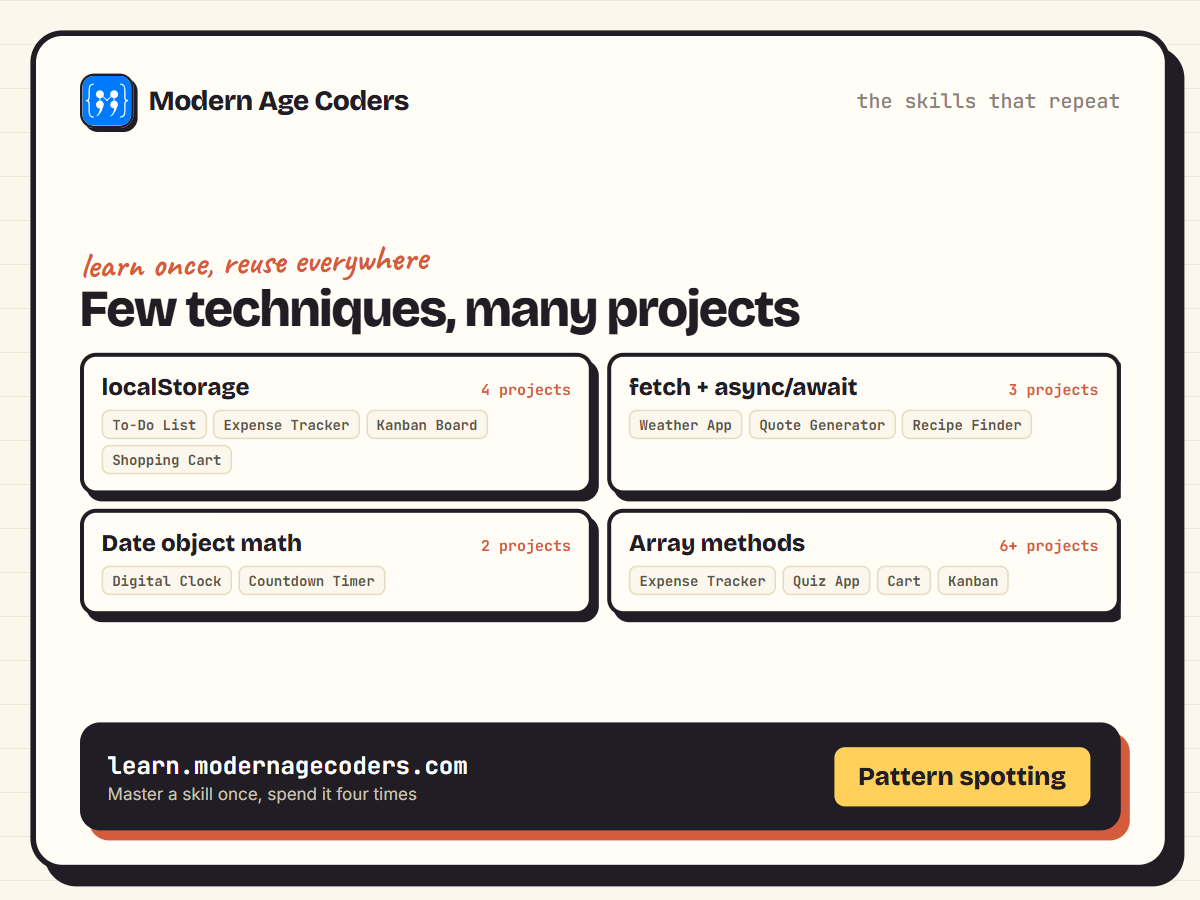
*Notice how few techniques actually repeat. Learn localStorage once and you have it for four different projects.*
## Advanced Projects: Canvas, Algorithms, and Real Interactivity
The final six ask more of you: an algorithm that thinks several moves ahead, a canvas you paint on pixel by pixel, a drag gesture you have to track by hand. These are the projects that make an interviewer stop skimming your portfolio and start asking questions.
### 15. Drum Kit / Sound Board
Tap the A key and a kick drum should hit the speakers before your finger even lifts off. That is the target here: a javascript drum kit keyboard sound board where letters and numbers on the keyboard are mapped to individual drum sounds, each one firing an audio clip and a flash of colour the instant a key is pressed. The real challenge isn't playing a sound on click, it's catching raw keyboard input and making the page react fast enough that it feels like an instrument rather than a web page. You will meet this same keyboard-to-sound-and-animation pattern in browser-based piano and synth apps, and in games where a keypress has to fire an effect the moment it happens, not after a noticeable delay.
- **The Audio object:** create a new Audio object for each sound clip and call its play method on demand, so a single key press can start playback instantly without reloading the page.
- **Keydown event listeners:** attach a listener to the whole document, read which key was pressed from the event, and match it against a lookup of specific keys so each one triggers its own drum sound.
- **CSS animations triggered by JavaScript classes:** add a class like "playing" to a drum pad element when its key fires, then let a CSS animation or transition handle the visual pulse, keeping the styling logic out of your JavaScript.
- **Preventing rapid double-triggering:** handle the case where a held-down key repeats keydown events or a fast typist retriggers a sound before the animation finishes, using checks like currentTime resets or removing and re-adding the CSS class cleanly.
**Make it yours:** Add a record-and-loop mode: a Record button that timestamps every key press as it happens, a Stop button that ends capture, and a Play button that replays the exact sequence with the original timing, turning the sound board into a tiny beat looper students can use to build actual rhythms.
### 16. Drawing App / Whiteboard
Ever notice how a sketch tool works the same whether you're dragging a mouse on a laptop or tracing with a finger on a phone? That's the puzzle behind this javascript canvas drawing app project, a whiteboard where students pick a color, adjust brush size, draw freehand, and undo a stroke that went wrong. The real skill underneath is the Canvas API, the same 2D drawing surface that powers signature pads on delivery apps and the markup tool in a PDF viewer. Once a learner can track a pointer's position and paint pixels in response, they start seeing the screen as something they can respond to in real time, not just a fixed layout.
- **Canvas API:** setting up a canvas element and using its 2D rendering context to draw lines and paths directly with code instead of relying on pre-made images.
- **Pointer event handling:** listening for mousedown, mousemove, and mouseup to know exactly when a stroke starts, continues, and ends, then mirroring that logic with touchstart, touchmove, and touchend so the app works on tablets and phones.
- **Undo stack:** storing a history of drawing actions in an array so a student can step backward through their strokes, an early hands-on look at how undo works in tools like a text editor or an image app.
- **Color and brush-size controls:** wiring a color picker and a range slider to the variables that shape each stroke, so the interface actually drives the drawing logic instead of just sitting next to it.
**Make it yours:** Add a "replay" button that reuses the same undo stack data to redraw the entire sketch stroke by stroke at high speed, turning any finished drawing into an instant time-lapse animation the student can watch back or share.
### 17. Memory Matching Card Game
Ask ten people to shuffle a deck by hand and you will get ten different levels of randomness, which is exactly the problem this project solves with code. In this javascript memory card game project, learners build the classic pairs game, a grid of face-down cards that reveals two at a time and locks a pair in place the moment it matches. The Fisher-Yates shuffle sitting at the center of it is the same algorithm behind shuffle play on music apps and randomized question order in online tests, so it is a technique worth getting right once and reusing forever. Along the way, students also practice tracking state that changes with every click, the same pattern that shows up in quiz apps and shopping carts.
- **Fisher-Yates Shuffle:** randomize the array of card values properly so every new game deals a genuinely different layout, instead of relying on a naive sort-by-Math.random() trick that skews results.
- **Flipped-Card State & Match Checking:** keep track of which cards are currently face up, compare their values once two are flipped, and decide whether to keep them revealed or flip them back after a short delay.
- **Move Counter:** increment a counter on every pair attempt so players can see how efficiently they are playing, not just whether they win.
- **Timer:** start and update a running clock with setInterval so each game has a completion time to track and try to beat.
- **Win-Detection Check:** compare the number of matched pairs to the total pairs after each successful match so the game recognizes the exact moment the board is complete and shows the win state.
```javascript
function shuffle(array) {
const arr = [...array];
for (let i = arr.length - 1; i > 0; i--) {
const j = Math.floor(Math.random() * (i + 1));
[arr[i], arr[j]] = [arr[j], arr[i]];
}
return arr;
}
```
```text
shuffle(["A", "A", "B", "B", "C", "C"])
// ["B", "A", "C", "A", "C", "B"] (a new order every call)
```
**Make it yours:** Add a difficulty selector that changes the grid size between 4x4, 6x6, and 8x8, plus a one-time "Peek" power-up button that flips every card face up for exactly one second per game. Store each player's best time and move count per difficulty in localStorage so returning visitors have a personal record to beat.
### 18. Tic-Tac-Toe With an Unbeatable AI
Every unbeatable tic-tac-toe opponent you've ever lost to is running the same trick: it plays out every possible future before making a single move. Here you'll build a javascript tic tac toe minimax ai that never loses, by teaching the computer to look several moves ahead and pick whichever outcome hurts you most. The underlying idea, called minimax, is the same one behind chess engines, checkers bots, and any game AI that has to choose a move by reasoning about an opponent's best response, so once it clicks on a 3x3 grid it transfers directly to far bigger games.
- **Minimax Algorithm:** the learner implements the game-tree search that scores every possible sequence of future moves, then chooses the move that guarantees the best result even against a perfect opponent.
- **Recursion:** the AI calls itself to play the game forward one hypothetical move at a time, then unwinds those nested calls to compare which branch scored best.
- **Board State & Win Checking:** the grid gets modeled as a simple array, and the learner writes the logic that scans every row, column, and diagonal after each move to detect a win, a loss, or a draw.
- **Difficulty Levels:** the learner builds an easy mode that just picks a random open square alongside a hard mode driven by minimax, showing how the same board state produces very different AI behavior depending on the search strategy behind it.
```javascript
function checkWinner(board) {
const lines = [[0,1,2],[3,4,5],[6,7,8],[0,3,6],[1,4,7],[2,5,8],[0,4,8],[2,4,6]];
for (const [a, b, c] of lines) {
if (board[a] && board[a] === board[b] && board[a] === board[c]) return board[a];
}
return board.includes(null) ? null : "Tie";
}
function minimax(board, isMaximizing) {
const winner = checkWinner(board);
if (winner === "O") return 1;
if (winner === "X") return -1;
if (winner === "Tie") return 0;
const scores = [];
for (let i = 0; i < 9; i++) {
if (board[i] === null) {
board[i] = isMaximizing ? "O" : "X";
scores.push(minimax(board, !isMaximizing));
board[i] = null;
}
}
return isMaximizing ? Math.max(...scores) : Math.min(...scores);
}
function bestMove(board) {
let bestScore = -Infinity, move = -1;
for (let i = 0; i < 9; i++) {
if (board[i] === null) {
board[i] = "O";
const score = minimax(board, false);
board[i] = null;
if (score > bestScore) { bestScore = score; move = i; }
}
}
return move;
}
```
```text
// X has two in a row and could win at index 2
const board = ["X", "X", null, null, "O", null, null, null, null];
bestMove(board) // 2 (the AI blocks the win)
```
**Make it yours:** Add a "Show Its Thinking" toggle that, right before the AI moves, overlays the minimax score it calculated for every open square (10 for a forced win, 0 for a draw, -10 for a loss). Players can then see exactly why the bot picked the square it did instead of treating the unbeatable AI as a black box.
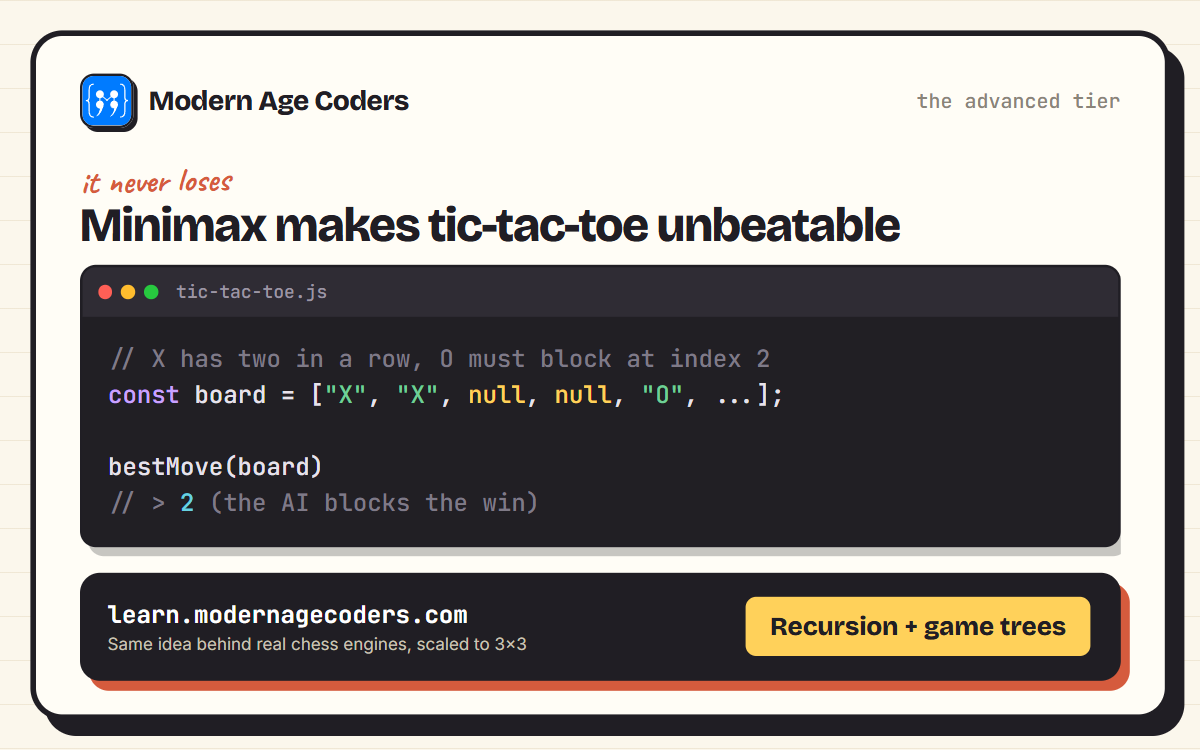
*This is the same core idea behind chess engines, scaled down to a 3x3 board. bestMove() looks at every possible future and picks the one where it cannot lose.*
### 19. Kanban Task Board
Every time you drag a card across a Trello board or move an email into a folder in Gmail, a browser event is quietly telling the page "the user picked this up, now put it down here." In this project you will build that exact interaction yourself: a javascript kanban board with drag and drop where a user can add task cards, drag them between columns like To Do, In Progress, and Done, delete the ones they finish, and reload the page to find everything still exactly where they left it. Getting this right means learning how three connected browser events, dragstart, dragover, and drop, hand information to each other during a single drag gesture. It is a skill that shows up anywhere content needs to be reordered by touch or mouse, from project management tools to admin dashboards with reorderable rows.
- **HTML5 Drag and Drop API:** Use the native dragstart, dragover, and drop events to pick up a card, signal a valid drop zone, and release it into a new column without any external library.
- **State Persistence with localStorage:** Save the full board, every column and every card inside it, to localStorage each time something changes, so refreshing the page or closing the tab does not erase a single task.
- **Dynamic Rendering:** Generate the columns and card elements from a JavaScript array or object instead of hardcoding them in HTML, so the board updates itself whenever the underlying data changes.
- **Adding and Deleting Cards:** Build the create-and-remove logic that lets a user type a new task into a column and clear out finished ones, keeping the in-memory board and the saved localStorage copy in sync.
```javascript
function moveCard(columns, cardId, fromCol, toCol) {
const card = columns[fromCol].find(c => c.id === cardId);
columns[fromCol] = columns[fromCol].filter(c => c.id !== cardId);
columns[toCol] = [...columns[toCol], card];
return columns;
}
// wired to the native drag events
card.addEventListener("dragstart", e => {
e.dataTransfer.setData("text/plain", card.dataset.id);
});
column.addEventListener("dragover", e => e.preventDefault());
column.addEventListener("drop", e => {
const cardId = e.dataTransfer.getData("text/plain");
board = moveCard(board, cardId, sourceColumn, column.dataset.name);
saveBoard(board);
});
```
```text
moveCard(board, 1, "todo", "doing")
// todo: ["Write the README"]
// doing: ["Design the header"]
```
**Make it yours:** Add a WIP limit feature: let the user cap how many cards a column can hold (say, three in "In Progress"), and when a drop would push a column past its limit, reject the drop and flash the column border red instead of accepting the card. It is a small addition, but it forces you to write real validation logic inside your drop handler instead of just accepting every card blindly.
### 20. E-commerce Product Page With a Cart
Add to Cart looks like one button, but behind it sits a small, persistent database: an array of objects tracking what's in the cart, how many of each, and a running total that has to stay correct no matter how many times the page reloads. Here the learner builds a working product page, images, variants, prices, wired to a cart that lives in localStorage, so refreshing the browser doesn't wipe out what a shopper already picked. It's a natural capstone javascript shopping cart project, because it forces array methods, math, and browser storage to work together in one feature instead of three separate exercises. The same pattern, an array of line items plus a total that survives a page reload, is running right now underneath the cart icon on Amazon, every Shopify store, and nearly every checkout flow on the web.
- **Cart state management:** store each cart item as an object with an id, name, price, and quantity inside an array, then write functions to add a new item, bump its quantity up or down, and remove it entirely.
- **Subtotal, tax, and total calculations:** loop through the cart array to sum line totals into a subtotal, apply a tax rate on top of it, and display a final total that recalculates the instant the cart changes.
- **localStorage persistence:** save the cart array to localStorage as JSON on every add, update, or removal, and read it back in when the page first loads so a shopper's cart survives a refresh or a closed tab.
- **Cross-page UI sync:** keep a cart-count badge in the header updated everywhere it appears on the page, so the number shown always matches the actual contents of the cart array the moment it changes.
```javascript
function getCartSummary(cart) {
const subtotal = cart.reduce((sum, item) => sum + item.price * item.qty, 0);
const tax = Math.round(subtotal * 0.08 * 100) / 100;
const total = Math.round((subtotal + tax) * 100) / 100;
return { subtotal, tax, total };
}
```
```text
getCartSummary([
{ name: "Wireless Mouse", price: 799, qty: 1 },
{ name: "USB-C Cable", price: 249, qty: 2 }
])
// { subtotal: 1297, tax: 103.76, total: 1400.76 }
```
**Make it yours:** Add a promo code field under the cart summary that checks the entered code against a small lookup object of discounts (a flat amount or a percentage off), then shows the original subtotal with a strikethrough next to the discounted total, so the learner has to handle order of operations between discount and tax correctly.
## How to Actually Finish a Project (Not Just Start One)
The gap between a portfolio with three finished projects and a GitHub full of half-built repos is almost never talent. It is scope. Every project on this page can quietly grow from a weekend build into a six-month feature list if you let it, so the habits below matter as much as the code.
- **Build the ugly version first:** get the core logic working with default browser styling before you touch a single CSS color. A working calculator with black text on white is still a working calculator.
- **Cut features, not corners:** if the drag-and-drop board is taking too long, ship a version with click-to-move buttons instead. A working substitute beats an unfinished original every time.
- **Test with real, messy input:** type an empty to-do, enter a negative expense, resize the browser to phone width. Half of what you learn happens fixing what breaks, not writing the first version.
- **Deploy it somewhere real:** a free static host turns a folder on your laptop into a link you can actually send someone. A project nobody can click on might as well not exist for a portfolio.
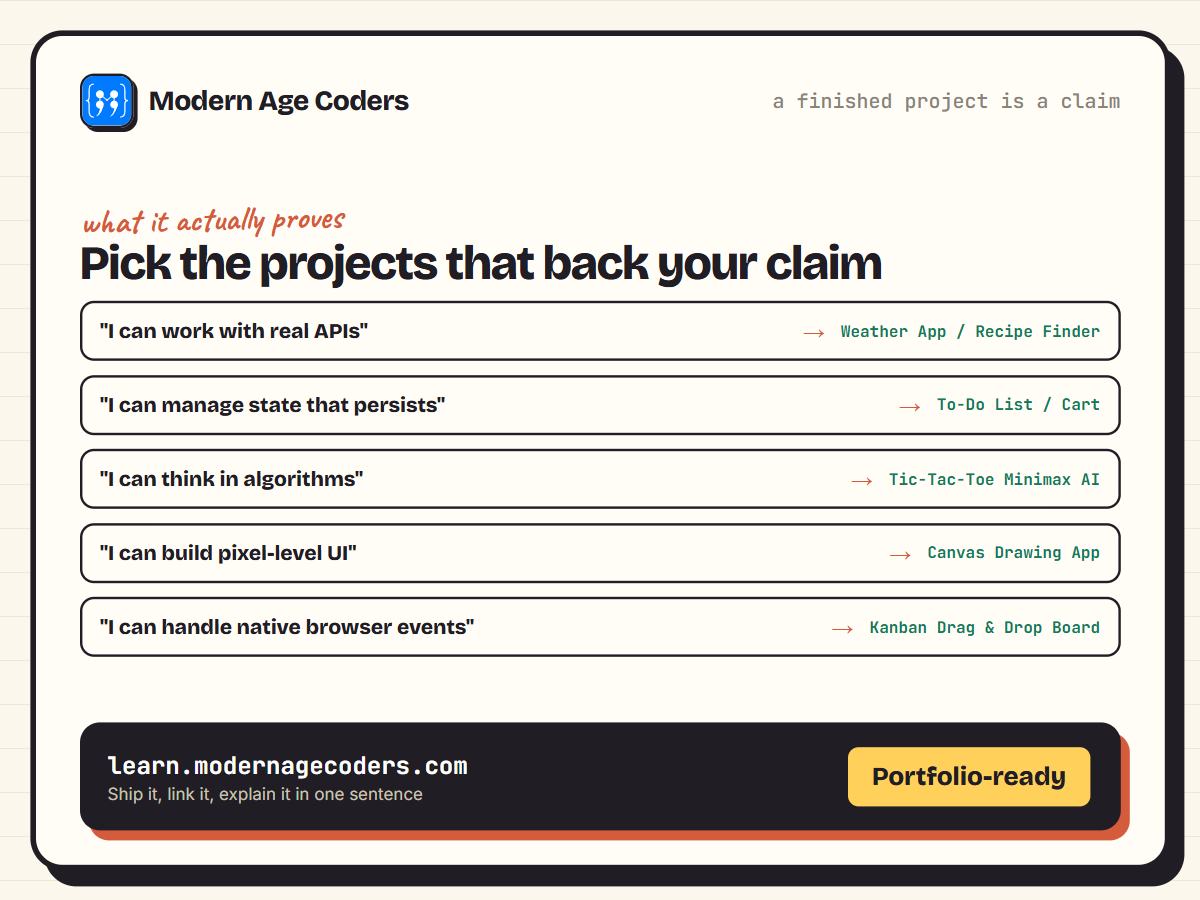
*A finished project is a claim you can back up. Pick the ones that back up the claims you actually want to make.*
> **The one-sentence test**
> Before you call a project finished, try to describe what it does in one sentence to someone who has never seen it. If you cannot, the project is still missing its point, not just its polish.
---
## Frequently Asked Questions
**What HTML, CSS, and JavaScript projects are best for beginners?**
A personal portfolio site, a digital clock, a simple calculator, a BMI calculator, a password generator, and a color palette generator. All six use only core JavaScript and DOM basics, so they build confidence before you touch APIs or browser storage.
**Do I need to know a framework like React to build these?**
No. Every project on this page is built with plain HTML, CSS, and JavaScript, no frameworks, no build tools, no npm install. That is deliberate: frameworks make far more sense once you understand what they are automating, and these twenty projects teach exactly that.
**Which project should I build to practice working with APIs?**
The weather app, the recipe finder, and the random quote generator all call a public API using fetch and async/await. Start with the quote generator, since it has the simplest response to parse, then move to the weather app once JSON handling feels natural.
**How long does each project take to build?**
Beginner projects usually take one to three hours. Intermediate projects, especially ones involving an API or localStorage, take an evening or two. The advanced projects, particularly the tic-tac-toe AI and the Kanban board, can take a weekend if you build every feature listed.
**What is the hardest project on this list?**
The tic-tac-toe game with a minimax AI is the most conceptually demanding, since it requires understanding recursion and game-tree search rather than just DOM manipulation. The Kanban board is a close second because the native Drag and Drop API has a few genuinely confusing event quirks.
**Should I use localStorage or a real database for these projects?**
localStorage is the right choice for every project here. It requires no server, no account, and no cost, and it teaches the same save-and-reload pattern that a real database would, just entirely inside the browser. Save the database conversation for after you have a few of these finished.
**How do I turn one of these projects into a portfolio piece?**
Finish it, deploy it to a free static host so it has a real link, then write two or three sentences explaining what problem it solves and which specific skill it demonstrates. A live link with a clear one-line pitch beats a folder of source code every time.
**What should I build after finishing all 20 projects?**
Pick two or three ideas from this list and combine them into one larger app, for example a habit tracker that borrows the to-do list's localStorage pattern and the countdown timer's date math. Combining familiar pieces into something new is exactly how real products get built.
## Twenty Projects, One Habit
Every one of these twenty ideas teaches the same underlying habit: read the problem, break it into small pieces, and build the pieces one at a time until the whole thing works. That habit is worth more than any single technique on this page, and it is the same habit that carries you into frameworks, backends, and eventually your own product ideas. If you want the fundamentals under all of this explained from zero first, our [JavaScript basics guide](/blog/javascript-basics) is the right place to start, and our [project-based learning guide](/blog/project-based-learning-why-theory-alone-not-enough-coding) goes deeper into why building beats watching.
Want a structured path through projects like these instead of picking one at random? Our [coding roadmap](/coding-roadmap) sequences exactly this kind of project-first learning, and if you would rather build with a teacher checking your code line by line, our [live coding classes](/real-coding-classes) welcome learners aged 6 to 67.
[Book a Free Demo Class](/contact)
### Related reading
- [JavaScript Basics](/blog/javascript-basics)
- [10 Best Free Platforms for Vibe Coding](/blog/best-free-platforms-for-vibe-coding)
- [Project-Based Learning: Why Theory Alone Is Not Enough](/blog/project-based-learning-why-theory-alone-not-enough-coding)
---
*Source: https://learn.modernagecoders.com/blog/html-css-javascript-project-ideas/*